
TBI Pro Mechanoid X107 TBI (Model: X64Morvelli)
REAL 기계식 게이밍 키보드 Mechanoid X107 TBI 사용 설명서
Model: X64Morvelli
소개
The TBI Pro Mechanoid X107 is a high-performance mechanical gaming keyboard designed for professional gamers and everyday use. It features durable blue mechanical switches, customizable RGB LED backlighting, and dedicated multimedia controls for an enhanced user experience. This manual provides comprehensive instructions for setting up, operating, maintaining, and troubleshooting your keyboard.
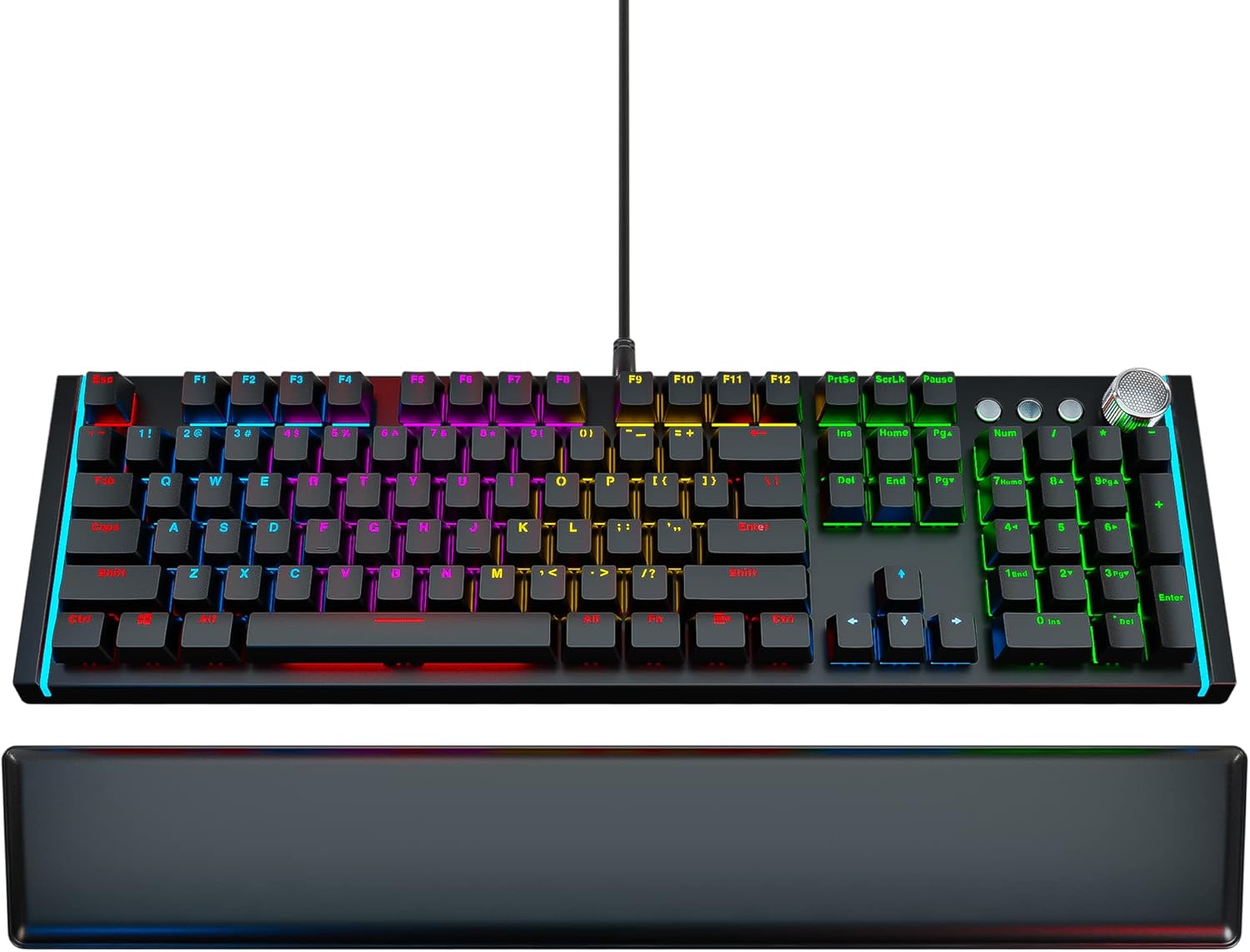
Image: The Mechanoid X107 TBI mechanical gaming keyboard, showcasing its full layout and the included ergonomic leather wrist rest.
상자 안에 무엇이 들어있나요?
Upon unboxing your Mechanoid X107 TBI keyboard, please ensure all the following items are present:
- 기계식 키보드
- 가죽 손목 받침대
- 키캡 풀러
- USB Cable (6.6ft)
- 사용 설명서 (본 문서)
설정
- 키보드 풀기: Carefully remove the keyboard and all accessories from their packaging.
- Connect the Wrist Rest: The ergonomic leather wrist rest attaches magnetically to the front edge of the keyboard. Align the wrist rest with the keyboard and allow the magnets to secure it in place.

이미지: 클로즈업 view showing the magnetic connection points for the leather wrist rest, ensuring easy attachment and detachment.
- 컴퓨터에 연결: Plug the USB cable from the keyboard into an available USB port on your computer. The keyboard is plug-and-play, requiring no additional drivers for basic functionality.
- 초기 전원 켜기: The keyboard's RGB lighting will illuminate upon successful connection, indicating it is ready for use.
작동 지침
RGB LED Backlighting
The Mechanoid X107 features dynamic RGB backlighting with a wide range of customization options. You can adjust lighting modes, brightness, and colors directly from the keyboard without software.

Image: The keyboard illuminated with vibrant RGB lighting, demonstrating the customizable light effects.
- 조명 모드 변경: Use the dedicated lighting control keys (refer to the manual's specific key combinations, usually Fn + Insert, Home, Page Up, etc.) to cycle through various pre-set lighting effects such as breathing, wave, ripple, and static colors.
- 밝기 조정: Typically, Fn + Up/Down arrow keys control the brightness level of the backlighting.
- 색상 사용자 정의: The keyboard supports 65 million individual colors. Specific key combinations allow for per-key color customization or setting a uniform color across the keyboard. Refer to the included quick guide for detailed instructions on advanced color settings.

Image: A visual representation of the RGB color spectrum, indicating the ability to choose from 65 million individual colors for each key.
멀티미디어 컨트롤
The Mechanoid X107 features advanced separate multimedia buttons and a dedicated volume adjustment knob for convenient control over your audio and media playback.
- 볼륨 노브: Rotate the large knob located on the top right of the keyboard to adjust the system volume. Pressing the knob typically mutes/unmutes the audio.

Image: Close-up of the metallic volume control knob, highlighting its textured surface and prominent placement on the keyboard.
- 전용 미디어 버튼: Use the dedicated buttons next to the volume knob for Play/Pause, Fast Forward, and Rewind functions.

Image: Detail of the multimedia control section, showing the dedicated play/pause, track navigation buttons, and the volume knob.
Programmable Keys (Fn Combinations)
The keyboard features function keys that can be combined with the Fn key to access additional shortcuts and controls.
- Fn+F1: Opens the audio player.
- Fn+F2: Turns sound lower.
- Fn+F3: Turns sound higher.
- Fn+F4: 오디오 음소거/음소거 해제.
- Fn+F5: 미디어 재생을 중지합니다.
- Fn+F6: 이전 트랙.
- Fn+F7: 미디어를 재생/일시 중지합니다.
- Fn+F8: 다음 트랙.
- Fn+F9: 기본 이메일 클라이언트를 엽니다.
- Fn+F10: 기본 열기 web browser (Homepage).
- Fn+F11: Lock/Unlock the keyboard.
- Fn+F12: Opens Calculator.

Image: Diagram illustrating the Fn key combinations for F1 through F4, showing their respective functions like opening audio player and volume control.

Image: Diagram illustrating the Fn key combinations for F5 through F8, showing their respective media control functions like stop, previous, play/pause, and next track.

Image: Diagram illustrating the Fn key combinations for F9 through F12, showing their respective functions like opening email, homepage, locking keyboard, and calculator.
유지
Proper maintenance ensures the longevity and optimal performance of your Mechanoid X107 keyboard.
- 키보드 청소:
- 청소하기 전에 키보드를 컴퓨터에서 분리하세요.
- 압축 공기 캔을 사용하여 키캡 사이의 먼지와 이물질을 제거합니다.
- 키캡과 키보드 표면은 부드럽고 약간 d로 닦으세요.amp보푸라기가 없는 천으로 닦아주세요. 과도한 습기는 피해주세요.
- 잘 지워지지 않는 얼룩의 경우, 천에 소량의 이소프로필 알코올을 묻혀 닦아낼 수 있지만, 키보드에 직접 알코올이 닿지 않도록 주의하십시오.
- 손목 받침대 청소하기: Wipe the leather wrist rest with a soft, damp cloth. For leather care, use a specialized leather cleaner if necessary.
- 키캡 제거: Use the included keycap puller to carefully remove keycaps for deeper cleaning or switch replacement (if applicable). Insert the puller onto the keycap and pull straight up.
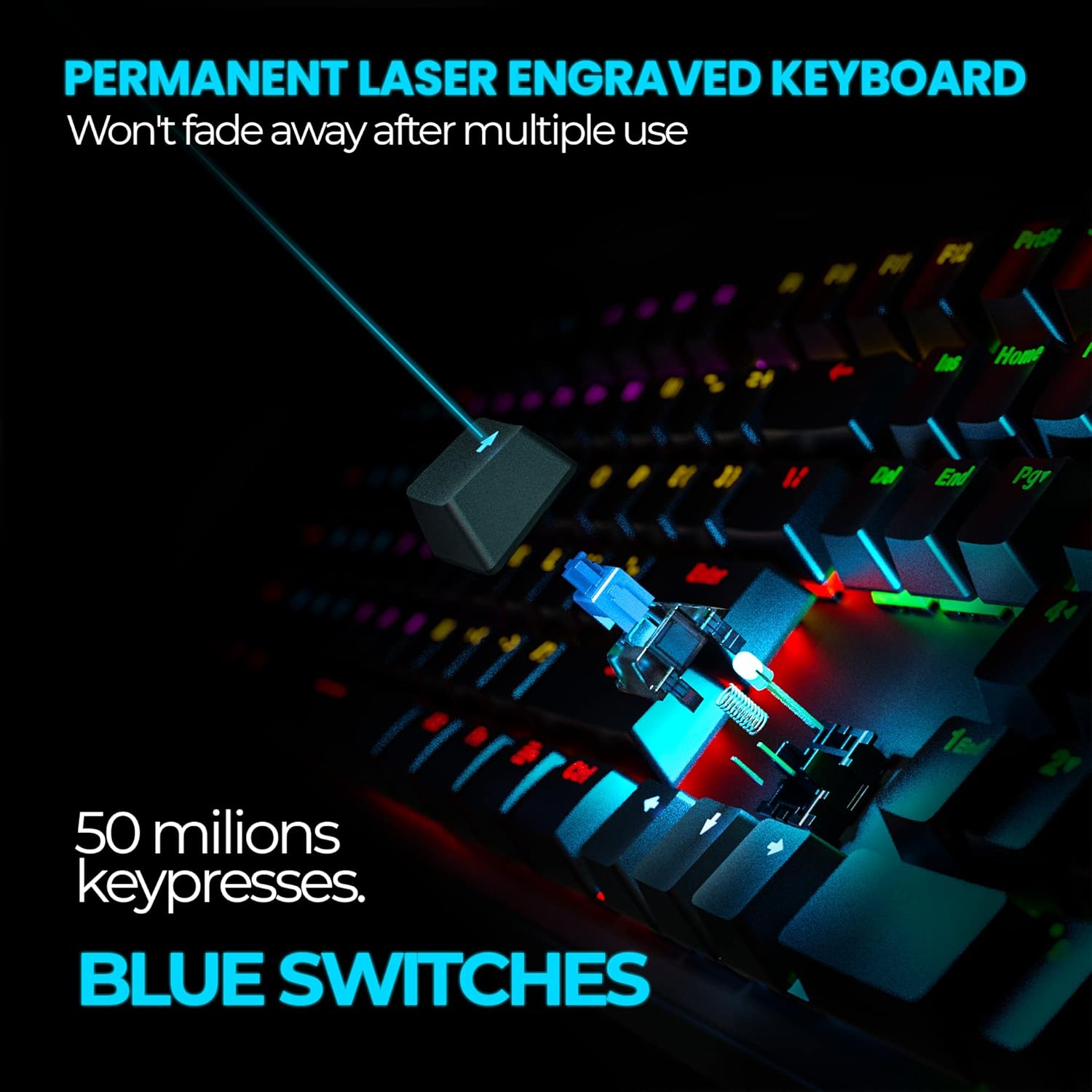
이미지: 클로즈업 view of a blue mechanical switch with a keycap removed, illustrating the durable design and laser-engraved keycap text.
문제 해결
| 문제 | 가능한 원인 | 해결책 |
|---|---|---|
| 키보드가 작동하지 않음 / 표시등이 켜지지 않음 | Loose USB connection; Faulty USB port; Computer issue. | Ensure USB cable is securely plugged into both the keyboard and the computer. Try a different USB port. Restart your computer. |
| 키가 입력을 등록하지 않음 | Dust/debris under keycap; Keyboard lock enabled (Fn+F11). | Clean under the affected keycap using compressed air or the keycap puller. Press Fn+F11 to unlock the keyboard. |
| RGB 조명이 작동하지 않거나 멈춤 | Lighting mode error; Software conflict (unlikely for hardware control). | Cycle through lighting modes using the dedicated keys. Disconnect and reconnect the keyboard. |
| 멀티미디어 키가 작동하지 않습니다 | System settings; Application conflict. | Ensure your operating system's media key settings are default. Try in different applications. |
명세서
| 특징 | 세부 사항 |
|---|---|
| 상표 | TBI 프로 |
| 모델 번호 | X64Morvelli |
| 키보드 유형 | 기계식 게임 키보드 |
| 스위치 유형 | 파란색 기계식 스위치 |
| 키 수명 | >50 million clicks |
| 키의 개수 | 104 (standard) + 3 separate media keys + volume knob |
| 백라이트 | RGB LED (65 million colors) |
| 연결성 | 유선 USB |
| 케이블 길이 | 6.6 피트 (2 미터) |
| 색상 | 검은색 |
| 품목 무게 | 2.99파운드(약 1.36kg) |
| 하드웨어 플랫폼 | PC |
보증 및 지원
For warranty information and customer support, please refer to the documentation included with your purchase or visit the official TBI Pro web해당 사이트를 방문해 보세요. 추가 지원 자료와 FAQ도 찾아보실 수 있습니다.
For further assistance, you may contact TBI Pro customer service through their official channels.
온라인 리소스:
- TBI Pro Store on Amazon: https://www.amazon.com/stores/TBI+Pro/page/2EB70C71-31FD-407E-B344-FF8BD815BC2A
- 사용자 매뉴얼(PDF): https://manuals.plus/m/21c052fadb51be02b7df77ed02b341d92d9b84a0b3cf76279943e80c9c350527
- 설치 설명서(PDF): https://manuals.plus/m/0408a730270bfd311d0f6bba171f46608bb5c210b71eab68db3bb5ca1a26ea20
Ask a question about this manual
Ask about setup, troubleshooting, compatibility, parts, safety, or missing instructions. Manuals+ will review the question and use this page’s manual context to help answer it.