
소개
Thank you for choosing the Conceptronic REGAS01B Optical Desktop Mouse. This manual provides essential information for setting up, operating, and maintaining your new mouse. Please read these instructions carefully before use to ensure proper functionality and longevity of your device.
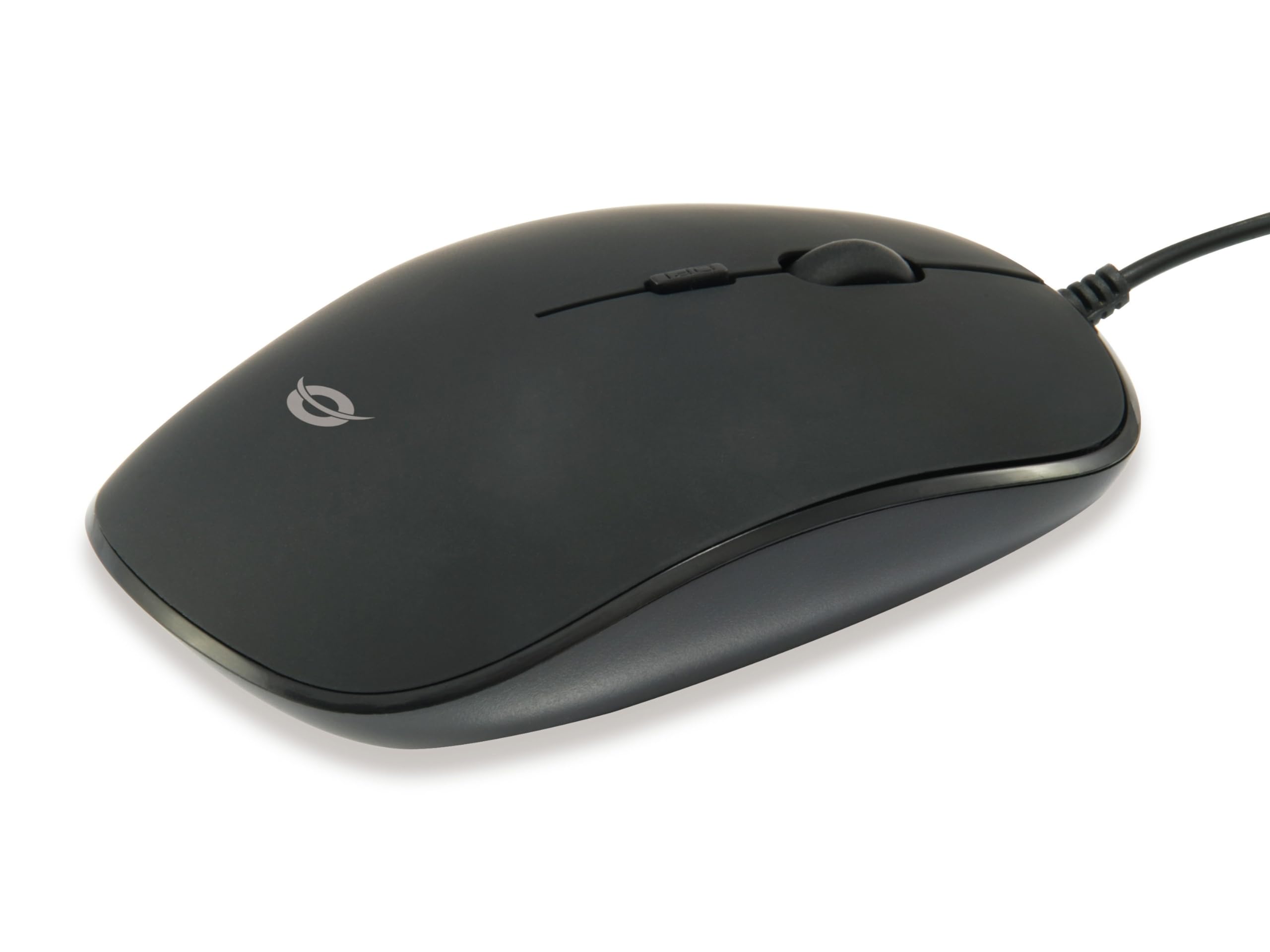
이미지: 상단 view of the Conceptronic REGAS01B Optical Desktop Mouse, showcasing its ergonomic black design.
패키지 내용
패키지에 모든 품목이 들어 있는지 확인하세요.
- Conceptronic REGAS01B Optical Desktop Mouse
- 사용 설명서 (본 문서)
- Note: This is a wired USB mouse and does not require external batteries for operation, despite some generic product data indicating otherwise.
특징
- DPI 스위치: Adjustable sensitivity (800/1000/1200 DPI) for precise control.
- 플러그 앤 플레이: Easy installation without the need for additional drivers.
- 양손잡이 디자인: 왼손잡이와 오른손잡이 모두에게 편안합니다.
- 고무 코팅 표면: Provides enhanced grip and comfort during extended use.
- 광학 추적: Reliable and accurate cursor movement.
- USB 연결: Standard wired connection for stable performance.
설정
- 마우스 연결: Locate an available USB port on your computer. Insert the USB connector of the Conceptronic REGAS01B mouse into the USB port.
- 자동 설치: Your operating system (Windows, Linux, etc.) will automatically detect and install the necessary drivers. This process typically takes a few seconds.
- 사용 준비: Once the installation is complete, the mouse is ready for immediate use. No additional software is required.

이미지: 클로즈업 view of the mouse's scroll wheel and the DPI switch button, located behind the scroll wheel.
작동 지침
기본 기능
- 좌 클릭: 왼쪽 버튼을 눌러 항목을 선택하고 엽니다. files 또는 기능을 활성화합니다.
- 마우스 오른쪽 버튼으로 클릭: 오른쪽 버튼을 눌러 상황별 메뉴를 열거나 추가 옵션에 액세스하세요.
- 스크롤 휠: 문서 사이를 이동하려면 스크롤 휠을 위아래로 굴리세요. web 페이지를 넘길 수 있습니다. 소프트웨어 설정에 따라 마우스 휠을 누른 상태에서 가운데 클릭 기능을 사용할 수도 있습니다.
DPI 감도 조정
The Conceptronic REGAS01B mouse features a DPI switch to adjust cursor sensitivity on the fly. This allows you to quickly change between different tracking speeds for various tasks, such as precise editing or fast-paced gaming.
- DPI 전환 버튼: Located behind the scroll wheel.
- 감도 수준: Press the DPI switch button to cycle through 800, 1000, and 1200 DPI settings.
- 선택: Each press will change the sensitivity, allowing you to find the optimal speed for your current activity.
유지
- 청소: 부드럽고 마른 천을 사용하여 마우스 표면을 닦으세요. 잘 지워지지 않는 오염의 경우, 가볍게 두드리세요.amp천에 물이나 순한 세척액을 묻혀 닦아주세요. 강한 화학 물질이나 연마재는 사용하지 마세요.
- 광학 센서: 정확한 추적을 보장하려면 마우스 밑면의 광학 센서를 깨끗하고 먼지나 이물질이 없는 상태로 유지하세요.
- 저장: When not in use, store the mouse in a clean, dry environment.
- 액체를 피하세요: 마우스를 과도한 습기에 노출시키거나 액체에 담그지 마십시오.
문제 해결
마우스가 응답하지 않음
- USB 연결 확인: USB 케이블이 컴퓨터의 정상 작동하는 USB 포트에 제대로 꽂혀 있는지 확인하세요. 다른 USB 포트에 연결해 보세요.
- 컴퓨터를 다시 시작합니다. 때로는 컴퓨터를 재시작하는 것만으로 연결 문제가 해결될 수 있습니다.
- 다른 컴퓨터에서 테스트: 가능하다면 다른 컴퓨터에서 마우스를 테스트하여 문제가 마우스 자체에 있는지 아니면 컴퓨터 설정에 있는지 확인하십시오.
Inaccurate Cursor Movement
- 깨끗한 광학 센서: 마우스 하단에 있는 광학 센서가 깨끗하고 먼지나 이물질이 없는지 확인하십시오.
- 마우스 패드/표면: Use the mouse on a clean, non-reflective, and uniform surface. Avoid highly reflective or transparent surfaces.
- DPI 조정: Experiment with the DPI switch to find a sensitivity setting that provides accurate tracking for your needs.
명세서
| 특징 | 세부 사항 |
|---|---|
| 상표 | 콘셉트로닉 |
| 모델명 | 레가스01B |
| 색상 | 검은색 |
| 연결 기술 | USB(유선) |
| 움직임 감지 기술 | 광학 |
| DPI 설정 | 800 / 1000 / 1200 DPI (조절 가능) |
| 버튼 수량 | 3 (Left, Right, Scroll Wheel/Middle Click) + DPI Switch |
| 손의 방향 | 양손잡이 |
| 호환 장치 | 개인용 컴퓨터 |
| 운영 체제 호환성 | 리눅스, 윈도우 7, 윈도우 XP (및 이후 버전) |
| 품목 무게 | 61그램 |
| 특별 기능 | Ergonomic Design, Rubberized Surface, Plug & Play |
| 제조업체 부품 번호 | 레가스01B |
| GTIN(UPC) | 04015867208526 |
보증 및 지원
보증 정보 및 기술 지원에 대해서는 콘셉트로닉 공식 웹사이트를 참조하십시오. web사이트를 방문하거나 가까운 판매점에 문의하세요. 보증 청구를 위해 구매 증빙 자료를 보관하세요.
- 온라인 지원: 방문하다 www.conceptronic.net (참고: 이것은 플레이스홀더입니다. URL, please replace with the actual support URL 가능하다면.)
- 연락하다: Refer to the contact information provided on the product packaging or the Conceptronic web고객 서비스 사이트.