
소개
Thank you for choosing the Edifier TWS1 True Wireless Stereo Earbuds. This manual provides essential information for the proper use and maintenance of your device. The TWS1 earbuds offer a wire-free audio experience with dynamic stereo sound. They feature an impressive 32-hour total playtime with the charging case and are designed with an IPX5 rating for splash and sweat resistance, making them suitable for various activities.
Please read this manual thoroughly before operating the earbuds to ensure optimal performance and longevity.
패키지 내용
아래 나열된 모든 품목이 패키지에 포함되어 있는지 확인하세요.
- Edifier TWS1 True Wireless Stereo Earbuds (Left and Right)
- 충전 케이스
- USB 충전 케이블
- 다양한 크기의 이어팁(소형, 중형, 대형)
- 사용자 설명서
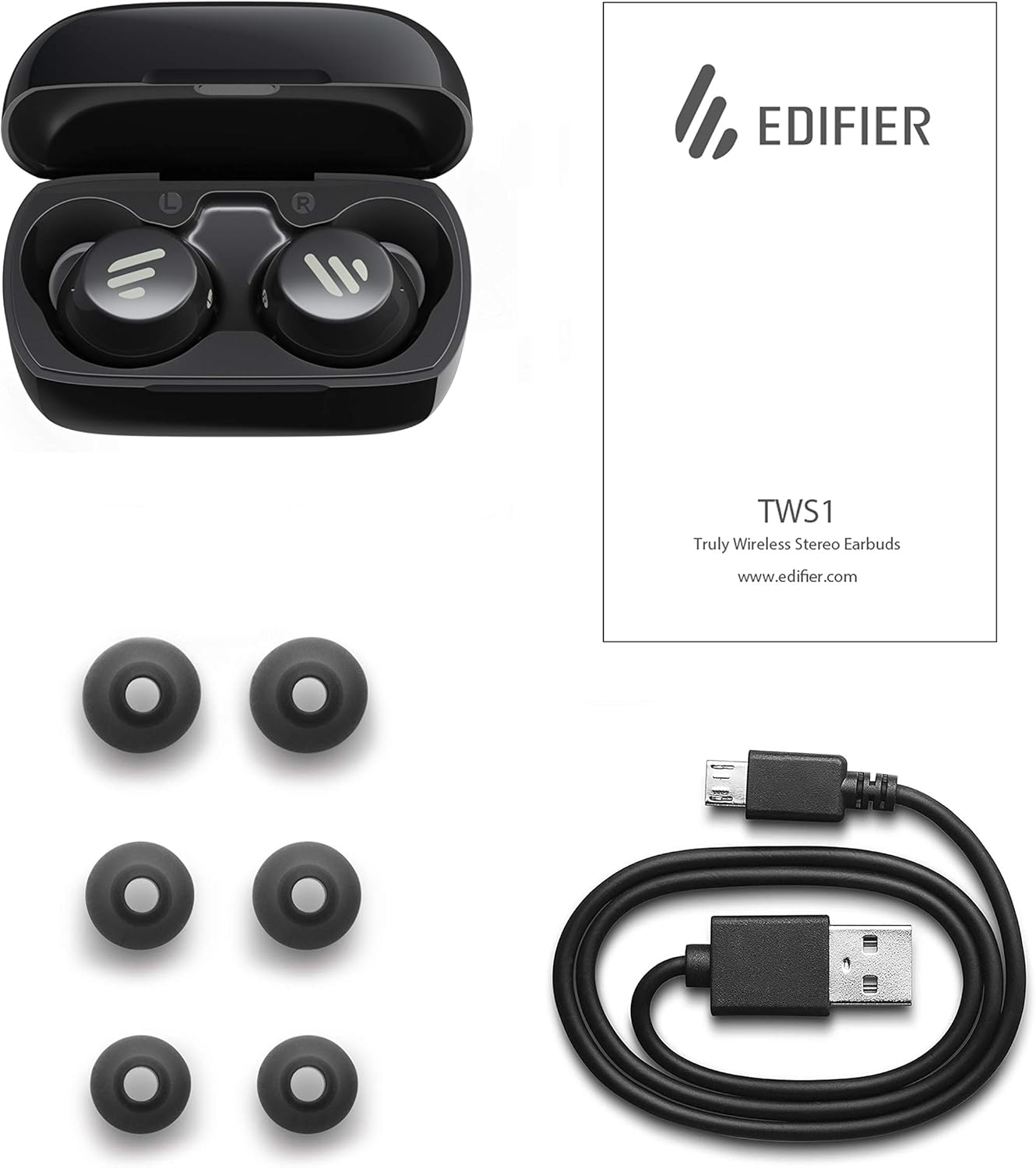
Image: The Edifier TWS1 earbuds, charging case, USB charging cable, and various sizes of ear tips are displayed alongside the user manual, illustrating the complete package contents.
설정
1. 이어버드와 케이스 충전
Before first use, fully charge the earbuds and the charging case. Place the earbuds into the charging case. Connect the USB charging cable to the charging port on the case and a power source. The indicator light on the case will show charging status. Once fully charged, the indicator will change or turn off.
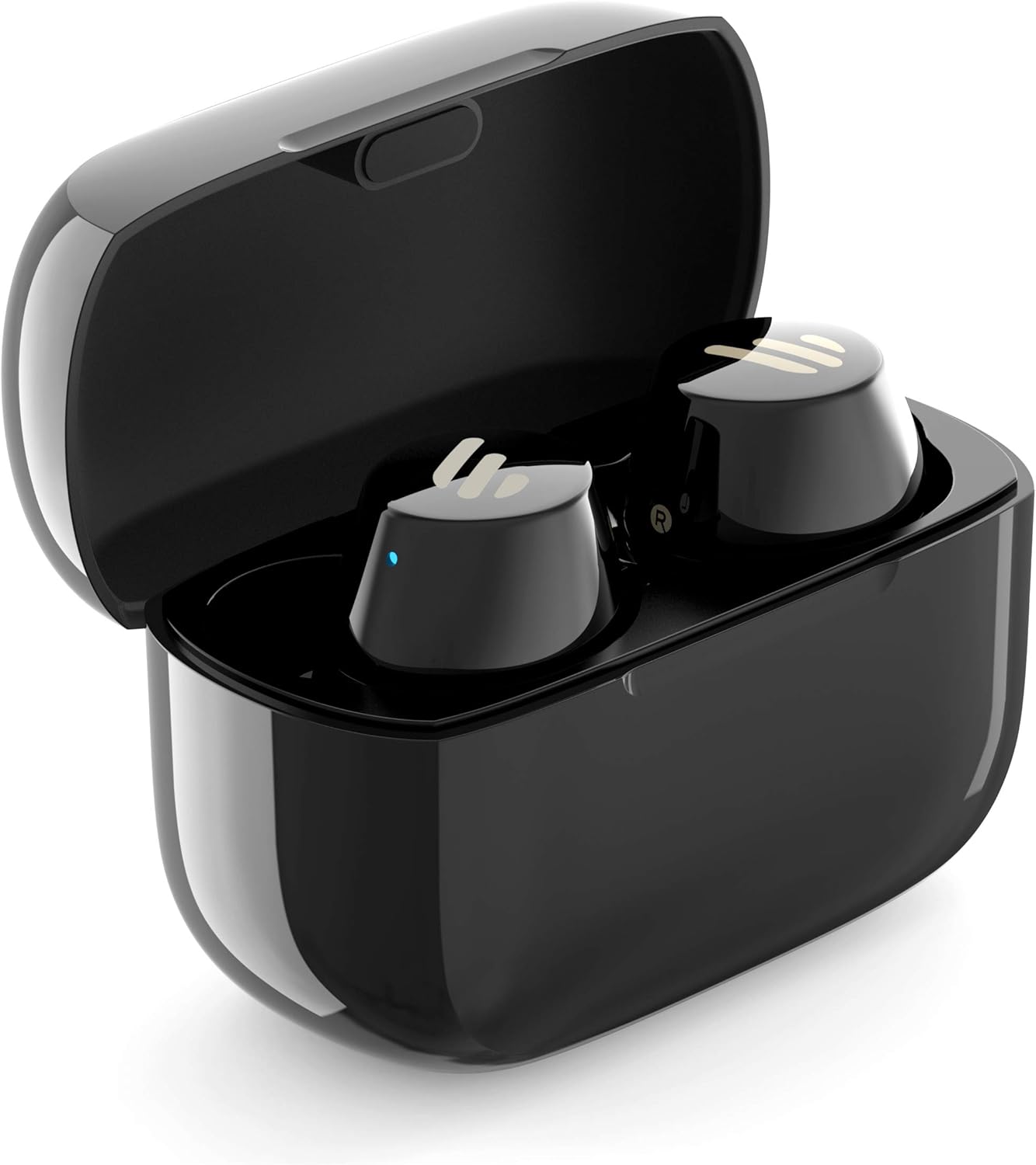
Image: The Edifier TWS1 earbuds are shown nestled within their open charging case, with a blue indicator light visible, signifying charging or power status.
2. 장치와 페어링
- 이어버드가 충전되어 있는지 확인하세요.
- Open the charging case. The earbuds will automatically enter pairing mode, and the indicator light on one earbud will flash rapidly.
- 기기(스마트폰, 태블릿, 노트북)에서 Bluetooth를 활성화하고 새로운 기기를 검색하세요.
- 사용 가능한 장치 목록에서 "EDIFIER TWS1"를 선택하십시오.
- 연결이 완료되면 이어버드의 표시등이 깜빡임을 멈춥니다.
3. 이어버드 장착
Choose the ear tips that provide the most comfortable and secure fit for your ears. Insert the earbuds into your ear canals and gently twist them until they feel snug and stable. A proper fit is crucial for optimal sound quality and noise isolation.
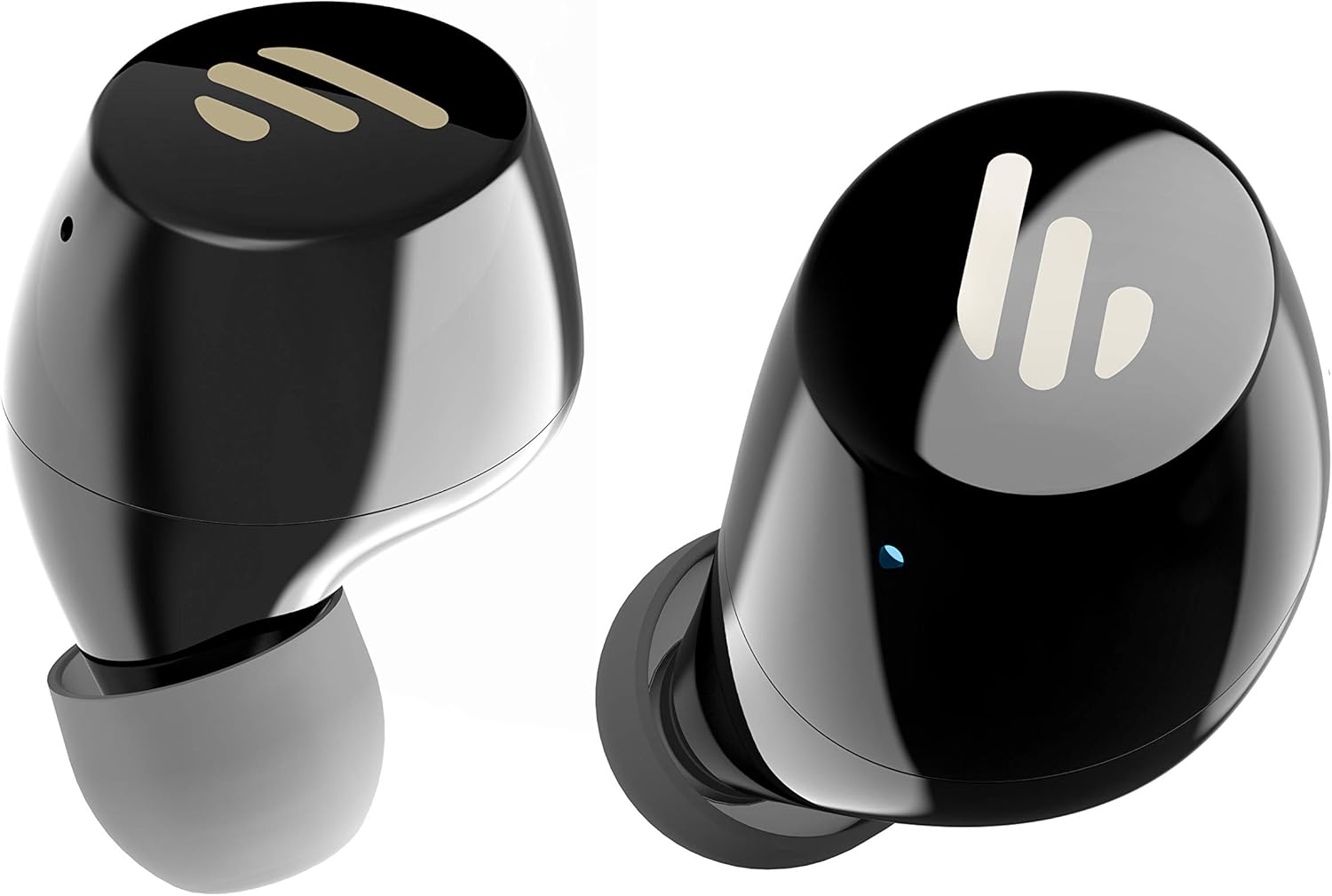
이미지: 자세한 view of the Edifier TWS1 earbuds, highlighting their ergonomic shape and the silicone ear tips designed for a comfortable and secure in-ear fit.
작동 지침
The Edifier TWS1 earbuds feature touch controls for easy operation.
- 전원 켜기: 이어버드는 충전 케이스에서 꺼내면 자동으로 전원이 켜집니다.
- 전원 끄기 : Place earbuds back into the charging case to power off automatically.
- 재생/일시 중지: 이어버드 양쪽의 터치 패널을 두 번 탭하세요.
- 다음 트랙: Triple-tap the touch panel on the right earbud.
- 이전 트랙 : Triple-tap the touch panel on the left earbud.
- 전화 받기/종료: 이어버드 양쪽의 터치 패널을 두 번 탭하세요.
- 전화 거부: 양쪽 이어버드의 터치 패널을 2초간 길게 누르세요.
- Voice Assistant 활성화 : Press and hold the touch panel on the left earbud for 2 seconds.
유지
- 청소: 부드럽고 마른 천으로 이어버드와 충전 케이스를 정기적으로 닦으세요. 연마성 세제나 용제는 사용하지 마세요.
- 방수 기능: 이어버드는 IPX5 등급으로, 땀과 물에 강합니다. 물에 담그거나 폭우에 노출시키지 마세요. 충전하기 전에 충전 포트가 건조한지 확인하세요.
- 저장: 사용하지 않을 때는 이어버드를 충전 케이스에 보관하여 보호하고 충전 상태를 유지하세요. 서늘하고 건조한 곳에 극한의 온도를 피해 보관하세요.
- 배터리 관리 : 배터리 수명을 유지하려면 이어버드와 충전 케이스를 자주 완전히 방전시키지 마세요. 계속 사용하지 않더라도 정기적으로 충전하세요.
문제 해결
If you encounter issues with your Edifier TWS1 earbuds, please refer to the following common solutions:
| 문제 | 해결책 |
|---|---|
| 이어폰의 전원이 켜지지 않습니다. | Ensure the earbuds and charging case are fully charged. Place earbuds in the case and close it, then open to power on. |
| 기기와 페어링할 수 없습니다. | Make sure Bluetooth is enabled on your device. Ensure earbuds are in pairing mode (flashing indicator). Try forgetting the device in your Bluetooth settings and re-pairing. |
| 한쪽 이어버드만 작동합니다. | Place both earbuds back into the charging case, close the lid, and then open it again. This should re-sync them. If the issue persists, try resetting the earbuds. |
| 소리가 나지 않거나 볼륨이 작습니다. | Check the volume level on both your device and the earbuds. Ensure earbuds are properly seated in your ears. Try cleaning the ear tips and speaker mesh. |
| 충전 문제. | Ensure the charging cable is securely connected. Try a different USB port or power adapter. Clean the charging contacts on the earbuds and inside the case. |
공장 초기화
If problems persist, a factory reset may resolve them:
- 양쪽 이어버드를 충전 케이스에 넣습니다.
- Press and hold the touch panel on both earbuds simultaneously for approximately 8 seconds until the indicator lights flash rapidly, then release.
- 이어버드를 케이스에서 꺼내 기기와 다시 페어링해 보세요.
명세서
| 특징 | 세부 사항 |
|---|---|
| 브랜드 이름 | 에디파이어 |
| 모델명 | TWS1 BK |
| 품목 모델 번호 | TWS1_BK |
| 색상 | 검은색 |
| 재료 | 플라스틱 |
| 연결 기술 | 무선 전화 |
| 무선 통신 기술 | 블루투스 |
| 헤드폰 폼 팩터 | 귀에 |
| 귀 위치 | 귀에 |
| 헤드폰 잭 | 잭 없음 |
| 제어 방법 | 만지다 |
| 방수 레벨 | 방수 (IPX5) |
| 호환 장치 | 스마트폰, 태블릿, 노트북, 데스크탑 |
| 제품의 특정 용도 | 의사소통 |
| 제품 치수 | 2.32 x 1.72 x 2.04cm; 130그램 |
| 포함된 구성 요소 | TWS1 Earbuds |
| 연령대 설명 | 성인 |
보증 및 지원
Edifier products are designed and manufactured to the highest quality standards. For information regarding warranty coverage, please refer to the warranty card included with your product or visit the official Edifier website. For technical support or further assistance, please contact Edifier customer service through their official channels.