
소개
Thank you for choosing the ZecRek Bluetooth Beanie. This product combines a comfortable winter beanie with integrated wireless headphones, allowing you to enjoy music and hands-free calls while staying warm. This manual provides essential information for the safe and effective use of your new device, including setup, operation, maintenance, and troubleshooting.
안전 정보
- 제품을 사용하기 전에 모든 지침을 주의 깊게 읽으십시오.
- Do not expose the electronic components to water or moisture. While the beanie fabric is water-resistant, the electronic module should be removed before washing.
- Avoid using the product at excessively high volumes for extended periods to prevent hearing damage.
- 기기를 분해, 수리 또는 개조하지 마십시오. 도움이 필요하시면 고객 지원팀에 문의하십시오.
- 제공된 충전 케이블이나 인증된 동등 제품만 사용하세요.
- 기기를 극한 온도, 직사광선, 화염에 가까이 두지 마세요.
패키지 내용
다음 품목이 패키지에 포함되어 있는지 확인하세요.
- 1 x ZecRek Bluetooth Beanie
- 1 x USB 충전 케이블
- 1 x 사용자 매뉴얼(이 문서)
- 1 x Polar Fleece Neck Warmer
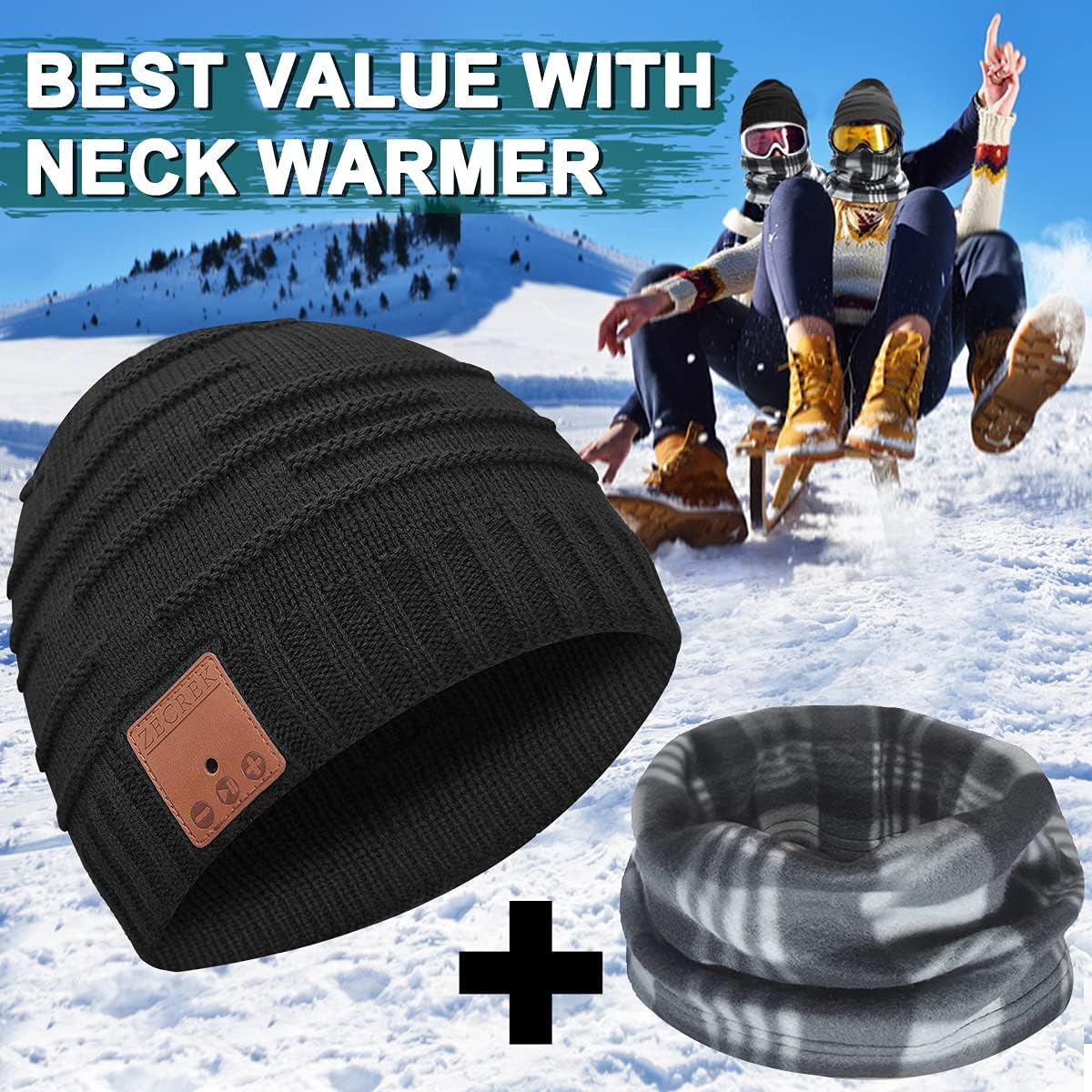
Image: The ZecRek Bluetooth Beanie and accompanying polar fleece neck warmer, as included in the package.
제품 끝view
The ZecRek Bluetooth Beanie features a comfortable knitted design (70% Acrylic, 30% Polyester) with an integrated Bluetooth module. This module houses the speakers, microphone, and control panel, which is conveniently located on the right side of the beanie for easy access.

Image: A person wearing the ZecRek Bluetooth Beanie, highlighting the location of the control panel on the right side.
설정
1. Charging the Beanie
Before first use, fully charge the Bluetooth beanie. The beanie is equipped with a 250mAh battery, providing up to 20 hours of music playback on a single charge.
- Locate the charging port on the Bluetooth module, typically found on the side of the control panel.
- Connect the provided USB charging cable to the beanie's charging port.
- USB 케이블의 다른 쪽 끝을 USB 전원(예: 컴퓨터 USB 포트, 벽면 어댑터)에 꽂습니다.
- An indicator light will typically show red during charging and turn blue or off when fully charged.
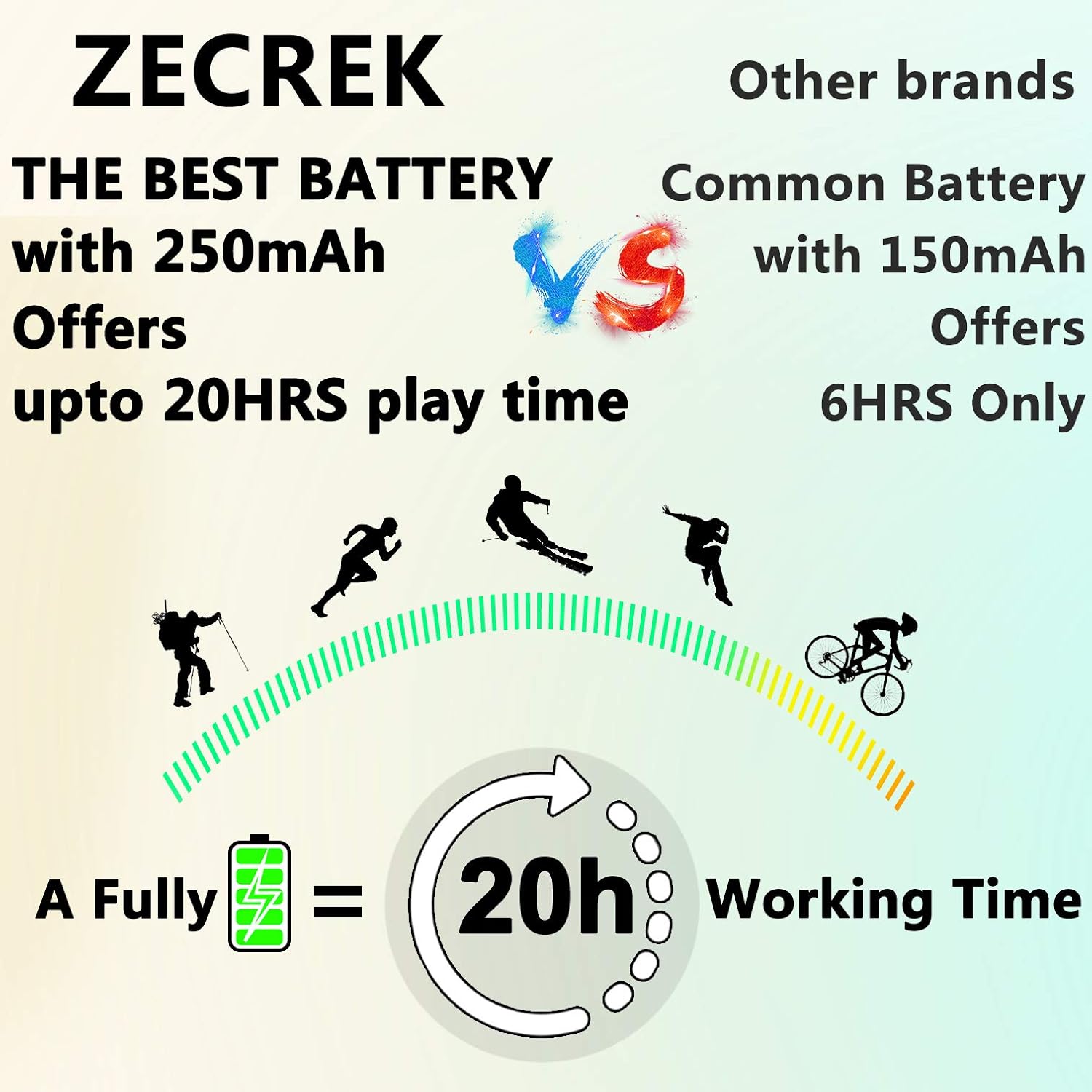
Image: A graphic demonstrating the ZecRek Bluetooth Beanie's extended battery life, offering up to 20 hours of continuous use.
2. 블루투스 페어링
Pair your ZecRek Bluetooth Beanie with your smartphone or other Bluetooth-enabled device.
- Ensure the beanie is charged and turned off.
- Press and hold the power button on the control panel until the indicator light flashes red and blue, indicating it is in pairing mode.
- 기기의 블루투스 설정으로 이동하여 블루투스가 활성화되어 있는지 확인하세요.
- 검색 available devices. You should see "ZecRek Beanie" or a similar name appear in the list.
- Select the beanie to connect. Once connected, the indicator light will typically turn solid blue or flash slowly.
- The beanie offers stable connectivity up to 33 feet (10 meters).
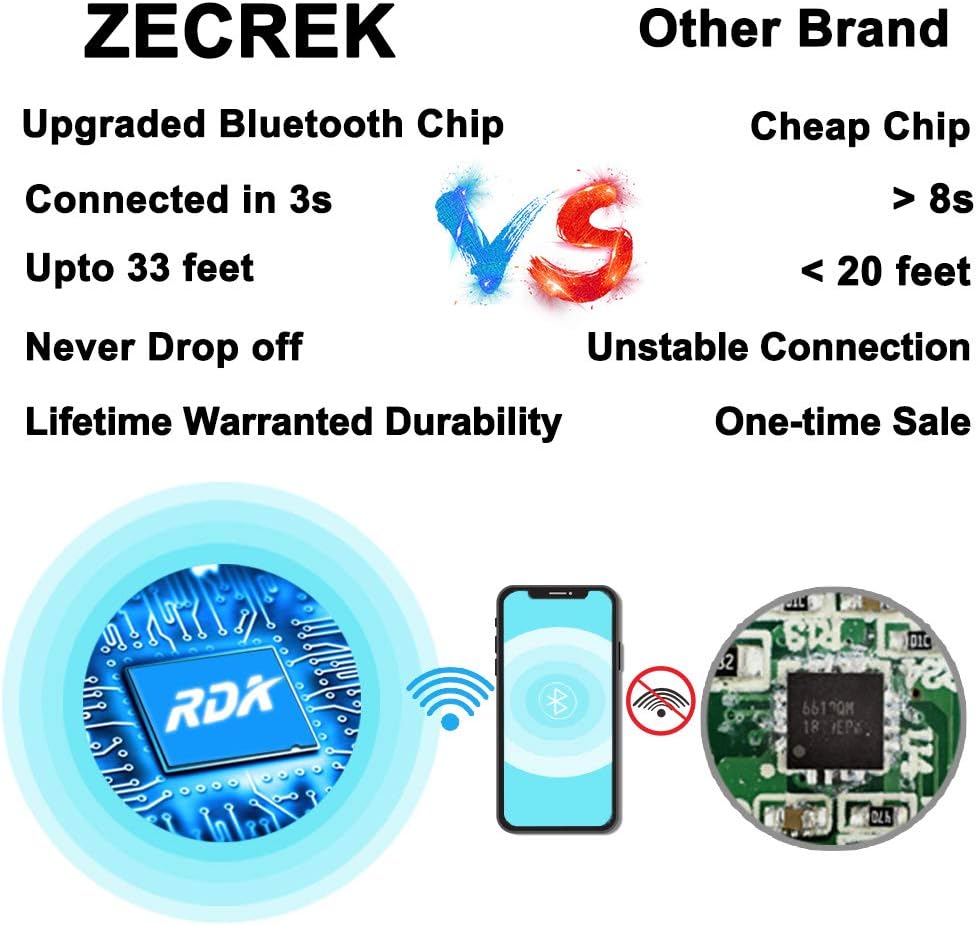
Image: A visual comparison highlighting the ZecRek Bluetooth Beanie's upgraded Bluetooth chip for stable and fast connections.
작동 지침
The control panel on the right side of the beanie allows for easy management of music and calls.
- 전원 켜기/끄기: 전원 버튼을 약 3초 동안 길게 누릅니다.
- 음악 재생/일시 중지: 전원 버튼을 짧게 누릅니다.
- 다음 트랙: '+' 버튼을 짧게 누르세요.
- 이전 트랙 : '-' 버튼을 짧게 누르세요.
- 볼륨 업: '+' 버튼을 길게 누르세요.
- 볼륨 작게 : '-' 버튼을 길게 누르세요.
- 전화 받기/종료: Short press the power button during an incoming call or active call.
- 전화 거부: 전화가 걸려오는 동안 전원 버튼을 길게 누르세요.
- 마지막 번호 재다이얼: 전원 버튼을 두 번 누르세요.
유지
비니 세척
The beanie is washable, but the electronic module must be removed first.
- Carefully locate the openings inside the beanie and remove the Bluetooth module (speakers and control panel).
- Hand wash the beanie fabric in cold water with a mild detergent.
- Rinse thoroughly and air dry completely before reinserting the electronic module.
- Do not machine wash or tumble dry the beanie with the electronics inside.

이미지: 클로즈업 view showing how to remove the speaker module from the beanie, with a washing machine in the background, indicating the beanie is washable once electronics are removed.
Electronic Module Care
- Keep the module dry and clean.
- Wipe with a soft, dry cloth if necessary.
- 사용하지 않을 때는 시원하고 건조한 곳에 보관하세요.
문제 해결
| 문제 | 해결책 |
|---|---|
| Beanie does not turn on. | 배터리가 충전되어 있는지 확인하세요. 전원에 연결한 후 다시 시도해 보세요. |
| 기기와 페어링할 수 없습니다. | Ensure the beanie is in pairing mode (flashing red/blue light). Turn off and on your device's Bluetooth. Make sure the beanie is within 33 feet of your device. |
| 소리가 나지 않거나 음질이 좋지 않습니다. | Check the volume levels on both the beanie and your connected device. Ensure the beanie is properly connected. Move closer to your device to avoid interference. |
| 배터리가 충전되지 않습니다. | Check if the charging cable is securely connected to both the beanie and the power source. Try a different USB port or cable. |
명세서
| 특징 | 세부 사항 |
|---|---|
| 상표 | 제크렉 |
| 모델 번호 (ASIN) | B07T2D2DWH |
| 한국어: | 753215874682 |
| 원단 종류 | 70% Acrylic, 30% Polyester |
| 배터리 | 1 리튬 이온(250mAh) |
| 재생 시간 | 최대 20시간 |
| 블루투스 범위 | 최대 33피트(10미터) |
| 사운드 출력 | 최대 120 데시벨 |
| 관리 지침 | Hand Wash Only (remove electronics first) |
| 방수성 | Waterproof (beanie fabric) |
| 패키지 크기 | 10.24 x 5.47 x 2.76 인치 |
| 품목 무게 | 5.61 온스 |
| 추가 기능 | 마이크, 무선 |
보증 및 지원
No specific warranty information is provided in the product details. For any product inquiries, technical support, or warranty claims, please contact ZecRek customer service through your original point of purchase or refer to the contact information provided on the product packaging.