
Wavel GF-07
Wavel Ultra Mini GF-07 GPS Tracker User Manual
모델: GF-07
1. 제품 오버view
The Wavel Ultra Mini GF-07 is a compact and lightweight GPS tracking device designed for tracking vehicles, individuals, or assets. It features a magnetic back for easy attachment and operates by inserting a working SIM card (not included) to enable real-time tracking and voice monitoring capabilities. Please note that this device primarily supports 2G GSM networks.
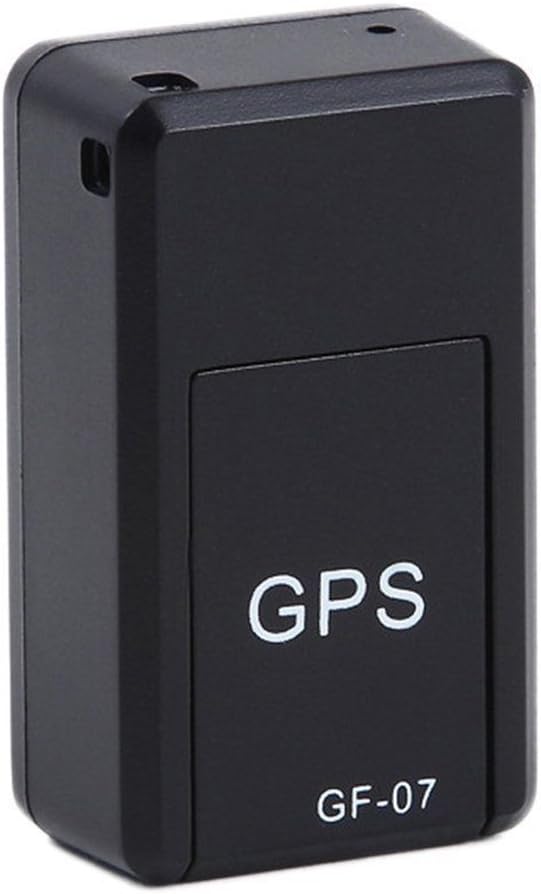
그림 1: 앞쪽 view of the Wavel GF-07 GPS tracker, showing the 'GPS' and 'GF-07' labels.
주요 특징:
- 컴팩트한 디자인: Small size (approximately 42x25x20mm) and lightweight for discreet placement.
- 자석 부착: Equipped with powerful magnets for secure installation on metallic surfaces.
- 실시간 추적: Utilizes a SIM card (not included) for location tracking via Google Maps over the internet.
- 음성 모니터링: Dialing the SIM card number allows for silent audio monitoring around the device.
- 음성 녹음: Supports voice recording by sending a specific SMS command. Requires a TF card (not included).
- 장기 대기: Features a 3.7V 300mA lithium battery with approximately 100 hours of standby time.
2. 패키지 내용
패키지에 모든 품목이 들어 있는지 확인하세요.
- 1 x Wavel Ultra Mini GF-07 GPS Tracker
- 1 x USB 충전 케이블
- 1 x 사용자 매뉴얼(이 문서)
Note: A working 2G GSM SIM card and a TF (microSD) card are required for full functionality and are NOT included.
3. 설정 가이드
3.1. SIM 카드 및 TF 카드 삽입
- Locate the SIM card slot and TF card slot on the device. These are typically found by sliding open a cover or removing a small panel.
- Insert a working 2G GSM SIM card into the SIM card slot. Ensure the SIM card is active and has sufficient balance for calls and SMS. (Important: This device primarily supports 2G GSM networks. Compatibility with 3G/4G/5G networks for data transmission may vary or be limited, and 2G networks are being phased out in some regions.)
- Insert a TF (microSD) card into the TF card slot for voice recording functionality.
- 덮개를 단단히 닫으십시오.

그림 2: View of the GF-07 tracker with the cover removed, showing the SIM card and TF card slots.
3.2. 장치 충전
처음 사용하기 전에 기기를 완전히 충전하세요.
- Connect the provided USB cable to the charging port on the GF-07 tracker.
- USB 케이블의 다른 쪽 끝을 표준 USB 전원 어댑터(예: 휴대폰 충전기, 컴퓨터 USB 포트)에 연결하십시오.
- The device will indicate charging status (e.g., an indicator light). Charge until the light indicates full charge or turns off.

그림 3: 옆 view of the GF-07 tracker, highlighting the micro USB charging port.
4. 사용 설명서
4.1. 전원 켜기 / 끄기
The device typically powers on automatically when a SIM card is inserted and it has power. There is no explicit power button.
- 전원 켜기: Insert a charged battery and a SIM card. The device should power on automatically.
- 전원 끄기 : Remove the SIM card and/or disconnect the battery.
4.2. Real-time Tracking (Google Maps)
To track the device's location:
- Ensure the SIM card in the device has an active data plan.
- From your mobile phone, send a specific SMS command to the SIM card number in the GF-07 tracker. The manual states "track and map (with Google Maps) in real-time over the Internet" but doesn't specify the SMS command for this. (Common commands for similar devices might be "URL" or "GPS", but refer to the original small manual for exact command if available. If not, this functionality might be app-based or require a specific platform.)
- The device should reply with a Google Maps link showing its current location. Click the link to view the location on Google Maps.
4.3. Voice Monitoring
To listen to the surroundings of the device:
- Dial the phone number of the SIM card inserted into the GF-07 tracker from your mobile phone.
- The device will automatically answer the call silently, allowing you to hear sounds around it. There will be no light or noise from the tracker during this process.
4.4. 음성 녹음 기능
To initiate voice recording:
- Ensure a TF (microSD) card is properly inserted into the device.
- Send the text message "555" to the SIM card number in the GF-07 tracker.
- The device will reply with a message "Snd" to confirm that recording has started.
- Recordings will be saved to the TF card. To stop recording, send "666" (common for similar devices, not specified in input, but logical). To retrieve recordings, you would typically need to remove the TF card and access it via a computer.
5. 유지관리 및 관리
- 청소: 부드럽고 마른 천으로 기기를 닦으세요. 액체 세척제나 에어로졸은 사용하지 마세요.
- 온도: 기기를 극한의 온도(더위나 추위)에 노출시키지 마세요.
- 물 노출: 이 기기는 방수 기능이 없습니다. 물과 높은 습도로부터 멀리하십시오.
- 저장: 장기간 보관할 경우 배터리를 부분적으로 충전(약 50%)하고 서늘하고 건조한 곳에 보관하십시오.
- 배터리 수명: Battery working time is approximately 100 hours on standby. Actual usage time will vary based on tracking frequency and network conditions.
6. 문제 해결
| 문제 | 가능한 원인 | 해결책 |
|---|---|---|
| 장치의 전원이 켜지지 않습니다. | Low battery; SIM card not inserted correctly; faulty device. | Charge the device fully. Re-insert the SIM card. If problem persists, contact support. |
| Cannot get location reply. | No network signal; SIM card has no data/balance; incorrect SMS command; device not powered on. | Check network coverage. Ensure SIM card is active and has data. Verify SMS command. Confirm device is powered on. |
| 음성 모니터링이 작동하지 않습니다. | SIM card has no call balance; device out of range; SIM card not inserted correctly. | Check SIM card balance. Ensure device is in an area with network coverage. Re-insert SIM card. |
| 음성 녹음이 작동하지 않습니다. | TF card not inserted; TF card full; incorrect SMS command. | Insert a TF card. Check TF card storage. Verify SMS command "555". |
| 장치가 충전되지 않습니다. | Faulty cable/adapter; charging port damage. | Try a different USB cable and adapter. Inspect charging port for damage. |
| Inaccurate GPS location. | Weak GPS signal (indoors, dense areas); environmental interference. | Move the device to an open area with clear sky view. GPS accuracy is approximately 100m. |
7. 사양
| 특징 | 세부 사항 |
|---|---|
| 모델 | GF-07 |
| 색상 | 검은색 |
| 치수(길이 x 너비 x 높이) | 약 42mm x 25mm x 20mm |
| 재료 | ABS(아크릴로니트릴부타디엔스티렌) |
| 안테나 유형 | 지에스엠에스엠 |
| GPS 포지셔닝 정확도 | 약 100m |
| 배터리 | 3.7V 300mA Lithium Battery |
| Battery Working Time (Standby) | 약 100시간 |
| 지원되는 카드 | SIM Card (2G GSM), TF (microSD) Card |
| 연결 기술 | 셀룰러 |
| 특징 | 자석 부착 |

그림 4: Dimensions of the GF-07 tracker: 42mm length, 25mm width, 20mm height.
Ask a question about this manual
Ask about setup, troubleshooting, compatibility, parts, safety, or missing instructions. Manuals+ will review the question and use this page’s manual context to help answer it.