
1. 서론
Thank you for choosing the Ghostek Rush Wireless Sport Earbuds. These in-ear headphones are designed for active lifestyles, offering high-definition audio, a secure fit, and water resistance. This manual provides instructions for setup, operation, and maintenance to ensure optimal performance and longevity of your device.
2. 패키지 내용
패키지에 모든 품목이 들어 있는지 확인하세요.
- Ghostek Rush Wireless Sport Earbuds
- 마이크로 USB 충전 케이블
- 보관 파우치
- Smart Grip Ear Tips (various sizes)
- 사용 설명서 (본 문서)
3. 제품 오버view
Familiarize yourself with the components of your Ghostek Rush Wireless Sport Earbuds.

이미지 3.1: 이상view of Ghostek Rush Wireless Sport Earbuds, showing the earbuds, connecting cable, and inline control module.

이미지 3.2: 상세 view of the inline control module, featuring volume up, multi-function, and volume down buttons.
주요 구성 요소:
- 이어 버드 : Left (L) and Right (R) earbuds with integrated ear hooks for a secure fit.
- 인라인 제어 모듈: 전원, 볼륨, 트랙 선택 및 통화 관리 버튼이 포함되어 있습니다.
- 마이크로폰: Built into the inline control module for hands-free calls.
- 마이크로 USB 충전 포트: 인라인 제어 모듈에 위치해 있습니다.
4. 이어버드 충전하기
Before first use, fully charge your Ghostek Rush Earbuds. A full charge takes approximately 1.5 hours.
- Locate the Micro-USB charging port on the inline control module.
- Connect the supplied Micro-USB cable to the charging port.
- USB 케이블의 다른 쪽 끝을 USB 전원(예: 컴퓨터 USB 포트, 벽면 어댑터)에 연결하십시오.
- The LED indicator on the control module will illuminate during charging and change color or turn off when fully charged (refer to LED indicator section for details).
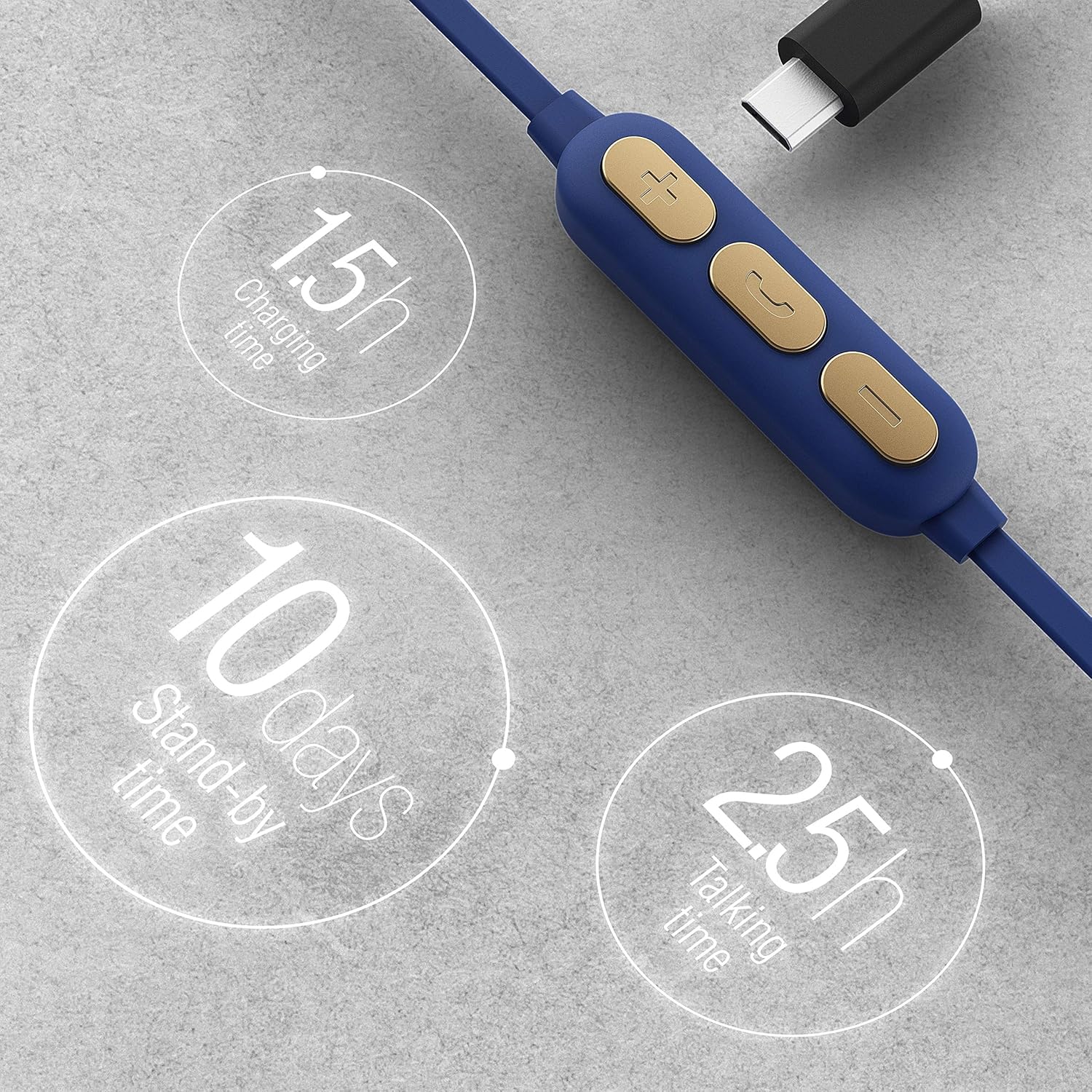
Image 4.1: Graphic illustrating charging time (1.5 hours), standby time (10 days), and talking/playing time (2.5 hours).
메모: The earbuds offer approximately 2.5 hours of playing/talking time and up to 10 days of standby time on a full charge.
5. Setup: Pairing with a Bluetooth Device
Follow these steps to pair your Ghostek Rush Earbuds with your smartphone or other Bluetooth-enabled device:
- 전원 켜기: Press and hold the multi-function button on the inline control module until the LED indicator flashes blue and red, indicating pairing mode.
- 블루투스 활성화: On your device, go to the Bluetooth settings and ensure Bluetooth is enabled.
- 장치 선택: In the list of available Bluetooth devices, select "Ghostek Rush" (or similar name).
- 페어링 확인: Once connected, the LED indicator on the earbuds will typically flash blue slowly or turn solid blue. You will also hear an audible confirmation.
- 다시 연결 : After initial pairing, the earbuds will automatically attempt to reconnect to the last paired device when powered on.
6. 운영
6.1. 이어버드 착용
For optimal sound quality and a secure fit, choose the correct size of Smart Grip Ear Tips and position the earbuds as shown:

Image 6.1: Illustration of a Ghostek Rush Earbud properly inserted into the ear, demonstrating the secure fit provided by the ear hook design.
- 왼쪽(L)과 오른쪽(R) 이어버드를 식별하세요.
- 이어버드를 외이도에 삽입합니다.
- Gently rotate the earbud until the ear hook rests comfortably and securely in your outer ear.
6.2. 컨트롤
The inline control module allows you to manage music playback and calls:
| 단추 | 기능(짧게 누르기) | 기능(길게 누름) |
|---|---|---|
| 다기능 버튼 (센터) | 음악 재생/일시 정지, 전화 받기/종료 | Power On/Off, Reject call, Activate voice assistant |
| 볼륨 업(+) | 볼륨을 높이세요 | 다음 트랙 |
| 볼륨 작게 (-) | 볼륨 감소 | 이전 트랙 |
7. 유지관리 및 관리
To ensure the longevity and performance of your earbuds, follow these care guidelines:
- 청소: Gently wipe the earbuds and ear tips with a soft, dry, lint-free cloth. Do not use harsh chemicals or abrasive materials.
- 방수 기능: The earbuds are IPX4 water resistant, meaning they are protected against splashing water from any direction. They are suitable for workouts and light rain but should not be submerged in water.
- 저장: When not in use, store the earbuds in the provided storage pouch to protect them from dust and damage.
- 온도: 이어버드를 극한의 온도(더위나 추위)나 높은 습도에 노출시키지 마세요.

Image 7.1: Graphic indicating the IPX4 water resistance rating, highlighting the earbuds' protection against splashes.
8. 문제 해결
If you encounter issues with your Ghostek Rush Earbuds, refer to the following common problems and solutions:
- 전원 없음:
- 이어버드가 완전히 충전되었는지 확인하세요.
- Press and hold the multi-function button for a few seconds to power on.
- 페어링할 수 없습니다:
- Make sure the earbuds are in pairing mode (LED flashing blue and red).
- Ensure Bluetooth is enabled on your device and it is within range (approx. 10 meters).
- Forget "Ghostek Rush" from your device's Bluetooth list and attempt to pair again.
- 간섭을 피하려면 근처의 다른 Bluetooth 장치를 끄세요.
- 소리 없음:
- 이어버드와 연결된 기기의 볼륨 레벨을 확인하세요.
- 이어버드가 기기에 제대로 연결되었는지 확인하세요.
- 다른 오디오 소스를 재생해보세요.
- 나쁜 음질:
- 이어폰이 귀에 제대로 고정되었는지 확인하십시오.
- 간섭을 줄이려면 연결된 장치에 더 가까이 다가가세요.
- 이어팁과 스피커 그릴을 청소하세요.
9. 사양
| 특징 | 세부 사항 |
|---|---|
| 모델 번호 | GHOHP037 |
| 상표 | 고스트텍 |
| 연결성 | 무선(블루투스) |
| 폼 팩터 | 인이어 |
| 스피커 드라이버 | 9mm |
| 방수성 | IPX4 (땀 방지, 방수) |
| 플레이 시간 | 약 2.5시간 |
| 대기 시간 | 약. 10 일 |
| 충전 시간 | 약 1.5시간 |
| 마이크로폰 | 내장형 |
| 제품 치수 | 20.32 x 10.16 x 2.54cm |
| 무게 | 68g |
10. 안전 정보
기기 손상이나 부상을 방지하기 위해 다음 안전 지침을 읽고 준수해 주십시오.
- 이어 버드를 분해, 수리 또는 개조하지 마십시오.
- 이어폰을 극한의 온도, 직사광선, 화염에 가까이 두지 마세요.
- 이어폰을 과도한 습기에 노출시키거나 물에 담그지 마십시오.
- Do not use abrasive cleaning agents or sharp objects to clean the earbuds.
- 청력 손상을 예방하려면 적당한 볼륨으로 들으세요.
- Use caution when using earbuds in situations requiring awareness of your surroundings.
11. 보증 및 지원
Ghostek products are designed for durability and performance. For warranty information or technical support, please refer to the official Ghostek web해당 사이트를 방문하거나 고객 서비스에 문의하세요. 보증 청구를 위해 구매 증빙 자료를 보관하세요.