
PELONIS FZ10-19JR
PELONIS FZ10-19JR Quiet Oscillating Tower Fan User Manual
Model: FZ10-19JR | Brand: PELONIS
소개
The PELONIS 3-speed oscillating Tower fan with timer and remote provides maximum comfort in a minimum space. With a tall, narrow profile, this fan is ideal for smaller rooms or areas with limited floor space. It features three speeds, multiple modes, and a timer for automatic shutoff. A convenient remote control allows for easy operation from a distance.
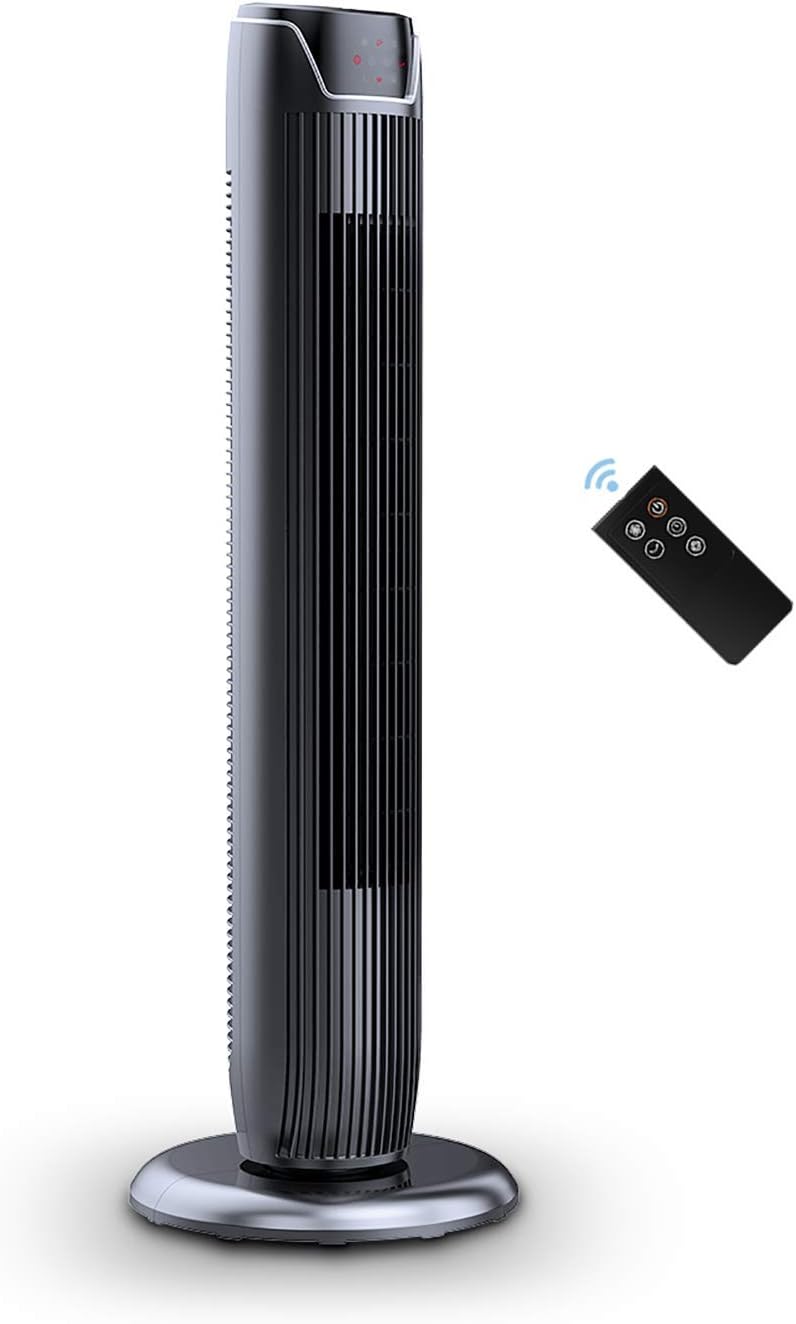
Figure 1: PELONIS FZ10-19JR Quiet Oscillating Tower Fan and Remote Control.
안전 정보
Always read and follow all safety instructions before using this appliance to prevent injury or damage. Keep this manual for future reference.
- 과열 보호: The motor has built-in overheat protection for peace of mind, automatically shutting off the fan if it overheats.
- 아동 안전: The compact design on the fan grid ensures the safety of children by preventing finger penetration.
- 제안 65 경고: 이 제품에는 캘리포니아 주에서 암 및 선천적 기형 또는 기타 생식 장애를 유발하는 것으로 알려진 화학 물질이 포함되어있을 수 있습니다.
- 선풍기가 넘어지지 않도록 안정적이고 평평한 표면에 놓으세요.
- 팬 그릴에 손가락이나 이물질을 넣지 마십시오.
- 청소나 유지관리 작업을 하기 전에는 반드시 팬의 플러그를 전원 콘센트에서 뽑아주세요.
패키지 내용
포장을 개봉할 때 모든 구성품이 있는지 확인하십시오.
- PELONIS FZ10-19JR Tower Fan Unit
- 원격 제어
- Base Parts (multiple pieces for assembly)
- 사용자 매뉴얼(PDF 온라인 제공)
설정
The PELONIS FZ10-19JR Tower Fan requires minimal assembly. Follow these steps to set up your fan:
- 베이스 조립: The base comes in multiple pieces. Snap the base pieces together securely.
- 팬 본체를 받침대에 부착하세요: Carefully align the fan unit with the assembled base. Ensure the power cord is routed through the designated opening in the base.
- 기지를 확보하세요: Locate the screw underneath the base and tighten it to firmly attach the fan unit to the base.
- 놓기: 조립된 선풍기를 안정적이고 평평한 표면에 놓으십시오.
- 전원 연결: Plug the fan into a standard 120V/60HZ power outlet.
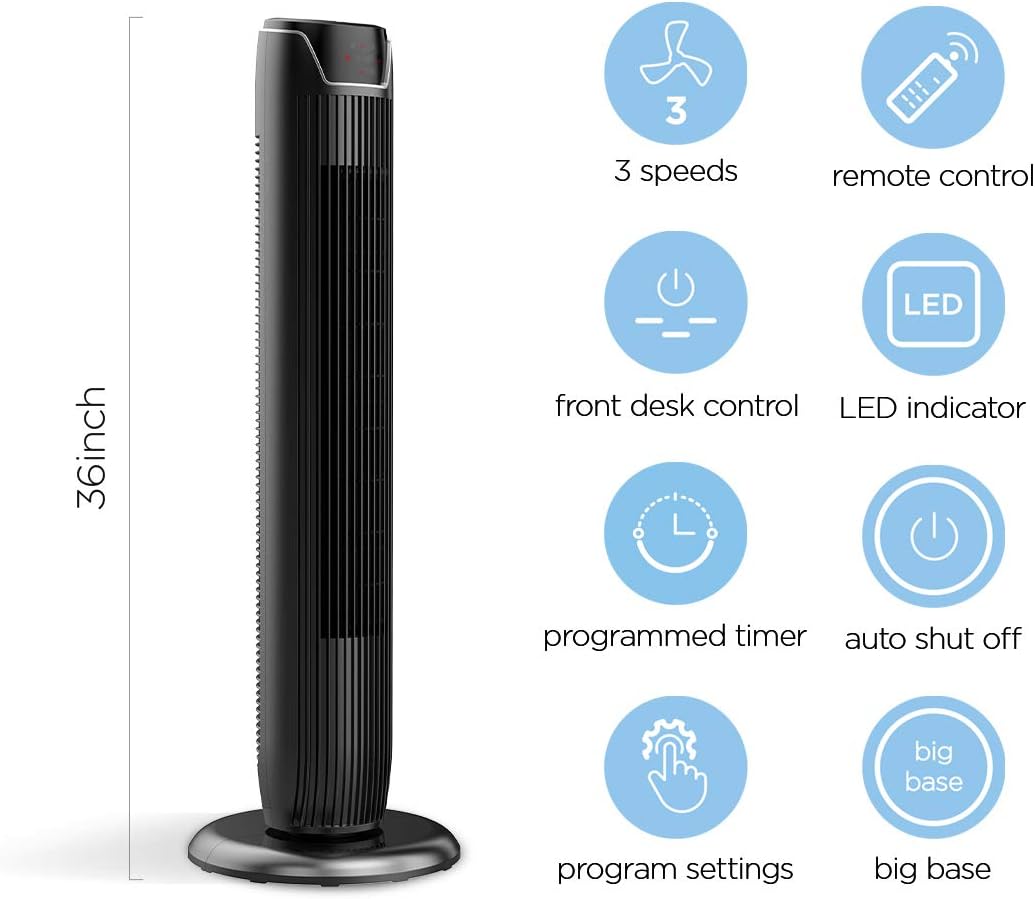
Figure 2: The 36-inch height of the tower fan, highlighting its compact design and various features.

Figure 3: Key features of the PELONIS tower fan, including silent operation, wide-angle airflow, timer, and auto shut-off.
비디오 1: 오버view of the 36-inch PELONIS FZ10-19JR Oscillating Tower Fan, demonstrating its compact size and features.
작동 지침
Your PELONIS tower fan can be operated using the multi-functional control panel on top of the unit or the included remote control.
제어판 및 리모컨
Both the control panel and the remote offer identical functions for convenience. The control panel is located on the top of the fan for easy access without bending.

Figure 4: Close-up of the overhead control panel, highlighting the tight fence design for safety and the internal gale wheel for air volume.
- 전원 버튼(켜짐/꺼짐): 팬을 켜거나 끕니다.
- 모드 버튼: 다양한 바람 모드(일반, 자연, 수면)를 순환합니다.
- 속도 버튼: 선풍기 속도를 조절합니다(낮음, 중간, 높음).
- Oscillation Button (Osc): Activates or deactivates the 60° wide-angle oscillation function.
- 타이머 버튼: Sets the automatic shutoff timer (up to 7 hours).
팬 모드
- 일반 바람: Provides a constant airflow.
- 자연풍 : Simulates natural breezes with alternating strong and weak airflows.
- 수면 모드 : Operates at a low noise level (as low as 48 dB) for undisturbed sleep. The LED display auto-off after 30 seconds to minimize light disturbance.
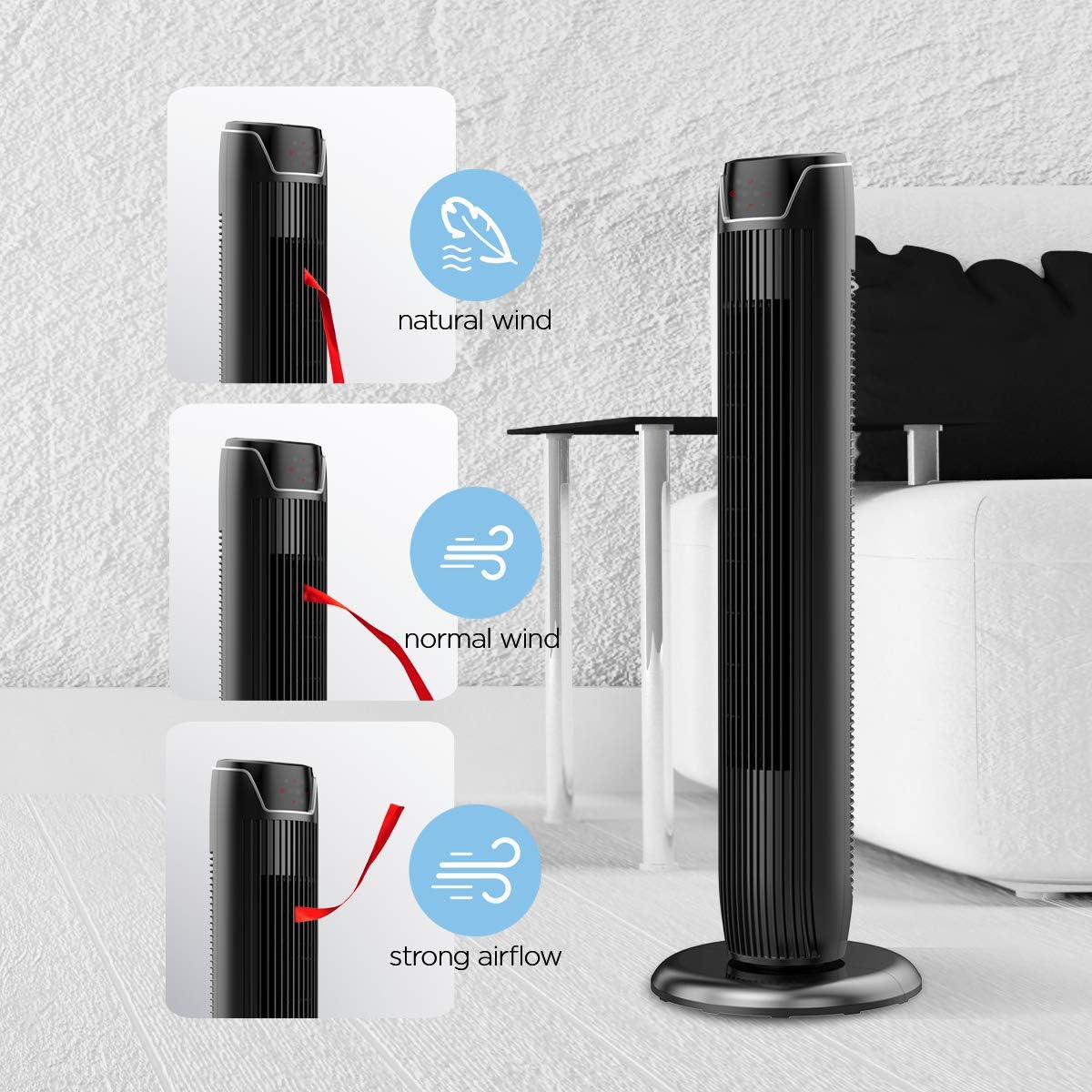
Figure 5: Visual representation of the fan's different wind modes: Natural Wind, Normal Wind, and Strong Airflow.

Figure 6: The fan's quiet operation in sleep mode, ideal for bedrooms and nurseries.
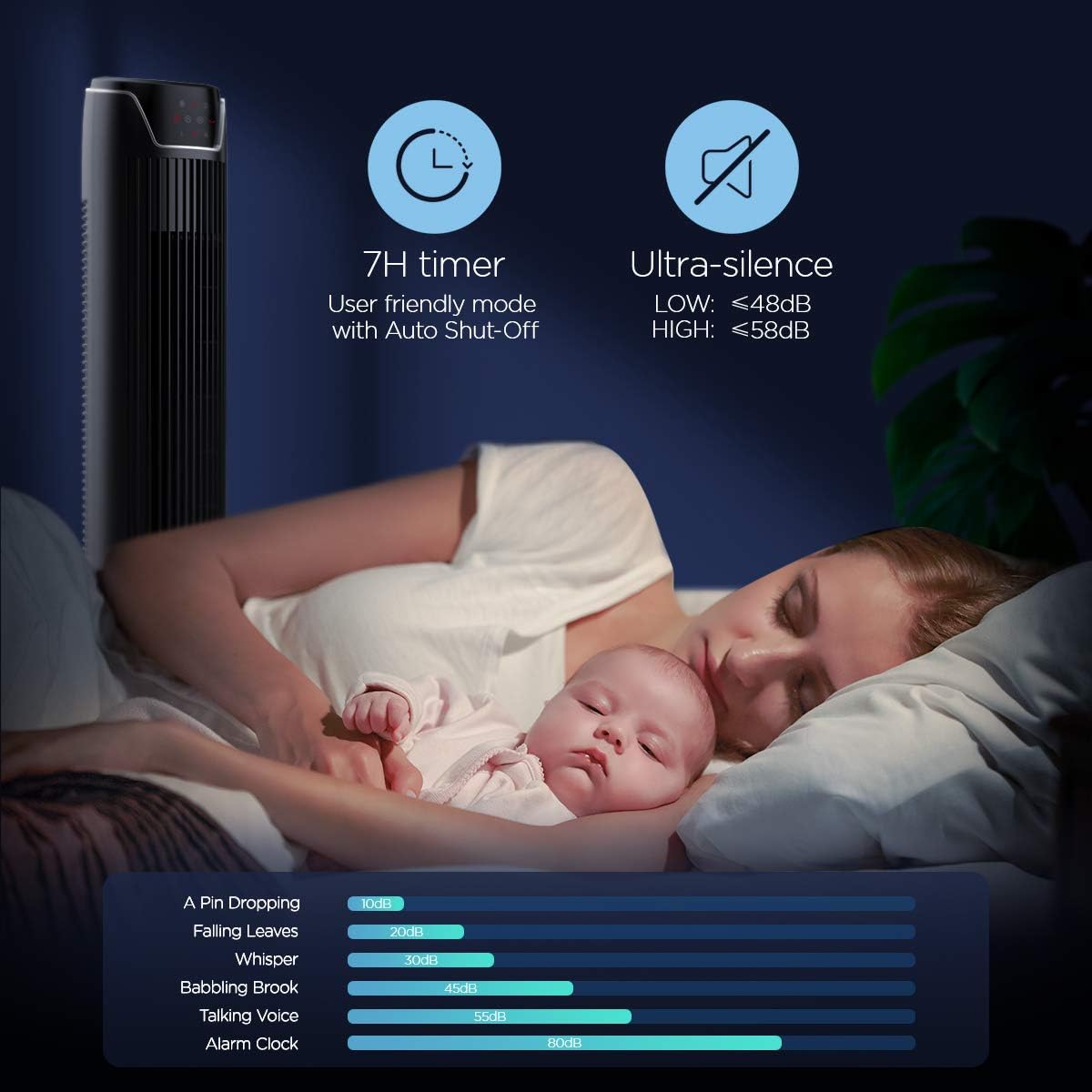
Figure 7: Illustration of the fan's ultra-silence feature (below 48dB on low speed), perfect for quiet environments.
원격 제어 스토리지
The fan features a built-in cubby at the back for convenient storage of the remote control, ensuring it is always within reach and not easily misplaced.
Video 2: Demonstration of the remote control storage slot on the back of the Pelonis Tower Fan.
유지
정기적으로 청소하면 팬의 성능을 유지하고 수명을 연장하는 데 도움이 됩니다.
- 외부 청소: 부드러운 d를 사용하세요amp 팬 외부 표면을 닦을 때는 천을 사용하세요. 연마성 세제나 용제는 사용하지 마세요.
- 그릴 청소: Use a vacuum cleaner with a brush attachment to remove dust from the fan grilles. For deeper cleaning, a compressed air can may be used to dislodge dust from hard-to-reach areas.
- 내부 청소: The fan is not designed for easy disassembly for internal cleaning. Regular external cleaning and compressed air use are recommended to minimize dust accumulation inside.
- 팬을 다시 연결하기 전에 팬이 완전히 말랐는지 확인하세요.
문제 해결
If you encounter issues with your PELONIS tower fan, try the following troubleshooting steps:
- 팬이 켜지지 않음:
- 전원 코드가 작동하는 콘센트에 단단히 꽂혀 있는지 확인하세요.
- 다른 장치를 연결해 전원 콘센트가 작동하는지 확인하세요.
- Verify the fan's power button is pressed.
- 선풍기 회전 기능 작동 안 됨:
- 제어판이나 리모컨의 진동 버튼을 누르세요.
- Ensure there are no obstructions preventing the fan from rotating.
- 약한 공기 흐름:
- 팬 속도 설정을 높이세요.
- Clean the fan grilles to remove any dust or debris that may be obstructing airflow.
- 비정상적인 소음:
- 선풍기를 안정적이고 평평한 곳에 놓으십시오.
- Check for any loose parts or foreign objects within the fan grilles.
- If the noise is a creaking sound during oscillation, ensure the base is not overtightened. Loosen it slightly if necessary.
- 원격 제어가 작동하지 않음:
- Ensure the remote control's batteries are correctly installed and not depleted.
- 리모컨을 선풍기 제어판 쪽으로 직접 향하게 하세요.
- 리모컨과 팬 사이에 장애물이 없는지 확인하세요.
명세서
| 특징 | 세부 사항 |
|---|---|
| 상표 | 펠로 니스 |
| 모델명 | FZ10-19JR |
| 색상 | 광택 있는 검은색 |
| 선풍기 디자인 | 플로어 팬 |
| 전원 | 코드식 전기 |
| 스타일 | 현대의 |
| 제품 치수 | 11.8인치 깊이 x 11.8인치 너비 x 36.14인치 높이 |
| 객실 유형 | 침실 |
| 특징 | 진동 |
| 추천 용도 | Office, Air Circulation, Bedroom, Living Room, Home |
| 소음 수준 | 48데시벨 |
| 마무리 유형 | 광택있는 |
| 권tage | 120 볼트 |
| 포함된 구성 요소 | 원격 |
| 실내/실외 사용 | 실내 |
| 사양 충족 | 전자상거래 |
| 제어 방법 | 원격 |
| 블레이드 소재 | 플라스틱 |
| 전력 수준의 수 | 3 |
| 제조업체 | 펠로니스 |
| 한국어: | 750545105431 |
| 품목 무게 | 9.13파운드 |
보증 및 지원
PELONIS offers a 1년 제조사 보증 with the purchase of this product, demonstrating confidence in its quality.
For detailed information, refer to the official User Manual (PDF) available online:
For further assistance or inquiries, please visit the official PELONIS Store on Amazon: 펠로니스 스토어
Ask a question about this manual
Ask about setup, troubleshooting, compatibility, parts, safety, or missing instructions. Manuals+ will review the question and use this page’s manual context to help answer it.