
소개
This manual provides detailed instructions for the Ctronics 1080P HDR WiFi Indoor Security Camera, model CTIPC-4C. It covers essential information for setting up, operating, maintaining, and troubleshooting your camera to ensure optimal performance for home surveillance. This camera features 1080P HDR video, 25 frames per second recording, advanced night vision, two-way audio, and intelligent motion and sound detection with a 355° pan and 50° tilt view잉 각도.
상자 안에 무엇이 들어있나요?
모든 품목이 들어 있는지 확인하려면 패키지 내용물을 확인하세요.
- 1 x Ctronics Indoor Security Camera
- 1 x 충전기
- 1 x 사용 설명서
- 1 x 벽걸이형
설정
Follow these steps for a quick and easy setup of your Ctronics security camera:
- CloudEdge 앱을 다운로드하세요: 검색 "CloudEdge" in your smartphone's app store (iOS or Android) and install it.
- 카메라 전원 켜기: Connect the camera to the provided charger and plug it into a power outlet. The camera will power on and indicate its status.
- Connect to 2.4GHz WiFi & Scan QR Code: Open the CloudEdge app, create an account, and follow the in-app instructions to add your device. You will be prompted to connect the camera to your 2.4GHz WiFi network and scan a QR code displayed on your phone with the camera lens. A successful connection will be confirmed by an audible tone from the camera.

Image: Quick 3-step setup process for the Ctronics camera.
작동 지침
Video Quality and Frame Rate
The camera records in 1080P HDR (High-Dynamic Range) at 25 frames per second (fps). This ensures smoother video streaming and clearer details in both brightly lit and poorly illuminated areas.
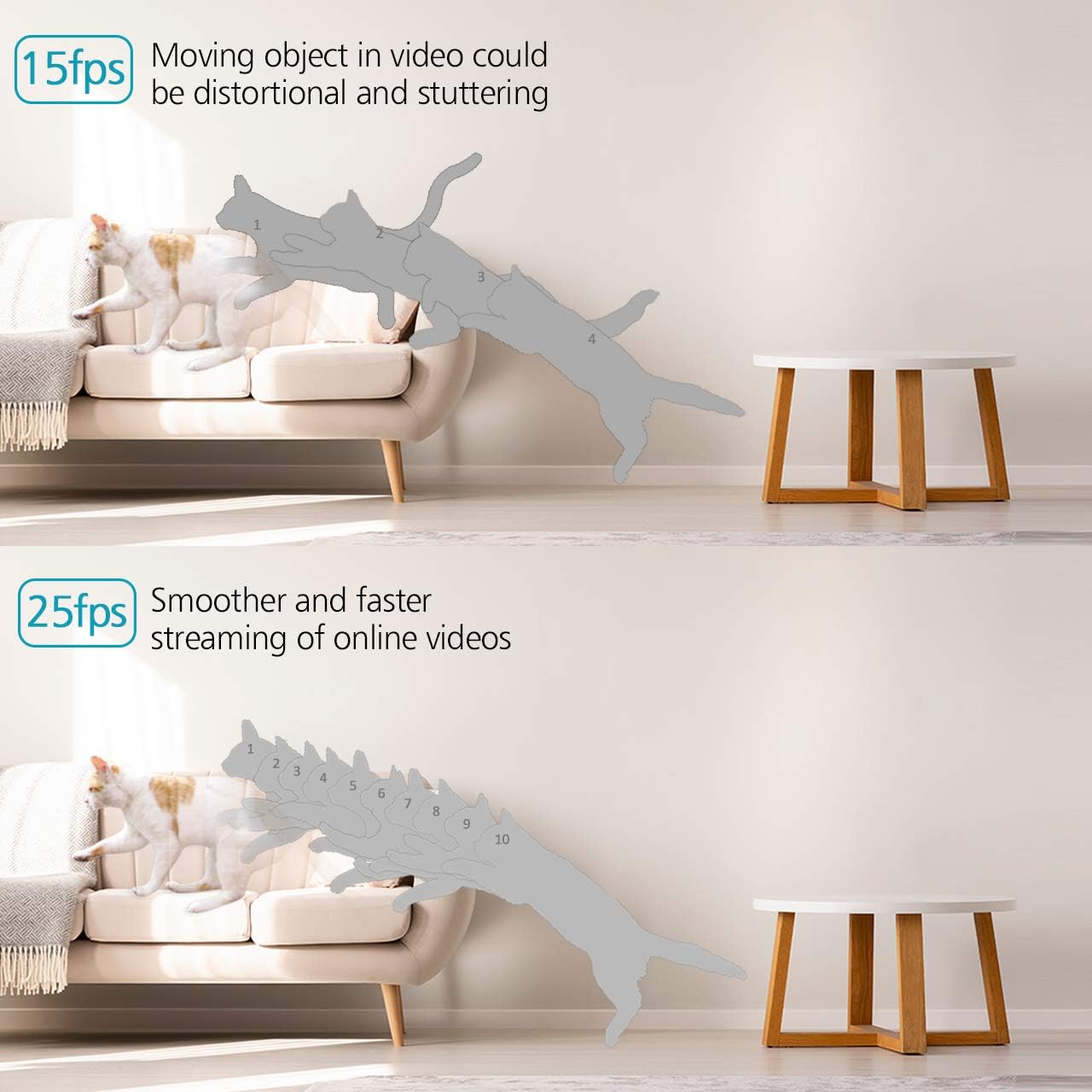
Image: Visual comparison of 15fps versus 25fps video quality, demonstrating smoother motion at 25fps.

Image: Demonstration of High-Dynamic Range (HDR) capability, capturing clear details in varied lighting conditions.
Pan, Tilt, and Digital Zoom
카메라 제어 viewing angle remotely via the CloudEdge app. The camera offers a 355° horizontal pan and a 50° vertical tilt, allowing you to monitor a wide area. The unique sound-free motor ensures quiet operation during movement. Digital zoom is also available for closer inspection.

Image: Illustrates the camera's pan (355°) and tilt (50°) capabilities for wider view 적용 범위.
양방향 오디오
The camera is equipped with dual, noise-cancelling microphones for clear two-way communication. Use the app to speak through the camera and listen to audio from its surroundings.
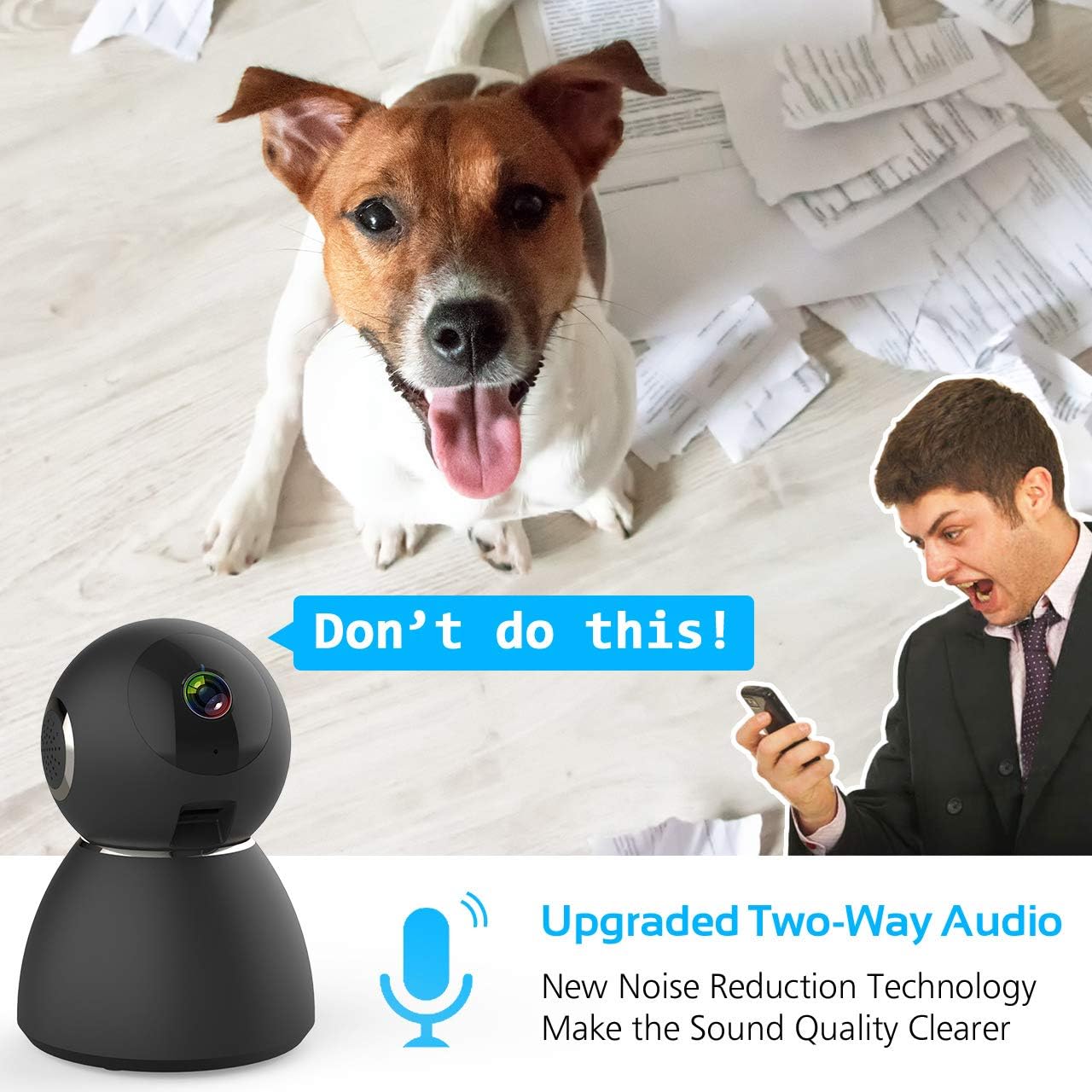
Image: Highlights the upgraded two-way audio feature with noise reduction technology.
나이트 비전
The camera features upgraded auto-IR night vision, providing clear visibility in pitch dark conditions up to 33 feet (10 meters). This ensures continuous surveillance even at night.

Image: Demonstrates the upgraded auto-IR night vision for clear view저조도에서.

Image: Further illustration of the camera's advanced night vision capabilities.
동작 및 소리 감지
The camera intelligently analyzes sound and motion, sending instant push alerts to your smartphone. Adjustable sensitivity settings help reduce false notifications, making it ideal for home security, baby monitoring, or pet surveillance.

Image: Shows accurate motion and sound detection with instant push alerts to a smartphone.
저장 옵션
The camera supports local storage via a Micro SD card (up to 128GB, not included) for continuous recording or event-triggered recordings. Cloud storage is also available with a 7-day free trial.
앱 원격 제어
The user-friendly CloudEdge app allows you to control all camera functions remotely, view 실시간 영상, 녹화된 영상 보기tage, and receive alerts. You can also share camera access with up to 5 other users.
유지
To ensure the longevity and optimal performance of your Ctronics security camera, consider the following maintenance tips:
- 청소: 부드럽고 마른 천으로 카메라 렌즈와 본체를 부드럽게 닦아 먼지와 얼룩을 제거하세요. 강한 화학 물질이나 연마재는 사용하지 마세요.
- 펌웨어 업데이트: Regularly check the CloudEdge app for available firmware updates. Keeping your camera's firmware up-to-date ensures you have the latest features and security enhancements.
- 전원 공급 장치: Use only the provided charger and power adapter to prevent damage to the camera.
- 놓기: 카메라를 직사광선, 극한 온도, 높은 습도를 피해 안정적인 장소에 두세요.
문제 해결
If you encounter issues with your Ctronics security camera, refer to the following common solutions:
- 카메라가 WiFi에 연결되지 않음:
- 와이파이 네트워크가 2.4GHz인지 확인하십시오. 카메라는 5GHz 와이파이를 지원하지 않습니다.
- 앱에 입력한 와이파이 비밀번호가 올바른지 확인하세요.
- Place the camera closer to your WiFi router during setup.
- Reset the camera using the reset pin and try the setup process again.
- 낮은 비디오 품질:
- Check your internet connection speed. A stable and fast connection is required for 1080P streaming.
- 카메라 렌즈가 깨끗하고 이물질이 없는지 확인하십시오.
- Adjust the video quality settings within the CloudEdge app if your network bandwidth is limited.
- 움직임/소리 알림 없음:
- Verify that motion and sound detection are enabled in the CloudEdge app settings.
- Adjust the sensitivity levels for motion and sound detection.
- Check your phone's notification settings to ensure the CloudEdge app is permitted to send alerts.
- 양방향 오디오 문제:
- Ensure your phone's microphone is enabled for the CloudEdge app.
- 휴대폰과 앱 모두에서 볼륨 설정을 확인하세요.
- Avoid placing the camera and your phone too close to each other during two-way audio to prevent feedback.
For further assistance, please refer to the support section or contact Ctronics customer service.
명세서
| 특징 | 사양 |
|---|---|
| 모델명 | CTSC-4C |
| 비디오 캡처 해상도 | 1080p, 25fps |
| 효과적인 비디오 해상도 | 8 MP |
| 프레임 속도 | 25fps |
| 연결 기술 | 무선(Wi-Fi) |
| 연결 프로토콜 | 와이파이 |
| 무선 통신 기술 | 와이파이 |
| 전원 | Battery Powered (Note: Product description indicates charger included, implying mains power with potential battery backup) |
| 왓tage | 5 와트 |
| 품목 치수(L x W x H) | 4.6 x 3.4 x 3.4 인치 |
| 폼 팩터 | 둥근 천장 |
| 초점 유형 | 자동 초점 |
| 줌 타입 | 디지털 줌 |
| 저조도 기술 | 밤의 색깔 |
| 광원 유형 | 적외선 |
| 경고 유형 | 오디오 및 모션 |
| 제어 방법 | 앱 |
| 제품의 특정 용도 | 감시 |
| 포함된 구성 요소 | 1 x Charger, 1 x Ctronics Indoor Security Camera, 1 x Instruction, 1 x Wall Mount |
보증 및 지원
All Ctronics security cameras are covered by a 60-Day Money-Back Guarantee, a 2-Year Worry-Free Warranty, and Life-Time Technical Support.
For warranty claims, technical assistance, or any product-related inquiries, please contact Ctronics customer support through their official web사이트 또는 구매 문서에 제공된 연락처 정보를 참조하세요.