
소개
This manual provides detailed instructions for the safe and effective use of your SKYBASIC S113-5.5mm Industrial Endoscope Inspection Camera. This device is designed for visual inspection in hard-to-reach areas, featuring a 1080P HD camera, a 4.3-inch LCD screen, adjustable LED lighting, and a semi-rigid cable. Please read this manual thoroughly before operation.
패키지 내용
아래 나열된 모든 품목이 패키지에 포함되어 있는지 확인하세요.
- LCD 디지털 내시경 장치
- 사용자 설명서
- USB 충전 케이블
- Accessories: Hook, Magnet, Side Mirror, Protective Cap
- 32GB 마이크로 SD 카드

그림 1: 포함된 패키지 내용
주요 특징
- 4.3인치 HD LCD 화면: 명확하고 자세한 정보를 제공합니다. view 검사 구역의.
- 1080P HD 카메라 : 고해상도 이미지와 비디오를 촬영합니다.
- 180° 이미지 회전: Allows for easy adjustment of the view잉 각도.
- 6개의 조절 가능한 LED 조명: Ensures optimal illumination in various dark environments.
- IP67 방수 프로브: Suitable for use in wet or submerged conditions.
- 반강체 케이블: Offers flexibility for navigating tight spaces while maintaining shape.
- 플러그 앤 플레이 작동: No external phone or Wi-Fi connection required.
- 32GB 마이크로 SD 카드: Included for storing captured images and videos.

Figure 2: 4.3-inch HD LCD Screen and Camera Specifications
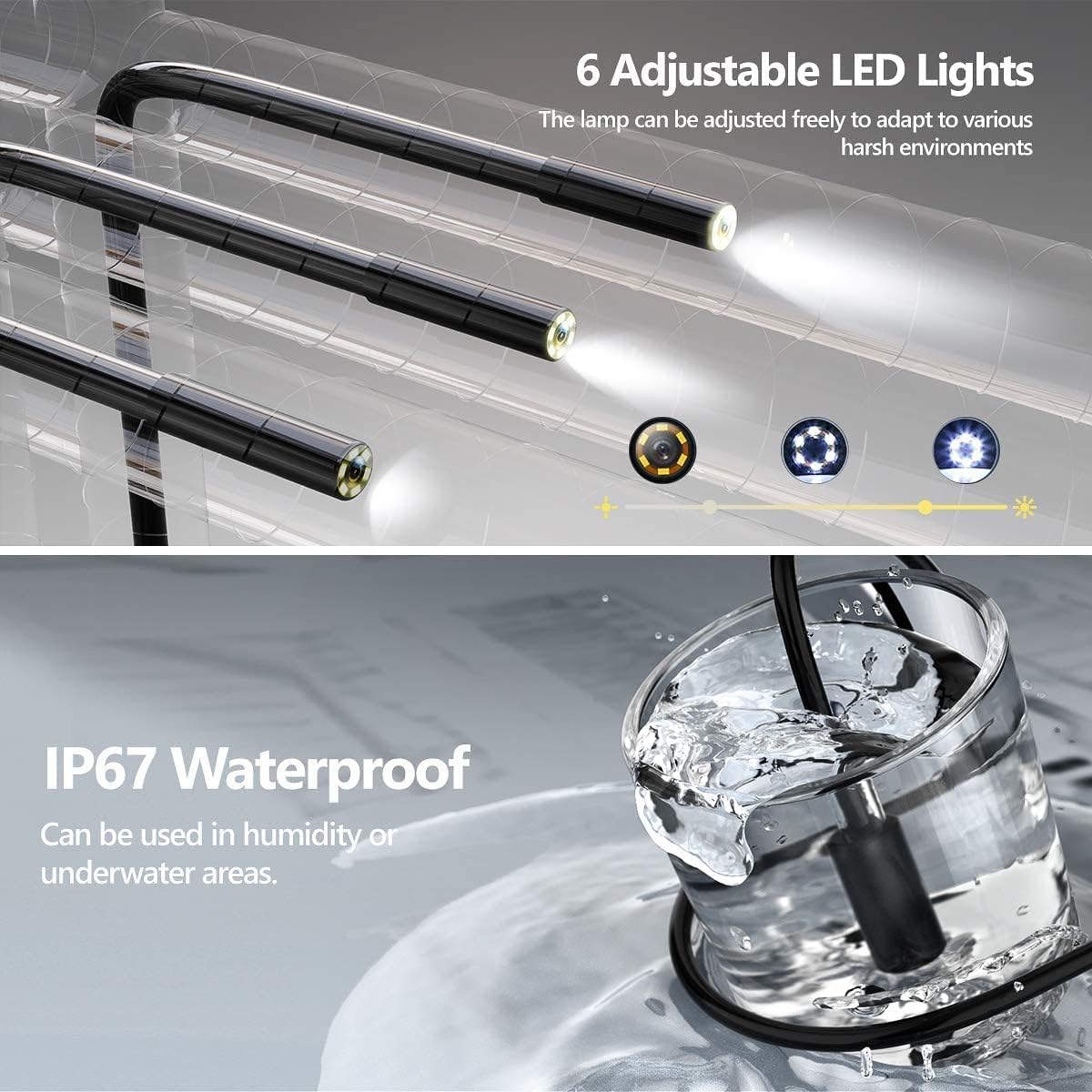
Figure 3: Adjustable LED Lights and IP67 Waterproof Probe

Figure 4: Semi-Rigid Cable Design
설치 지침
- 기기 충전: Before first use, fully charge the endoscope unit using the provided USB charging cable. Connect the cable to the unit's charging port and a standard USB power adapter (not included). The charging indicator will show the charging status.
- 마이크로 SD 카드 삽입: Locate the Micro SD card slot on the side of the unit. Gently insert the included 32GB Micro SD card until it clicks into place. Ensure the card is inserted correctly to enable photo and video recording.
- 전원 켜기: Press and hold the power button (usually marked with a power symbol) for a few seconds until the screen illuminates. The device is designed for "plug and play" operation, meaning it's ready for use immediately after powering on.
- 액세서리 부착(선택 사항): If needed, attach the hook, magnet, or side mirror to the camera probe tip. These accessories are designed to assist in retrieving objects or view다양한 각도로 보고 있어요.

그림 5: 플러그 앤 플레이 작동
작동 지침
기본 동작
- 전원 켜기/끄기: 전원 버튼을 길게 눌러 장치를 켜거나 끕니다.
- 메뉴 탐색: Use the directional buttons (Up/Down/Left/Right) to navigate through menu options.
- 선택 확인: Press the "OK" button to confirm a selection or enter a menu.
- 반품: Press the "M" (Menu) button to return to the previous screen or exit a menu.
카메라 기능
- LED 조명 조정: Use the dedicated light adjustment button (often marked with a light bulb icon or up/down arrows) to increase or decrease the brightness of the 6 LED lights on the camera probe. This helps illuminate dark inspection areas.
- 사진을 찍다: 하는 동안 viewing the live feed, press the photo capture button (usually marked with a camera icon) to take a still image. The image will be saved to the inserted Micro SD card.
- 비디오 녹화: Press the video recording button (usually marked with a video camera icon) to start recording. Press it again to stop recording. Videos will be saved to the Micro SD card.
- 180° 이미지 회전: If the image orientation is incorrect, press the image rotation button (often marked with a circular arrow) to rotate the image 180 degrees. This feature is useful when the probe is inverted.
- 초점 거리: The optimal focusing distance for clear images is between 3cm and 10cm from the object. Position the camera within this range for best results.
유지 보수 및 관리
- 프로브 청소: The camera probe is IP67 waterproof. After use in dirty or wet environments, gently wipe the probe with a damp cloth. For stubborn dirt, a mild detergent can be used, followed by a clean, damp cloth. Ensure the probe is dry before storage.
- 본체 청소: The main unit is ~ 아니다 waterproof. Clean it with a soft, dry cloth. Avoid using liquid cleaners or abrasive materials.
- 저장: Store the endoscope in a cool, dry place, away from direct sunlight and extreme temperatures. Coil the semi-rigid cable loosely to prevent damage.
- 배터리 관리 : To prolong battery life, charge the device regularly, even if not in frequent use. Avoid completely draining the battery for extended periods.
- SD 카드 관리 : Periodically transfer photos and videos from the Micro SD card to a computer to free up space and back up your data. Format the SD card through the device's menu if performance degrades.
문제 해결
| 문제 | 가능한 원인 | 해결책 |
|---|---|---|
| 장치의 전원이 켜지지 않습니다. | 배터리가 부족합니다. | USB 케이블을 사용하여 기기를 완전히 충전하세요. |
| 화면에 이미지가 나오지 않습니다. | Cable not properly connected; device malfunction. | Ensure the camera cable is securely connected. Restart the device. If the problem persists, contact support. |
| 사진 촬영이나 동영상 녹화가 불가능합니다. | No Micro SD card inserted; SD card full or corrupted. | Insert a Micro SD card. Check if the SD card has sufficient space or format it (this will erase all data). |
| 이미지가 흐릿합니다. | Camera lens dirty; object out of focus range. | Clean the camera lens. Adjust the distance between the camera and the object to be within 3cm-10cm. |
| LED 조명이 작동하지 않습니다. | 조명이 꺼졌습니다. 고장입니다. | Press the light adjustment button to turn on/increase brightness. If still not working, contact support. |
명세서
| 특징 | 세부 사항 |
|---|---|
| 상표 | 스카이베이직 |
| 모델 번호 | S113-5.5mm |
| 표시하다 | 4.3인치 LCD |
| 비디오 녹화 해상도 | 720p (Note: Product title mentions 1080P HD, but specifications list 720p. User should be aware of this discrepancy.) |
| 이미지 회전 | 360° (as per product title) / 180° (as per image feature) |
| 카메라 직경 | 5.5mm (implied by model number) |
| LED 조명 | 6개의 조절 가능한 LED |
| 방수 레벨 | IP67 (for probe only) |
| 연결 기술 | USB |
| 저장 매체 | Micro SDXC Card (32GB included) |
| 배터리 | 1 리튬 폴리머 배터리(포함) |
| 품목 무게 | 549g |
| 패키지 크기 | 19.89 x 13.31 x 7.9cm |
Note: Some specifications, such as video resolution and image rotation degrees, may vary slightly between product descriptions and detailed specifications. Refer to the device's on-screen information for the most accurate details.
안전 정보
- 기기를 분해하거나 개조하지 마십시오. 기기가 손상될 수 있으며 보증이 무효화될 수 있습니다.
- Keep the main unit away from water and liquids, as it is not waterproof.
- 기기를 극한의 온도, 직사광선 또는 높은 습도에 노출시키지 마세요.
- 충전에는 제공된 USB 케이블만 사용하세요.
- 어린이의 손이 닿지 않는 곳에 보관하세요.
- 해당 지역 규정에 따라 장치와 배터리를 폐기하세요.
일반적인 응용 프로그램
The SKYBASIC S113-5.5mm Industrial Endoscope is suitable for a variety of inspection tasks in hard-to-reach areas. Common applications include:
- 자동차 유지관리: Inspecting engine components, cylinders, and other vehicle parts.
- Drainpipe Inspection: Checking for blockages, corrosion, or damage in pipes and plumbing systems.
- HVAC 검사: Examining air conditioning ducts and ventilation systems.
- Electrical Repair: Inspecting wiring in walls or conduits.
- 주택 점검: Looking into wall cavities, behind appliances, or other confined spaces.

Figure 6: Endoscope in various inspection scenarios