
1. 서론
Welcome to the GENBOLT GB209X/GB209H3-Z Outdoor Wireless WiFi Surveillance Camera user manual. This guide provides detailed instructions for setting up, operating, maintaining, and troubleshooting your new security camera. Please read this manual carefully before installation and use to ensure proper functionality and safety.
The GENBOLT GB209X/GB209H3-Z camera features a 110° ultra-wide-angle lens, dual-band 2.4/5GHz WiFi connectivity with 2T2R MIMO antennas for enhanced signal stability, Power over Ethernet (POE) capability, active floodlight defense, AI humanoid detection, and color night vision. It is designed to provide reliable outdoor surveillance for your home or business.
2. 제품 오버view
2.1 패키지 내용
- GENBOLT GB209X/GB209H3-Z Camera
- Power Adapter (DC12V/2A, 100 inches cable)
- 장착 나사 및 앵커
- 사용 설명서 (본 문서)
- Ethernet Cable (for initial setup or POE connection)
2.2 주요 특징
- 110° Ultra Wide Angle: 광범위한 영역을 커버하여 여러 대의 카메라가 필요하지 않도록 해줍니다.
- 듀얼 밴드 와이파이(2.4/5GHz): Supports both frequency bands with 2T2R MIMO antennas for stronger, more stable network signals.
- Active Lighting Defense: Features a customizable alarm and super bright white LEDs that activate upon motion detection to deter intruders.
- 컬러 나이트 비전: Automatically switches to color night vision in low-light conditions using integrated floodlights.
- AI 휴머노이드 동작 감지: Advanced detection reduces false alarms from environmental factors like rain, snow, or moving foliage. Customizable detection zones are supported.
- 24/7 Recording & Compatibility: Supports TF card (32/64/128GB, FAT32) with intelligent loop recording and audio. Compatible with smartphones, tablets, and PCs.
- 이더넷 전원 장치(POE): Offers flexible installation options for both wired and wireless network connections.
- 양방향 오디오 : 카메라를 통해 실시간 통신이 가능합니다.
3. 설정
3.1 초기 전원 켜기
Connect the provided DC12V/2A power adapter to the camera and plug it into a power outlet. The camera will power on and initiate its self-test sequence.
3.2 앱 설치
Download the official GENBOLT app from your smartphone's app store (iOS App Store or Google Play Store). Follow the on-screen instructions to create an account and log in.
3.3 네트워크 연결
Wireless (WiFi) Setup:
- Open the GENBOLT app and tap 'Add Device'.
- Select the option for WiFi camera setup.
- Follow the app's prompts to connect the camera to your 2.4GHz or 5GHz WiFi network. Ensure your phone is connected to the same WiFi network during setup.
Wired (POE) Setup:
- Connect an Ethernet cable from your POE-enabled router or switch to the camera's Ethernet port.
- 카메라는 자동으로 유선 네트워크에 연결됩니다.
- Open the GENBOLT app and tap 'Add Device'. The app should detect the camera on your local network.
3.4 카메라 장착
Choose a secure outdoor location with a clear view of the area you wish to monitor. Use the provided mounting screws and anchors to securely attach the camera to a wall or ceiling. Adjust the camera's angle for optimal coverage.

Image: GENBOLT GB209X/GB209H3-Z Outdoor Wireless WiFi Surveillance Camera. This image shows the camera's design and dual antennas.

Image: The camera's 110-degree ultra-wide-angle view, illustrated by a shaded area extending from the camera.
4. 사용 설명서
4.1 라이브 View 및 재생
Access the GENBOLT app to view the live feed from your camera. You can also review 기록된 footage stored on the TF card or cloud service (if subscribed).
4.2 동작 감지 및 알림
The camera features AI humanoid detection to minimize false alarms. You can:
- Set up 1 to 4 specific detection zones within the camera's view.
- 동작 감도를 조정합니다.
- Receive instant alerts on your mobile phone via push notifications or email.

Image: AI Humanoid Detection. A person is highlighted by a yellow box, demonstrating the camera's ability to identify human shapes.

Image: Customizable Detection Zone. A blue shaded area on a driveway indicates a user-defined motion detection zone.

Image: Instant Image Alert. A smartphone shows a GENBOLT alert, and an email displays motion detection notifications with attached images.

Image: Alert Notifications. This image illustrates different notification methods for motion detection, including app notifications, email, FTP, and RTSP.
4.3 Active Alarm and Floodlight Defense
Configure the camera to activate its built-in floodlights and an audible alarm when motion is detected. This feature can be scheduled or triggered by specific events.
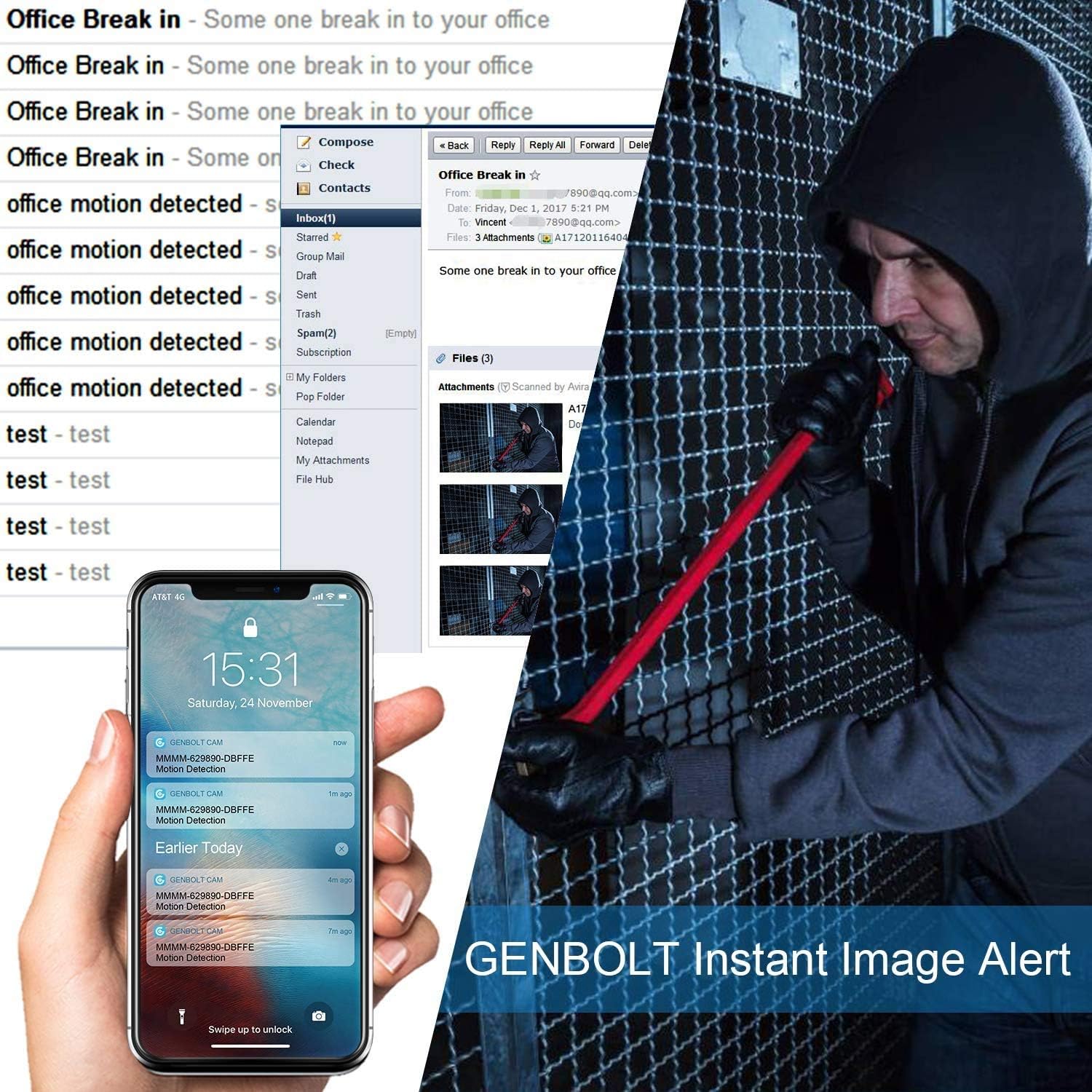
Image: Active Lighting Defense. A GENBOLT camera illuminates an intruder with its floodlight, accompanied by a warning message.

Image: Light Defense Alarm. An intruder is shown climbing through a window, with the camera's floodlight and alarm activated.

Image: Alarm Schedule. A smartphone displays a customizable alarm schedule, allowing users to set specific times for alarm activation.
4.4 야간 투시 모드
이 카메라는 다양한 야간 투시 모드를 지원합니다.
- 적외선 나이트 비전: 표준 흑백 야간 투시경.
- 컬러 나이트 비전: Utilizes built-in floodlights to provide full-color images in low light.
- 자동 모드 : Automatically switches between day, infrared, and color night vision based on ambient light conditions.

Image: Day Vision vs. Night Vision. A comparison showing clear daytime footage and detailed black-and-white night vision footage of a garage.

Image: Night Vision Modes. This image compares Infrared Night Vision, Color Night Vision, and Day Vision, highlighting the clarity of color night vision.
4.5 양방향 오디오
Use the two-way audio feature through the app to listen to the camera's surroundings and speak through its built-in speaker.
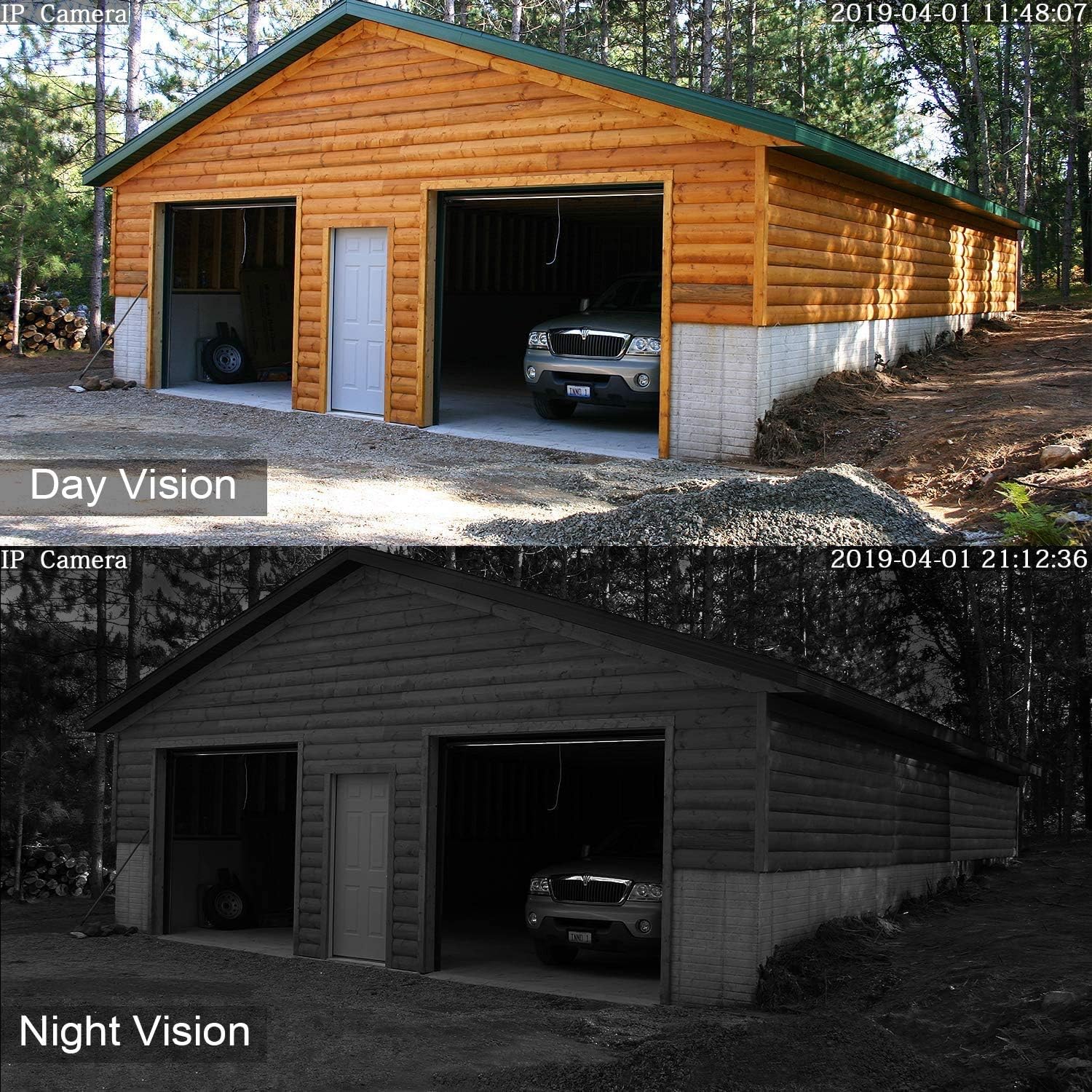
Image: Two-Way Audio. A family in a backyard, with speech bubbles illustrating the camera's two-way audio capability.
4.6 디지털 줌
The camera supports digital zoom, allowing you to magnify areas of interest within the live or recorded video feed.

Image: 4X Digital Zoom. A child playing on a balcony, with an inset showing a magnified view of the child, demonstrating the 4x digital zoom feature.
5. 유지관리
- 청소: 깨끗한 이미지 품질을 유지하려면 부드럽고 마른 천으로 카메라 렌즈를 정기적으로 닦으세요. 연마성 세척제는 사용하지 마세요.
- 펌웨어 업데이트: Check the GENBOLT app periodically for available firmware updates. Keeping your camera's firmware up-to-date ensures optimal performance and security.
- SD 카드 관리 : If using a TF card for local storage, format it regularly through the app to maintain performance and prevent data corruption. Replace the card if it shows signs of wear or malfunction.
- 전원 연결: Ensure the power adapter and cable connections are secure and free from damage.
6. 문제 해결
| 문제 | 가능한 해결책 |
|---|---|
| 카메라가 WiFi에 연결되지 않음 | Ensure the camera is within range of your router. Verify WiFi password. Try connecting to both 2.4GHz and 5GHz bands if your router supports it. Restart the camera and router. |
| 잦은 연결 끊김 | Check WiFi signal strength in the camera's location. Reduce interference from other devices. Ensure 2T2R MIMO antennas are properly positioned. Consider using a wired (POE) connection if possible. |
| 화질이 나쁘다 | Clean the camera lens. Ensure sufficient lighting for optimal day vision. Check network bandwidth for streaming issues. |
| 오작동 동작 경보 | Adjust motion detection sensitivity in the app. Define specific detection zones to exclude areas with frequent non-human movement (e.g., trees, pets). Ensure AI humanoid detection is enabled. |
| 야간 시력 없음 | Check if night vision mode is set to 'Auto' or 'Color Night Vision' in the app. Ensure the floodlights are not obstructed. |
| SD 카드가 녹화되지 않습니다 | Ensure the SD card is correctly inserted and formatted (FAT32). Check if the card is full; enable loop recording or replace the card. Verify recording settings in the app. |
7. 사양
| 특징 | 세부 사항 |
|---|---|
| 모델 번호 | GB209X, GB209H3-Z |
| 재료 | 금속 |
| 권tage | 12 볼트 |
| 전력 소비 | 4 와트 |
| 치수(길이 x 너비 x 높이) | 15 x 5 x 8cm |
| 무게 | 500그램 |
| 나이트 비전 범위 | 최대 100인치(약 2.5미터) |
| 효과적인 비디오 해상도 | 1080 픽셀 |
| 연결 기술 | Power over Ethernet, Wi-Fi (2.4/5GHz) |
| 특별 기능 | 110° Ultra Wide Angle, 2.4/5GHz Wi-Fi, 24/7 All-Weather, Dual 2T2R MIMO Antennas, POE Technology, AI Humanoid Detection, Color Night Vision, Active Floodlight Defense, Two-Way Audio |
| 권장 사용 | 야외 보안 |
| 포함된 구성 요소 | Surveillance camera, synopsis (manual) |
8. 보증 및 지원
GENBOLT provides the following support for your product:
- 30일 이내 교환 가능: For product exchanges.
- 1년 제한 보증: 정상적인 사용 중에 발생하는 제조상의 결함 및 오작동을 보상합니다.
- Free Local Support: Available Monday to Friday, 7 AM to 10:30 AM (PST).
연락처 정보:
- 이메일: eu1@genbolt.com
- 핸드폰: +1 (778)807-9710