
소개
This manual provides detailed instructions for the safe and efficient operation, maintenance, and troubleshooting of your Amazon Basics 18-Sheet Cross-Cut Paper, CD, and Credit Card Shredder. Please read this manual thoroughly before using the shredder and retain it for future reference.
The Amazon Basics 18-Sheet Cross-Cut Shredder is designed to shred paper, CDs, DVDs, and credit cards, providing a secure way to dispose of sensitive information. It features a cross-cut mechanism for enhanced security, turning documents into small confetti-like pieces.
안전 정보
화재, 감전 또는 부상의 위험을 줄이려면 이 제품을 사용할 때 항상 기본적인 안전 수칙을 준수하십시오.
- 어린이와 애완동물의 손이 닿지 않는 곳에 보관하세요.
- Keep loose clothing, jewelry, hair, and other small items away from the shredder opening.
- Do not place hands or fingers into the shredder opening.
- Always unplug the shredder when not in use or before moving, cleaning, or emptying the waste bin.
- Do not operate the shredder with a damaged power cord or plug.
- 신용카드 이외의 접착 라벨, 연속 용지 또는 플라스틱은 파쇄하지 마십시오.
- 파쇄기에 인화성 제품을 뿌리거나 인화성 물질 근처에서 사용하지 마십시오.
- 이 제품에는 캘리포니아주에서 암과 선천적 결함 또는 기타 생식적 피해를 일으키는 것으로 알려진 화학 물질이 포함되어 있습니다.
설정
짐 풀기
- 포장에서 분쇄기를 조심스럽게 꺼내세요.
- Remove all packing materials, including any protective films or inserts.
- Inspect the shredder for any signs of damage. If damaged, do not operate and contact customer support.
놓기
- 분쇄기를 평평하고 안정적인 표면에 놓으세요.
- Ensure there is adequate space around the shredder for ventilation and access to the waste bin.
- The shredder is equipped with casters for easy mobility. Lock the casters once the shredder is in its desired position.

전반적인 view of the Amazon Basics 18-Sheet Cross-Cut Shredder, showing its compact design and casters.
전원 연결
- Ensure the shredder is in the 'OFF' position (or unplugged) before connecting to power.
- 전원 코드를 표준 전기 콘센트에 꽂으세요.
작동 지침
제어 및 표시기
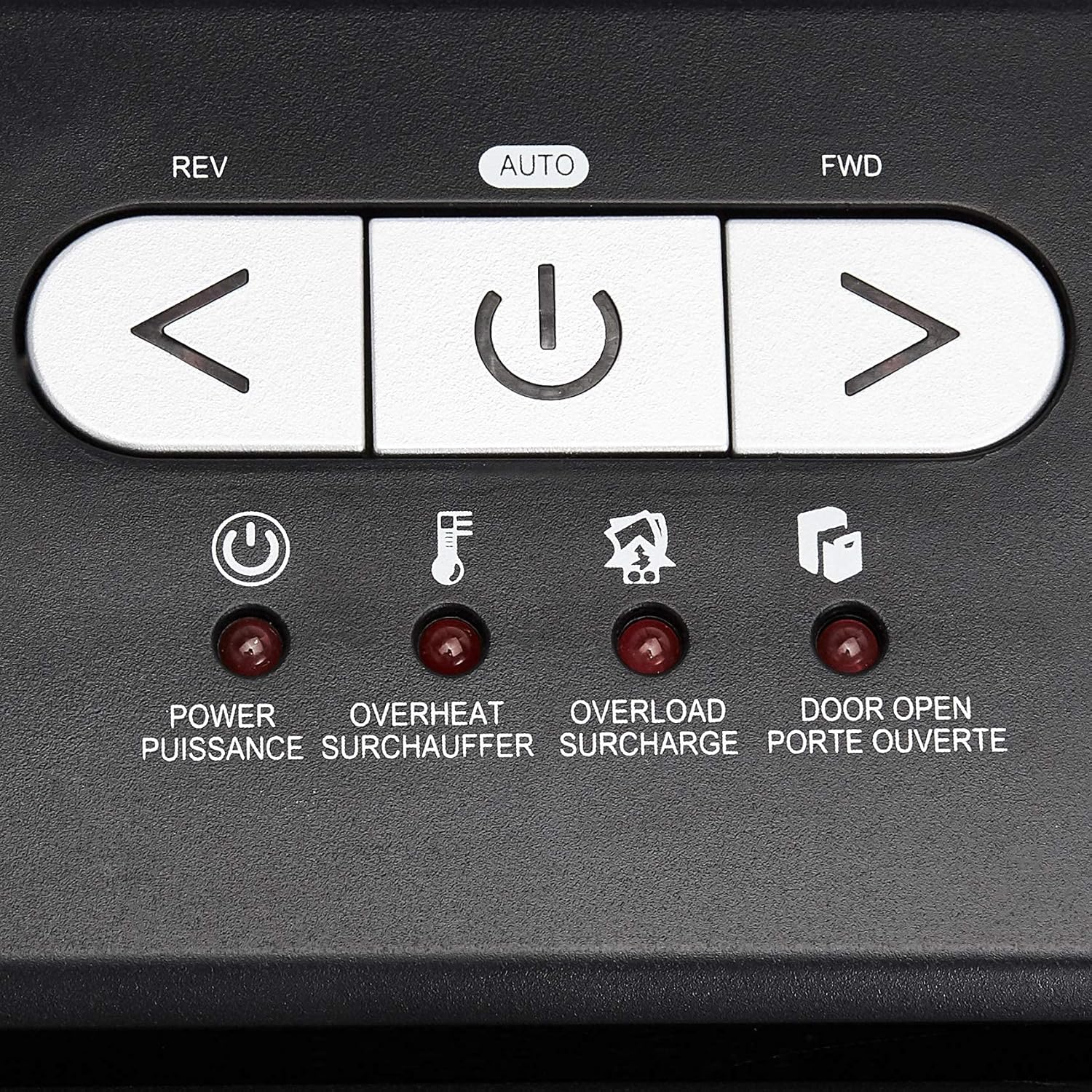
클로즈업 view of the shredder's control panel, showing the REV, AUTO, FWD buttons and LED indicators.
| 컨트롤/인디케이터 | 설명 |
|---|---|
| REV (Reverse) Button | Moves the shredder blades in reverse to clear paper jams. |
| AUTO (Power/Auto) Button | Activates the shredder's automatic shredding function. The shredder will start when paper is inserted. |
| FWD (Forward) Button | Moves the shredder blades forward continuously. Useful for clearing small debris. |
| 전원 LED | Indicates the shredder is powered on. |
| 과열 LED | Illuminates when the shredder has exceeded its maximum continuous run time and needs to cool down. |
| 과부하 LED | Illuminates when too much material is inserted, causing the motor to strain. |
| Door Open LED | Indicates that the shredder head is not properly seated on the waste bin, or the bin is not fully closed. |
기본 파쇄작업
- Ensure the shredder is plugged in and the power switch on the back (if present) is ON.
- 를 누르세요 자동차 button on the control panel. The Power LED will illuminate.
- 종이용: Insert up to 18 sheets of 20-pound bond paper into the paper entry slot. The shredder will automatically start and stop once the paper has passed through. Staples and small paper clips do not need to be removed.
- For CDs/DVDs: Insert one CD or DVD into the dedicated CD/DVD slot. The shredder will process the disc.
- 신용카드의 경우: Insert one credit card into the dedicated credit card slot. The shredder will process the card.
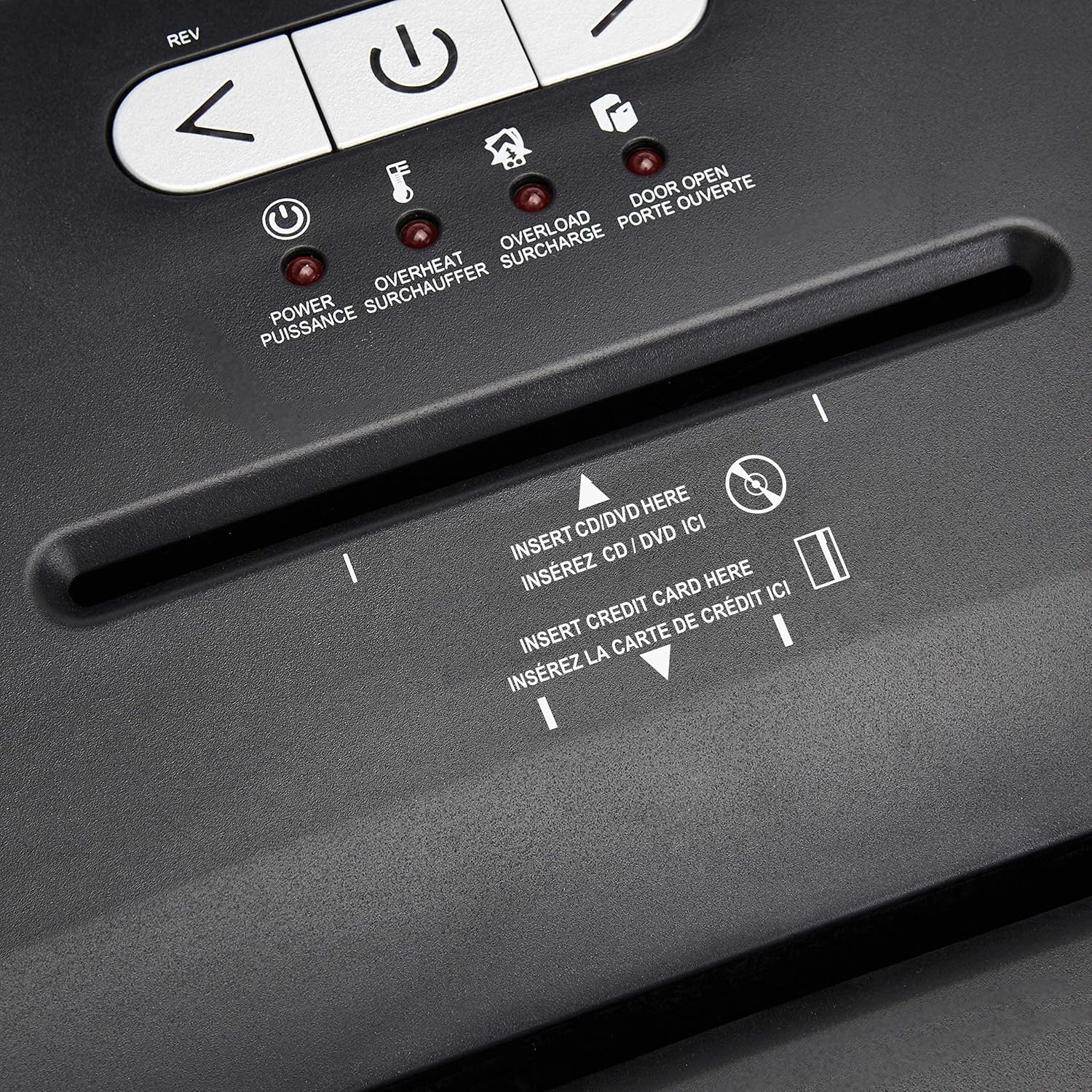
상세한 view of the dedicated slots for shredding CDs/DVDs and credit cards.
Continuous Run Time and Overheat Protection
The shredder is designed for a continuous run time of 30 minutes, followed by a 10-minute cool-down period. If the shredder operates continuously beyond its maximum run time, it will automatically shut off to protect the motor from overheating. The Overheat LED will illuminate. Allow the shredder to cool down for at least 10 minutes before resuming operation. The shredder will automatically reset once cooled.
과부하 보호
If too many sheets of paper or an item too thick is inserted, the shredder may jam and the Overload LED will illuminate. To clear an overload, press the 회전 button to reverse the blades and remove the excess material. Reduce the amount of material and re-insert.
유지
Emptying the Shredder Bin
- Always unplug the shredder before emptying the waste bin.
- The 6-gallon bin has a window to monitor the fill level.
- Carefully pull out the waste bin from the front of the shredder.
- Empty the shredded material into a suitable recycling or waste container.
- Slide the waste bin back into place, ensuring it is fully seated. The Door Open LED should turn off.
청소
- 청소하기 전에 분쇄기의 전원을 뽑으세요.
- 분쇄기 외부를 부드럽고 마른 천으로 닦으십시오. 연마성 세척제나 용제를 사용하지 마십시오.
- Periodically clean the shredder blades by running a shredder lubricant sheet or applying shredder oil to a sheet of paper and shredding it. This helps maintain optimal performance and extends the life of the blades.
문제 해결
| 문제 | 가능한 원인 | 해결책 |
|---|---|---|
| 분쇄기가 작동하지 않습니다. | Not plugged in; Power switch OFF; Waste bin not properly seated; Overheated. | Ensure power cord is securely plugged in. Turn the power switch ON. Push the waste bin firmly into place. Allow shredder to cool down if Overheat LED is on. |
| 종이 걸림. | 용지가 너무 많이 삽입되었습니다. 용지가 똑바로 삽입되지 않았습니다. | 를 누르세요 회전 button to clear the jam. Remove excess paper. Reduce the amount of paper per pass. |
| 파쇄기가 작동 중에 멈추고 과열 LED가 켜집니다. | 연속 실행 시간을 초과했습니다. | Allow the shredder to cool down for at least 10 minutes. The shredder will automatically reset. |
| Shredder stops and Overload LED is on. | Too much material inserted. | 를 누르세요 회전 button to remove the material. Reduce the amount of material and re-insert. |
| Door Open LED is on. | Waste bin not fully inserted or shredder head not properly seated. | Ensure the waste bin is pushed all the way in and the shredder head is correctly positioned on top. |
명세서
| 특징 | 세부 사항 |
|---|---|
| 모델 번호 | C218-A |
| 파쇄형 | 샛길 |
| 파쇄 크기 | 4 x 35mm |
| 보안 수준 | 피-3 |
| 시트 용량 | 최대 18매 (20파운드 본드지) |
| 파쇄물 | 종이, CD, DVD, 신용카드 |
| 빈 용량 | 6갤런 |
| 연속 실행 시간 | 30 분 |
| 쿨다운 시간 | 10 분 |
| 치수(길이 x 너비 x 높이) | 10.35 x 14.45 x 20.47 인치 |
| 품목 무게 | 24.4파운드 |
| 색상 | 검은색 |
| 재료 유형 | 합금강, 금속, 플라스틱 |
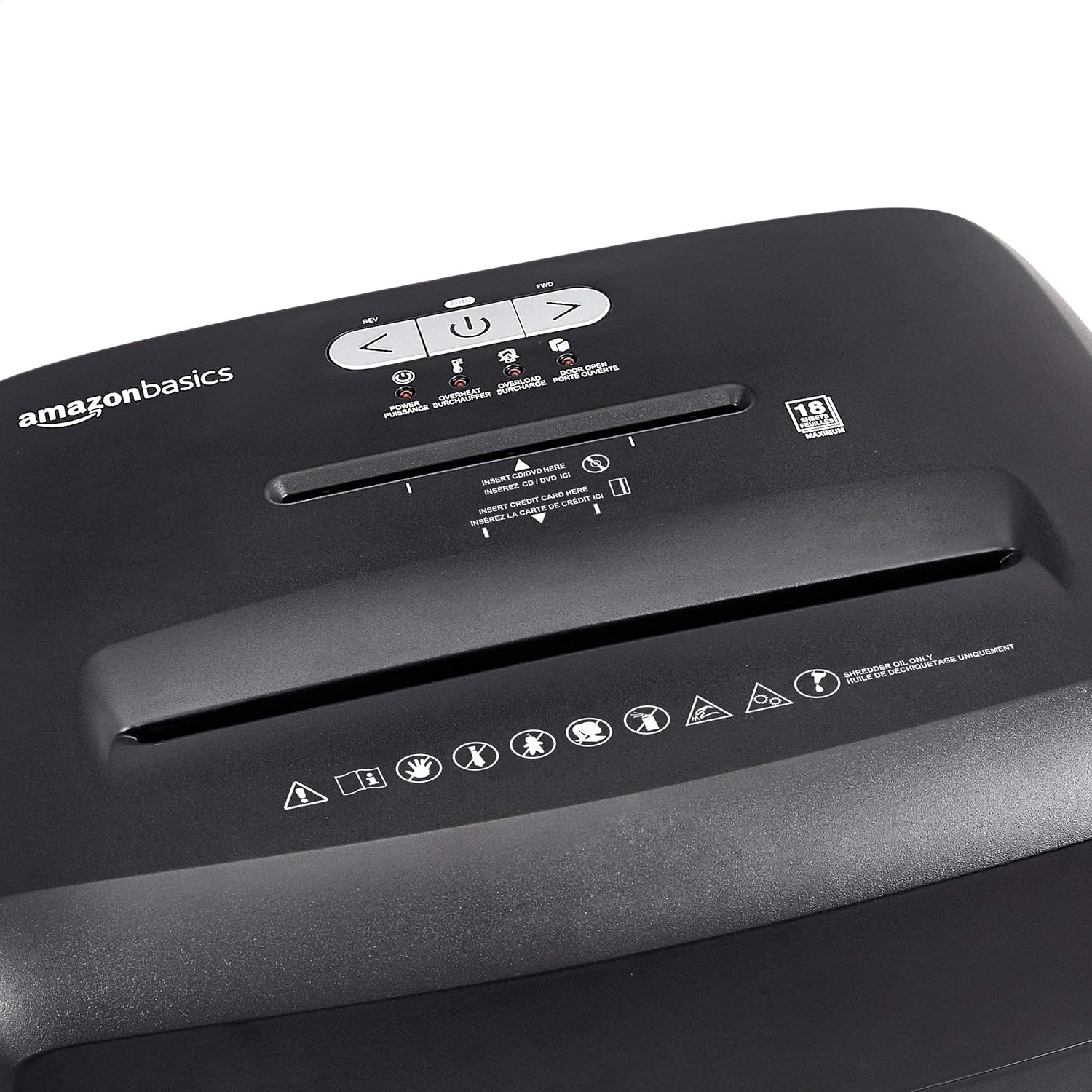
Diagram illustrating the dimensions of the shredder: 20.47 inches (51.51 cm) in height.
보증 정보
This Amazon Basics product is backed by a limited warranty. For specific details regarding warranty coverage, duration, and terms, please refer to the warranty document included with your purchase or visit the official Amazon Basics web사이트. 보증 청구를 위해 구매 증빙 자료를 보관하세요.
고객 지원
For any questions, assistance, or troubleshooting not covered in this manual, please contact Amazon Basics Customer Service. You can typically find contact information on the Amazon website under the 'Help' or 'Customer Service' sections, or by visiting the 아마존 베이직스 스토어.