
소개
The AKG CBL301 is a triple-element, low-profile boundary layer microphone designed for use in conference rooms and meeting spaces. It features user controls for talk/mute functionality, LED indicators, and screw terminals for audio input/output. The microphone is engineered for straightforward installation and reliable operation.
주요 특징:
- 로우프로file design for discreet placement
- Triple-element cardioid microphone for clear audio capture
- Touch-sensitive control for talk/mute functions
- RGB LED ring indicators for visual status feedback
- RF interference suppression for stable performance
상자 안에 무엇이 들어있나요?
내용물을 조심스럽게 풀어서 모든 품목이 들어 있는지 확인하세요.
- CBL301 Microphone
- 스레드로드
- 나사
- 윙 너트
- End Seal and Table Seal
설치 지침
Follow these steps to properly set up your AKG CBL301 microphone:
- 놓기: Position the microphone on a flat, stable surface in your conference or meeting area. The low-profile design allows for discreet integration.
- 장착(선택 사항): For permanent installation, use the provided threaded rod, screws, wingnut, and seals to secure the microphone to the table surface. This minimizes disruption and ensures stability.
- 연결성: Connect the microphone to your audio system using an appropriate XLR cable (not included) via the screw terminals. Ensure secure connections for optimal audio transmission.
- 힘: The microphone is powered via a corded electric connection. Ensure it is connected to a compatible power source (3.3 Volts).

측면 view of the AKG CBL301 microphone, illustrating its low-profile form factor. The illuminated green LED ring indicates the microphone's active status, and the AKG logo is visible on the base.
작동 지침
The CBL301 features intuitive touch controls and LED indicators for easy operation:
- 전원 켜기: Once connected to power, the microphone will initialize.
- Talk/Mute Control: To toggle between talk and mute states, gently touch the designated area on the microphone's surface.
- LED 표시등: The RGB LED ring provides visual feedback on the microphone's status:
- 녹색: Microphone is active and picking up audio.
- 빨간색: 마이크가 음소거되었습니다.
- 파란색: (Specific status, refer to advanced settings if applicable, or typically indicates a specific mode).
- Coverage Configuration: The microphone's pickup pattern is user-configurable from 270 to 360 degrees. Consult your audio system's documentation for specific adjustments if required.
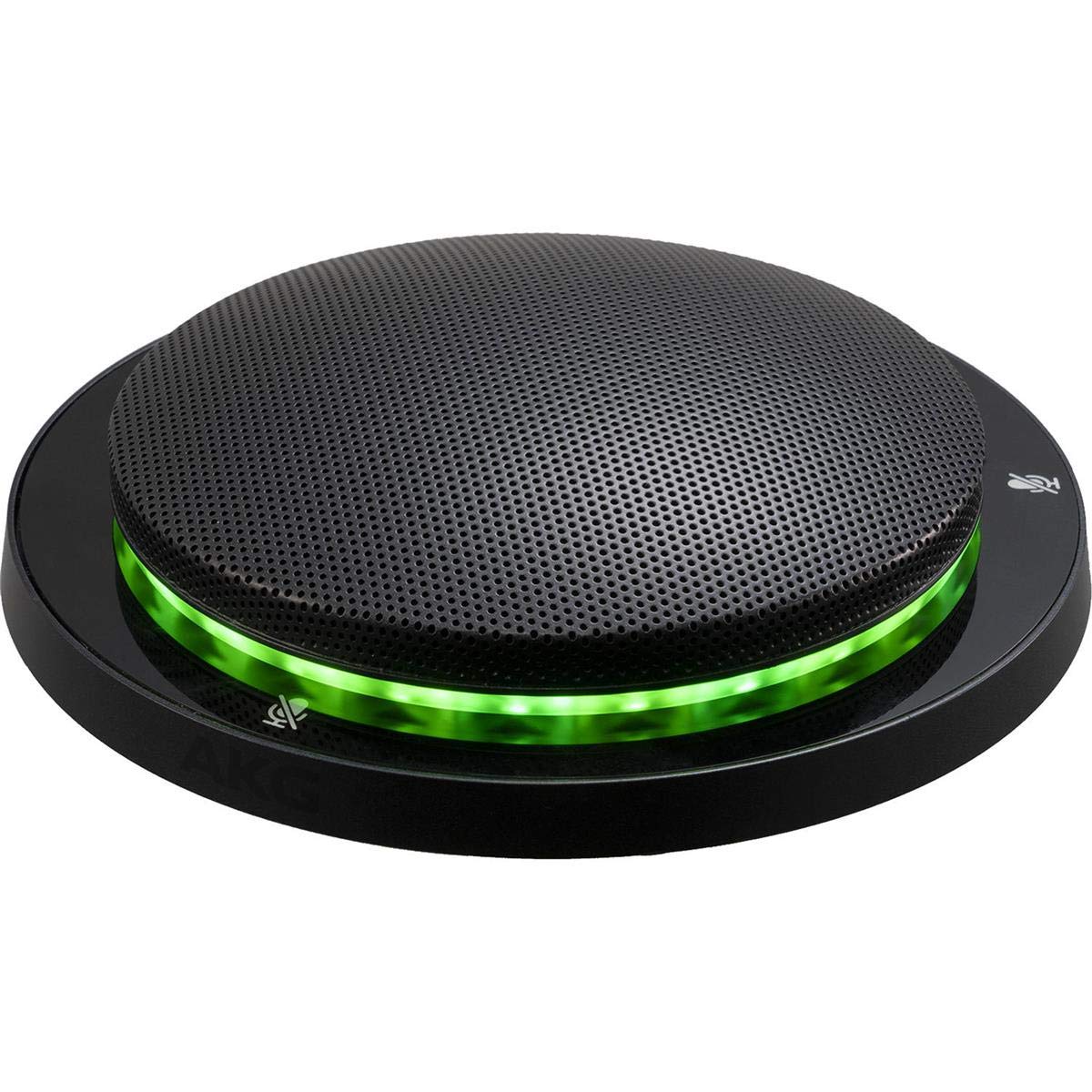
This image displays the AKG CBL301 microphone from a top-down perspective, highlighting its circular, low-profile design and the perforated grille covering the microphone elements. The touch-sensitive mute/unmute icons are visible around the perimeter.
유지
Proper maintenance ensures the longevity and performance of your CBL301 microphone:
- 청소: Use a soft, dry cloth to wipe the microphone's surface. Avoid abrasive cleaners, solvents, or excessive moisture, which can damage the finish or internal components.
- 저장: 장기간 사용하지 않을 때는 마이크를 깨끗하고 건조한 환경에 보관하고, 극한의 온도와 습도를 피하십시오.
- 케이블 관리: Ensure all cables are free from kinks or damage. Replace any damaged cables immediately to prevent performance issues or safety hazards.
문제 해결
If you encounter issues with your CBL301 microphone, refer to the following common solutions:
- 사운드 출력 없음:
- 모든 케이블 연결이 안전한지 확인하십시오.
- Verify the microphone is not muted (check LED indicator for red light).
- Confirm the audio system's input is correctly configured and volume levels are adequate.
- Ensure the microphone is receiving power.
- 왜곡된 소리:
- 느슨한 케이블 연결을 확인하십시오.
- Ensure the microphone is not placed too close to sound sources, causing clipping.
- Verify the audio system's input gain is not set too high.
- LED 표시기가 작동하지 않음:
- Confirm the microphone is properly powered.
- If the microphone functions but the LED does not, contact support.
If the problem persists after attempting these solutions, please contact AKG customer support.
명세서
| 특징 | 세부 사항 |
|---|---|
| 모델명 | CBL301 |
| 품목 모델 번호 | 5095183-00 |
| 품목 무게 | 1.7파운드(0.77kg) |
| 제품 크기(L x W x H) | 5.1 x 5.1 x 1.1인치(12.95 x 12.95 x 2.79cm) |
| 마이크 폼 팩터 | Microphone Only (Boundary Layer) |
| 전원 | 코드식 전기 |
| 연결 기술 | XLR |
| 커넥터 유형 | 스크류 터미널 |
| 극성 패턴 | 단방향 (카디오이드) |
| 권tage | 3.3 볼트 |
| 색상 | 검은색 |
| UPC/GTIN | 885038040514 |
| 특별 기능 | Touch control for talk/mute, RGB LED indicators, User-configurable coverage (270-360 degrees) |
보증 정보
This product is covered by a manufacturer's warranty. For detailed information regarding warranty terms, conditions, and registration, please refer to the official AKG website or contact AKG customer support directly. Please retain your proof of purchase for warranty claims.
지원하다
For technical assistance, product inquiries, or service requests, please visit the official AKG support website or contact their customer service department. Contact information can typically be found on the AKG web사이트 또는 제품 포장.