
1. 서론
헤일로view CA109 is a wireless 720P high-definition license plate rear view camera designed to assist with vehicle backing maneuvers. This camera provides a clear view of the area behind your vehicle and is compatible with Haloview MC7108 and MC5111 systems. Its compact design and adjustable angle offer versatile installation and optimal view주고받음.
2. 제품 구성품
The CA109 package includes the following items:
- CA109 License Plate Camera
- License Plate Mount Bracket
- 카메라 변환 케이블
- 카메라 안테나
3. 설정 및 설치
The CA109 camera offers straightforward installation with no cutting or drilling required for standard license plate mounting. Ensure your vehicle is turned off before beginning installation.
3.1. 카메라 장착
The camera is designed to mount directly onto a standard US license plate using the provided bracket. Position the camera to ensure it does not obstruct the license plate numbers or tags.

Image: The CA109 camera shown mounted on a standard US license plate.
For vehicles equipped with Furrion pre-wired brackets, the B-F02 Backup Camera Bracket Adapter (sold separately) can be used for an integrated mounting solution.
3.2. 전원 연결
Connect the camera to a 12-volt power source. This typically involves wiring it to your vehicle's reverse lights for activation when backing up, or to a constant power source if continuous monitoring is desired. Use the camera conversion cable for proper connection.
메모: For some newer vehicle models, particularly certain GM vehicles, a voltage control module may be required to ensure stable power supply to the camera. Consult your vehicle's manual or a professional if experiencing power-related issues.
3.3. 안테나 설치
Attach the camera antenna securely to the designated port on the camera. Ensure the antenna is positioned for optimal signal transmission. The wireless signal range is up to 984 feet (line of sight).
3.4. Camera Dimensions
Refer to the diagram below for the physical dimensions of the CA109 camera and its mounting bracket.
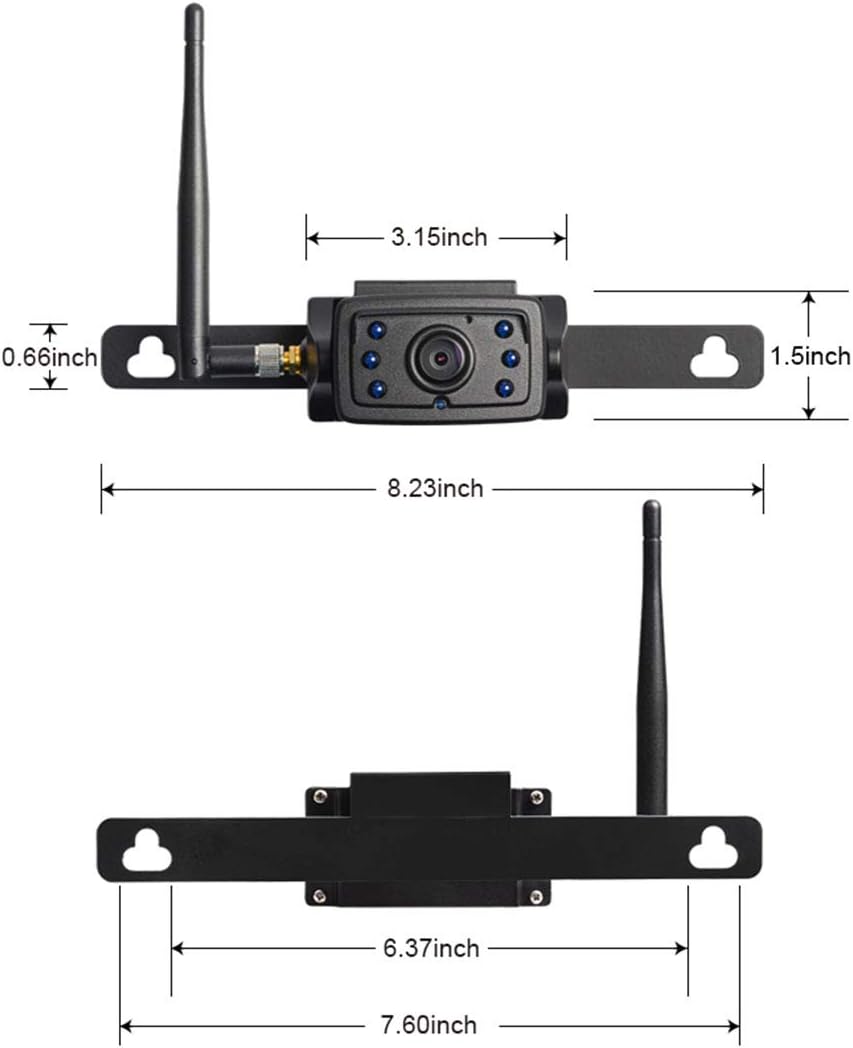
Image: Detailed dimensions of the CA109 camera and its mounting components.

Image: The CA109 camera installed on a vehicle's tailgate, showing the camera and a monitor displaying its view.
4. 사용 설명서
Once installed and powered, the CA109 camera transmits video wirelessly to a compatible Haloview monitor (MC7108 or MC5111 system).
4.1. 카메라 각도 조정
The camera lens can be adjusted by up to 70 degrees vertically to achieve the optimal viewing angle for your specific vehicle and application. Loosen the adjustment screws, set the desired angle, and then tighten the screws to secure the position.

Image: The CA109 camera illustrating its 70-degree adjustable view잉 각도.
4.2. View지역
The camera features a 120-degree wide-angle lens, capturing a broad view of the area behind your vehicle. This wide field of view is particularly useful for backing up and hitching trailers.
4.3. 야간 투시경
Equipped with 6 infrared (IR) LED lights, the CA109 provides night vision capabilities, allowing for clear visibility in low-light conditions.
5. 유지관리
헤일로view CA109 camera is designed for durability and minimal maintenance.
5.1. 청소
카메라 렌즈와 하우징을 부드러운 천으로 주기적으로 청소하십시오.amp cloth to remove dirt, dust, or debris that may obstruct the view. 가혹한 화학 물질이나 연마재를 사용하지 마십시오.
5.2. 방수성
The camera boasts an IP69K rating, indicating high resistance to dust and high-pressure, high-temperature water jets. This ensures reliable operation in various weather conditions.
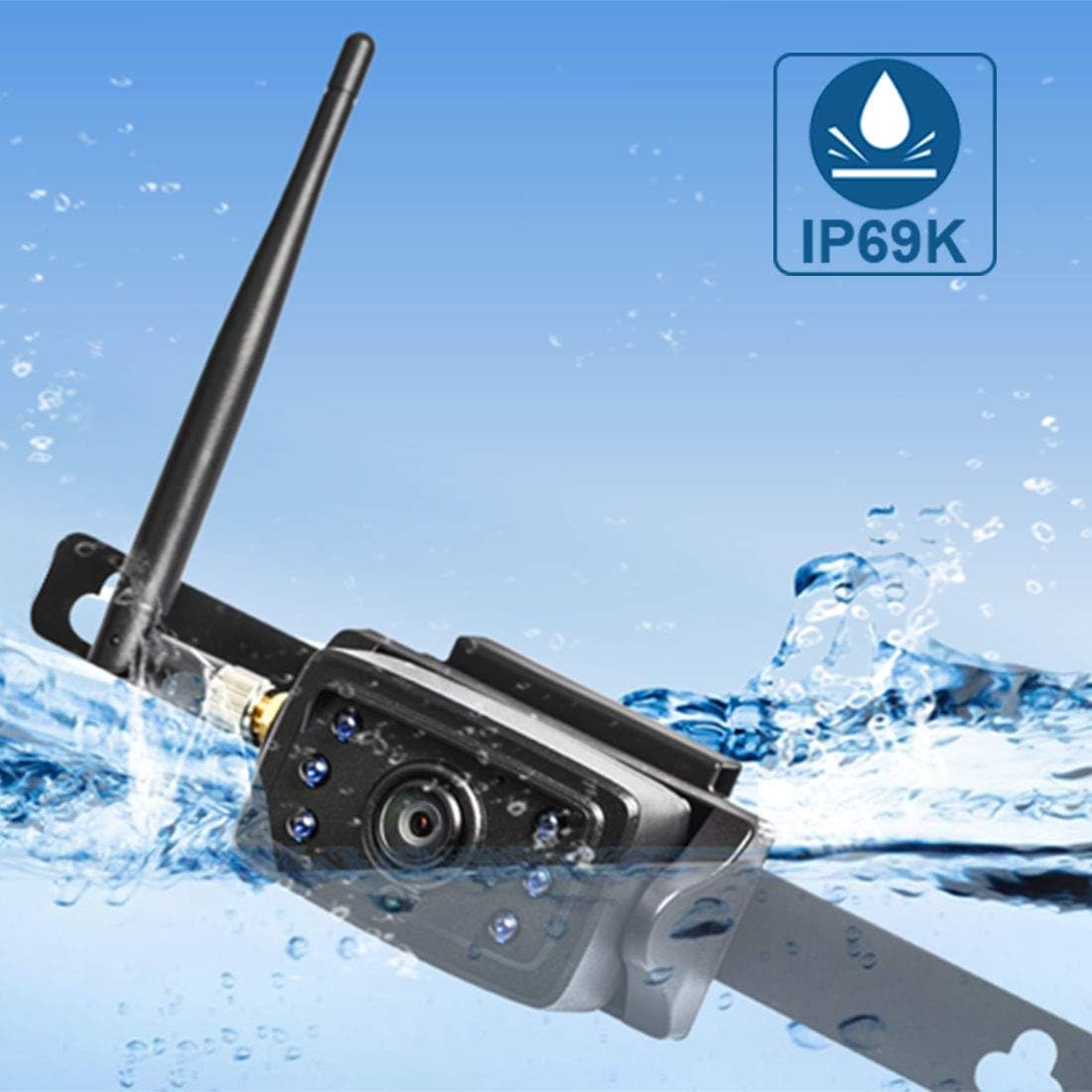
Image: The CA109 camera demonstrating its IP69K water resistance rating.
6. 문제 해결
If you encounter issues with your CA109 camera, refer to the following common troubleshooting steps:
- 모니터에 이미지가 나타나지 않습니다.
- Ensure the camera is receiving power. Check all cable connections.
- Verify the camera is properly paired with your Haloview monitor. Refer to your monitor's manual for pairing instructions.
- Check the antenna connection on the camera and ensure it is not obstructed.
- 이미지 품질이 좋지 않음:
- 카메라 렌즈를 청소하세요.
- Ensure there are no obstructions between the camera and the monitor that could interfere with the wireless signal.
- 근처에 강한 전자파 간섭원이 있는지 확인하세요.
- 간헐적 신호:
- Reposition the camera antenna for better line of sight.
- Ensure the camera is within the effective wireless range (up to 984ft line of sight).
- 전원 연결 상태가 안정적인지 확인하십시오.
- 카메라 전원이 켜지지 않음:
- Confirm the 12V power source is active.
- 전원 케이블에 손상이 있는지 검사하십시오.
- If installing on a newer vehicle, consider if a voltage control module is necessary.
7. 사양
Key technical specifications for the Haloview CA109 camera:
| 특징 | 사양 |
|---|---|
| 상표 | 후광view |
| 모델 번호 | CA109 |
| 비디오 캡처 해상도 | 720p |
| 효과적인 스틸 해상도 | 720 픽셀 |
| 분야의 View | 120도 |
| 실제 각도 View | 170도 |
| 렌즈 유형 | 와이드 앵글 |
| 광센서 기술 | CMOS Infrared |
| 광학 센서 크기 | 1/4 인치 |
| 권tage | 12 볼트 |
| 커넥터 유형 | 무선 전화 |
| 설치 유형 | 표면 실장 |
| 호환 장치 | Monitor (MC7108, MC5111 systems) |
| 럭스 등급 | 0.2 럭스 |
| 품목 무게 | 421그램 |
8. 보증 및 지원
For warranty information, please refer to the documentation included with your purchase or visit the official Haloview web사이트. 보증 약관은 다를 수 있습니다.
For technical support, product inquiries, or further assistance, please contact Haloview 고객 서비스는 공식 웹사이트를 통해 제공됩니다. web대지: