
1. 서론
Thank you for choosing the Hoco ES24 Wireless Sound Earphones. This manual provides detailed instructions on how to set up, operate, and maintain your earphones. Please read this manual carefully before use to ensure optimal performance and longevity of your device.
2. 패키지 내용
아래 나열된 모든 품목이 패키지에 들어 있는지 확인하세요.
- Hoco ES24 Wireless Earphones (Left and Right)
- 충전 케이스
- USB 충전 케이블
- 다양한 크기의 이어팁(S, M, L)
- 사용자 설명서

Image: The Hoco ES24 earphones, charging case, USB cable, and various ear tip sizes included in the package.
3. 제품 오버view
The Hoco ES24 earphones are designed for comfortable, wireless audio experience. They come with a compact charging case that not only protects the earphones but also recharges them on the go.

Image: The Hoco ES24 earphones resting inside their open charging case, showcasin컴팩트한 디자인이 특징입니다.
4. 설정
4.1 초기 충전
- 처음 사용하기 전에 이어폰과 충전 케이스를 완전히 충전하세요.
- 양쪽 이어폰을 충전 케이스에 넣습니다.
- USB 충전 케이블을 케이스의 충전 포트와 전원(예: USB 벽면 어댑터, 컴퓨터 USB 포트)에 연결하세요.
- The LED indicator on the charging case will show the charging status. A full charge typically takes about 1 hour for fast charging.

Image: The Hoco ES24 charging case displaying the battery percentage via an LED screen, indicating charging status and capacity.
5. 사용 설명서
5.1 전원 켜기/끄기
- 전원 켜기: Open the charging case, and the earphones will automatically power on. Alternatively, press and hold the touch control area on both earphones for 3 seconds.
- 전원 끄기 : Place the earphones back into the charging case and close the lid. They will automatically power off and begin charging. Alternatively, press and hold the touch control area on both earphones for 5 seconds.
5.2 블루투스 페어링
- 처음 페어링:
a. Ensure the earphones are charged.
b. Open the charging case. The earphones will automatically enter pairing mode, indicated by a flashing LED light on one of the earbuds.
c. On your device (smartphone, tablet, etc.), enable Bluetooth and search for available devices.
d. Select "Hoco ES24" from the list of devices. Once connected, the LED indicator on the earphone will stop flashing. - 후속 페어링:
Once paired, the earphones will automatically connect to the last paired device when taken out of the charging case, provided Bluetooth is enabled on your device.
5.3 터치 컨트롤
The Hoco ES24 earphones feature touch-sensitive controls for easy management of music and calls.
- 재생/일시 중지: 두 이어폰 중 하나를 한 번 탭합니다.
- 다음 트랙: 오른쪽 이어폰을 두 번 탭하세요.
- 이전 트랙 : 왼쪽 이어폰을 두 번 탭하세요.
- 전화 받기/종료: 수신 전화 또는 통화 중일 때 이어폰 중 하나를 한 번 탭하세요.
- 전화 거부: 전화가 걸려올 때 이어폰 한쪽을 2초 동안 길게 누르세요.
- Voice Assistant 활성화 : 이어폰 중 하나를 세 번 탭하세요.

Image: A user wearing the Hoco ES24 earphones, illustrating their in-ear fit and highlighting features like Bluetooth 5.0 connectivity and clear call quality.
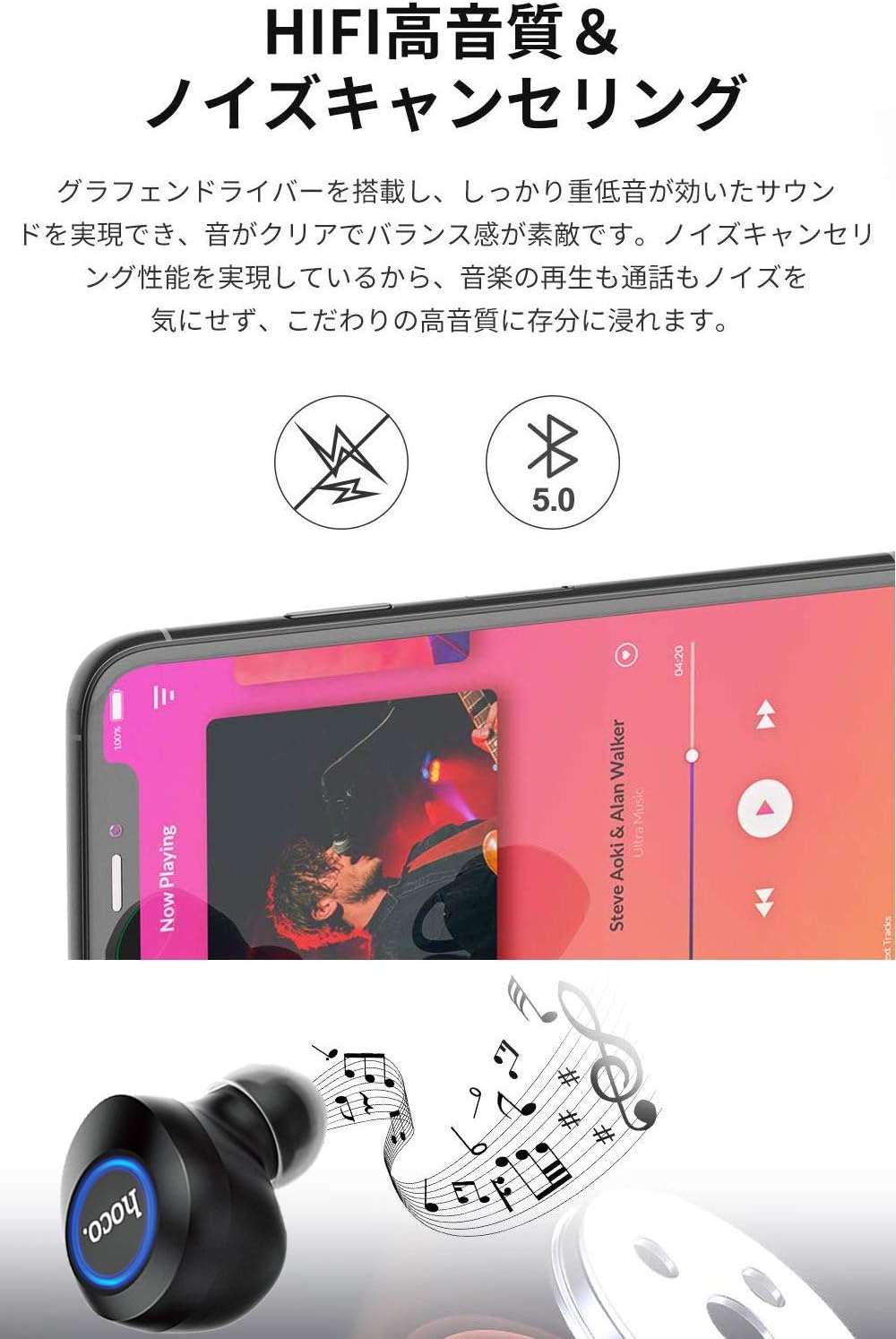
Image: A close-up of a Hoco ES24 earphone, with a smartphone screen in the background showing music playback, emphasizing HiFi sound quality and noise cancellation capabilities.
6. 유지관리
6.1 청소
- 부드럽고 마른 보푸라기 없는 천으로 이어폰과 충전 케이스를 정기적으로 청소하세요.
- 연마성 세척제, 알코올, 화학 용제는 사용하지 마세요.
- 작고 부드러운 솔이나 면봉을 사용하여 이어팁과 스피커 메시에 묻은 귀지나 이물질을 조심스럽게 제거하세요.
6.2 보관
- 사용하지 않을 때는 이어폰을 충전 케이스에 보관하여 먼지와 손상으로부터 보호하세요.
- Avoid storing the device in extreme temperatures (hot or cold) or in humid environments.
6.3 배터리 관리
- 배터리 수명을 연장하려면 이어폰과 충전 케이스를 자주 완전히 방전시키지 마세요.
- 자주 사용하지 않더라도 기기를 정기적으로 충전하세요.
7. 문제 해결
If you encounter any issues with your Hoco ES24 earphones, refer to the following common problems and solutions:
| 문제 | 해결책 |
|---|---|
| 이어폰 전원이 켜지지 않습니다. | Ensure the earphones and charging case are fully charged. Place earphones in the case and close the lid, then open again. |
| 기기와 페어링할 수 없습니다. | Make sure Bluetooth is enabled on your device. Ensure earphones are in pairing mode (flashing LED). Turn off and on your device's Bluetooth. Forget "Hoco ES24" from your device's Bluetooth list and try pairing again. |
| 한쪽 또는 양쪽 이어폰에서 소리가 나지 않습니다. | Check device volume. Ensure earphones are properly connected. Try re-pairing. Clean any debris from the speaker mesh. |
| 충전 케이스가 충전되지 않습니다. | USB 케이블이 케이스와 전원에 제대로 연결되어 있는지 확인하십시오. 다른 USB 케이블이나 전원 어댑터를 사용해 보십시오. |
| 터치 컨트롤이 반응하지 않습니다. | Ensure your fingers are clean and dry. Restart the earphones by placing them in the case and taking them out again. |
8. 사양
Below are the technical specifications for the Hoco ES24 Wireless Sound Earphones:
- 모델: ES24
- 연결성: 무선(블루투스 5.0)
- 폼 팩터: 인이어
- 재료: 플라스틱
- 제어 방법: 만지다
- 마이크로폰: 예
- 소음 제거 : No (Passive noise isolation may be present due to in-ear design)
- 호환 장치: All devices with Bluetooth functionality
- 품목 무게: 55 grams (earphones + case)
- 제품 크기: 2.38 x 2.1 x 2.35 cm (earphone dimensions)
- 포함된 구성 요소: Protective charging case
- 색상: 검은색
- 연령대: 성인
- 충전 시간: Approximately 1 hour (fast charge)
- 사용 시간: Approximately 4-5 hours (single use)
9. 안전 정보
기기 손상이나 부상의 위험을 예방하려면 다음 안전 지침을 준수하세요.
- 제품을 분해, 수리, 개조하지 마세요.
- 장치를 물, 습기 및 극한의 온도로부터 멀리 두십시오.
- 청력 손상을 방지하려면 높은 볼륨 레벨에 장기간 노출되지 마십시오.
- 어린이와 애완동물의 손이 닿지 않는 곳에 보관하세요.
- 현지 규정에 따라 책임감 있게 제품을 폐기하십시오.
10. 보증 및 지원
Hoco products are designed and manufactured to the highest quality standards. For warranty information, technical support, or customer service inquiries, please refer to the warranty card included in your package or contact your local retailer or Hoco customer support directly. Please retain your proof of purchase for any warranty claims.