
소개
This manual provides detailed instructions for the installation, operation, and maintenance of your ANRAN 1080P Wireless Home Security Camera System, model K04W5965. Please read this manual thoroughly before using the product to ensure proper functionality and safety.
무엇이 포함됩니까?
아래 나열된 모든 품목이 패키지에 들어 있는지 확인하세요.

Image: Package Contents. This image displays the 8-channel 1080P WiFi NVR, four 1080P WiFi bullet cameras, mounting screws, DC12V power adapters (one for NVR, four for cameras), a 3ft Ethernet cable, a USB mouse, a user manual, and a 1TB hard drive (pre-installed in the NVR).
- 1x 8-Channel 1080P WiFi Network Video Recorder (NVR)
- 4x 1080P WiFi Bullet Cameras
- 5x DC12V Power Adapters (one for NVR, four for cameras)
- 4x 장착 나사
- 1x 3피트 이더넷 케이블
- 1x USB 마우스
- 1x 사용자 설명서
- 1x 1TB Hard Drive (pre-installed in the NVR)
설정
1. 초기 연결
Connect the NVR to a monitor using an HDMI or VGA cable. Connect the NVR and cameras to their respective power adapters. The system is designed for auto-pairing, meaning cameras should connect to the NVR automatically upon power-up.
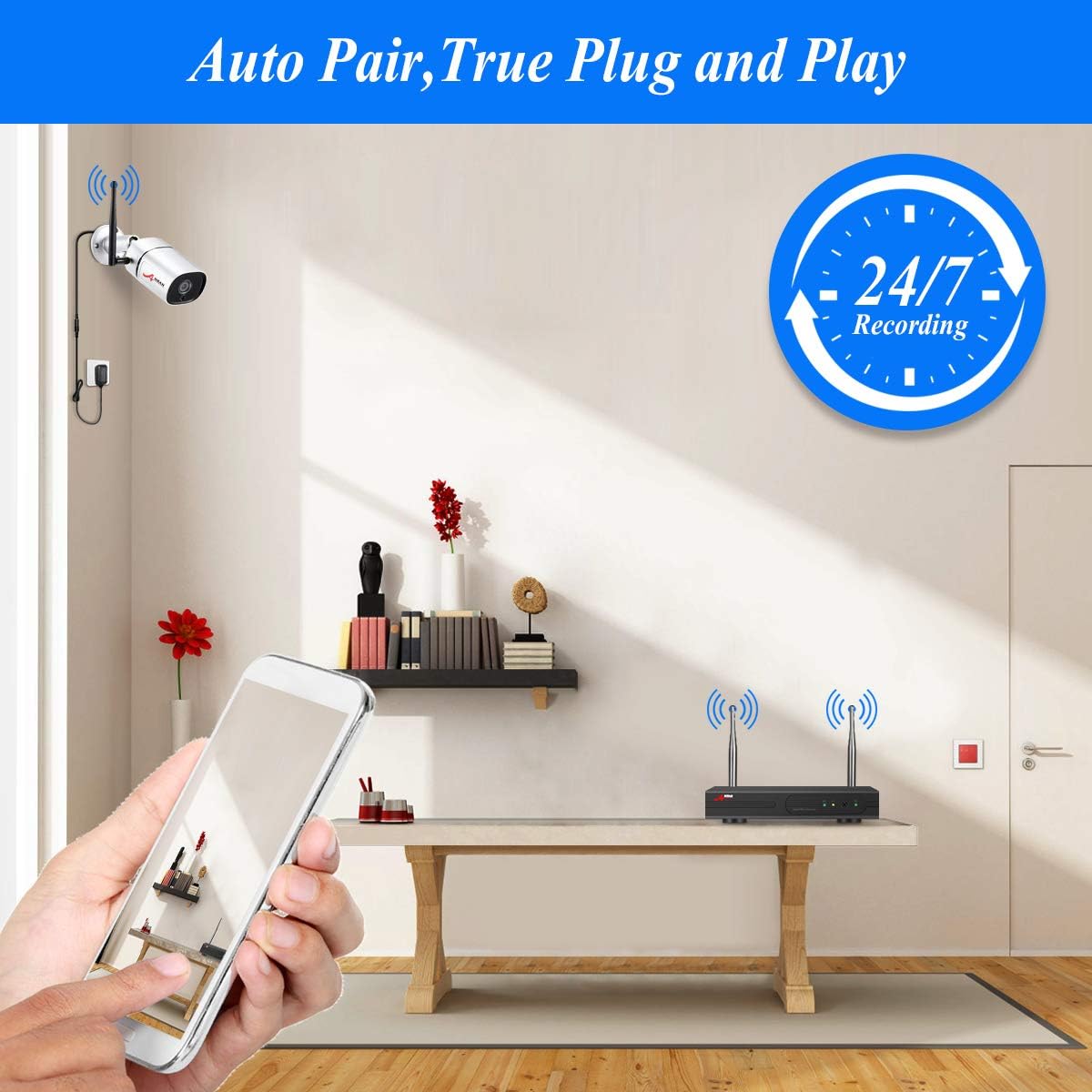
Image: Auto Pair, True Plug and Play. This image illustrates the simple connection process of the NVR and cameras, highlighting the automatic pairing feature and 24/7 recording capability.
2. Mobile App Setup (ARRCCTV)
원격용 viewing, download the free ARRCCTV app from your device's app store. Follow the in-app instructions to add your NVR system. This typically involves scanning a QR code displayed on your NVR's monitor.

Image: Plug in Play Mobile Access. This image shows the steps to connect the system, download the ARRCCTV app, and view live camera feeds on a smartphone.
3. Wireless Signal Repeater Function
The system supports a wireless signal repeater function to extend the range of your cameras. Cameras can act as repeaters for other cameras further away from the NVR.

Image: Wireless Signal Repeater and Expandability. This diagram explains how cameras can relay signals to the NVR and that the system can be expanded to include up to 8 cameras.
4. 카메라 장착
The cameras are designed for both ceiling and wall mounting. Ensure the mounting location provides a clear field of view and stable signal to the NVR.

Image: Ceiling Mountable and Wall Mountable. This image illustrates the versatility of the cameras, showing them installed both on a ceiling and a wall.
5. Pairing Additional Cameras
If you need to add or re-pair cameras, follow the on-screen instructions on the NVR interface or refer to the video below for guidance on matching codes for WiFi security cameras.
Video: How to match code for the WiFi security cameras. This video demonstrates the process of pairing or re-pairing WiFi cameras with the NVR system.
작동 지침
1. 라이브 View 그리고 녹음
Once connected, the NVR will display live feeds from all cameras. The system supports 24/7 continuous recording to the pre-installed 1TB hard drive.
Video: ANRAN home security camera system wireless HD. This video provides an overview 라이브의 view functionality and general operation of the ANRAN wireless security system.
2. 동작 감지 알림
The system features motion detection. When motion is detected, the system can trigger alerts, which can be sent to your mobile device via the ARRCCTV app.

Image: Motion Detection Alert. This image demonstrates how the system detects motion and sends alerts to a connected smartphone.
3. Adjusting Motion Detection Sensitivity
You can adjust the sensitivity of the motion detection feature to minimize false alarms. Refer to the video below for instructions on how to modify these settings.
Video: How to adjust the sensitivity of the wireless camera system. This video guides you through the steps to change motion detection sensitivity settings on your NVR.
4. Setting Motion Detection Area
To focus motion detection on specific zones and ignore others, you can define a custom detection area. The following video explains this process.
Video: How to setup motion detection area for the security system. This video demonstrates how to configure specific areas for motion detection within the camera's view.
5. Adjusting Arming Time
You can schedule specific times for the motion detection and alarm functions to be active. This is referred to as 'arming time'.
Video: How to adjust arming time for the security camera system. This video explains how to set up the schedule for when the security system's alarm features are active.
6. 야간 투시경
The cameras are equipped with clear night vision capabilities, allowing for surveillance in low-light or no-light conditions.
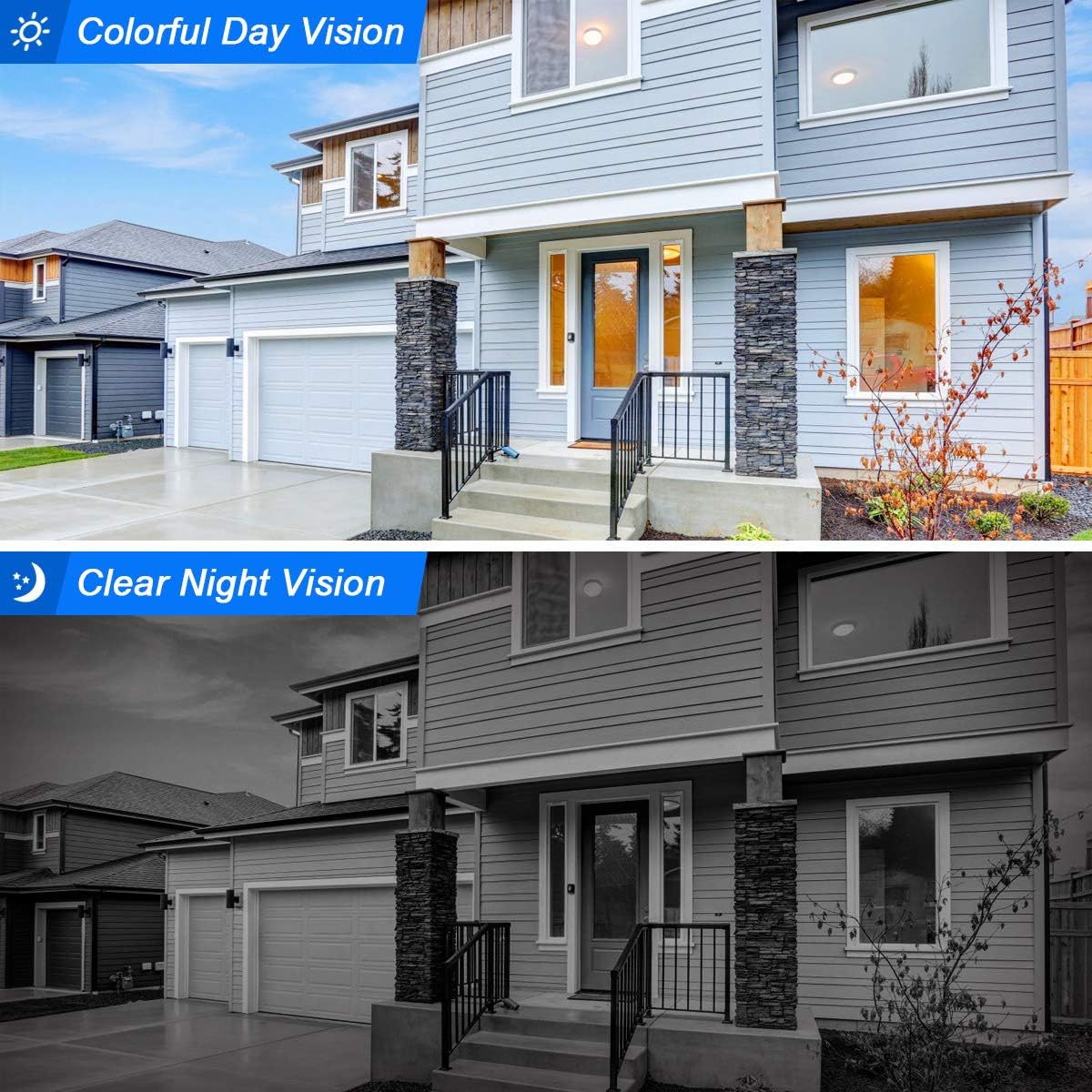
Image: Colorful Day Vision and Clear Night Vision. This image compares the camera's view during the day with its clear black and white night vision.
유지
1. Camera Care
The cameras feature an IP66 weatherproof design, making them suitable for both indoor and outdoor use. However, for prolonged durability, it is recommended to install cameras in locations that offer some shelter from direct, heavy precipitation if possible. Regularly clean the camera lenses with a soft, dry cloth to ensure clear image quality.

Image: Waterproof Design Metal Shell. This image highlights the camera's robust, waterproof metal casing, suitable for various weather conditions.
2. NVR Maintenance
Ensure the NVR is placed in a well-ventilated area to prevent overheating. Keep the NVR free from dust and moisture. Do not block ventilation openings.
3. 펌웨어 업데이트
Periodically check for firmware updates for your NVR system. While updates can improve performance and add features, it is important to follow official instructions carefully. Unofficial or improperly applied firmware updates may lead to system malfunctions.
문제 해결
- 모니터에 이미지가 나타나지 않습니다. Ensure the NVR is powered on and connected correctly to the monitor via HDMI or VGA. Check the monitor's input source.
- 카메라가 연결되지 않음: Verify that all cameras are powered on. Ensure they are within the NVR's wireless range. If issues persist, try re-pairing the cameras as shown in the 'Pairing Additional Cameras' video.
- 녹음 안함: Check if the 1TB hard drive is properly installed and recognized by the NVR. Ensure recording schedules are configured correctly.
- 동작 감지가 작동하지 않음: Review motion detection settings, including sensitivity and defined detection areas. Ensure the feature is enabled and arming times are set appropriately.
- 원격 View 문제: Ensure the NVR is connected to the internet via the Ethernet cable. Verify your mobile device has a stable internet connection. Double-check the app setup and NVR registration.
- 야간 시력이 좋지 않음: Ensure the camera lens is clean and free from obstructions. Check for strong light sources directly in the camera's view at night, which can interfere with infrared illumination.
명세서
| 특징 | 사양 |
|---|---|
| 상표 | 안란 |
| 모델 번호 | 케이04W5965 |
| 연결 기술 | 무선 전화 |
| 비디오 캡처 해상도 | 1080p |
| 특별 기능 | 동작 감지 센서, 야간 투시경 |
| 채널 수 | 8 |
| 메모리 저장 용량 | 1테라바이트 |
| 전원 | 교류/직류 |
| 운영 체제 호환성 | 안드로이드, iOS |
| 카메라 설명 | 앞쪽 |
| 야간 투시경 유형 | 밤의 색깔 |
| 안테나 위치 | 실내, 실외 |
| Number of Items (Cameras) | 4 |
보증 및 지원
For warranty information and technical support, please refer to the contact details provided in your product packaging or visit the official ANRAN web사이트. 보증 청구를 위해 구매 증빙 자료로 구매 영수증을 보관하세요.


