
1. 서론
Thank you for choosing the Targus W620 Wireless Optical Mouse. This manual provides detailed instructions for setting up, operating, and maintaining your mouse to ensure optimal performance and longevity. The Targus W620 offers reliable 2.4 GHz wireless connectivity, a precise 1600 DPI optical sensor, and a compact design suitable for both office and mobile use.
2. 패키지 내용
다음 품목이 패키지에 포함되어 있는지 확인하세요.
- Targus W620 Wireless Optical Mouse
- USB 수신기
- AAA 배터리 2개
3. 제품 오버view
Familiarize yourself with the components of your Targus W620 Wireless Optical Mouse.
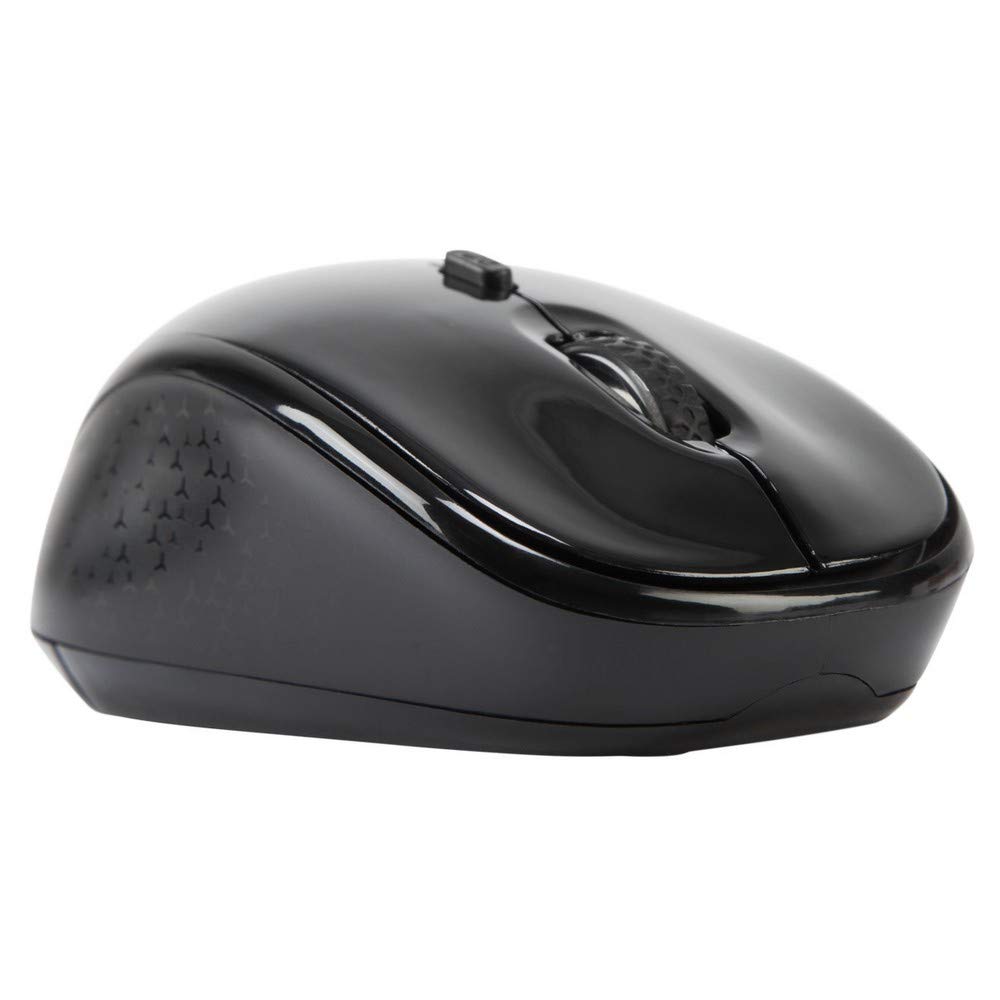
이미지 3.1: 맨 위 view of the Targus W620 Wireless Optical Mouse. This image displays the primary buttons and scroll wheel.
- 왼쪽 클릭 버튼: 표준 기본 클릭 기능.
- 오른쪽 클릭 버튼: 표준 보조 클릭 기능.
- 스크롤 휠: 수직 스크롤과 가운데 클릭 기능.
- DPI 버튼: 마우스 감도(DPI)를 조절합니다.
- 광학 센서: Located on the bottom, detects mouse movement.
- 배터리 칸: Located on the bottom, holds two AAA batteries.
- USB 수신기 보관: A dedicated slot on the bottom for storing the USB receiver when not in use.

이미지 3.2: 맨 아래 view of the mouse, highlighting the battery compartment and optical sensor.
4. 설정 지침
Follow these steps to set up your Targus W620 Wireless Optical Mouse:
- 배터리 설치:
- 마우스 바닥에서 배터리 덮개를 찾으세요.
- 덮개를 밀어 엽니다.
- AAA 배터리 2개를 올바른 극성(+/-)에 맞춰 삽입합니다.
- 배터리 덮개를 단단히 닫으세요.
- USB 수신기 연결:
- The USB receiver is typically stored in a slot on the bottom of the mouse for transport. Gently remove it.
- USB 수신기를 컴퓨터의 사용 가능한 USB 포트에 연결합니다.

이미지 4.1: The mouse with its USB receiver, ready for connection.
- 전원 켜기:
- There is no explicit power switch on this model; the mouse activates upon movement and connection.
- 컴퓨터가 필요한 드라이버를 자동으로 감지하여 설치합니다. 이 작업에는 몇 분 정도 걸릴 수 있습니다.
- Once drivers are installed, the mouse is ready for use.
5. 사용 설명서
The Targus W620 Wireless Optical Mouse is designed for intuitive use. Here are its primary functions:
- 기본 탐색: 평평한 표면에서 마우스를 움직여 화면상의 커서를 조작하세요.
- 좌 클릭: 항목 선택, 열기 등에 사용합니다. files, 또는 활성화 기능.
- 마우스 오른쪽 버튼으로 클릭: 상황별 메뉴 또는 보조 기능에 접근할 때 사용합니다.
- 스크롤 휠: Rotate the wheel to scroll vertically through documents and web pages. Press the scroll wheel for a middle-click function, often used for opening links in new tabs or auto-scrolling.
- DPI 조정: Press the DPI button (located behind the scroll wheel) to cycle through the available DPI settings (800, 1200, 1600 DPI). This changes the sensitivity of the mouse cursor. A higher DPI means the cursor moves further with less physical mouse movement.
6. 유지관리
적절한 유지 관리는 마우스의 수명과 성능을 보장합니다.
- 청소: 부드럽고 마른 보풀 없는 천으로 마우스 외부를 닦으세요. 잘 지워지지 않는 얼룩은 살짝 두드려 닦아주세요.amp천에 물을 묻혀 닦으세요. 강한 화학 물질이나 연마성 세제는 사용하지 마세요.
- 광학 센서: Keep the optical sensor area on the bottom of the mouse clean and free from dust or debris to ensure accurate tracking.
- 배터리 교체: When the mouse performance degrades or stops responding, it is likely time to replace the batteries. Follow the steps in Section 4.1 to replace the two AAA batteries.
- 저장: When transporting or storing the mouse, always place the USB receiver back into its dedicated storage slot on the bottom of the mouse to prevent loss.
7. 문제 해결
If you encounter issues with your Targus W620 mouse, try the following solutions:
| 문제 | 가능한 해결책 |
|---|---|
| 마우스가 반응하지 않거나 커서가 움직이지 않습니다. |
|
| 커서 움직임이 불규칙하거나 갑작스럽습니다. |
|
| DPI 버튼으로 감도를 변경할 수 없습니다. |
|
| 무선 연결 문제. |
|
8. 사양
| 상표 | 타르거스 |
| 모델 번호 | AMW620AP |
| 연결 기술 | 2.4 GHz Wireless (Radio Frequency) |
| 움직임 감지 기술 | Optical (BlueTrace Technology) |
| DPI 레벨 | 800 / 1200 / 1600 DPI (조절 가능) |
| 버튼의 수 | 4 (왼쪽, 오른쪽, 스크롤 휠, DPI) |
| 손의 방향 | Right (Comfortable for ambidextrous use) |
| 전원 | 2 x AAA 배터리(포함) |
| 품목 무게 | 26그램 |
| 운영 체제 호환성 | Linux, Windows XP (Compatible with modern Windows and macOS) |
| 하드웨어 플랫폼 | 맥, PC |
| 색상 | 검은색 |
9. 보증 및 지원
보증 정보: The Targus W620 Wireless Optical Mouse comes with a 3년 제조사 보증 구매일로부터. 본 보증은 정상적인 사용 중 발생하는 재료 및 제조상의 결함에 적용됩니다. 보증 청구를 위해 구매 증빙 자료를 보관해 주십시오.
고객 지원: For technical assistance, troubleshooting beyond this manual, or warranty inquiries, please visit the official Targus website or contact their customer support service. Refer to the contact information provided with your product packaging or on the Targus official web대지.