
소개
This manual provides instructions for the Calvas USARMT LTV-914 Universal Remote Control, designed for use with various LG TV models, including AKB73715634, AKB73715679, and 3D Smart TV LN577S. This remote operates via infrared (IR) technology and is intended as a direct replacement, requiring no programming for most compatible LG televisions.
패키지 내용
- 1 x USARMT LTV-914 Universal Remote Control
명세서
- 모델 번호: LTV-914
- 상표: 대머리
- 유형: TV 리모컨
- 의사소통: 적외선 (IR)
- 빈도: 433MHz
- 채널: 1
- 전원: AAA 알카라인 배터리 2개(포함되지 않음)
- 재료: ABS
- 호환 장치: LG Televisions (e.g., AKB73715634, AKB73715679, 3D Smart TV LN577S)
- 특징: 범용 호환성
설정
배터리 설치
- 리모콘 뒷면에서 배터리함을 찾으세요.
- 배터리 칸 덮개를 아래로 밀거나 걸쇠를 누르고 들어올려 엽니다.
- AAA 알칼리 배터리 2개를 삽입할 때, 양극(+) 및 음극(-) 단자가 배터리함 내부의 표시와 정확히 일치하는지 확인하십시오.
- 배터리 칸 덮개를 제자리에 다시 밀어 넣어 딸깍 소리가 날 때까지 단단히 고정합니다.

Image: Back of the remote control with the battery compartment open, illustrating battery insertion.
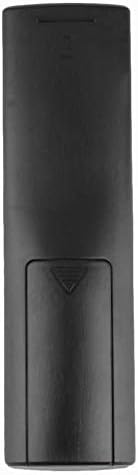
이미지: 후면 view of the remote control with the battery cover closed.
작동 지침
초기 사용
The Calvas USARMT LTV-914 remote control is designed to work directly with most compatible LG TV models without requiring any programming. Simply insert the batteries and point the remote towards your television.
Direct Use and Basic Functions
Most functions, such as power on/off, volume control, channel selection, and navigation, should operate immediately upon pointing the remote at your LG TV.

이미지: 앞면 view of the remote control, displaying the button layout.
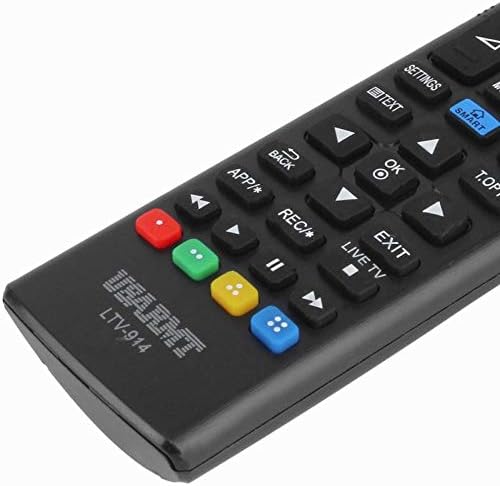
Image: Close-up of the remote's buttons, showing details of the control interface.
Factory Reset / Reconfiguration (If direct use fails)
In rare cases, if the remote does not operate your TV directly, you may need to perform a factory reset or attempt a reconfiguration.
- To reset to factory settings: Press and hold the 힘 button and the number 0 버튼을 몇 초간 동시에 누르세요.
- To attempt re-pairing (if applicable, though typically not required for this universal remote): Press and hold the 힘 button and the number 1 버튼을 몇 초간 동시에 누르세요.
After performing either of these steps, release the buttons and test the remote's functionality with your TV.
문제 해결
- 리모컨이 응답하지 않음:
- 배터리가 올바른 극성에 맞게 올바르게 삽입되었는지 확인하세요.
- Replace old or depleted batteries with new AAA alkaline batteries.
- 리모컨과 TV의 IR 수신기 사이에 장애물이 없는지 확인하세요.
- TV의 IR 수신기의 유효 범위 내에 있는지 확인하세요.
- 일부 기능이 작동하지 않습니다.
- While this is a universal remote, some advanced or specific smart TV functions might not be fully supported on all LG models.
- Try the factory reset/reconfiguration steps mentioned in the "Operating Instructions" section.
- Remote LED indicator not lighting up:
- This usually indicates dead batteries or incorrect battery insertion. Replace batteries.
유지
- Keep the remote control dry. Avoid exposure to liquids.
- 리모컨을 떨어뜨리거나 강한 충격을 가하지 마십시오.
- 부드럽고 마른 천으로 리모컨을 닦으세요. 연마성 세제나 용제는 사용하지 마세요.
- 장기간 리모컨을 사용하지 않을 경우, 배터리 누출을 방지하기 위해 배터리를 제거하세요.
보증 및 지원
Specific warranty information for this product is not provided in the available data. For support or warranty inquiries, please contact your retailer or the manufacturer, Calvas.