
소개
This manual provides essential instructions for the proper installation, operation, and maintenance of your Compulocks 299PSENW Security Tablet Stand. This product is designed to securely hold 12.9-inch tablets in a wall-mounted configuration, offering protection and accessibility. Please read this manual thoroughly before installation and use.
안전 정보
- Ensure the mounting surface is structurally sound and capable of supporting the weight of the stand and the tablet.
- Use appropriate tools and hardware for installation. If unsure, consult a professional installer.
- Keep all keys in a safe and accessible location, away from unauthorized access.
- Do not overtighten screws during assembly, as this may damage the product or mounting surface.
- 질식 위험을 방지하려면 작은 부품을 어린이의 손이 닿지 않는 곳에 보관하십시오.
패키지 내용
설치를 진행하기 전에 모든 구성 요소가 있는지 확인하세요.
- 1 x Compulocks 299PSENW Security Tablet Stand (White)
- 장착 하드웨어(나사, 앵커 등)
- Set of Keys for the security lock
설정
1. 스탠드 장착
- 위치 선택: Choose a suitable wall location that is structurally sound and at an appropriate view잉 높이.
- 드릴링 지점 표시: Hold the stand against the wall at the desired position and mark the drilling points for the mounting screws.
- 드릴 구멍: Drill pilot holes at the marked points using an appropriate drill bit for your wall type. Insert wall anchors if necessary.
- 안전한 스탠드: Align the stand with the drilled holes and secure it to the wall using the provided mounting screws. Ensure it is firmly attached and level.
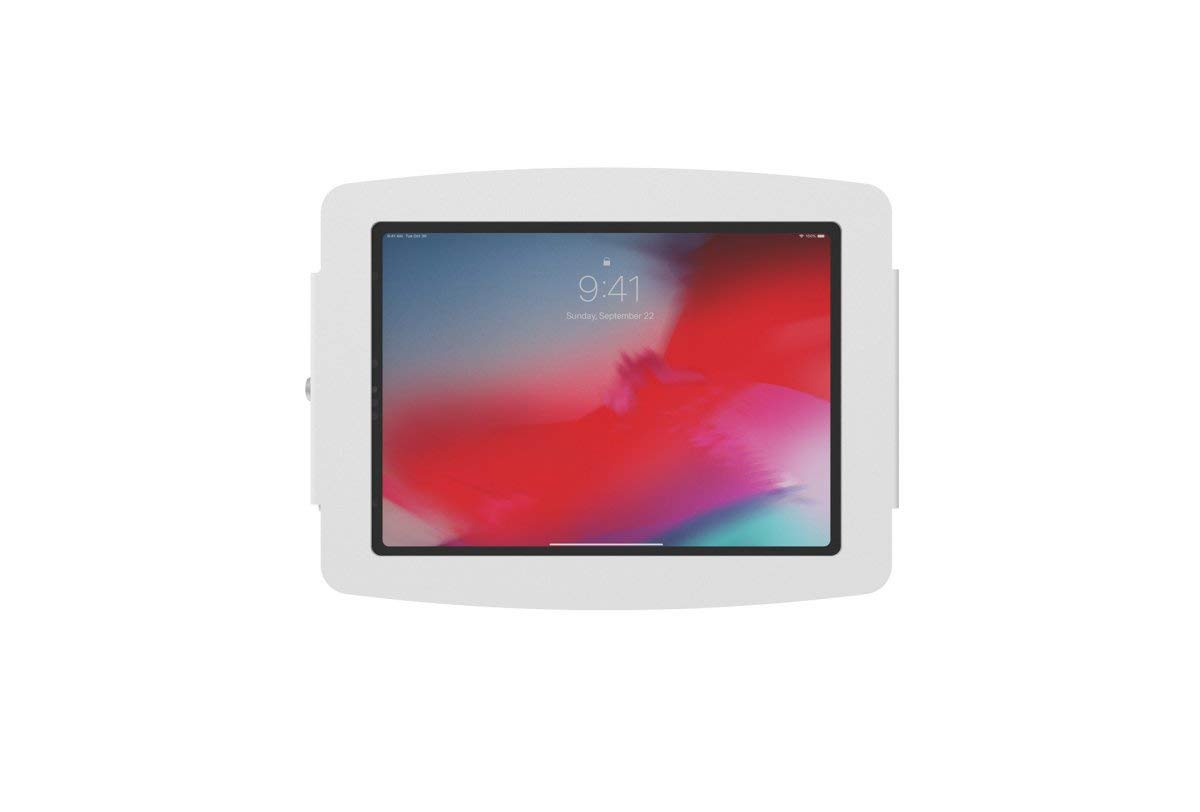
Image: The Compulocks 299PSENW Security Tablet Stand, white in color, securely mounted to a wall. A tablet is visible within the enclosure, displaying a lock screen. A keyhole is visible on the side of the enclosure.
2. Inserting the Tablet
- Unlock Enclosure: Use the provided key to unlock the security enclosure. The front panel or side mechanism will release.
- Place Tablet: Carefully place your 12.9-inch tablet into the enclosure, ensuring it sits flush and is properly aligned with any internal supports or charging ports.
- 닫힌 첨부: Close the enclosure, ensuring all edges are properly seated.
- Lock Enclosure: Insert the key and turn it to lock the enclosure, securing the tablet in place. Remove the key and store it safely.
운영
The Compulocks 299PSENW stand is designed for simple operation once installed.
- Accessing the Tablet: To remove or access the tablet for maintenance or updates, use the key to unlock the enclosure as described in the 'Inserting the Tablet' section.
- Securing the Tablet: Always ensure the enclosure is locked with the key after placing the tablet inside to maintain security.
유지
- 청소: 스탠드를 부드러운 천으로 닦으세요.amp 천으로 닦으십시오. 연마성 세척제나 용제는 마감재를 손상시킬 수 있으므로 사용하지 마십시오.
- 점검: 모든 장착 나사와 연결부가 단단히 조여져 있는지 주기적으로 점검하십시오.
- 자물쇠 관리: 잠금 장치가 뻣뻣해지면 열쇠 구멍에 소량의 흑연 윤활제를 바를 수 있습니다.
문제 해결
- 태블릿이 맞지 않습니다. Ensure your tablet is a 12.9-inch model. This stand is specifically designed for that size.
- Stand feels loose on the wall: Re-tighten the mounting screws. If the issue persists, the wall anchors may need to be replaced or a more secure mounting location chosen.
- 잠금 장치가 고장났습니다. Do not force the key. Try applying a small amount of lubricant. If the problem continues, contact customer support.
명세서
| 상표 | 컴풀록스 |
| 모델 번호 | 299PSENW |
| 색상 | 하얀색 |
| 폼 팩터 | 벽걸이형 |
| 호환 장치 | Tablets (specifically 12.9-inch models) |
| 장착 유형 | 벽걸이형 |
| 재료 | 알류미늄 |
| 특징 | Designed to accommodate devices with fast charging capabilities |
| 품목 치수(L x W x H) | 60 x 60 x 85 센티미터 |
| 가변 길이 | 예 |
| 한국어: | 819472022256 |
보증 정보
The Compulocks 299PSENW Security Tablet Stand comes with a 2년 제조사 보증. This warranty covers defects in materials and workmanship under normal use. Please retain your proof of purchase for warranty claims. The warranty does not cover damage caused by improper installation, misuse, accidents, or unauthorized modifications.
고객 지원
For technical assistance, warranty claims, or any questions regarding your Compulocks 299PSENW Security Tablet Stand, please contact your retailer or the manufacturer directly. Refer to the product packaging or the manufacturer's official web연락처 정보 사이트.