
MEE audio EP-X5G2-GM
MEE audio X5-G2-2019 Wireless In-Ear Sport Headphones
사용자 설명서
Model: EP-X5G2-GM
1. 설정
1.1 패키지 내용
제품 포장에 모든 품목이 들어 있는지 확인하세요.
- X5 Wireless In-Ear Headset
- 마이크로 USB 충전 케이블
- Eartips (4 sizes)
- 이어 핀
- 사용자 설명서

Image: Retail packaging of the MEE audio X5-G2-2019 headphones, showing the product and accessories.
1.2 헤드폰 충전
Before first use, fully charge the headphones. Connect the supplied Micro-USB charging cable to the charging port on the control module and plug the other end into a USB power source (e.g., computer USB port or wall adapter). The LED indicator will show charging status.
1.3 헤드폰 착용하기
The X5-G2-2019 headphones are designed for a secure and comfortable fit. Experiment with the different sizes of eartips and ear fins to find the best seal and stability for your ears. The ergonomic design ensures they stay in place during physical activity.
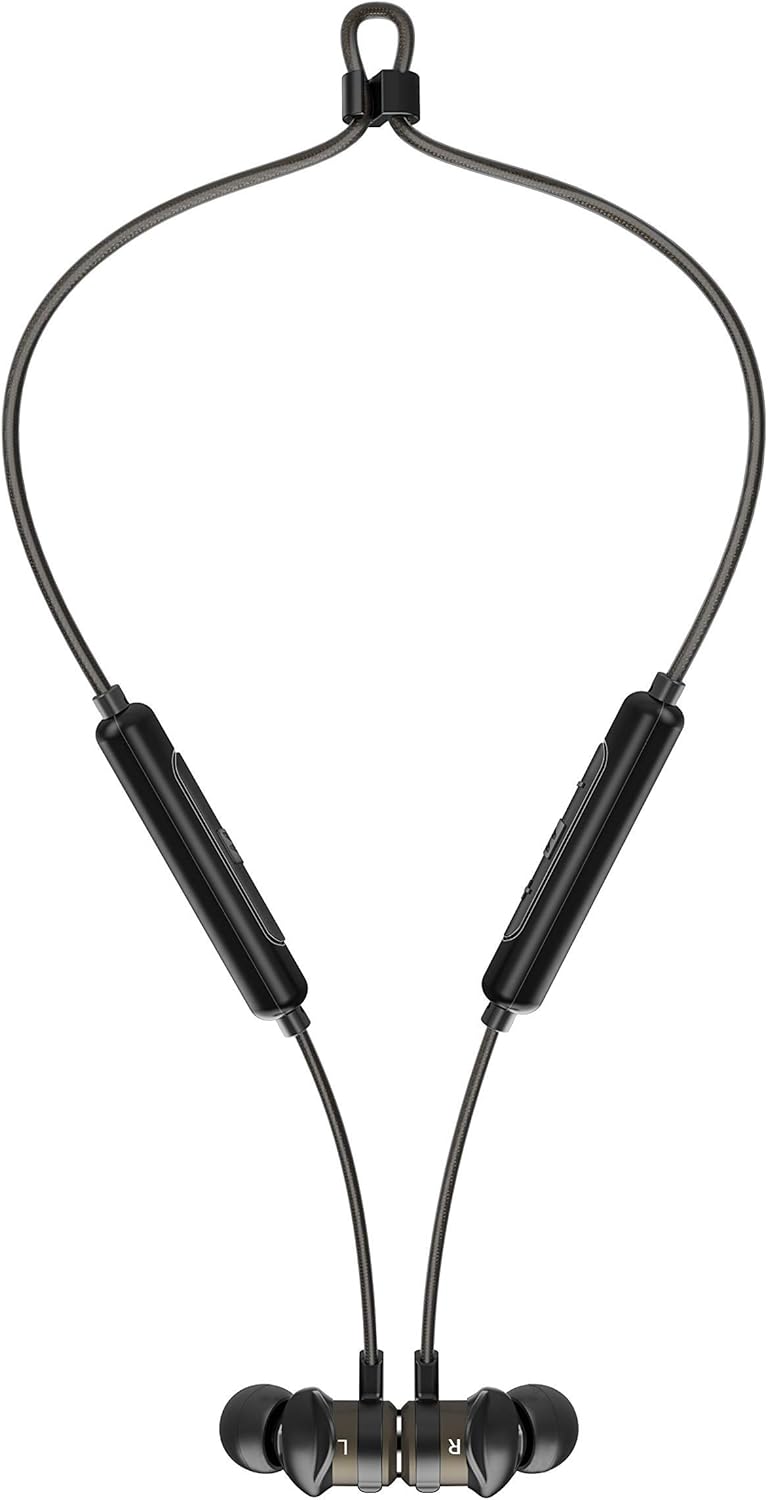

Image: The headphones shown worn around the neck and with earpieces magnetically connected for secure storage.
1.4 블루투스 페어링
- 헤드폰이 충전되어 있고 꺼져 있는지 확인하세요.
- Press and hold the multi-function button on the control module until the LED indicator flashes blue and red, indicating pairing mode.
- 사용하시는 기기(스마트폰, 태블릿 등)에서 블루투스를 켜고 새로운 기기를 검색하세요.
- Select "MEE audio X5-G2-2019" from the list of available devices.
- Once connected, the LED indicator will flash blue periodically.
2. 헤드폰 작동
2.1 컨트롤 오버view
The X5-G2-2019 features an integrated remote and microphone for convenient control of calls and music playback.

Image: Close-up of the MEE audio X5-G2-2019 headphones showing the inline control module with volume and multi-function buttons.
- 다기능 버튼: 전원 켜기/끄기, 재생/일시 중지, 전화 받기/통화 종료.
- 볼륨 높이기(+): 볼륨을 높이거나 다음 트랙으로 이동하려면 길게 누르세요.
- 볼륨 낮추기(-): 볼륨 줄이기, 이전 트랙 재생(길게 누르기).
2.2 전원 켜기/끄기
- 전원 켜기: LED 표시등이 파란색으로 깜빡일 때까지 다기능 버튼을 길게 누르세요.
- 전원 끄기 : Press and hold the multi-function button until the LED flashes red and turns off.
2.3 음악 재생
- 재생/일시 중지: 다기능 버튼을 한 번 누릅니다.
- 다음 트랙: 볼륨 높이기(+) 버튼을 길게 누릅니다.
- 이전 트랙 : 볼륨 낮추기(-) 버튼을 길게 누릅니다.
2.4 통화 관리
- 전화 받기/종료: 다기능 버튼을 한 번 누릅니다.
- 전화 거부: 다기능 버튼을 길게 누르세요.
3. 유지관리
3.1 청소
헤드폰을 부드러운 천으로 정기적으로 청소하세요.amp cloth. Do not use harsh chemicals or abrasive materials. Remove eartips and clean them separately with mild soap and water if necessary, ensuring they are completely dry before reattaching.
3.2 보관
When not in use, store the headphones in a cool, dry place away from direct sunlight and extreme temperatures. The magnetic earpieces allow for tangle-free storage around your neck or in a pouch.
3.3 방수 및 방한성
The MEE audio X5-G2-2019 headphones feature an IPX5 sweat and weather-resistant design, protecting them from splashes and sweat. Do not submerge the headphones in water or expose them to running water.
4. 문제 해결
4.1 일반적인 문제 및 해결 방법
- 전원 없음: 헤드폰이 완전히 충전되었는지 확인하세요. 전원에 연결하고 충전 표시등을 확인하세요.
- 페어링할 수 없습니다: Ensure the headphones are in pairing mode (flashing blue and red). Turn off and on your device's Bluetooth. Try forgetting the device on your phone and re-pairing.
- 소리 없음: Check the volume level on both the headphones and your connected device. Ensure the headphones are properly paired and connected.
- 나쁜 음질: Ensure the eartips provide a good seal in your ear. Move closer to your connected device to avoid interference.
5. 사양
| 상표 | MEE 오디오 |
| 모델명 | EP-X5G2-GM |
| 모델 번호 | EP-X5G2-GM |
| 연결 기술 | 유선, 무선 |
| 무선 통신 기술 | 블루투스 |
| 귀 위치 | 인이어 |
| 폼 팩터 | 인이어 |
| 헤드폰 잭 | 마이크로 USB |
| 색상 | 건메탈 |
| 제품 치수 | 2 x 2 x 2cm; 50그램 |
| 배터리 | 1 Lithium-Polymer Battery required (included) |
| 배터리 수명(음악 재생 시) | 최대 8.5시간 |
| 배터리 수명(통화 시간) | 최대 9시간 |
| 방수 등급 | IPX5 (Sweat and Weather Resistant) |
| 포함된 구성 요소 | X5 Wireless In-Ear Headset, Micro-USB charging cable, Eartips (4 sizes), Ear fins, User Manual |
6. 보증 및 지원
6.1 보증 정보
MEE audio products are covered by a manufacturer's warranty. Please refer to the warranty card included in your product packaging or visit the official MEE audio web해당 지역의 자세한 보증 약관 및 조건은 해당 사이트에서 확인하세요.
6.2 고객 지원
For technical assistance, troubleshooting, or warranty claims, please contact MEE audio customer support through their official website. Have your product model number (EP-X5G2-GM) and purchase information ready when contacting support.
Ask a question about this manual
Ask about setup, troubleshooting, compatibility, parts, safety, or missing instructions. Manuals+ will review the question and use this page’s manual context to help answer it.