
Mounting Dream HM2296-1
Mounting Dream Full Motion TV Wall Mount HM2296-1 Instruction Manual
Brand: Mounting Dream | Model: HM2296-1
소개
This manual provides comprehensive instructions for the safe and proper installation, operation, and maintenance of your Mounting Dream Full Motion TV Wall Mount HM2296-1. This mount is designed to enhance your viewing experience by offering flexible positioning for your television. Please read this manual thoroughly before installation and retain it for future reference.
안전 정보
WARNING: Failure to read and follow all instructions may result in personal injury, property damage, or voiding of your warranty. If you have any questions, please contact customer service.
- Ensure your TV's weight and VESA pattern are within the specified limits for this mount.
- This TV mount is designed for installation on wood studs or solid concrete walls only. DO NOT install onto drywall alone.
- 목재 스터드를 정확하게 찾으려면 항상 스터드 파인더를 사용하십시오.
- For concrete wall installations, concrete anchors are required and can be requested from customer service if not included.
- 설치 시에는 눈 보호구를 포함한 적절한 안전 장비를 착용하십시오.
- Two people are recommended for safe installation, especially when lifting the television.
패키지 내용
Please verify that all components are present and undamaged before beginning installation. If any parts are missing or defective, contact customer service immediately.
- TV 벽걸이 조립
- TV 브래킷 (2개)
- Extension Bars (if applicable for larger VESA patterns)
- Mounting Hardware Kit (various screws, washers, spacers in pre-labeled bags)
- 장착 템플릿
- 어뢰 레벨
- 사용 설명서
- Concrete Wall Anchors (available upon request)
명세서
| 특징 | 사양 |
|---|---|
| 모델 번호 | HM2296-1 |
| TV 크기 호환성 | 42~75인치 |
| 중량 용량 | 최대 100kg(45.5파운드) |
| VESA 호환성 | 200x100mm to 600x400mm (e.g., 200x100, 200x200, 300x200, 300x300, 400x200, 400x300, 400x400, 500x300, 600x400) |
| 기울기 조정 | +5° / -15° |
| 회전 조정 | +/-45° (Max. angle depends on TV size) |
| 레벨 조정 | +/-4° |
| 벽에서 연장된 부분 | 2.5인치(수축 시)에서 16.6인치(확장 시)까지 |
| 벽 유형 호환성 | 12" or 16" Wood Studs, Solid Concrete Walls |
설정 및 설치
Before you begin, ensure you have all necessary tools (e.g., drill, stud finder, pencil, tape measure, screwdriver, socket wrench) and that your wall type is compatible.
1. 설치 전 점검
- TV 호환성 확인: Check your TV's weight and VESA mounting hole pattern (horizontal x vertical distance in mm) to ensure it falls within the mount's specifications.
- 벽 유형 식별: Use a stud finder to locate the edges and center of wood studs. For concrete walls, ensure the wall is solid and capable of supporting the weight.
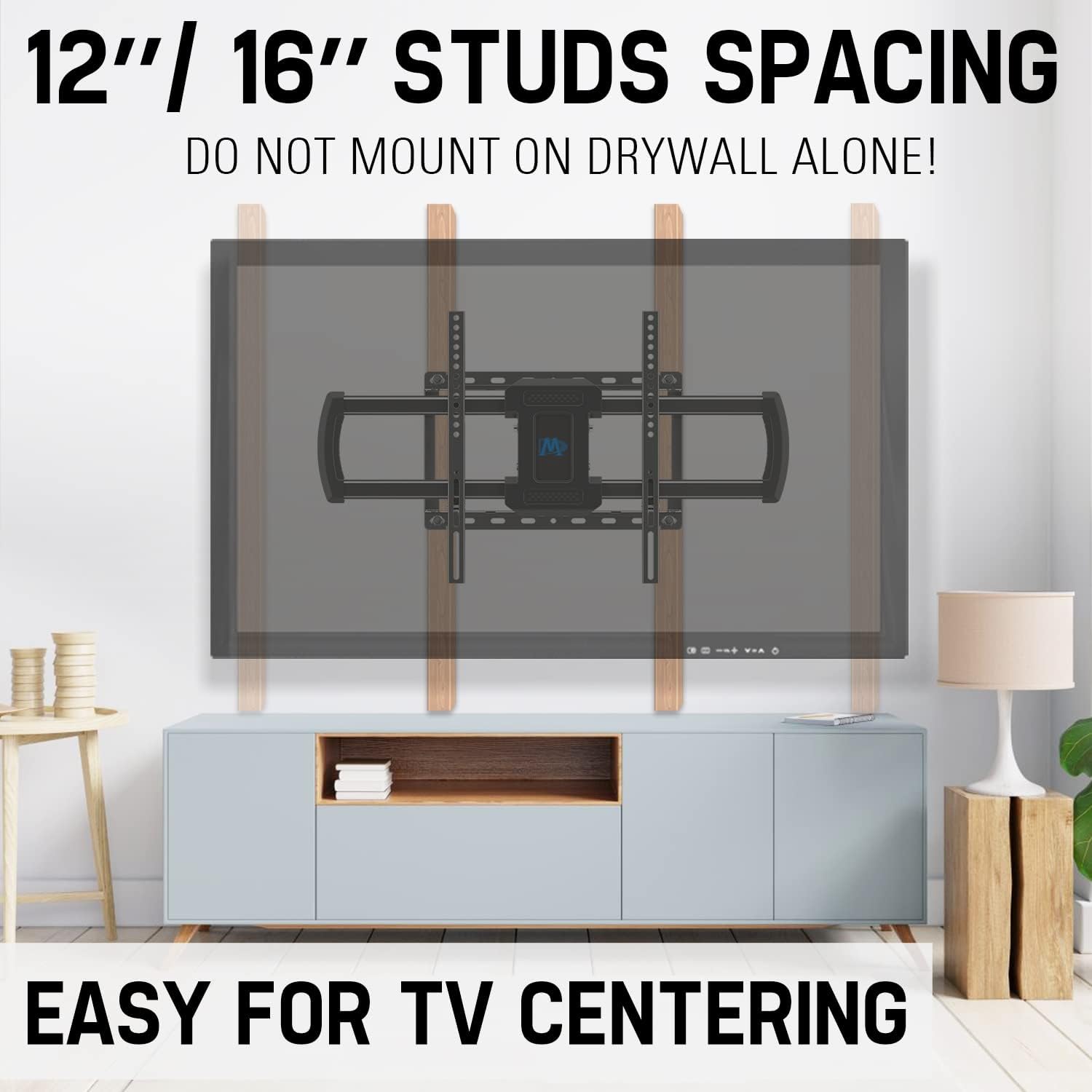
Image: Proper stud spacing for wall mounting. This mount is compatible with 12" or 16" wood studs. Do not mount on drywall alone.
2. Attach TV Brackets to Television
- 화면 손상을 방지하기 위해 TV를 부드럽고 깨끗한 표면에 화면이 아래로 향하도록 조심스럽게 놓으십시오.
- Align the TV brackets with the VESA mounting holes on the back of your TV. Use the appropriate screws, washers, and spacers from the hardware kit to secure the brackets. Ensure they are tightened securely but do not overtighten.

Image: Step 1 - Attaching the TV brackets to the television.
3. Install Wall Plate
- Using the provided mounting template and a pencil, mark the desired drilling locations on your wall, ensuring they align with the center of your chosen wood studs or appropriate concrete locations. Use the included torpedo level to ensure accuracy.
- Drill pilot holes at the marked locations. The size of the drill bit will depend on your wall type and the lag bolts being used.
- Position the wall plate over the pilot holes and secure it to the wall using the lag bolts and washers. Tighten all bolts firmly.
Video: Official installation guide for the full motion TV wall mount HM2296-1, demonstrating the process from attaching brackets to securing the TV.
4. Assemble Extension Bars (if needed)
For larger VESA patterns, you may need to attach the extension bars to the TV brackets. Follow the instructions provided with the hardware kit for proper assembly.

Image: The robust 6-arm design of the wall mount, providing stability and flexibility.
5. Hang and Secure Television
- With assistance, carefully lift the TV and hook the TV brackets onto the wall plate.
- Once the TV is securely hung, use the safety screws or locking mechanisms to prevent accidental dislodgement.

Image: Step 3 - Hanging the TV onto the wall plate and securing it.
마운트 작동
Your full motion TV wall mount offers various adjustments for optimal view주고받음.
기울기 조정
The mount allows for a tilt range of +5° (up) to -15° (down) to reduce glare and achieve a comfortable viewing angle. Loosen the tilt adjustment knobs on the TV brackets, adjust to the desired angle, and then retighten the knobs.

Image: Adjusting the TV tilt for anti-glare view주고받음.
Adjusting Swivel
The mount can swivel +/-45° left or right, depending on your TV size, allowing you to view your TV from different seating positions. Gently push or pull the TV to the desired swivel angle.

Image: Achieving a great view from any seat with the swivel feature.
Extending and Retracting
The mount can extend up to 16.6 inches from the wall and retract back to 2.5 inches. This feature allows you to pull the TV out for better viewing or push it back to save space. Gently pull or push the TV to extend or retract the arms.
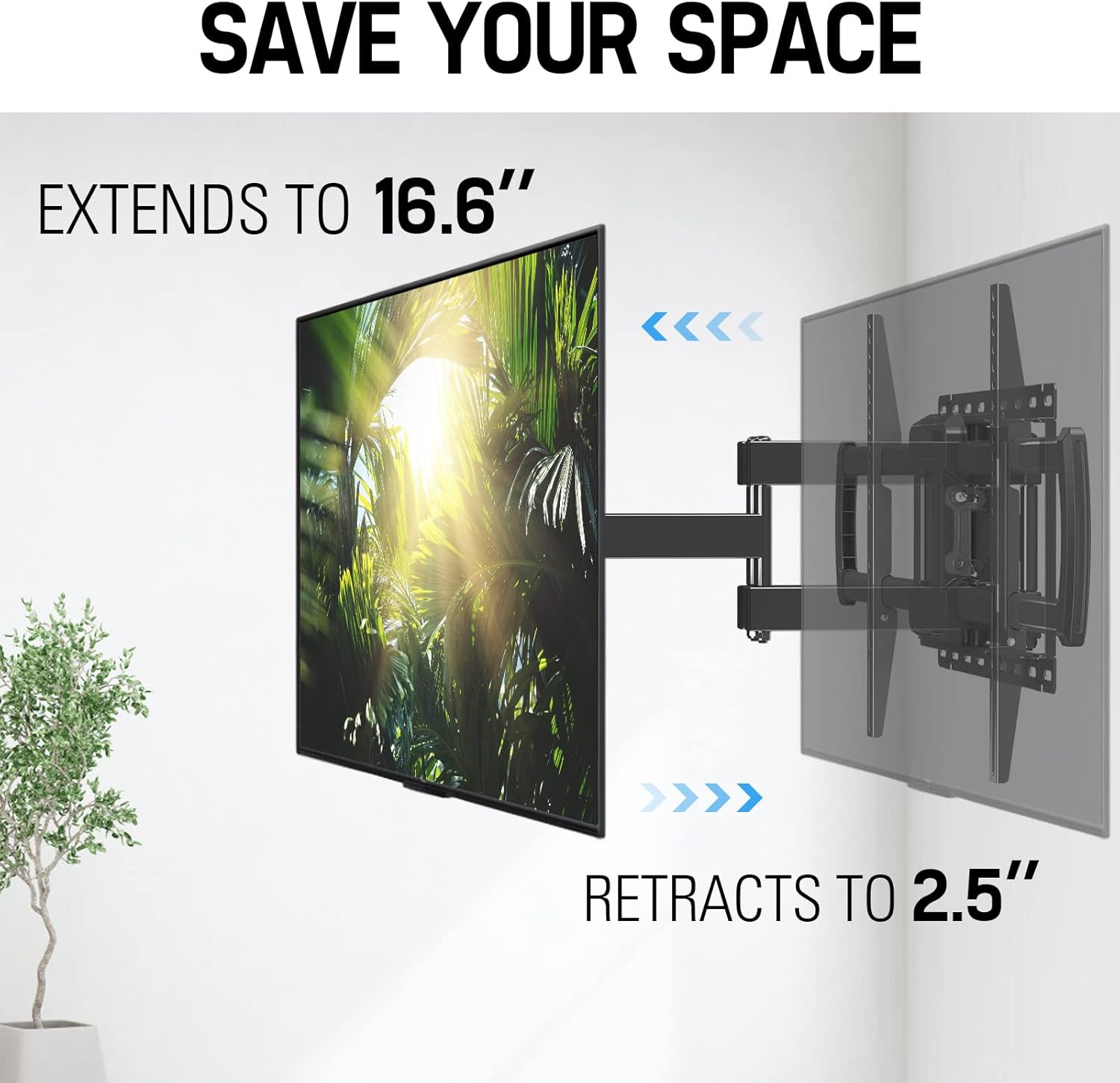
Image: Extending and retracting the TV mount to save space or optimize view잉 거리.
레벨 조정
You can adjust the TV level by +/-4° after installation to ensure a perfectly horizontal screen. Loosen the leveling screws, adjust the TV, and then retighten the screws.

Image: Achieving perfect TV leveling with the adjustable mechanism.
유지
정기적인 유지 관리는 TV 거치대의 수명 연장과 안전한 작동을 보장하는 데 도움이 됩니다.
- 정기 점검: Every few months, check all screws and bolts to ensure they are securely tightened. Over time, vibrations or adjustments can cause them to loosen.
- 청소: Wipe the mount with a soft, dry cloth. Avoid using abrasive cleaners or solvents that could damage the finish.
- 매끄럽게 하기: If the articulating arms become stiff, a small amount of silicone-based lubricant can be applied to the moving joints.
문제 해결
문제가 발생할 경우, 다음의 일반적인 문제 및 해결 방법을 참조하십시오.
| 문제 | 가능한 해결책 |
|---|---|
| TV appears to sag or is not level. | Ensure the TV weight does not exceed the mount's capacity. Verify all wall plate and TV bracket screws are securely tightened. Use the level adjustment feature to correct minor tilting. |
| Mount is difficult to move (swivel/extend). | Check for any overtightened bolts on the articulating arms. Some mounts have tension adjustment screws that can be loosened slightly. Apply a small amount of silicone lubricant to the moving joints. |
| 부품이 누락되었거나 구성 요소가 손상되었습니다. | Do not proceed with installation. Contact Mounting Dream customer service immediately for replacement parts. |
보증 및 지원
Mounting Dream is committed to providing high-quality products and excellent customer service. For any questions, concerns, or assistance with your TV mount, please contact our US-based customer service experts.
- 전화: (626) 645-7128 (USA)
- 시간: Monday - Friday, 10am - 6pm (Pacific Time)
- 이메일: customerservice@hingear.com
If you require additional pieces or have specific installation questions, our team is available to help.
Ask a question about this manual
Ask about setup, troubleshooting, compatibility, parts, safety, or missing instructions. Manuals+ will review the question and use this page’s manual context to help answer it.