
XVIM US-D8-8AHD7-1T-205-3D
XVIM 8CH 1080P Wired Security Camera System User Manual
Model: US-D8-8AHD7-1T-205-3D | Brand: XVIM
소개
This user manual provides comprehensive instructions for the installation, operation, and maintenance of your XVIM 8CH 1080P Wired Security Camera System. Please read this manual thoroughly before using the product to ensure proper setup and functionality. Keep this manual for future reference.
상자 안에 무엇이 들어있나요?
패키지에 모든 구성 요소가 들어 있는지 확인하세요.
- 8 x 카메라
- 1개의 DVR
- 2 x 1-to-4 Splitter Cable
- 2 x Camera power supply
- 1 x DVR power supply
- 1TB 하드 드라이브 1개 (사전 설치됨)
- 8 x 60ft BNC Cable
- 1 x USB 마우스
- 8 x 나사

Image: All components included in the XVIM 8CH 1080P Wired Security Camera System package.
설치 가이드
1. 초기 하드웨어 연결
- Connect the cameras to the DVR using the provided BNC cables. Ensure a secure connection for both video and power.
- Connect the camera power supplies to the 1-to-4 splitter cables, then connect the splitter cables to the cameras.
- Connect the DVR power supply to the DVR.
- VGA 또는 HDMI 포트를 사용하여 모니터를 DVR에 연결합니다.
- 탐색을 위해 USB 마우스를 DVR에 연결하세요.
- 원격 접속을 위해서는 이더넷 케이블을 사용하여 DVR을 라우터에 연결하십시오.

이미지: 상세 view of the DVR's rear panel with labeled ports for cameras, audio, video output, and network connection.

Image: Step-by-step connection diagram for the DVR, cameras, power supplies, and router.
2. Remote Access Setup (3 Easy Steps)
- 인터넷에 연결: Ensure your DVR is connected to your home router via an Ethernet cable.
- 무료 앱 다운로드: 검색 "HoMeYe Pro" in your mobile device's app store (available for Android and iOS).
- Add Device ID & View: Open the "HoMeYe Pro" app, add your device ID (found on the DVR or packaging), and you can monitor your cameras anytime, anywhere via your mobile device.

Image: Visual guide for downloading the HoMeYe Pro app and setting up remote view주고받음.
작동 지침
Recording Modes & Storage
The H.265 security camera system includes a pre-installed 1TB hard drive for immediate recording. You can select from the following recording modes:
- 자동 모드 : Continuous recording based on a set schedule.
- 수동 모드: 녹화를 수동으로 시작하고 중지하세요.
- Motion-Detection Mode: Recording is triggered only when motion is detected, saving storage space.
녹화된 푸tage는 될 수 있습니다 viewed or played back remotely via the exclusive HoMeYe Pro app at any time.
HD Image & Night Vision
The system is equipped with 8 x 1080P waterproof outdoor cameras, providing clear 1920x1080 resolution images during both day and night. The cameras feature a night vision range of up to 65 feet and a 75° viewing angle, ensuring comprehensive property protection.
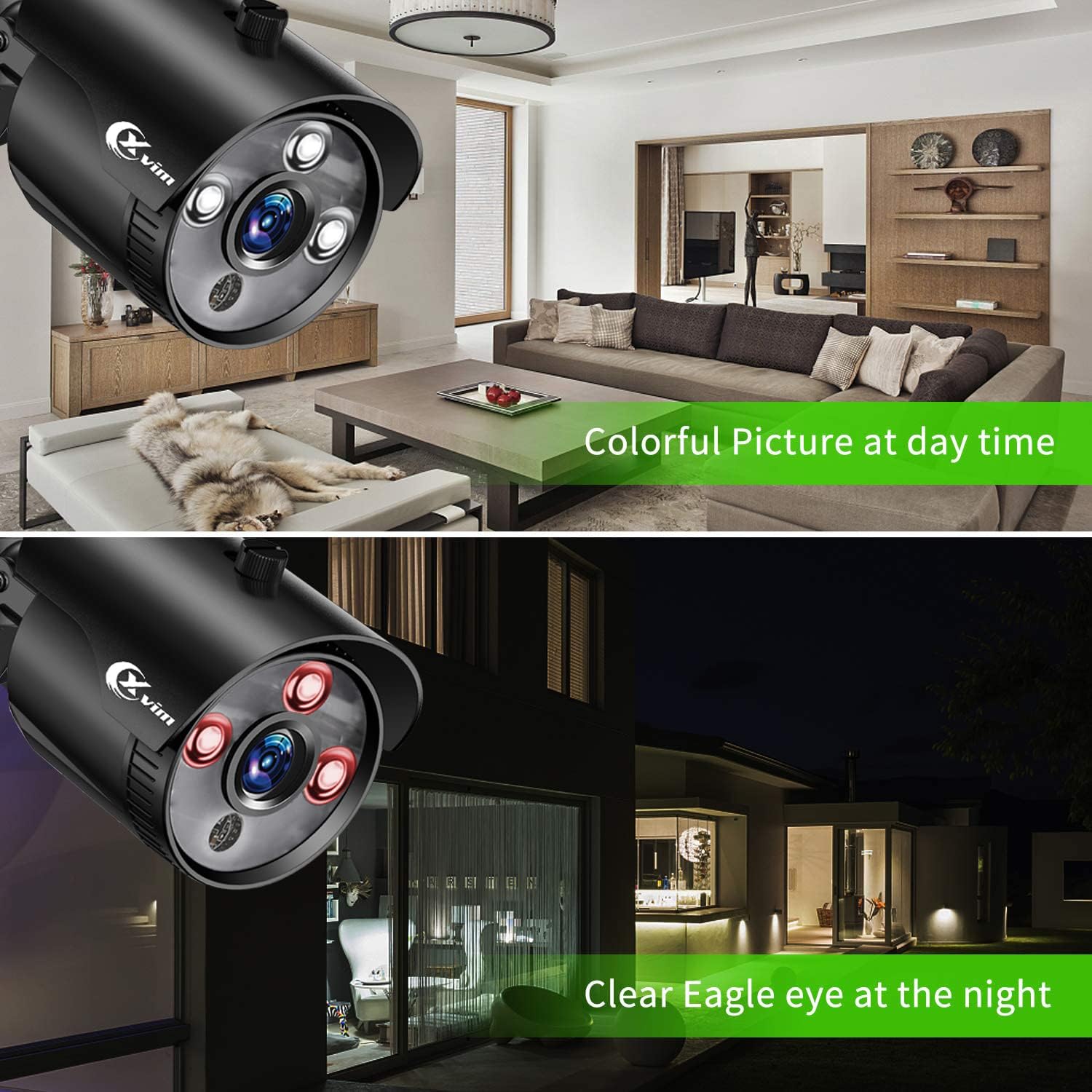
Image: Visual comparison demonstrating clear day vision and infrared night vision capabilities.
Precise Motion Detection & Timely Alerts
You can freely set specific motion-detection areas on the DVR to minimize false alarms. When motion is detected within these defined zones, the HoMeYe Pro app will send instant push notifications to your mobile device.

이미지: 전amp휴대전화로 수신된 동작 감지 알림의 일부입니다.
유지
카메라 내구성
The cameras are IP66-rated, ensuring they are waterproof and dust-proof. This robust protection allows them to withstand harsh weather conditions and operate stably in various outdoor environments such as courtyards and doorways, as well as indoor settings like warehouses and corridors.

이미지: 전amples of camera placement in indoor (kitchen, living room) and outdoor (doorway, courtyard) settings.
문제 해결
For common issues, please refer to the official Installation Manual (PDF) linked in the support section. Basic troubleshooting steps often include:
- 비디오 신호 없음: Check all cable connections (BNC, power). Ensure cameras and DVR are powered on. Verify correct input selection on your monitor.
- 원격 접속 불가: Confirm DVR is connected to the internet. Check network settings on the DVR and ensure the "HoMeYe Pro" app is correctly configured with the device ID.
- 녹음 문제: Verify hard drive status. Check recording schedules and motion detection settings.
명세서
| 특징 | 세부 사항 |
|---|---|
| 상표 | XVIM |
| 연결 기술 | 열광한 |
| 비디오 캡처 해상도 | 1080p |
| 특징 | High Efficiency Video Coding, Motion Sensor |
| 채널 수 | 8 |
| 메모리 저장 용량 | 1테라바이트 |
| 색상 | Black 8-camera |
| 전원 | AC |
| 품목 치수 L x W x H | 17.44 x 12.68 x 6.85 인치 |
| 신호 형식 | 비슷한 물건 |
| 저조도 기술 | 나이트 비전 |
| 나이트 비전 범위 | 65 피트 |
| 프레임 속도 | 15fps, 30fps |
| 녹화 모드 | manual, motion detection |
| 광센서 기술 | CMOS |
| 총 USB 포트 | 1 |
| 하드웨어 인터페이스 | 이더넷 |
| 렌즈 유형 | 결정된 |
| 비디오 입력 | 비앤씨 |
| View잉 각도 | 75도 |
| 제조업체 | XVIM |
| 한국어: | 675234631926 |
| 품목 무게 | 12.82파운드 |
| ASIN | B07MZPV6BW |
| 품목 모델 번호 | US-D8-8AHD7-1T-205-3D |
| 첫 번째 이용 가능 날짜 | 21년 2019월 XNUMX일 |
보증 및 지원
For detailed warranty information and further support, please refer to the official Installation Manual (PDF) provided by XVIM. You can access it directly via the link below:
For additional software downloads and resources, visit the XVIM download page: http://www.topslink.net/download/xvr.html
Ask a question about this manual
Ask about setup, troubleshooting, compatibility, parts, safety, or missing instructions. Manuals+ will review the question and use this page’s manual context to help answer it.