
1. 서론
The D-Link DWR-930M 4G/LTE Mobile Router is a portable wireless device designed to provide high-speed internet access on the go. It functions as a 4G LTE Cat4 mobile hotspot, enabling you to share a broadband wireless WAN (WWAN) connection via Wi-Fi. This device supports internet speeds up to 150Mbps for downloads and 50Mbps for uploads, allowing up to 8 Wi-Fi devices to connect simultaneously.
Its compact size and rechargeable 3000 mAh Li-ion battery make it suitable for travel and situations requiring an impromptu network. The DWR-930M incorporates a built-in firewall and supports WPA/WPA2 security protocols to protect your data. Charging is facilitated via a Micro-USB port, and device management can be performed using a mobile application.
2. 패키지 내용
패키지에 다음 품목이 모두 들어 있는지 확인해 주십시오.
- D-Link DWR-930M 4G/LTE Mobile Router
- 충전식 리튬 이온 배터리
- 마이크로 USB 충전 케이블
- 빠른 설치 가이드(포함된 경우)
품목이 누락되었거나 손상된 경우 판매점에 문의하세요.
3. 제품 오버view
Familiarize yourself with the physical components and indicator lights of your DWR-930M Mobile Router.
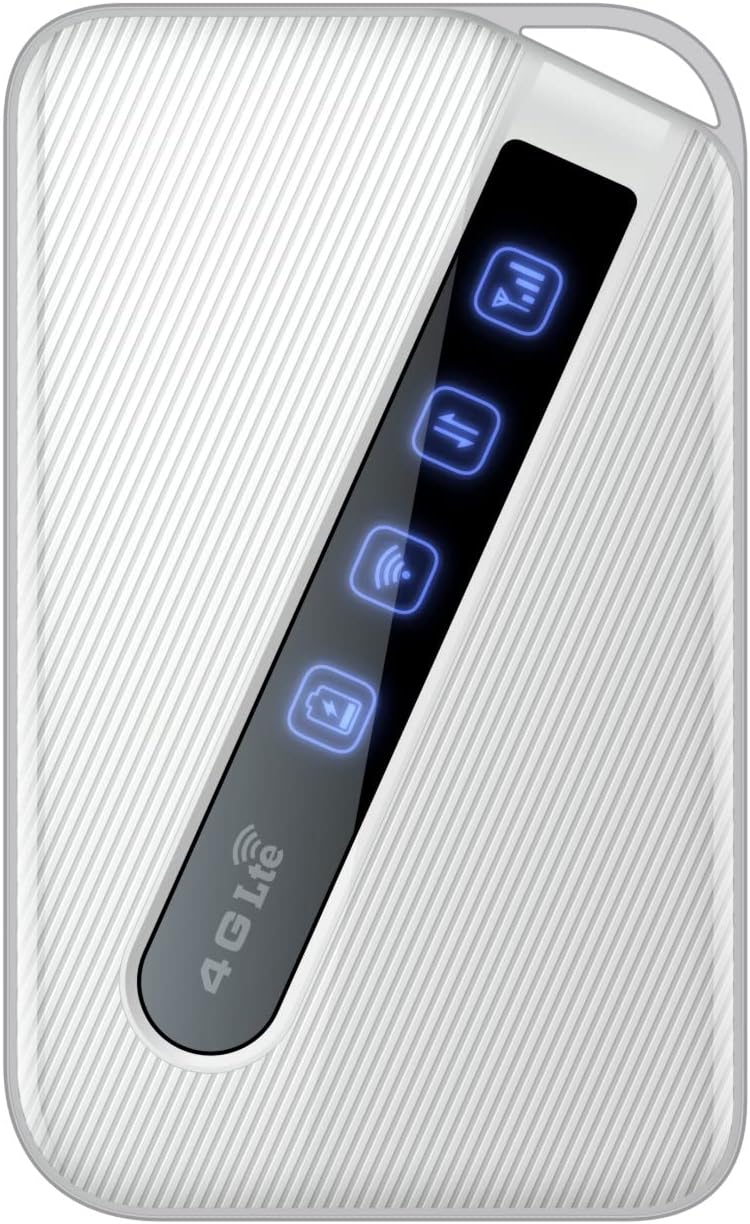
An image of the D-Link DWR-930M 4G/LTE Mobile Router, showing its compact white design and the illuminated indicator panel for signal, network, Wi-Fi, and battery status.
표시등:
- 신호 강도 표시기: Displays the strength of the 4G/LTE network signal.
- Network Type Indicator: Shows the current network connection status (e.g., 4G LTE).
- Wi-Fi 상태 표시기: Indicates if the Wi-Fi hotspot is active.
- 배터리 상태 표시기: 현재 배터리 충전량을 보여줍니다.
Ports and Slots:
- SIM 카드 슬롯: For inserting your data-enabled SIM card.
- 마이크로 USB 포트: 장치를 충전하는 데 사용됩니다.
- 전원 버튼: 장치를 켜거나 끄려면
4. 설정
4.1. SIM 카드 삽입
- Ensure the DWR-930M is powered off.
- Locate the SIM card slot, typically found under the battery cover or on the side of the device.
- Carefully insert your data-enabled SIM card into the slot with the gold contacts facing down and the notched corner aligned correctly.
- Close the SIM card slot cover or replace the battery cover.
4.2. 장치 충전
- Connect the Micro-USB charging cable to the Micro-USB port on the DWR-930M.
- Connect the other end of the cable to a USB power adapter (not always included) or a computer's USB port.
- The battery indicator light will show charging status. Allow the device to fully charge before first use.
4.3. 전원 켜기 / 끄기
- 전원을 켜려면: 표시등이 켜질 때까지 전원 버튼을 길게 누릅니다.
- 전원을 끄려면: 표시등이 꺼질 때까지 전원 버튼을 길게 누르세요.
5. 운영
5.1. Wi-Fi에 장치 연결
- Ensure the DWR-930M is powered on and the Wi-Fi indicator is active.
- Wi-Fi가 활성화된 기기(스마트폰, 태블릿, 노트북)에서 Wi-Fi 설정을 엽니다.
- 사용 가능한 Wi-Fi 네트워크를 검색합니다.
- Select the network name (SSID) of your DWR-930M (usually printed on a label inside the battery compartment or on the device itself).
- Enter the Wi-Fi password (WPA/WPA2 key), also found on the device label.
- Your device should now be connected to the internet via the DWR-930M.
5.2. 액세스 Web 관리 인터페이스
For advanced settings and configuration, you can access the router's web기반 관리 인터페이스.
- Connect your device to the DWR-930M's Wi-Fi network.
- 열기 web 브라우저(예: Chrome, Firefox, Edge).
- 주소 표시줄에 라우터의 기본 IP 주소(일반적으로)를 입력합니다.
192.168.0.1or192.168.1.1) and press Enter. Refer to your device's label or quick start guide for the exact IP address. - 기본 사용자 이름과 비밀번호를 입력하세요(종종
adminfor both, or specified on the device label). - You can now configure settings such as Wi-Fi name, password, security, and network preferences.
6. 유지관리
6.1. 배터리 관리
- 장치를 극한의 온도에 노출시키지 마십시오.
- 배터리를 완전히 방전된 상태로 장기간 방치하지 마십시오.
- 배터리 수명을 최적화하려면 기기를 정기적으로 충전하십시오.
6.2. 펌웨어 업데이트
Periodically check the D-Link support website for firmware updates for your DWR-930M. Firmware updates can improve performance, add new features, and enhance security. Follow the instructions provided with the firmware update carefully.
6.3. 청소
Use a soft, dry cloth to clean the exterior of the device. Do not use liquid cleaners or aerosols, as they may damage the device.
7. 문제 해결
This section addresses common issues you might encounter with your DWR-930M Mobile Router.
| 문제 | 가능한 해결책 |
|---|---|
| 인터넷 연결 없음 |
|
| Wi-Fi에 연결할 수 없습니다 |
|
| 인터넷 속도가 느림 |
|
| 배터리가 충전되지 않음 |
|
8. 사양
Key technical specifications for the D-Link DWR-930M 4G/LTE Mobile Router:
| 특징 | 세부 사항 |
|---|---|
| 모델명 | DWR-930M |
| 연결 기술 | USB, 와이파이 |
| 무선 통신 표준 | 802.11b, 802.11g, 802.11n |
| 주파수 대역 클래스 | 듀얼 밴드 |
| Data Speeds | Up to 150Mbps Downlink, 50Mbps Uplink (4G LTE Cat4) |
| 배터리 | 리튬 이온 배터리 1개 필요 (포함), 3000mAh |
| 제품 치수 | 10.3 x 1.3 x 6.3cm |
| 무게 | 360g |
| 호환 장치 | 노트북, 개인용 컴퓨터, 스마트폰, 태블릿 |
| 추천 용도 | 여행, 야외 |
9. 보증 및 지원
D-Link products are backed by a limited warranty. For specific warranty terms and conditions applicable to your region, please refer to the warranty card included with your product or visit the official D-Link web대지.
For technical support, product registration, or to download the latest drivers and firmware, please visit the D-Link support portal:
When contacting support, please have your product model number (DWR-930M) and serial number ready.