
1. 소개 및 이상view
The Estink Power Meter Plug is designed to monitor the electricity consumption of your household appliances. It provides real-time data on various electrical parameters, helping you understand and manage your energy usage. This device features a digital LCD display with multiple modes, an overload warning function, and a user-friendly interface for easy operation.

Figure 1: Estink Power Meter Plug.
2. 설정
- 풀다: Carefully remove the power meter plug from its packaging.
- 플러그인: Insert the power meter plug into a standard wall outlet.
- 기기 연결: Plug the appliance you wish to monitor into the socket on the front of the power meter plug.
- 초기 표시: Upon connection, the device will power on and display default information, typically voltage와 주파수.
3. 사용 설명서
3.1 디스플레이 모드
The power meter features 7 distinct display modes. Press the 기능 이 버튼을 누르면 모드가 순환됩니다.
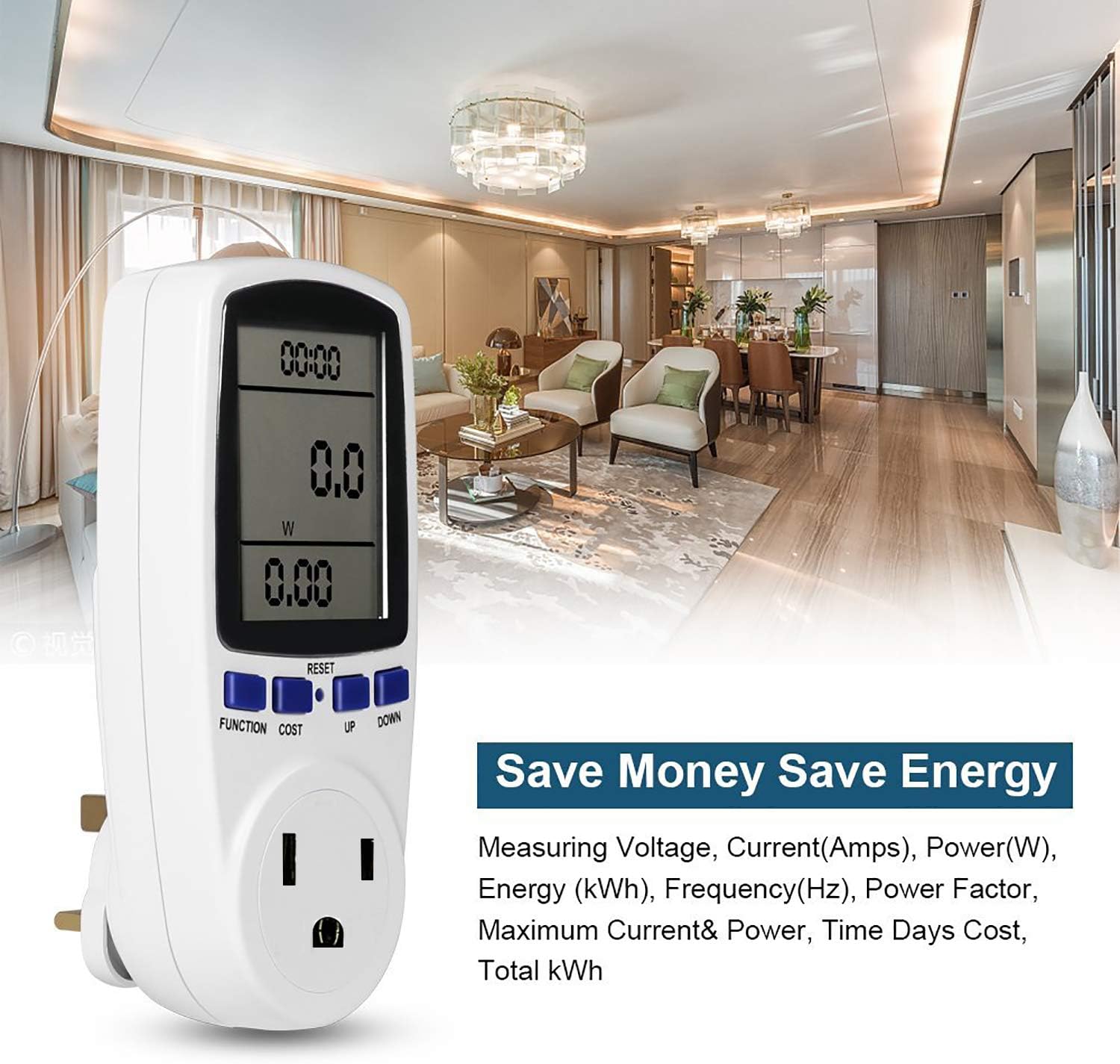
Figure 2: Cycling through display modes.
- 모드 1 : Time, Wattage (W), and Cost.
- 모드 2 : Time, Cumulative Electrical Quantity (kWh), and Days.
- 모드 3 : 시간, 볼륨tage (V), and Frequency (Hz).
- 모드 4 : Time, Current (A), and Power Factor.
- 모드 5 : Time, Minimum Power (Lo W).
- 모드 6 : Time, Maximum Power (Hi W).
- 모드 7 : Time, Cost per kWh.
3.2 Setting Cost per kWh
To set the electricity cost per kilowatt-hour (kWh):
- 를 누르세요 비용 button to enter cost setting mode.
- 사용하세요 UP 그리고 아래에 buttons to adjust the cost value.
- 누르다 기능 설정 모드를 확인하고 종료하려면 클릭하세요.
3.3 데이터 재설정
To clear all accumulated data (time, kWh, cost), press and hold the 다시 놓기 button for approximately 5 seconds until the display clears.
4. 디스플레이 기능
The Estink Power Meter Plug features a clear digital LCD with an optional blue backlight for enhanced visibility in various lighting conditions. For accurate readings, always view the display directly from the front, as the visual angle is optimized for vertical viewing (120°).
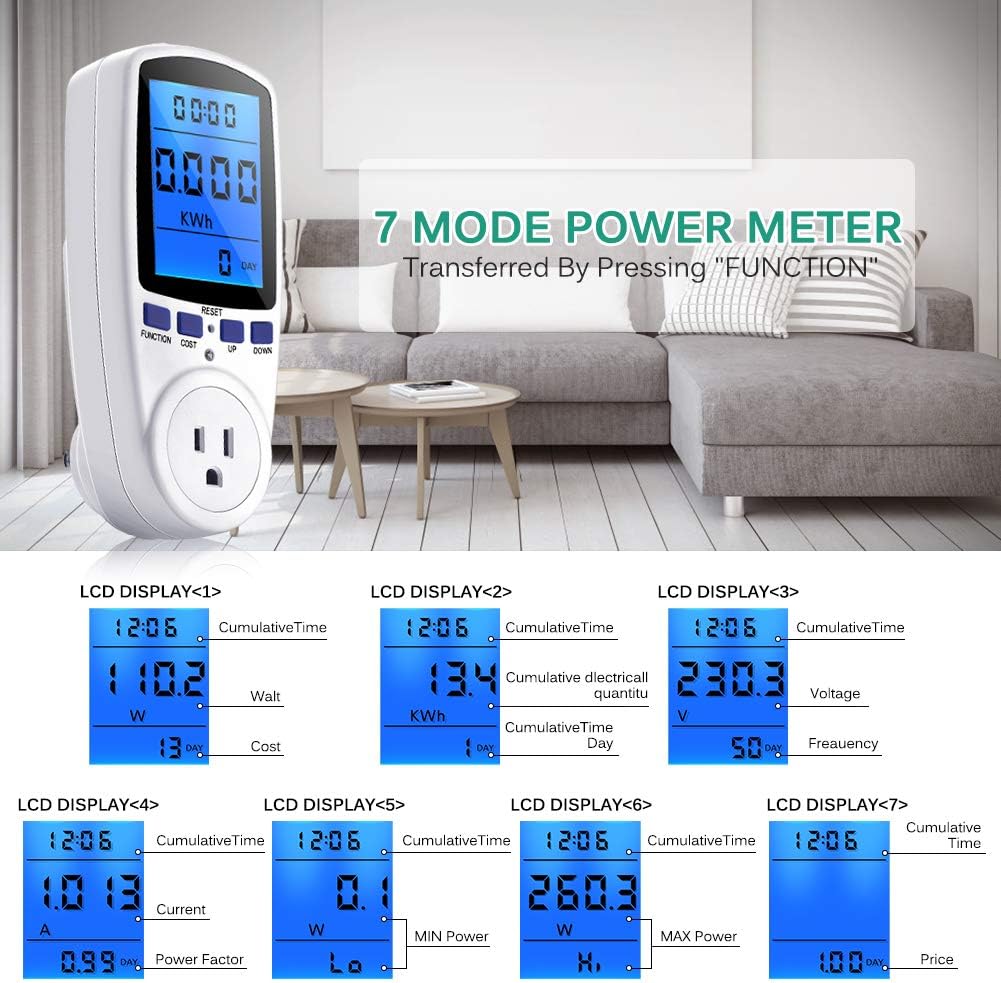
Figure 3: Blue backlight display for improved readability.
5. 과부하 보호
The device includes an overload protection feature to prevent damage to the meter and connected appliances. If the connected load exceeds 1650W, the LCD will display "OVERLOAD" and emit an audible warning sound. Immediately disconnect the appliance if this occurs to prevent potential hazards.
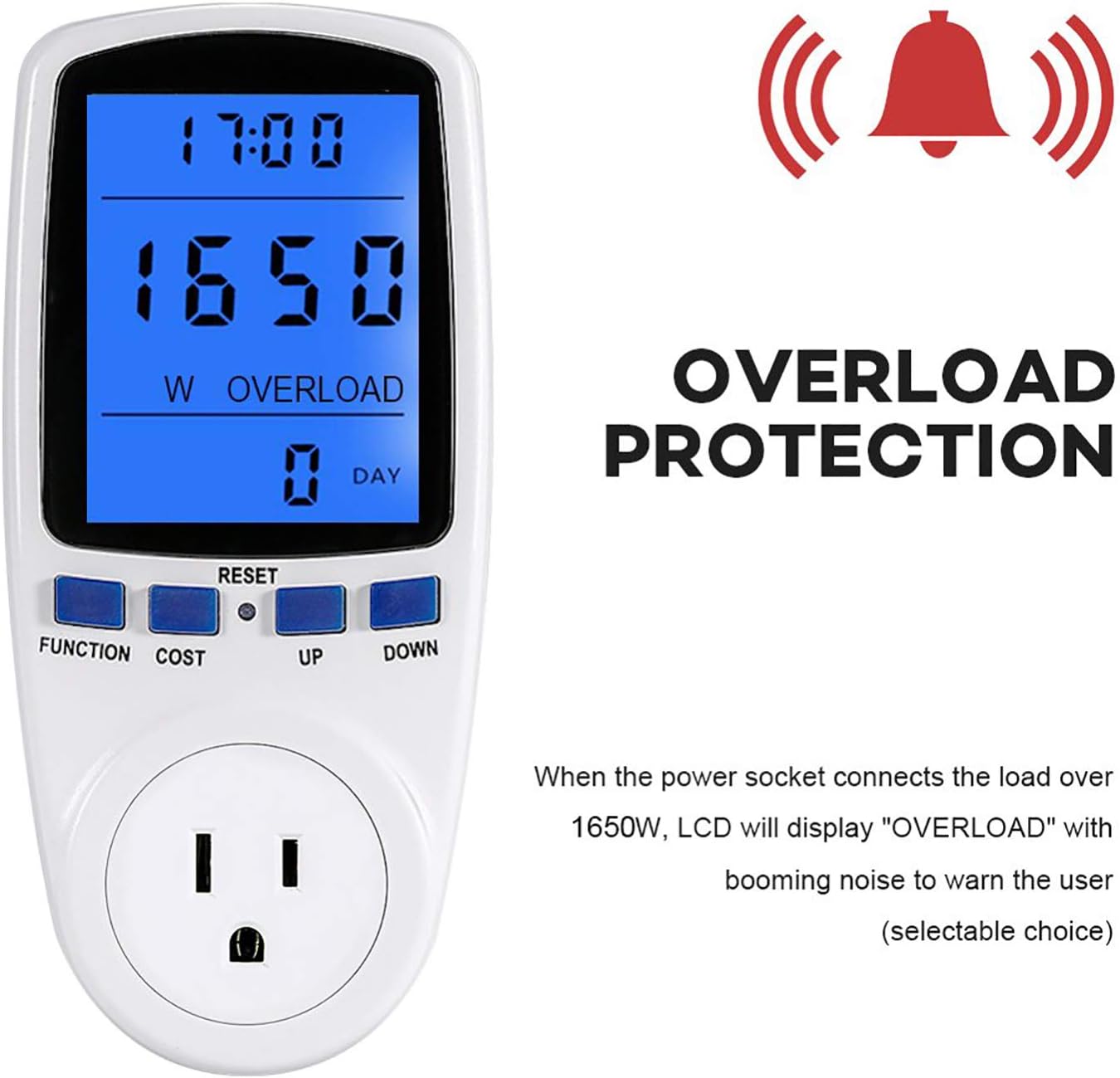
Figure 4: Overload warning display.
6. 사양
| 특징 | 값 |
|---|---|
| 품목 무게 | 7.2 온스 |
| 패키지 크기 | 6.8 x 3.5 x 3 인치 |
| 품목 패키지 수량 | 1 |
| 배터리가 포함되어 있나요? | 아니요 |
| 배터리가 필요하세요? | 아니요 |
| ASIN | B07M9KJRKP |
| 첫 번째 이용 가능 날짜 | 24년 2018월 XNUMX일 |
7. 문제 해결
- 디스플레이가 비어 있습니다: Ensure the power meter is securely plugged into a live outlet and an appliance is connected. If the issue persists, try a different outlet.
- 잘못된 판독: Verify that the appliance is functioning correctly. If the readings seem unusually high or low, try resetting the device by holding the 다시 놓기 단추.
- 과부하 경고: If the "OVERLOAD" message appears, the connected appliance is drawing more than 1650W. Disconnect the appliance immediately. This device is not suitable for appliances exceeding its maximum wattag전자 등급.
8. 유지관리 및 관리
- 청소: 부드럽고 마른 천으로 기기를 닦으세요. 연마성 세제를 사용하거나 물에 담그지 마세요.
- 저장: Store the power meter in a cool, dry place away from direct sunlight and extreme temperatures when not in use.
- 충격 방지: Protect the device from drops or strong impacts, which can damage internal components.
9. 보증 및 지원
For warranty information or technical support, please refer to the contact details provided with your purchase or visit the official Estink web사이트. 보증 청구에 대비해 구매 증빙 자료로 구매 영수증을 보관하세요.