
소개
Thank you for choosing the Lamax X9.1 Action Camera. This manual provides essential information for setting up, operating, and maintaining your camera. Please read it thoroughly before use to ensure optimal performance and longevity of your device. The Lamax X9.1 is designed to capture your adventures in stunning 4K Ultra HD video and 12-megapixel photos, featuring Wi-Fi connectivity and a robust design.
패키지 내용
Please check the package contents upon unboxing. Typical accessories include:
- 라맥스 X9.1 액션 카메라
- 원격 제어
- 방수 케이스
- 장착 액세서리
- USB 케이블
- 사용자 설명서
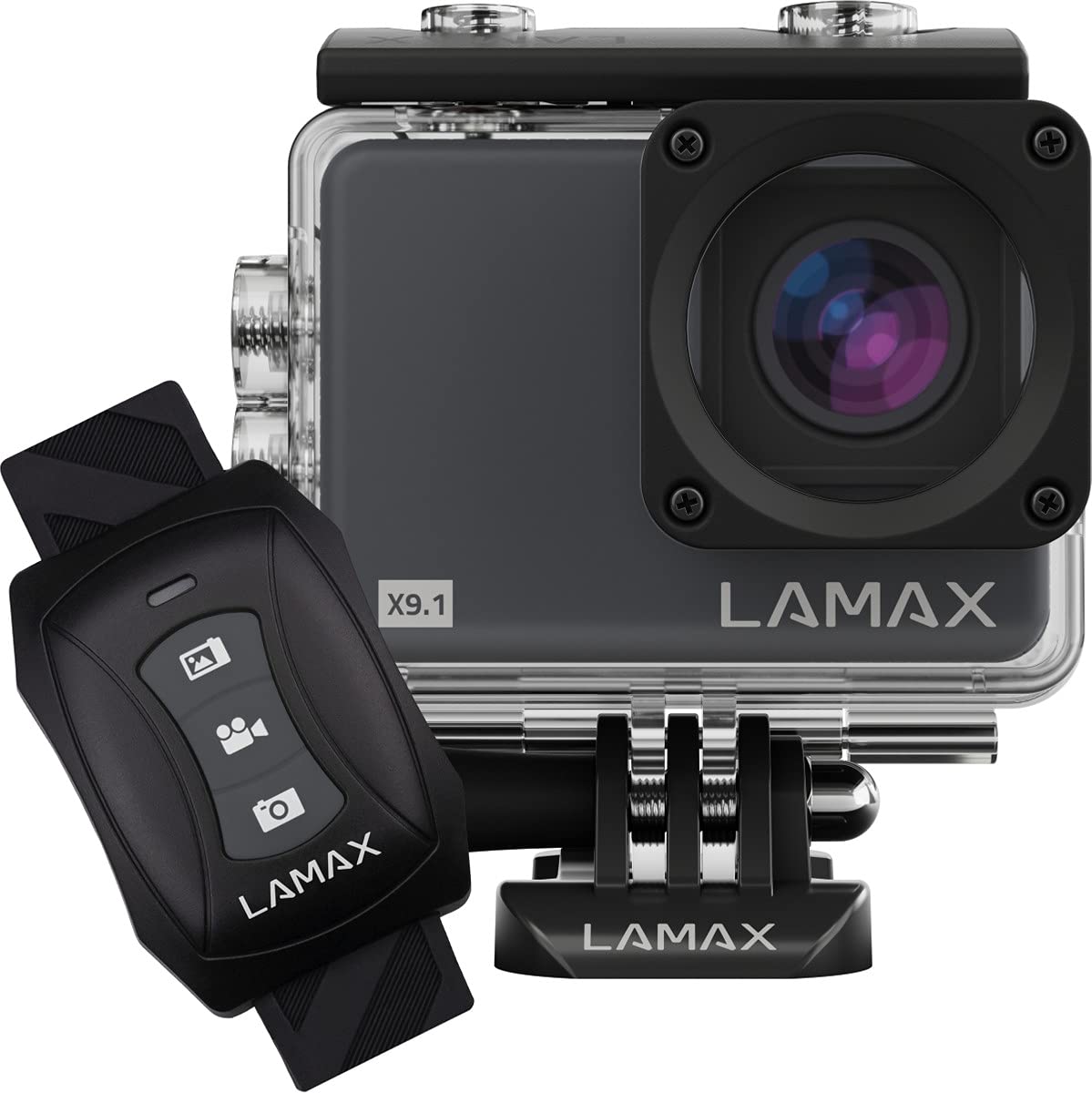
Image: The Lamax X9.1 Action Camera shown alongside its remote control, illustrating the main components.
카메라 오버view
카메라의 물리적 구성 요소를 숙지하세요:
- 렌즈: Front-facing optical component for capturing images and videos.
- LCD 화면: 2-inch display on the rear for live view메뉴 탐색 및 재생 기능.
- 전원 / 모드 버튼 : Typically located on the front or top, used to power on/off and switch modes.
- 셔터/녹화 버튼: Located on the top, used to start/stop recording or take photos.
- 탐색 버튼: Used for menu navigation (Up/Down).
- 마이크로 USB 포트: 충전 및 데이터 전송용입니다.
- HDMI 포트 : 외부 디스플레이 연결용입니다.
- MicroSD 카드 슬롯: 메모리 카드를 삽입합니다.

이미지: 앞면 view of the Lamax X9.1 Action Camera, clearly showing the lens and model number.

이미지: 측면 view of the Lamax X9.1 Action Camera, highlighting the Micro-USB and HDMI ports.

이미지: 후면 view of the Lamax X9.1 Action Camera, displaying the LCD screen and control buttons.
설정
1. 배터리 설치 및 충전
- Open the battery compartment cover, usually located on the bottom or side of the camera.
- Insert the Lithium-Ion (Li-Ion) battery (1050 mAh) with the contacts facing the correct direction.
- 배터리 칸을 단단히 닫으세요.
- Connect the camera to a power source using the provided Micro-USB cable. The charging indicator will illuminate. A full charge takes approximately 1.84 hours.
2. MicroSD 카드 설치
- 일반적으로 카메라 측면에 있는 MicroSD 카드 슬롯을 찾으세요.
- Insert a compatible MicroSDHC or MicroSDXC card (up to 64 GB, Class 10 or higher recommended) with the contacts facing down. Push until it clicks into place.
- 제거하려면 카드가 튀어나올 때까지 다시 안으로 밀어 넣으세요.
3. 전원 켜기 / 끄기
- 전원을 켜려면: 화면이 켜질 때까지 전원/모드 버튼을 몇 초 동안 길게 누르세요.
- 전원을 끄려면: 화면이 꺼질 때까지 전원/모드 버튼을 다시 길게 누르세요.
4. 방수 케이스 사용법
The Lamax X9.1 is waterproof up to 40 meters when enclosed in its waterproof case. Ensure the case is properly sealed before submerging the camera.
- Open the waterproof case latch.
- Carefully place the camera inside the case, ensuring it fits snugly.
- Close the latch firmly, making sure the rubber seal is clean and free of debris.
- Always test the waterproof case without the camera first to ensure no leaks.

Image: The Lamax X9.1 Action Camera securely placed inside its waterproof housing, shown with the remote control.
카메라 작동
1. 기본 제어
- 전원 / 모드 버튼 : Short press to cycle through video, photo, playback, and settings modes.
- 셔터/녹화 버튼: Press to start/stop video recording or take a photo in the respective modes.
- 위/아래 버튼: Used to navigate menu options or zoom (if applicable).
2. 비디오 녹화
In video mode, press the Shutter/Record button to begin recording. Press again to stop.
- 결의안: Supports 4K Ultra HD (3840 x 2160 pixels), 1080p, 720p.
- 프레임 속도: Up to 120 frames per second (fps) for smooth slow-motion capture.
- 형식: H.264, H.265, MP4.
3. 사진 촬영
In photo mode, press the Shutter/Record button to take a picture.
- 해결: 12 Megapixels (3840 x 2160 pixels).
- 체재: JPG.
4. 특수 모드
- 타임랩스: 일정한 간격으로 사진을 연속 촬영하여 타임랩스 영상을 만드세요.
- 초고속 슬로우 모션: Record high frame rate video for dramatic slow-motion effects.
5. Wi-Fi 연결
The Lamax X9.1 features Wi-Fi for remote control and file 스마트폰 앱을 통한 전송.
- Enable Wi-Fi on your camera through the settings menu.
- Download the official Lamax app (check your camera's packaging or the Lamax website for the correct app name) on your smartphone.
- Connect your smartphone to the camera's Wi-Fi network (SSID and password will be displayed on the camera screen).
- Use the app to control the camera, view 라이브 푸tage, 그리고 다운로드 files.
6. 원격 제어
The included remote control allows for convenient operation without directly touching the camera.
- Ensure the remote is paired with the camera (refer to the camera's settings menu for pairing instructions).
- Use the dedicated buttons on the remote to start/stop recording or take photos.
설정 메뉴
Access the settings menu by cycling through modes using the Power/Mode button until you reach the settings icon, or by pressing a dedicated menu button if available. Use the navigation buttons to scroll and the Shutter/Record button to select options.
일반적인 설정은 다음과 같습니다.
- 비디오 해상도 및 프레임 속도
- 사진 해상도
- Exposure Compensation (EV)
- 화이트 밸런스(WB)
- 날짜 및 시간
- 루프 녹음
- Screen Saver/Auto Power Off
- Wi-Fi 설정
- SD 카드 포맷
유지
1. 청소
- 렌즈: 광학 렌즈용으로 특별히 제작된 부드럽고 보풀이 없는 천을 사용하세요. 독한 화학 물질은 피하세요.
- 화면: Wipe gently with a microfiber cloth.
- 카메라 본체 : 부드러운 d를 사용하세요amp cloth to clean the exterior. Ensure all ports are closed before cleaning with moisture.
- 방수 케이스: After use in saltwater, rinse the case with fresh water and let it air dry. Check the rubber seal for any debris or damage.
2. 배터리 관리
- 배터리를 자주 완전히 방전시키지 마세요.
- Store the camera with the battery partially charged (around 50%) if not used for extended periods.
- 배터리를 극한 온도에 노출시키지 마세요.
3. 보관
Store the camera in a cool, dry place away from direct sunlight and excessive humidity. Remove the battery if storing for a long time.
문제 해결
Lamax X9.1 사용 중 문제가 발생하면 다음의 일반적인 문제 및 해결 방법을 참조하십시오.
| 문제 | 가능한 원인 / 해결책 |
|---|---|
| 카메라가 켜지지 않습니다. | Battery is depleted. Charge the battery fully. Ensure the battery is inserted correctly. |
| SD 카드 오류 메시지. | SD card is not inserted correctly, is full, or is corrupted. Reinsert the card, try a different card, or format the card (this will erase all data). Ensure the card is MicroSDHC/XC, up to 64GB, Class 10 or higher. |
| 배터리 수명이 좋지 않습니다. | High-resolution video recording (4K) and Wi-Fi use consume more power. Ensure the battery is fully charged. Consider carrying spare batteries for extended use. |
| Water leakage into the case. | Waterproof case was not sealed properly, or the rubber seal is damaged/dirty. Always check the seal and latch before submerging. |
| 카메라가 컴퓨터에서 인식되지 않습니다. | Ensure the USB cable is connected securely. Try a different USB port or cable. The camera might need to be in a specific mode (e.g., Mass Storage) to be recognized. |
| Wi-Fi 연결 문제. | Ensure Wi-Fi is enabled on the camera and your smartphone. Check the Wi-Fi password. Move closer to the camera to improve signal strength. |
If the problem persists, perform a factory reset (if available in settings) or contact Lamax customer support.
명세서
| 특징 | 사양 |
|---|---|
| 모델 번호 | X9.1 |
| 비디오 해상도 | 최대 4K 울트라 HD(3840 x 2160 픽셀) |
| 최대 프레임 속도 | 120fps |
| 사진 해상도 | 12 메가픽셀(3840 x 2160 픽셀) |
| 표시하다 | 2인치(5.08cm) LCD |
| 저장 매체 | MicroSDHC, MicroSDXC (up to 64 GB) |
| 배터리 유형 | Lithium-Ion (Li-Ion), 1050 mAh |
| 충전 시간 | 약 1.84시간 |
| 연결성 | Wi-Fi, Micro-USB, HDMI |
| 무게 | 72그램 |
| 치수(길이 x 너비 x 높이) | 60 x 44 x 33mm |
| 방수 등급 | Up to 40 meters (with waterproof case) |
| 특별 기능 | Time-lapse, Super Slow Motion, Image Stabilization |
보증 및 지원
For warranty information and technical support, please refer to the documentation included with your product or visit the official Lamax web사이트. 보증 청구를 위해 구매 증빙 자료를 보관하세요.