
1. 서론
This manual provides essential information for the proper setup, operation, and maintenance of your Eyeclops Digital Microscope & Camera. This device allows you to magnify objects up to 800 times, capture images, and record videos, making it suitable for exploring the microscopic world both indoors and outdoors.
상자 안에 무엇이 들어있나요?
- 1 EyeClops Digital Microscope & Camera with built-in color screen
- 1 USB 케이블
- 1 512MB MicroSD Card
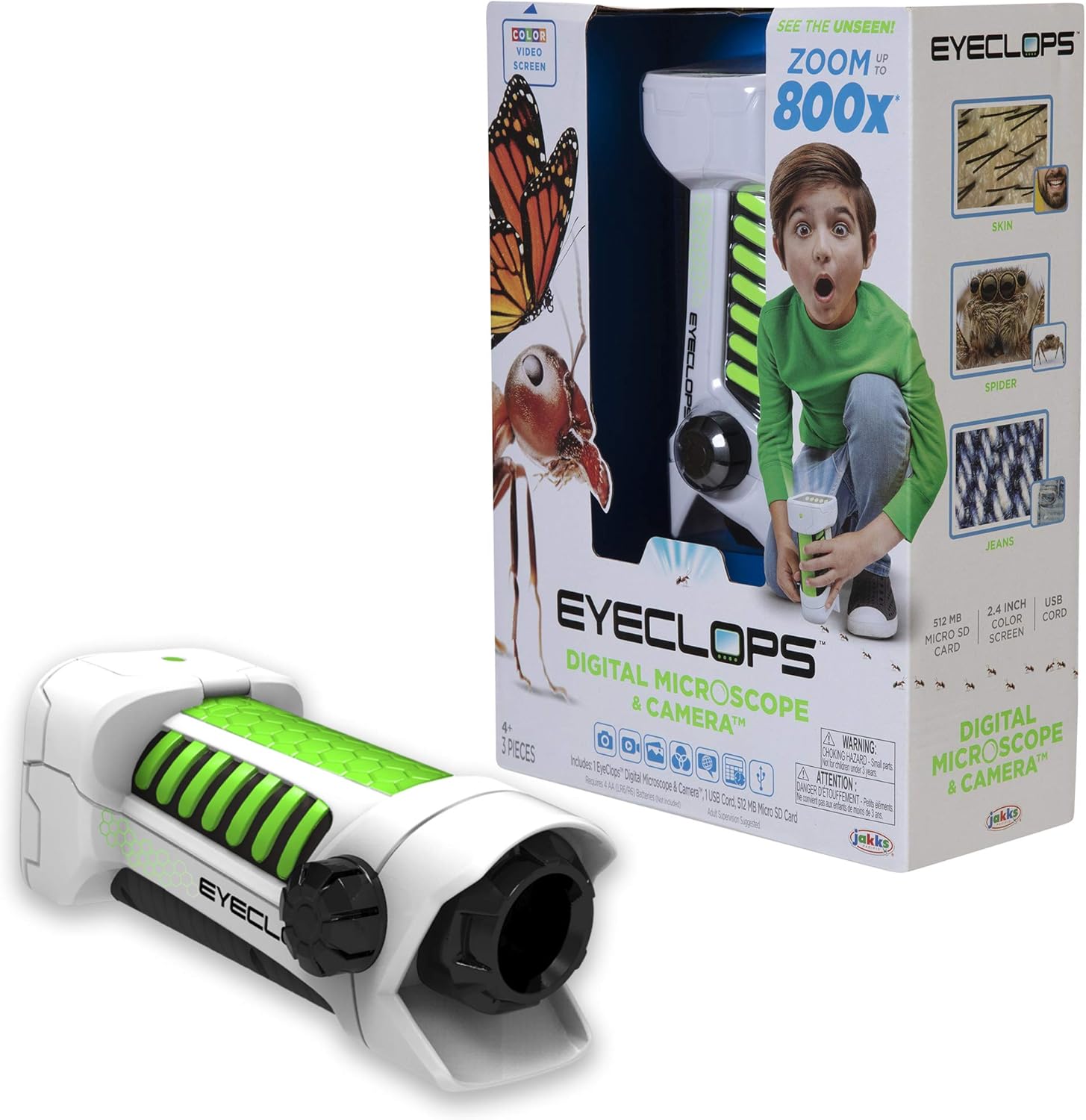
이미지 1.1: The Eyeclops Digital Microscope & Camera with its retail packaging. This image displays the device alongside its box, highlighting its compact design and the included accessories like the MicroSD card and USB cable.
2. 안전 정보
기기를 사용하기 전에 다음 안전 예방 조치를 읽고 이해하시기 바랍니다.
- 질식 위험: 본 제품에는 작은 부품이 포함되어 있어 3세 미만 어린이에게는 적합하지 않습니다. 모든 사용자, 특히 어린이는 어른의 감독 하에 사용해야 합니다.
- 배터리 안전: Use only the specified battery type (4 AA batteries). Ensure correct polarity when inserting batteries. Do not mix old and new batteries, or different types of batteries. Remove batteries if the device will not be used for an extended period.
- 환경 조건: 기기를 극한의 온도, 직사광선 또는 습기에 노출시키지 마세요.
3. 설정
3.1 배터리 설치
- 기기의 배터리 덮개를 찾으세요.
- Use a small screwdriver to open the battery compartment.
- Insert 4 AA batteries, ensuring the correct positive (+) and negative (-) polarity as indicated inside the compartment.
- 배터리실 커버를 교체하고 나사로 고정합니다.
3.2 MicroSD 카드 삽입
- 장치 측면에서 MicroSD 카드 슬롯을 찾으세요.
- Gently insert the included 512MB MicroSD card into the slot until it clicks into place. Ensure the card is oriented correctly.
- 카드를 제거하려면 카드가 튀어나올 때까지 안쪽으로 살살 밀어주세요.
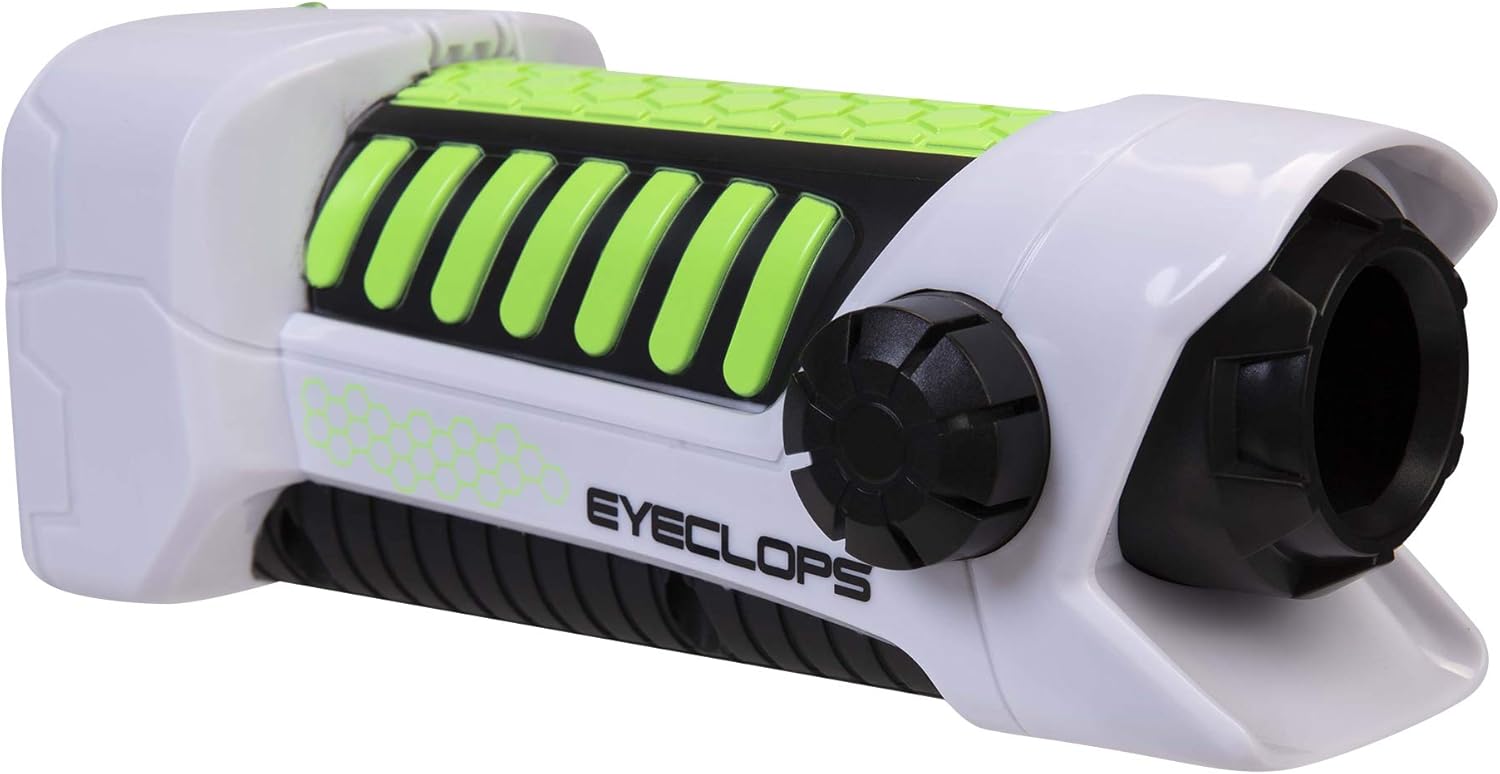
이미지 3.1: 측면 view of the Eyeclops Digital Microscope, illustrating the general shape and location of external features such as the focus knob and lens. This view helps in identifying the MicroSD card slot and battery compartment.
4. 사용 설명서
4.1 전원 켜기/끄기
- To power on the device, press and hold the Power button (usually located near the screen or grip).
- 전원을 끄려면 화면이 꺼질 때까지 전원 버튼을 다시 길게 누르세요.
4.2 초점 및 줌
- Point the lens of the microscope at the object you wish to observe.
- 조정하다 초점 노브 (typically located on the side of the device) until the image on the 2.4-inch color screen appears clear.
- The device offers up to 800x magnification. The zoom level can be adjusted using dedicated zoom buttons (often marked with '+' and '-' symbols) or by moving the device closer to or further from the object.
4.3 Taking Pictures and Recording Video
- Once focused, press the 카메라 버튼 (often indicated by a camera icon) to capture a still image.
- To record video, press the 비디오 버튼 (often indicated by a video camera icon). Press it again to stop recording.
- All captured images and videos are saved to the inserted MicroSD card.
4.4 Using as a Regular Camera
The Eyeclops Digital Microscope can also function as a regular camera. To use this feature, turn off the zoom function or adjust the focus for standard distance photography. This allows for capturing broader scenes or objects without extreme magnification.
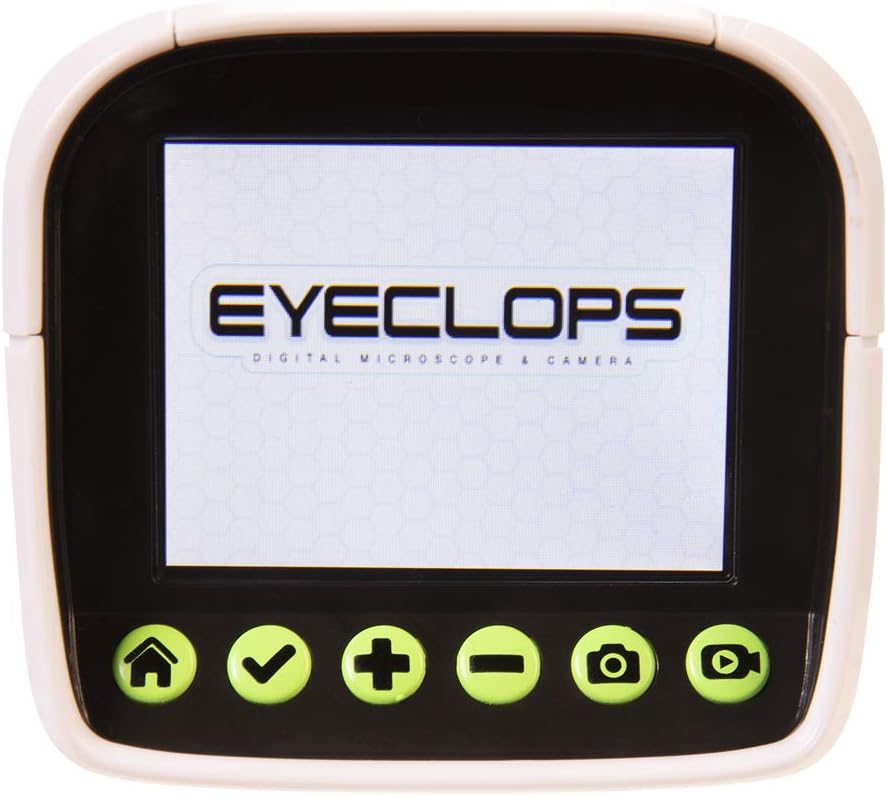
이미지 4.1: 자세한 view of the Eyeclops Digital Microscope's 2.4-inch color screen and its control buttons. The buttons typically include Home, Select/Confirm, Zoom In (+), Zoom Out (-), Camera, and Video functions.

이미지 4.2: A child actively using the Eyeclops Digital Microscope to observe a small object, demonstrating the handheld operation and the visual engagement with the magnified view.
5. 데이터 전송
5.1 전송 FileUSB를 통해
- Connect the Eyeclops Digital Microscope to your Windows PC or Mac using the provided USB cable.
- 해당 장치는 컴퓨터에서 이동식 저장 장치로 나타나야 합니다.
- Navigate to the device's storage or the MicroSD card folder to access your pictures and videos.
- 원하는 복사 file컴퓨터에 연결하세요.
5.2 전송 Files via MicroSD Card Reader
Alternatively, you can remove the MicroSD card from the microscope and insert it into a compatible card reader connected to your computer to transfer files.
6. 유지관리
- 청소: Use a soft, dry cloth to clean the exterior of the device. For the lens and screen, use a specialized lens cleaning cloth and solution to avoid scratches. Do not use abrasive cleaners or solvents.
- 저장: Store the microscope in a cool, dry place away from direct sunlight and extreme temperatures. Remove batteries if storing for extended periods to prevent leakage.
- 렌즈 보호: The lens is designed to be slightly inset to prevent accidental touching. Avoid poking or scratching the lens.
7. 문제 해결
- 장치가 켜지지 않음:
- 배터리가 올바른 극성으로 올바르게 삽입되었는지 확인하세요.
- 새로운 AA 배터리로 교체하세요.
- Blurry images/difficulty focusing:
- Ensure you are adjusting the Focus Knob slowly and precisely.
- Maintain a steady hand or place the object on a stable surface to minimize movement during observation or capture.
- 렌즈에 얼룩이나 먼지가 묻어 보이면 닦아주세요.
- 전송할 수 없습니다 files를 컴퓨터로:
- USB 케이블이 현미경과 컴퓨터에 제대로 연결되어 있는지 확인하십시오.
- 컴퓨터의 다른 USB 포트를 사용해 보십시오.
- Verify that the MicroSD card is properly inserted into the microscope.
- If issues persist, try using an external MicroSD card reader.
- MicroSD 카드 오류:
- 카드가 올바르게 삽입되었는지 확인하십시오.
- Try reformatting the card (this will erase all data, so back up first).
- If the problem continues, the card may be faulty and require replacement.
8. 사양
| 특징 | 사양 |
|---|---|
| 모델 번호 | 652331 |
| 배율 최대 | 800배 |
| 내장 화면 | 2.4인치 컬러 화면 |
| 저장 | 512MB MicroSD Card (included) |
| 연결성 | USB |
| 전원 | 4 AA 배터리(포함되지 않음) |
| 제품 치수 | 9 x 3.5 x 11인치(22.86 x 8.89 x 27.94cm) |
| 품목 무게 | 14.8 온스(420그램) |
| 추천연령 | 6 - 9년 |
| 제조업체 | 잭스 퍼시픽 주식회사 |
9. 보증 정보
For detailed warranty information, please refer to the documentation included with your product at the time of purchase or visit the official Eyeclops or Jakks Pacific Inc. web사이트. 보증 조건은 일반적으로 구매일로부터 특정 기간 동안 제조상의 결함에 대한 보증을 제공합니다.
10. 지원
If you encounter issues not covered in this manual or require further assistance, please contact the manufacturer's customer support. Contact information can usually be found on the product packaging or the official Jakks Pacific Inc. web대지.