
1. 서론
Thank you for choosing the Comfee Mobile Air Conditioner MPPH-09CRN7. This manual provides essential information for the safe and efficient operation of your appliance. Please read it thoroughly before use and retain it for future reference.
This 3-in-1 unit offers cooling, dehumidification, and fan modes, designed for rooms up to 33m² (88m³).

이미지: 앞면 view of the Comfee Mobile Air Conditioner MPPH-09CRN7.
2. 안전 정보
화재, 감전 또는 부상의 위험을 줄이려면 전기 제품을 사용할 때 항상 기본적인 안전 예방 조치를 따르세요.
- 전원 공급 장치가 볼륨과 일치하는지 확인하십시오.tag등급 라벨에 지정되어 있습니다.
- 손상된 코드나 플러그를 사용하여 장치를 작동하지 마십시오.
- 장치를 열원과 직사광선에서 멀리 두십시오.
- 공기 흡입구나 배출구를 막지 마십시오.
- 이 제품은 R290 냉매를 사용합니다. 냉매 회로를 손상시키지 마십시오.
3. 제품 구성품 및 액세서리
The Comfee Mobile Air Conditioner MPPH-09CRN7 comes with the following components:

Image: Diagram showing all included accessories for the mobile air conditioner.
- 배기 호스
- 기기 어댑터
- 창 슬라이더 키트
- Foam Seal (non-adhesive)
- 배기 호스 어댑터
- Wall Outlet Adapter
- Foam Seal (adhesive)
- Screws, Bolts, Anchors
- 원격 제어
- 창 슬라이더
- 배수 호스
The unit also features four castor wheels for easy mobility.
이미지: 클로즈업 view of the castor wheels on the base of the air conditioner, highlighting its mobility.
4. 설정 및 설치
Proper installation is crucial for optimal performance. Follow these steps for setting up your mobile air conditioner:
4.1 배기 호스 설치
The exhaust hose expels hot air from the room. Ensure it is installed correctly to prevent hot air recirculation.

Image: Three options for installing the exhaust hose: through a wall air outlet, a window adapter, or a window with a "Hot Air Stop" cover.
- Option 1: Wall Air Outlet: Drill and install the hose in a dedicated air outlet.
- Option 2: Window Adapter: Assemble and install the hose in the provided window adapter.
- Option 3: Window with "Hot Air Stop" Cover: Assemble and install the hose in the window using a "Hot Air Stop" cover (not included).
4.2 Window Slider Kit Installation
For window installation, use the provided window slider kit to seal the opening and maximize cooling efficiency.

Image: Step-by-step guide for installing the window slider kit: 1. Open the window. 2. Install the window slider adapter. 3. Seal and secure the adapter. 4. Install the exhaust hose to the adapter. 5. Attach the exhaust hose to the unit. 6. Power on and activate the device.
- 창문을 여세요.
- Install the window slider adapter into the window opening.
- Seal and secure the adapter to prevent air leakage.
- Install the exhaust hose to the adapter.
- Attach the exhaust hose to the air conditioner unit.
- Plug in the unit and activate it.
5. 사용 설명서
5.1 제어판 및 리모콘
이 장치는 장치 상단의 제어판이나 포함된 리모컨을 통해 작동할 수 있습니다.

Image: Layout of the remote control and the top control panel of the air conditioner, indicating various buttons and their functions.
원격 제어 기능:
- 전원 켜기/끄기
- Modes Control (Cooling, Fan, Dehumidification)
- 팬 속도 제어
- 수면 모드 제어
- Temperature Control (Up/Down)
- DIY Mode Control
- Timer Control (Timer On/Timer Off)
- LED 조명 제어
- "Follow Me" Function (on remote)
The "Follow Me" function on the remote control helps monitor and control the temperature around you, providing more precise cooling.

Image: A person using the remote control to operate the Comfee mobile air conditioner, demonstrating the "Smart Cooling" feature.
5.2 작동 모드
본 장치는 세 가지 주요 작동 모드를 제공합니다.

Image: Visual representation of the three functional modes: Cooling Mode, Fan Mode, and Dehumidification Mode. Note: For dehumidification, a hose for water drainage is required.
- 냉각 모드: 방을 강력하게 냉각합니다.
- 팬 모드: 냉각 없이 공기를 순환시켜 통풍을 제공합니다.
- 제습 모드: Removes excess moisture from the air. A drain hose must be connected for continuous drainage in this mode.
5.3 타이머 기능
The 24-hour timer function allows you to set the unit to turn on or off automatically at a desired time.

Image: A visual representation of the 24-hour timer function, showing a clock face around the air conditioner unit.
5.4 자동 재시작
정전이 발생한 경우tag즉, 전원이 복구되면 장치는 이전 설정으로 자동으로 다시 시작됩니다.

Image: A stylized image of a microchip with the Comfee logo, illustrating the automatic restart function.
5.5 Noise Level and Sleep Mode
The unit is designed for lower noise operation, especially in Sleep Mode, where the sound pressure level can be reduced to 46.9 dB(A).

Image: A person sleeping peacefully next to the air conditioner, with a decibel meter graphic showing noise levels, emphasizing the low noise operation.
6. 유지관리
정기적인 유지관리는 에어컨의 수명과 효율성을 보장합니다.
6.1 필터 청소
The washable filter should be cleaned regularly to maintain air quality and cooling performance.
- 청소하기 전에 장치를 끄고 플러그를 뽑으십시오.
- 장치 뒷면에서 공기 필터를 제거하세요.
- 필터를 따뜻한 비눗물로 씻으세요.
- 깨끗이 헹구고 완전히 자연 건조시킨 후 다시 삽입하세요.
6.2 물 배수
The unit has a self-evaporative system, but in high humidity or dehumidification mode, manual drainage may be required.
- 제품 뒷면 하단에 있는 배수구를 찾으십시오.
- Place a shallow pan or connect the drain hose to the port.
- 배수 플러그를 제거하여 물이 흘러나갈 수 있도록 합니다.
- Replace the plug securely after drainage.
7. 문제 해결
고객 지원팀에 문의하기 전에 다음의 일반적인 문제와 해결책을 참조하세요.
| 문제 | 가능한 원인 | 해결책 |
|---|---|---|
| 기기가 켜지지 않습니다. | No power supply; power cord unplugged; fuse blown. | Check power connection; check circuit breaker/fuse. |
| 장치가 효과적으로 냉각되지 않습니다. | Windows/doors open; air filter dirty; exhaust hose not properly installed; room too large. | Close windows/doors; clean air filter; ensure exhaust hose is sealed; verify room size is within specifications. |
| 누수. | Drain plug loose; unit tilted; drain hose clogged. | Secure drain plug; place unit on a level surface; clear drain hose. |
| 이상한 소음. | Unit not on a level surface; internal component issue. | Place unit on a flat, stable surface. If noise persists, contact support. |
8. 기술 사양
| 특징 | 사양 |
|---|---|
| 모델 번호 | MPPH-09CRN7 |
| 냉각 용량 | 9000 BTU/h (2.6 kW/h) |
| 추천 객실 크기 | Up to 33m² (88m³) |
| 전력 소비 | 1000 와트 |
| 권tage | 230 볼트 |
| 소음 수준 | 47데시벨 |
| 냉각제 | R290 (Climate Neutral) |
| 치수(길이 x 너비 x 높이) | 34.49 x 35.51 x 70.31cm |
| 무게 | 25.3 킬로그램 |
| 에너지 효율 등급 | A |
| 특별 기능 | Dehumidifier, Automatic Restart, 24-hour Timer, Sleep Mode, Smart Cooling with "Follow Me" function |

Image: Diagram showing the dimensions of the Comfee Mobile Air Conditioner: 70.3cm height, 35.5cm width, 34.5cm depth.
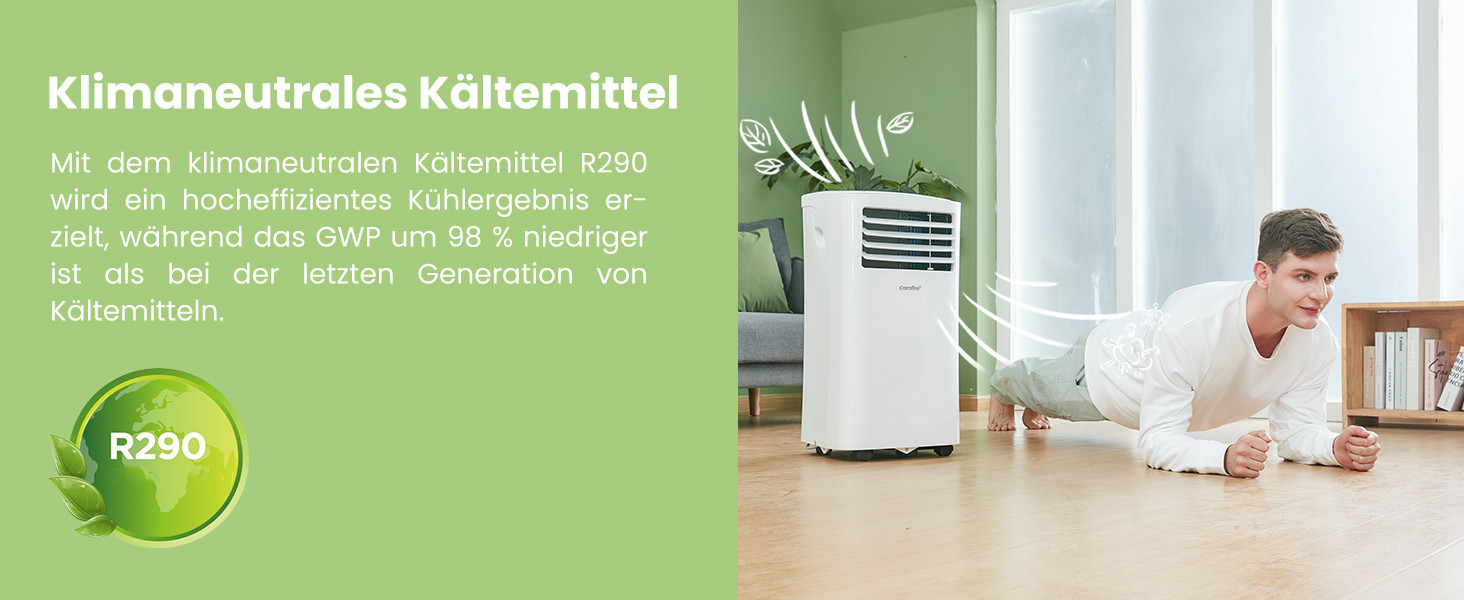
The unit uses R290, a climate-neutral refrigerant with significantly lower Global Warming Potential (GWP) compared to previous generations of refrigerants.

Image: Illustration highlighting the use of R290 climate-neutral refrigerant, with a person doing a plank exercise next to the unit.
9. 보증 정보
This product is covered by a manufacturer's warranty. Please refer to the warranty card included in your product packaging for specific terms and conditions, including warranty period and coverage details. Retain your proof of purchase for warranty claims.
10. 고객 지원
For technical assistance, troubleshooting beyond this manual, or warranty inquiries, please contact Comfee customer support. Contact details can typically be found on the manufacturer's web사이트 또는 제품 포장.
You can also visit the official Comfee store on Amazon for more information and support: 컴피 스토어