
1. 서론
This manual provides essential information for the proper use and maintenance of your Speedlink Competition Pro Extra USB Joystick (Model SL-650212-BKRD). This joystick is designed for use with PCs and Android devices, offering a retro arcade gaming experience. Please read these instructions carefully before using the product.
2. 중요 안전 지침
Failure to observe these instructions can cause product damage, explosion, fire, and/or electric shock.
- Use this device only as indicated in the user guide. Do not open or repair it.
- 장치를 액체, 열 또는 추위에 노출시키지 마십시오.
- 광고에 장치를 사용하지 마십시오amp 환경.
- 마른 천으로 기기를 닦으세요.
- 장치와 모든 느슨한 부품을 어린이, 애완동물 및 권한이 없는 사람의 손이 닿지 않는 곳에 보관하십시오.
- Use only with the appropriate provided accessories/cables.
- Disconnect the charging cable from the device if it will not be used for a long time. When disconnecting the cable, don't pull on the cable but on the plug.
- Don't use the cables in any way other than mentioned in the user guide; don't bend, cut, extend, or knot up them.
- 장치의 개구부에 이물질을 넣지 마십시오.
- 장치가 어떤 식으로든 손상되거나 너무 뜨거워지면 즉시 사용을 중지하십시오.
- Take caution when using the device if you have a pacemaker or are dependent on other sensitive electronic aids, as the device emits radio signals.
Safety instructions in further languages can be found at www.speedlink.com.
3. 패키지 내용
The Speedlink Competition Pro Extra USB Joystick package includes:
- Speedlink Competition Pro Extra USB Joystick (Model SL-650212-BKRD)
- 통합 USB 케이블
- Information on how to download the included 20 retro games
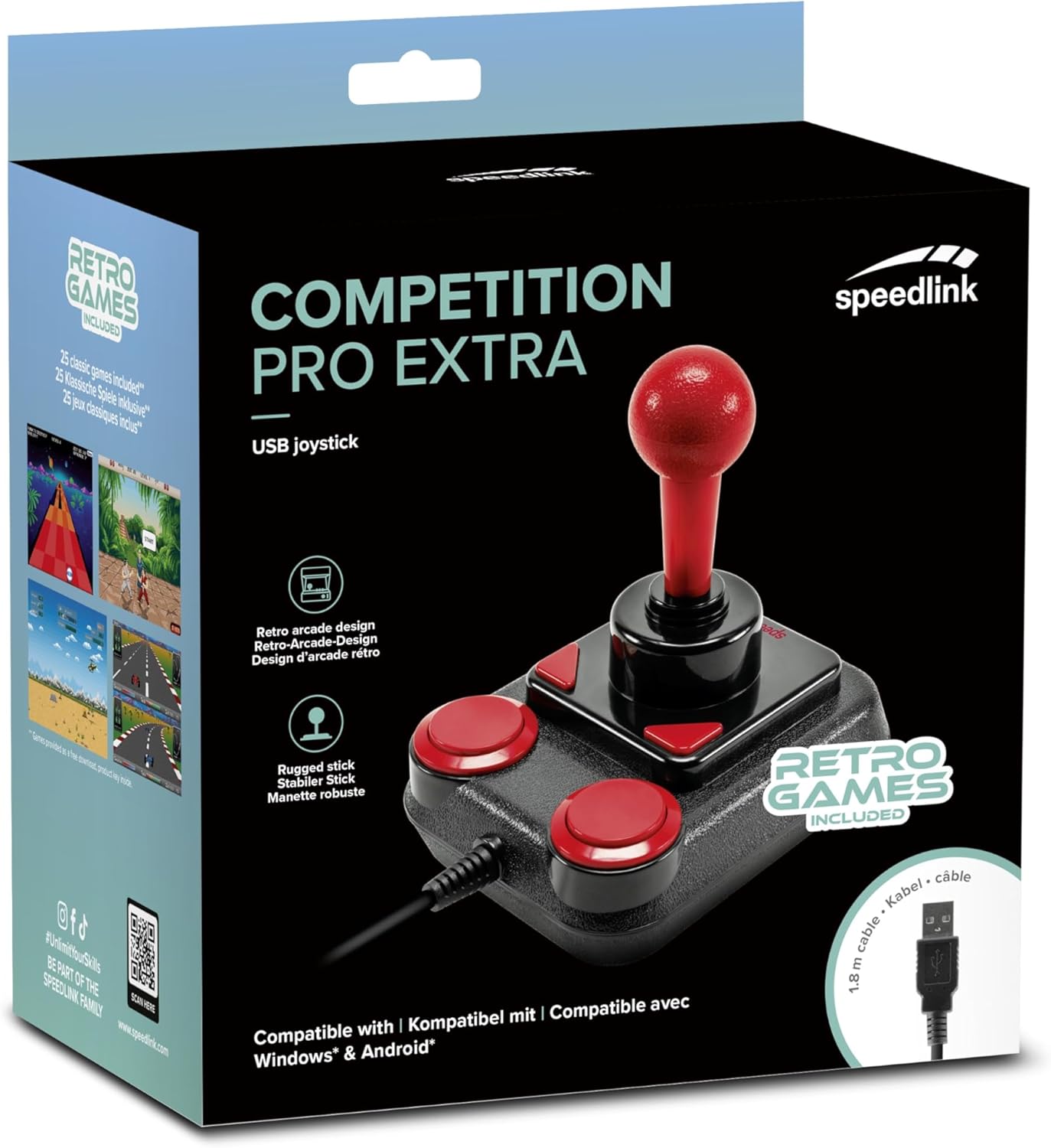
Image: Retail packaging for the Speedlink Competition Pro Extra USB Joystick, showing the product and "Retro Games Included" label.
4. 제품 오버view
The Competition Pro Extra USB Joystick features a classic arcade design with a robust stick and responsive buttons.

이미지: 위에서 아래로 view of the joystick, highlighting the red ball-top stick and red circular fire buttons.

이미지: 각도 view showing the joystick's main stick, two circular fire buttons, and two triangular fire buttons.
The joystick includes:
- Arcade Stick: A classic red ball-top joystick for directional control.
- 발사 버튼: Two large circular red buttons and two smaller triangular red buttons for in-game actions.
- Rapid-Fire Switch: A switch located on the underside of the joystick to enable or disable rapid-fire functionality for the main fire buttons.

Image: Underside of the joystick, showing the "ON" and "OFF" positions for the rapid-fire switch.
5. 설정
5.1 PC에 연결하기
- 컴퓨터에서 사용 가능한 USB 포트를 찾습니다.
- Plug the USB connector of the Competition Pro Extra joystick into the USB port.
- The operating system (Windows 7 or later) will automatically detect and install the necessary drivers. No manual driver installation is typically required.
- Once installed, the joystick is ready for use with compatible games and emulators. You may need to configure joystick settings within individual game or emulator software.
5.2 Connecting to an Android Device
For Android devices, an OTG (On-The-Go) adapter is required (not included).
- Connect the USB connector of the joystick to an OTG adapter.
- OTG 어댑터를 안드로이드 기기의 USB 포트에 연결하세요.
- The Android device should recognize the joystick. Compatibility may vary depending on the Android device and game/application.
6. 사용 설명서
6.1 기본 제어
- 조종간: Use the main stick for directional movement (up, down, left, right, and diagonals).
- 발사 버튼: Press any of the four red buttons to perform in-game actions such as firing, jumping, or selecting.
6.2 Rapid-Fire Mode
The joystick features a rapid-fire function for enhanced gameplay in certain titles.
- To activate rapid-fire, locate the switch on the underside of the joystick and slide it to the "ON" position.
- To deactivate rapid-fire, slide the switch to the "OFF" position.
6.3 포함된 게임
The Anniversary Edition includes a collection of 20 retro games available for download. Refer to the instructions provided with your product for details on how to access and download these games.

Image: Screenshot of the game launcher interface, displaying a list of classic games such as Bomberwarrior, Summer Games, and River Attack.
7. 유지관리
- 청소: Use a soft, dry cloth to clean the surface of the joystick. Do not use liquid cleaners or abrasive materials.
- 저장: Store the joystick in a dry place away from direct sunlight and extreme temperatures.
- 케이블 관리: Avoid bending or twisting the USB cable excessively. Do not pull on the cable to disconnect it; always grasp the plug.
8. 문제 해결
- Joystick not recognized by PC:
- USB 케이블이 작동하는 USB 포트에 제대로 꽂혀 있는지 확인하십시오.
- 다른 USB 포트를 사용해보십시오.
- 컴퓨터를 다시 시작하세요.
- Windows의 장치 관리자에서 해당 장치가 목록에 있는지, 드라이버에 문제가 있는지 확인하십시오.
- Joystick not recognized by Android device:
- Ensure your Android device supports USB OTG functionality.
- Verify the OTG adapter is functioning correctly.
- Try a different OTG adapter or Android device if possible.
- Buttons or stick unresponsive:
- Ensure the joystick is properly connected.
- Test the joystick in a different game or application to rule out software-specific issues.
- Calibrate the joystick through your operating system's game controller settings if available.
- Rapid-fire not working:
- Check that the rapid-fire switch on the underside of the joystick is set to "ON".
9. 사양
| 특징 | 세부 사항 |
|---|---|
| 모델명 | SL-650212-BKRD |
| 상표 | 스피드링크 |
| 연결 기술 | USB |
| 호환 장치 | PC (Windows 7 or later), Android (via OTG adapter) |
| 컨트롤러 유형 | 조종간 |
| 색상 | 검정, 빨강 |
| 품목 무게 | 3.53온스(약 100g) |
| 제품 크기(LxWxH) | 4.65 x 3.78 x 5.12인치(약 11.8 x 9.6 x 13cm) |
| 전원 | 유선 전기 (USB 전원) |
| 권tage | 5 볼트 |
10. 준수 정보
10.1 FCC 성명
이 장치는 FCC 규정 제15부를 준수합니다. 작동은 다음 두 가지 조건에 따릅니다. (1) 이 장치는 유해한 간섭을 일으키지 않아야 합니다. (2) 이 장치는 원치 않는 작동을 일으킬 수 있는 간섭을 포함하여 수신된 모든 간섭을 수용해야 합니다.
이 장비는 FCC 규정 제15부에 따라 클래스 B 디지털 기기의 제한 사항을 준수하는 것으로 테스트 및 확인되었습니다. 이러한 제한 사항은 주거 시설에서 유해 간섭으로부터 합리적인 보호를 제공하도록 설계되었습니다. 이 장비는 무선 주파수 에너지를 생성, 사용 및 방출할 수 있으며, 지침에 따라 설치 및 사용하지 않으면 무선 통신에 유해 간섭을 일으킬 수 있습니다. 그러나 특정 설치에서 간섭이 발생하지 않을 것이라는 보장은 없습니다. 이 장비가 라디오 또는 텔레비전 수신에 유해 간섭을 일으키는 경우(장비를 끄고 켜서 확인할 수 있음) 사용자는 다음 조치 중 하나 이상을 통해 간섭을 수정하는 것이 좋습니다.
- 수신 안테나의 방향을 바꾸거나 위치를 바꾸세요.
- 장비와 수신기 사이의 거리를 넓힙니다.
- 수신기가 연결된 것과 다른 회로의 콘센트에 장비를 연결하세요.
- 도움이 필요하면 딜러나 숙련된 라디오/TV 기술자에게 문의하세요.
Note: Modifications to this product will void the user's authority to operate this equipment.
10.2 CE, UKCA, EAC Compliance
제품은 다음 지침을 준수합니다.
- EMC: 2014/30/EU
- RoHS: 2011/65/EU
적합성 선언, 최신 사용자 가이드, FAQ 또는 추가 정보를 보려면 다음을 방문하세요. www.speedlink.com.

Image: Excerpt from the product manual showing safety instructions, warnings, FCC statement, and conformity information in multiple languages.
11. 보증 및 지원
For warranty information, technical support, and frequently asked questions, please visit the official Speedlink web대지:
향후 참고를 위해 이 정보를 보관해 주시기 바랍니다.


