
1. 서론
This manual provides essential information for setting up, operating, maintaining, and troubleshooting your Acer Predator Orion 3000 (PO3-600) desktop computer. Please read this guide thoroughly to ensure proper use and to maximize your system's performance and longevity.
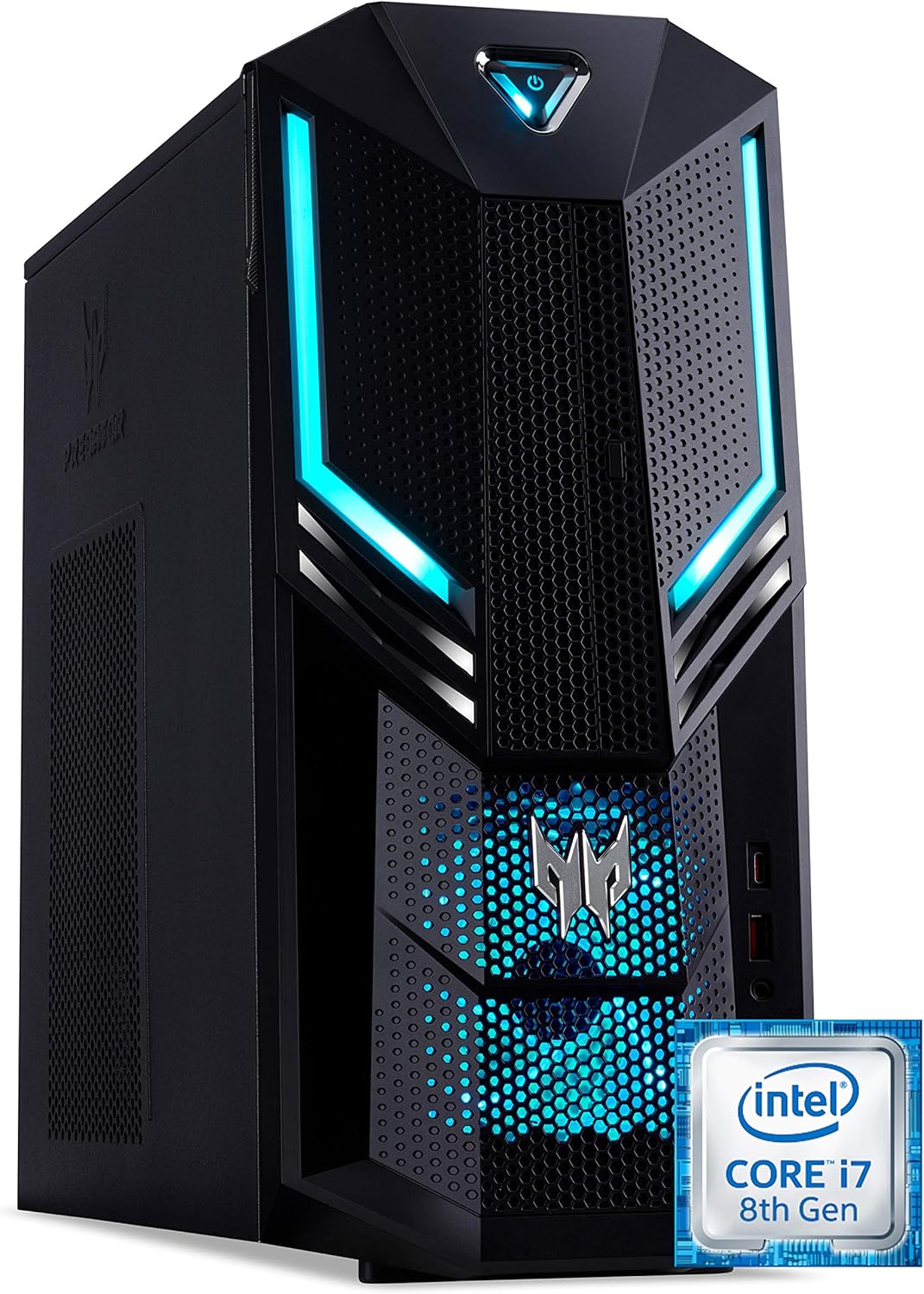
그림 1.1: 앞-오른쪽 view of the Acer Predator Orion 3000 desktop computer, showcasing its black chassis with blue LED accents and angular design.
2. 설정
2.1 풀기
Carefully remove all components from the packaging. Verify that all items listed in the 'Included Components' section of this manual are present. Retain the packaging for future transport or service needs.
2.2 주변기기 연결하기
- 감시 장치: Connect your monitor to one of the available video output ports (HDMI, DVI, or DisplayPort) on the graphics card at the rear of the computer.
- 키보드 및 마우스: Connect the included Predator USB keyboard and mouse to any available USB ports. The system features both USB 2.0, USB 3.1, and USB 3.1 Type-C ports.
- 회로망: For a wired connection, connect an Ethernet cable from your router or modem to the LAN port on the rear of the computer. For wireless, ensure your Wi-Fi antenna (if external) is connected.
- 오디오: Connect speakers or headphones to the audio output jacks. The system supports Sound BlasterX Pro Gaming Sound Engine for enhanced audio.
- 힘: Connect the power cable to the power supply unit (PSU) at the rear of the computer, then plug the other end into a grounded electrical outlet.
2.3 초기 전원 켜기
Press the power button located on the top front of the computer. The system will boot up, and the blue LED accents will illuminate. Follow the on-screen instructions to complete the Windows 10 Home operating system setup, including language, region, and user account creation.
3. 컴퓨터 작동 방법
3.1 전원 관리
- 전원 켜기: 전원 버튼을 한 번 누르세요.
- 종료: From Windows, click the Start button, then Power > Shut down.
- 다시 시작: From Windows, click the Start button, then Power > Restart.
- 잠: From Windows, click the Start button, then Power > Sleep.
3.2 윈도우 10 홈
Your Predator Orion 3000 comes pre-installed with Windows 10 Home. Familiarize yourself with the operating system's interface, settings, and features. Regular updates are recommended for security and performance.
3.3 게임 기능
The system is designed for gaming, featuring an Intel Core i7-8700 processor and NVIDIA GeForce GTX 1060 graphics. It is VR-ready, allowing for immersive virtual reality experiences. The integrated Sound BlasterX Pro Gaming Sound Engine provides high-quality audio for gaming and multimedia.

그림 3.1: Acer Predator Orion 3000 desktop with gaming headphones, highlighting its gaming capabilities.
4. 유지관리
4.1 청소
- 외부: 부드러운 d를 사용하세요amp 외부 표면을 닦을 때는 천을 사용하십시오. 연마성 세제는 사용하지 마십시오.
- 통풍구 : Regularly check and clean the air intake vents on the front and left side of the chassis to ensure proper airflow and prevent dust buildup. Use compressed air to gently clear dust.
- 내부 구성 요소: For advanced cleaning of internal components, it is recommended to consult a professional or refer to detailed service guides.
4.2 소프트웨어 업데이트
Keep your operating system, drivers (especially graphics drivers), and applications updated to ensure optimal performance, security, and compatibility.

그림 4.1: 내부 view of the Acer Predator Orion 3000 desktop computer with the side panel removed, revealing the motherboard, CPU cooler, RAM slots, and storage drive bays. Regular cleaning of these areas is important for system health.
5. 문제 해결
이 섹션에서는 발생할 수 있는 일반적인 문제에 대해 설명합니다. 보다 복잡한 문제의 경우 Acer의 공식 지원 자료를 참조하십시오.
5.1 전원 없음
- 전원 케이블이 컴퓨터와 전원 콘센트에 단단히 연결되어 있는지 확인하세요.
- 다른 장치를 연결해 전기 콘센트가 작동하는지 확인하세요.
5.2 디스플레이 없음
- Check that the monitor is powered on and the video cable is securely connected to both the computer and the monitor.
- 모니터에서 올바른 입력 소스가 선택되었는지 확인하세요.
5.3 시스템 속도가 느리거나 응답하지 않음
- 백그라운드에서 실행 중인 불필요한 애플리케이션을 닫으세요.
- 평판이 좋은 바이러스 백신 소프트웨어를 사용하여 맬웨어나 바이러스를 검사하세요.
- Ensure sufficient free space on your primary drive (SSD).
- 컴퓨터를 다시 시작합니다.
5.4 과도한 팬 소음
- Ensure the computer's air vents are not obstructed and are free of dust.
- Verify the computer is in a well-ventilated area.
- Monitor CPU and GPU temperatures using system utilities. High temperatures can cause fans to run faster.
6. 사양
Below are the key technical specifications for the Acer Predator Orion 3000 (PO3-600) desktop computer.
| 요소 | 사양 |
|---|---|
| 모델명 | Acer Predator Orion 3000 (PO3-600) |
| 운영 체제 | 윈도우 10 홈 |
| 프로세서 | Intel Core i7-8700 (6 Cores, 3.2 GHz base, up to 4.6 GHz burst) |
| 그래픽 카드 | NVIDIA GeForce GTX 1060 (6 GB GDDR5 VRAM) |
| 숫양 | 16 GB DDR4 (Max 16 GB) |
| 저장 | 128 GB SSD + 1 TB HDD |
| 광학 드라이브 | DVD+R |
| 연결성 | Ethernet RJ-45, Wi-Fi (802.11ac) |
| 전면 포트 | 1x USB 3.1, 1x USB 3.1 Type-C, Audio Jacks |
| 후면 포트 | 2x USB 3.1, 4x USB 2.0, 1x HDMI, 1x DVI, 3x DisplayPort, 5x Audio Jacks, LAN |
| 확장 슬롯 | 1x PCIe x16, 1x PCIe x1, 2x M.2 (1x SSD, 1x Wi-Fi) |
| 치수(높이 x 너비 x 깊이) | 35 x 16.3 x 34cm |
| 무게 | 6kg |
| 냉각 | Passive, via air intake |
| 포함된 주변기기 | Predator USB Keyboard (blue), Predator USB Mouse (blue) |

그림 6.1: Intel Core i7 8th Gen logo, indicating the processor type used in the system.
7. 보증 및 지원
7.1 제조업체 보증
Your Acer Predator Orion 3000 (PO3-600) desktop computer is covered by a 2년 제조사 보증. This warranty covers defects in materials and workmanship under normal use. Please refer to the warranty documentation included with your product for full terms and conditions. Your statutory warranty rights remain unaffected.
7.2 기술 지원
For technical assistance, troubleshooting beyond this manual, or warranty claims, please contact Acer customer support. You can typically find contact information on the Acer official website or in the documentation provided with your computer.