
1. 서론
This manual provides comprehensive instructions for the assembly, operation, and maintenance of your FLEXISPOT Standing Desk Frame (Model E1). Designed for home and office use, this electric sit-stand desk base offers adjustable height, an integrated power strip, and a cable management tray for an efficient and organized workspace.

The FLEXISPOT Standing Desk Frame provides a versatile foundation for your workstation, allowing for both sitting and standing positions.
2. 안전 정보
중요한 안전 예방 조치:
- Ensure the desk is securely anchored when used as a standing desk.
- 최대 권장 무게인 154파운드(70kg)를 초과하지 마십시오.
- Handle electrical components with care to avoid any risk of electric shock.
- 작동 중에는 어린이와 애완동물이 책상에 접근하지 못하도록 하세요.
- Avoid placing liquids directly on the control panel or motor.
3. 부품 목록
조립하기 전에 모든 구성품이 있는지, 손상되지 않았는지 확인하십시오. 구성품 식별은 아래 그림을 참조하십시오.

All components included in the FLEXISPOT Standing Desk Frame package.
포함된 구성 요소:
- Desk Frame (Legs and Crossbeam)
- 데스크 Clamp 멀티탭 (AC 콘센트 3개, USB 포트 2개)
- 케이블 관리 트레이
- Memory Controller/Keypad
- 전송로드
- 조립 도구 (육각 렌치, 스패너)
- 나사 및 패스너
4. 설정 및 설치
FLEXISPOT provides detailed assembly instructions and all necessary tools. The setup process typically takes less than 30 minutes. For a visual guide, please refer to the official installation video below.
Official FLEXISPOT Standing Desk Frame Installation Guide. This video demonstrates each step of the assembly process, from inserting the motor to attaching the desktop.
조립 단계view:
- Insert the coupling into the motor: Ensure correct direction as shown in the video.
- Insert the motor and the right column: Secure the motor within the column.
- Install the crossbeam: Align the protrusions with the holes and secure with screws.
- Install the support plates: Attach the support plates to the frame.
- Install the desk foot: Secure the feet to the bottom of the columns.
- Adjust the crossbeam: Ensure the crossbeam is properly aligned and tightened.
- Install table board (customer provided): Secure your chosen desktop to the frame using the provided screws.
- Install the transmission rod: Connect the transmission rod between the motor and the other lifting column.
- Tighten the transmission rod nut: Ensure the rod is securely fastened.
- Install the keypad: Attach the control keypad to the underside of the desk.
- 후크 설치: Attach the headphone hook to the side of the desk.
- 모든 케이블을 연결하세요: Ensure all motor, power, and control cables are properly connected and managed.
DIY Desktop Workstation: The adjustable desk legs are compatible with various desktop sizes, providing maximum flexibility for your DIY setup. Recommended desktop sizes: width of 39.3" to 63", depth of 19.7" to 31.5".

The desk frame is designed to accommodate various desktop sizes, allowing for personalized customization.
5. 운영
Your FLEXISPOT Standing Desk Frame features an electric lifting mechanism and a memory controller for easy height adjustments.
제어판 기능:

The programmable control panel allows for precise height adjustments and memory settings.
- 위/아래 화살표: Press and hold to continuously adjust the desk height. The adjustable height range is 28.1''-45.7''.
- LED 디스플레이 패널: 현재 책상 높이를 인치 단위로 표시합니다.
- 메모리 설정(1, 2, 3, 4): Press a numbered button to move the desk to a pre-saved height. To save a height, adjust the desk to your desired position, then press and hold one of the numbered buttons until the display flashes or beeps.
Integrated Power Strip and Cable Management:
책상에는 cl이 포함되어 있습니다.amp power strip for convenient access to power outlets and USB ports, reducing clutter. The integrated cable management tray helps keep your cords organized and out of sight.
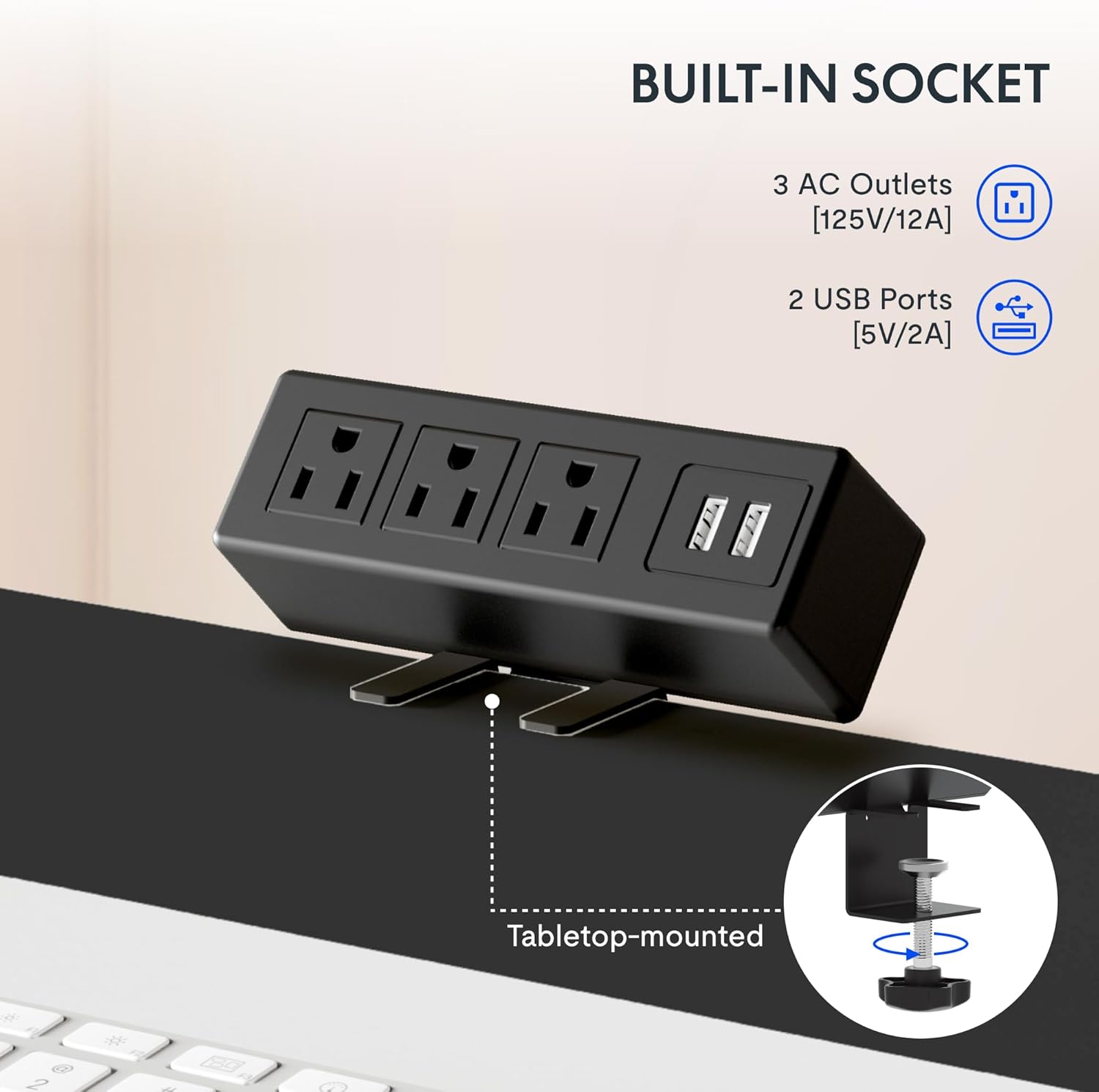
The integrated power strip provides easy access to power for your devices.
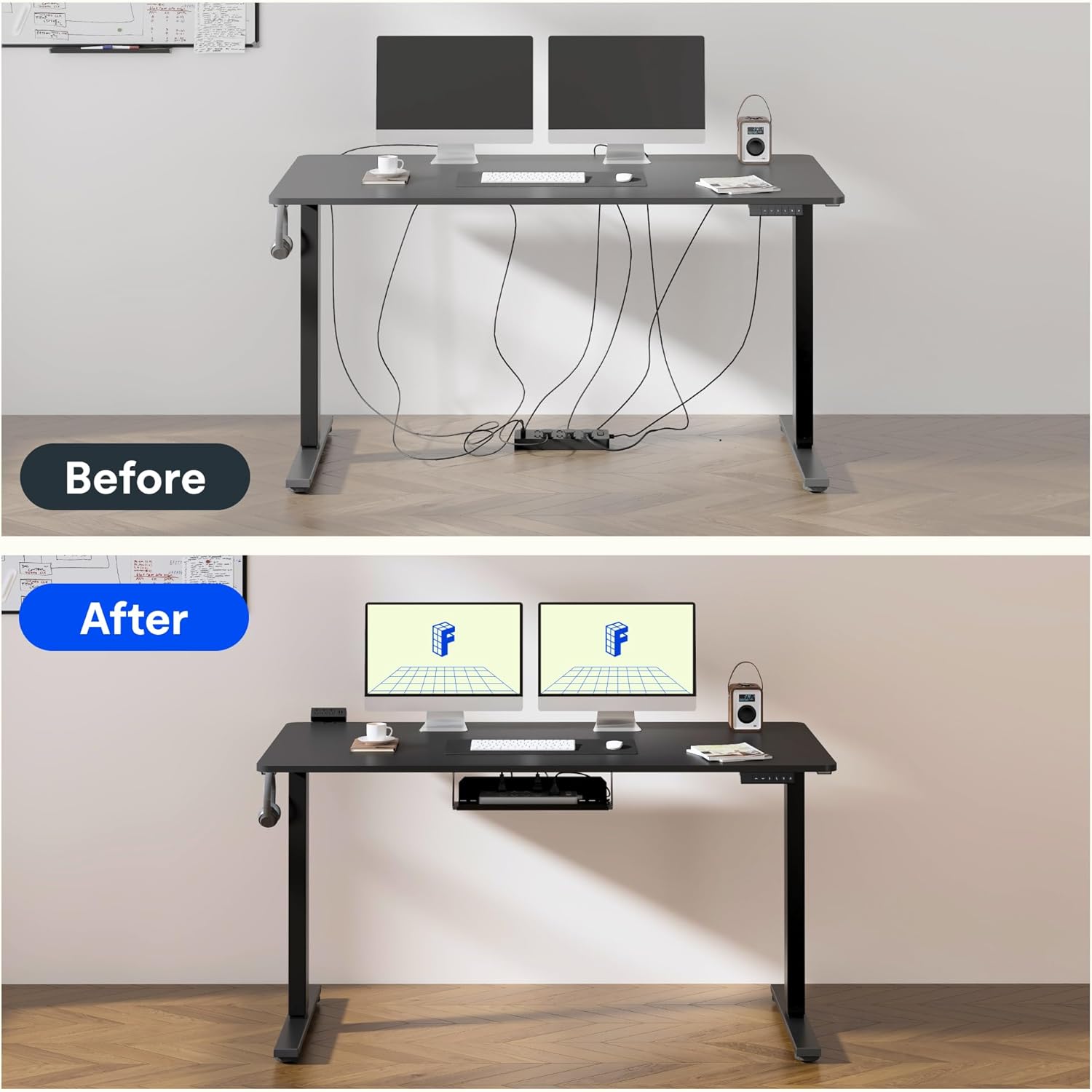
Effective cable management helps maintain a clean and clutter-free workspace.
6. 품질 및 테스트
FLEXISPOT products undergo rigorous testing to ensure durability and stability. The desk frame features dual-stage legs for continuous height adjustment and enhanced stability.

듀얼-stage legs provide a wide range of continuous height adjustment for optimal ergonomics.
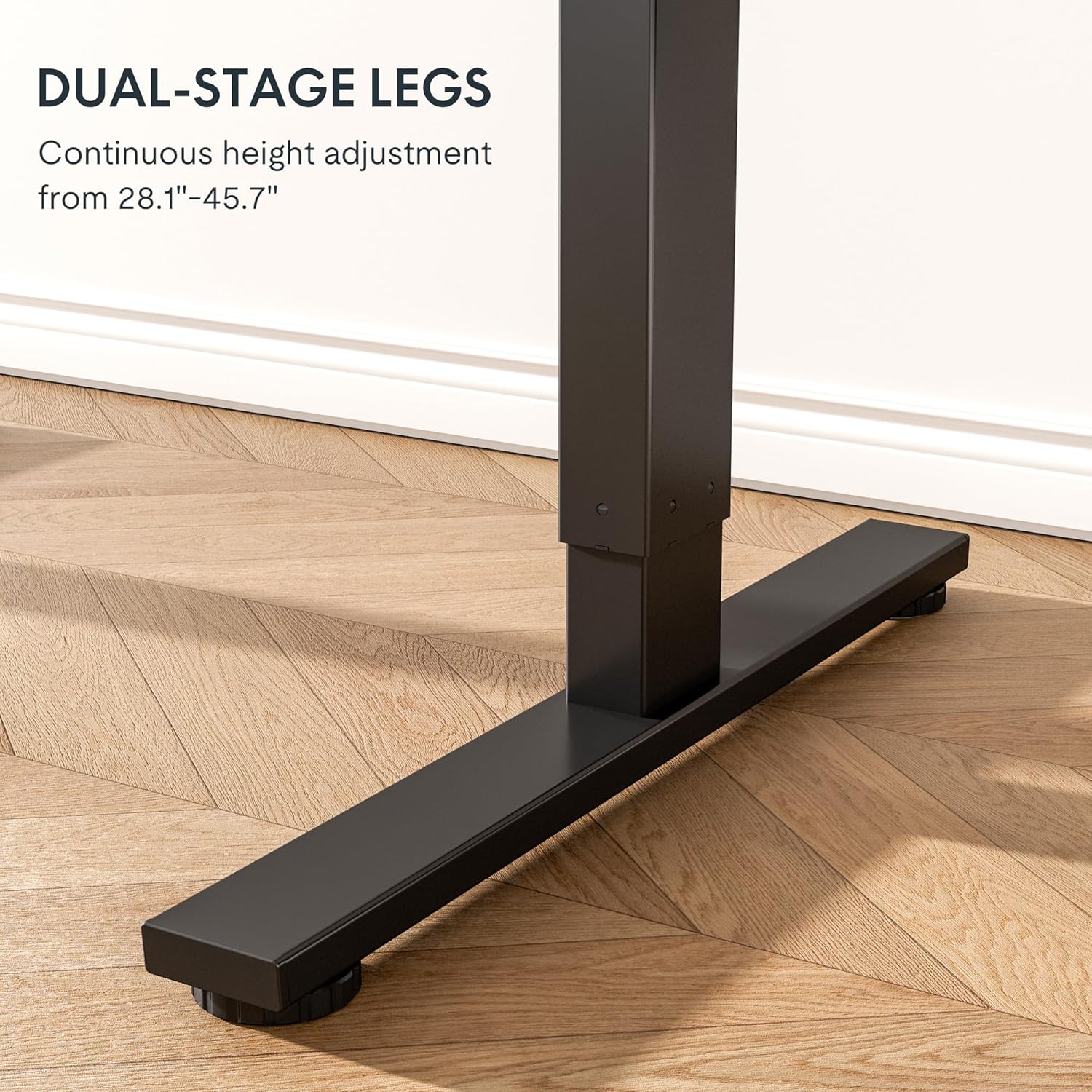
The robust design with bigger flanks, thicker columns, and wider feet ensures superior stability.
This video demonstrates the rigorous testing procedures for FlexiSpot standing desks, including durability and stability tests.
A demonstration of the computer workstation table's stability and functionality under various conditions.
오버view 비디오 쇼asing the features and benefits of the FLEXISPOT Standing Desk.
7. 유지관리
FLEXISPOT 스탠딩 데스크 프레임의 수명과 최적의 성능을 보장하려면 다음의 간단한 유지 관리 지침을 따르십시오.
- Regularly wipe down the frame with a soft, damp 먼지와 이물질을 제거하는 데는 천을 사용하십시오. 독한 화학 약품은 사용하지 마십시오.
- Check all screws and fasteners periodically to ensure they are tight. Retighten if necessary.
- Keep the electrical components (motor, control panel, power strip) dry and free from spills.
- 특히 높이 조절 시 케이블이 꼬이거나 엉키지 않도록 깔끔하게 정리하십시오.
- Do not overload the desk beyond its maximum weight capacity of 154 pounds (70 kg).
8. 문제 해결
If you encounter any issues with your FLEXISPOT Standing Desk Frame, refer to the common troubleshooting tips below. If the problem persists, please contact customer support.
| 문제 | 가능한 원인 | 해결책 |
|---|---|---|
| Desk not moving or unresponsive. | 전원 케이블이 분리되었습니다. 과부하 보호 장치가 작동되었습니다. 모터에 오류가 발생했습니다. | Check power connections. Reduce weight on the desk. Unplug for 10 seconds and plug back in to reset. |
| 높이 조절이 고르지 않음. | Loose screws; uneven weight distribution. | Check and tighten all assembly screws. Redistribute weight evenly on the desktop. |
| 작동 중 이상한 소음이 발생합니다. | Loose components; motor wear. | Ensure all parts are securely fastened. If noises persist, contact customer support. |
| 메모리 설정이 작동하지 않습니다. | 프로그래밍 오류. | Reprogram the memory settings by adjusting to desired height, then pressing and holding the numbered button until confirmation. |
9. 사양
| 특징 | 세부 사항 |
|---|---|
| 상표 | 플렉스팟 |
| 모델 번호 | E1 |
| 색상 | 검은색 |
| 높이 조절 범위 | 28.1인치 - 45.7인치 |
| 권장 데스크톱 너비 | 39.3인치에서 63인치까지 |
| 권장 데스크탑 깊이 | 19.7인치에서 31.5인치까지 |
| 최대 중량 권장 사항 | 154파운드(70kg) |
| 기본 소재 | 합금강 |
| 리프팅 메커니즘 | 전기 같은 |
| 포함된 구성 요소 | 데스크 Clamp Power Strip, Cable Management Tray |
| 필요한 조립 | 예 |
| 모든 조립 도구 포함 | 예 |

Detailed dimensions of the FLEXISPOT Standing Desk Frame.
10. 보증 및 지원
보증 정보:
FLEXISPOT 스탠딩 데스크 프레임은 포괄적인 보증이 적용됩니다.
- 5년 보증: Covers the frame, motor, and other mechanical mechanisms.
- 2년 보증: 컨트롤러, 스위치 및 전자 장치를 다룹니다.
보증 청구를 위해 구매 증명서를 보관하십시오.
고객 지원:
For further assistance, technical support, or warranty inquiries, please visit the official FLEXISPOT website or contact their customer service team. You can find more information and contact details on the FLEXISPOT 아마존 스토어.


