
소개
This manual provides detailed instructions for the setup, operation, and maintenance of your GATEXPERT RC3B17 3-button remote control. This remote is designed for use with compatible GATEXPERT 433.92MHz sliding gate openers. Please read this manual thoroughly before use to ensure proper functionality and safety.
제품 끝view
The GATEXPERT RC3B17 remote control features a durable ABS plastic shell and three distinct buttons for controlling your gate opener. It includes a convenient metal clip for easy mounting in a vehicle.
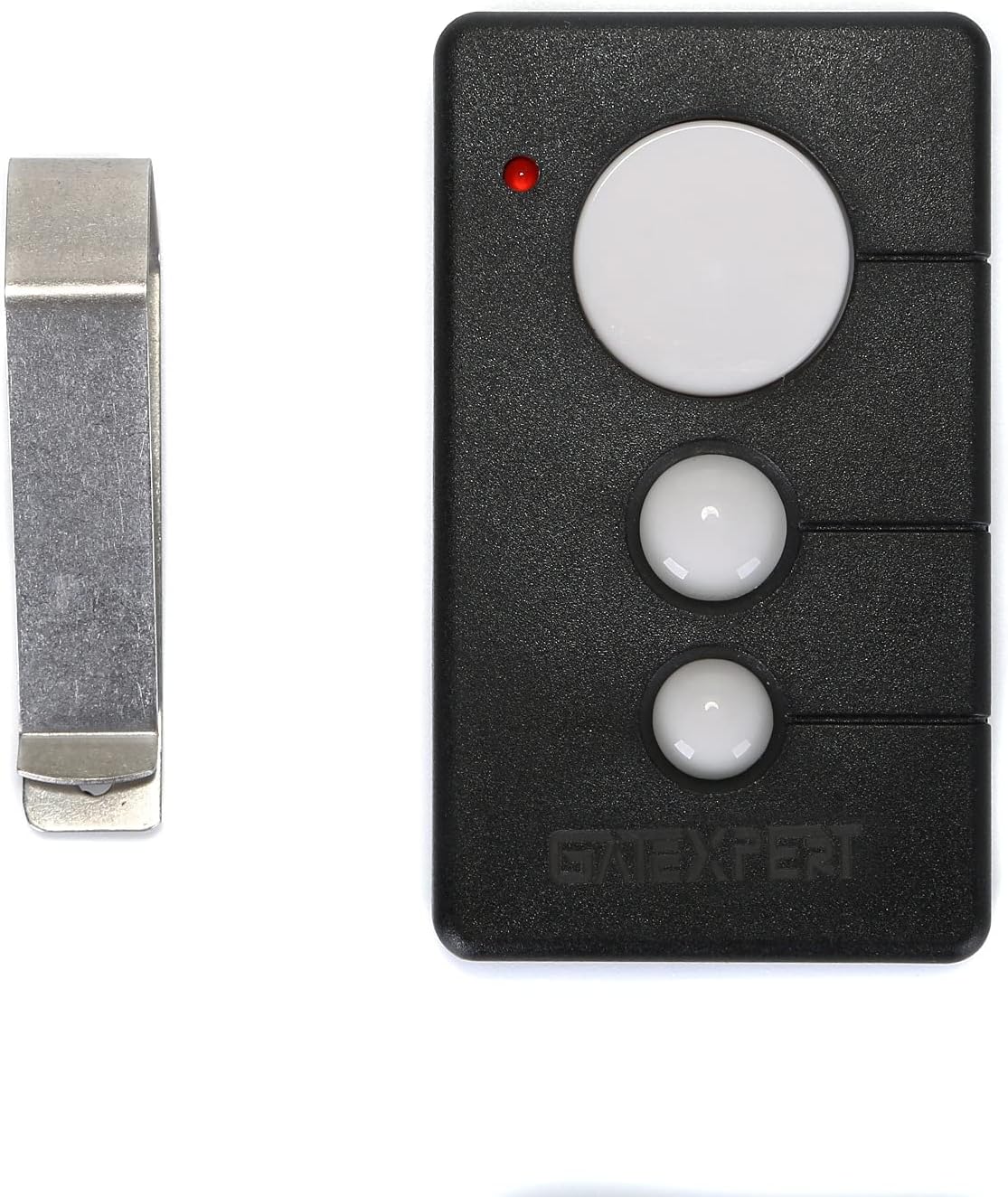
이미지 1: 앞면 view of the GATEXPERT RC3B17 remote control alongside its metal visor clip.

Image 2: The GATEXPERT RC3B17 remote control displaying its dimensions: 3.15 inches length, 1.77 inches width, and 0.59 inches thickness.
호환성
This remote control is specifically designed to be compatible with GATEXPERT 433.92MHz gate openers. It is not guaranteed to work with other brands or frequencies.

Image 3: The GATEXPERT RC3B17 remote control with a clear note indicating compatibility exclusively with GATEXPERT gate openers.
Setup: Adding and Deleting Remote Controls
The gate opener system can learn up to 25 remote controls. Follow these steps to program your GATEXPERT RC3B17 remote control to your gate opener unit.
Learning a Remote Control
- Locate the control board of your GATEXPERT gate opener.
- Press the learning button, typically labeled AN1, on the control board. The indicator light LED2 밝아질 것이다.
- 하는 동안 LED2 is on, press any button on your GATEXPERT RC3B17 remote control twice.
- 그만큼 LED2 light will flash repeatedly and then turn off, indicating that the remote control learning process is complete.
Deleting All Remote Controls
- Locate the learning button, AN1, on the control board of your GATEXPERT gate opener.
- 를 누르고 계세요 AN1 버튼. LED2 표시등이 켜집니다.
- 계속해서 유지하다 AN1 버튼을 누를 때까지 LED2 light turns off. This indicates that all previously learned remote controls have been deleted from the system.
Video 1: This video demonstrates the process of learning and deleting remote controls for a GATEXPERT gate opener, showing how to interact with the control board's learning button and LED indicator.
리모콘 조작하기
The GATEXPERT RC3B17 remote control operates in a single-button mode. All three buttons on the remote control perform the same function, allowing for sequential control of the gate opener.
Single Button Mode Operation
- 첫 번째 보도: Initiates the gate to 열려 있는.
- 두 번째 보도: Commands the gate to 멈추다 at its current position.
- 세 번째 보도: Initiates the gate to 닫다.
- 네 번째 보도: Commands the gate to 멈추다 at its current position.
This cycle repeats with subsequent presses.
유지
배터리 교체
The remote control is powered by one 12V/27A alkaline battery. If the remote's range decreases or it becomes unresponsive, the battery may need replacement. To replace the battery:
- 리모컨을 조심스럽게 열어보세요asing.
- Remove the old 12V/27A battery.
- Insert a new 12V/27A alkaline battery, ensuring correct polarity.
- Securely close the remote control casing.
일반 관리
- 리모컨을 건조한 곳에 보관하고 극한 온도에 노출시키지 마십시오.
- 리모컨을 떨어뜨리거나 강한 충격을 주지 마세요.
- 리모컨은 부드럽고 마른 천으로 닦으십시오. 독한 화학 약품이나 연마성 세척제를 사용하지 마십시오.
문제 해결
| 문제 | 가능한 원인 | 해결책 |
|---|---|---|
| Remote not operating gate. | Remote not programmed or battery is dead. | Verify programming steps (see Setup section). Replace battery if necessary. |
| 작동 범위가 감소했습니다. | Low battery or environmental interference. | Replace battery. Ensure no large metal objects or strong radio signals are obstructing the signal path. |
| Gate operates intermittently. | Weak battery or signal interference. | Replace battery. Reposition yourself closer to the gate opener. |
명세서
| 특징 | 세부 사항 |
|---|---|
| 모델 번호 | RC3B17 |
| 상표 | 게이트엑스퍼트 |
| 재료 | ABS 플라스틱 쉘 |
| 치수 | 3.15 x 1.77 x 0.59 인치 |
| 품목 무게 | 1.41 온스 |
| 전원 | 배터리 |
| 배터리 유형 | 1 x 12V/27A Alkaline (included) |
| 빈도 | 433.92MHz |
| 스위치 스타일 | 푸시 버튼 |
보증 및 지원
For warranty information or technical support, please contact GATEXPERT customer service directly. Refer to the product packaging or the official GATEXPERT web연락처 정보 사이트.