
1. 서론
This manual provides comprehensive instructions for the installation, operation, and maintenance of your Feit Electric OM60/RGBW/CA/AG Smart WiFi Color Changing and Dimmable A19 LED Light Bulb. This smart LED light bulb integrates with Alexa or Google Assistant (sold separately) and the Feit Electric mobile app, allowing for convenient control of lighting functions such as on/off, dimming, color changes, and scheduling.

Figure 1: Feit Electric Smart WiFi Bulb and its packaging.
2. 안전 정보
Please read and understand all safety instructions before installation and use. Failure to do so may result in fire, electric shock, or other hazards.
- 감전 위험: Do not use with wet hands or in wet conditions.
- 화재 위험: Do not install in enclosed fixtures unless specifically rated for such use. Ensure the fixture can dissipate heat adequately.
- 호환성: Suitable for use in operating environments between -25°C (-13°F) and 40°C (104°F).
- 권tage: Use only on 120V 60Hz circuits.
- 디밍 : This bulb is dimmable via the Feit Electric app or voice control only. Do not use with standard dimmer switches.
- 처분: Dispose of in accordance with local regulations. This product is mercury-free.
3. 패키지 내용
패키지에는 다음 품목이 포함되어 있습니다.
- Feit Electric OM60/RGBW/CA/AG Smart WiFi A19 LED Light Bulb
- 사용 설명서
4. 설정 및 설치
Follow these steps to install and connect your smart bulb:
- 전구를 설치하십시오: Screw the smart bulb into a standard E26 medium base light socket. Ensure the power to the fixture is turned off before installation.
- 전원 켜기: 조명기구의 전원을 켜세요. 전구에 불이 들어와야 합니다.
- 페어링 모드 : If the bulb does not start blinking rapidly (indicating pairing mode), turn the bulb off and on four times (on-off-on-off-on-off-on). The bulb will then begin to blink rapidly.
- Download the Feit Electric App: Download the Feit Electric app from the App Store (iOS) or Google Play Store (Android).
- 등록/로그인: 앱을 열고 새 계정을 등록하거나 기존 계정에 로그인하세요.
- 장치 추가:
- In the app, tap the "+" icon or "Add Device".
- Select "Light devices (WiFi enabled)".
- Confirm that the light is blinking rapidly.
- 2.4GHz Wi-Fi 네트워크 이름과 비밀번호를 입력하세요. 메모: This bulb only supports 2.4 GHz Wi-Fi networks.
- The app will connect to the bulb. Once connected, you can rename the bulb for easier identification (e.g., "Living Room Light").
Video 1: Official Feit Electric Smart Bulb Installation Guide. This video demonstrates the process of installing the smart bulb, initiating pairing mode, and connecting it to the Feit Electric mobile application.

Figure 2: Download the Feit Electric App for Android and iOS devices.
5. 사용 설명서
Control your Feit Electric Smart WiFi Bulb using the Feit Electric app or voice commands.
5.1 앱 제어
The Feit Electric app provides full control over your smart bulb:
- 켜기/끄기: Tap the bulb icon in the app to toggle power.
- 디밍 : 밝기 수준을 1%에서 100%까지 조절합니다.
- 색상 변경: Select from millions of colors to match your mood or decor.
- 조정 가능한 흰색: Adjust the white light color temperature from 2700K (Soft White) to 6500K (Daylight).
- 일정: Set custom schedules for the bulb to turn on/off, dim, or change colors at specific times.
- 그룹화: Group multiple Feit Electric smart devices to control them simultaneously.
- 원격 접속: 인터넷에 연결된 곳이라면 어디서나 조명을 제어할 수 있습니다.
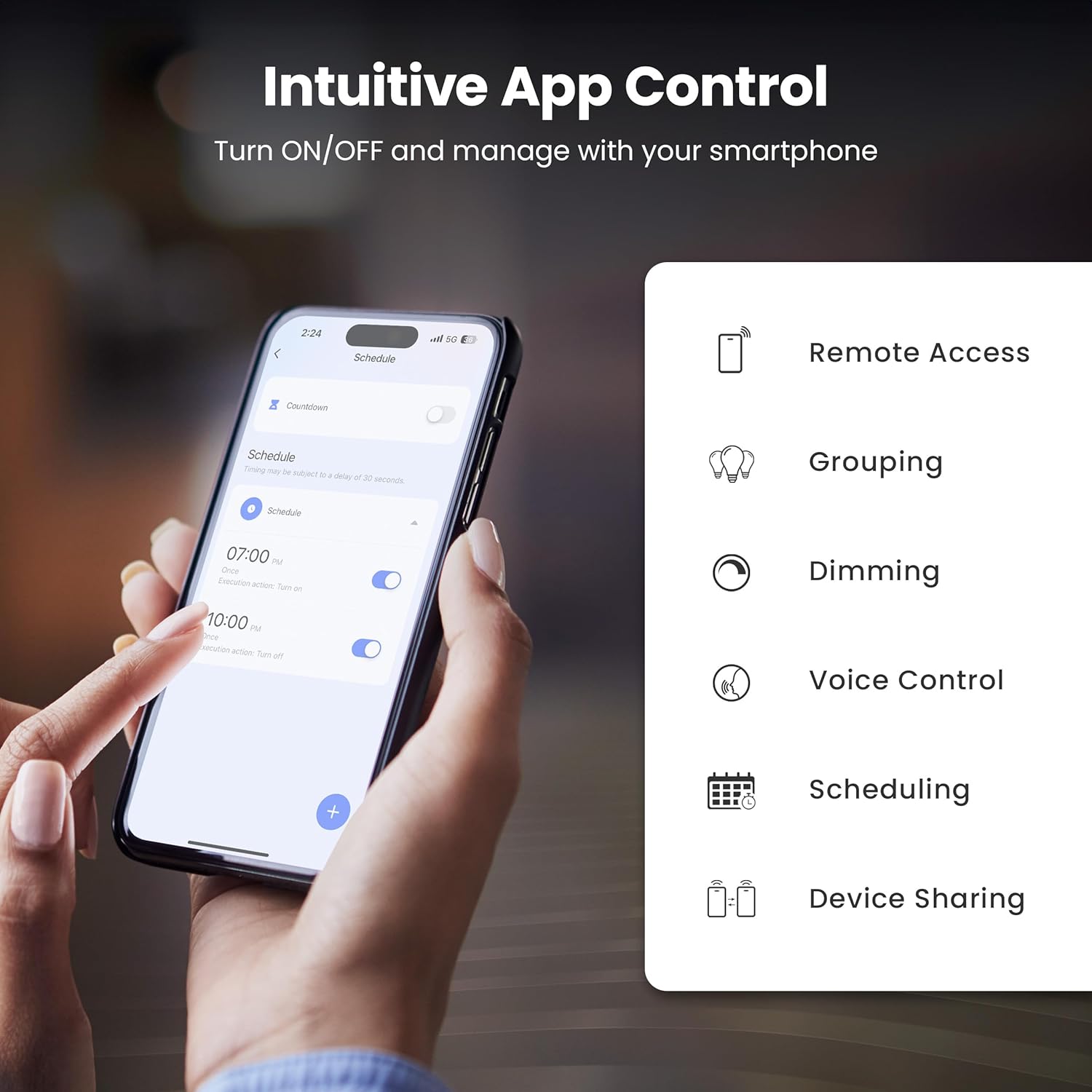
Figure 3: Intuitive App Control features of the Feit Electric app.

Figure 4: Adjusting color and tunable white settings in the Feit Electric app.
5.2 음성 제어
The Feit Electric Smart WiFi Bulb is compatible with Amazon Alexa and Google Assistant. Once connected through the Feit Electric app, you can use voice commands to control your lights.
- 켜거나 끄려면 : "Alexa, turn on Living Room Light" or "Hey Google, turn off Bedroom Light."
- 밝기를 낮추려면: "Alexa, dim Kitchen Light to 50%" or "Hey Google, brighten Dining Room Light."
- 색상을 변경하려면: "Alexa, set Living Room Light to blue" or "Hey Google, change Bedroom Light to warm white."

Figure 5: Voice control compatibility with Alexa and Google Assistant.
6. 사양
Technical specifications for the Feit Electric OM60/RGBW/CA/AG Smart WiFi A19 LED Light Bulb:
| 특징 | 사양 |
|---|---|
| 모델 번호 | OM60/RGBW/CA/AG |
| 라이트 타입 | 주도의 |
| 전구 모양 크기 | A19 |
| 전구베이스 | E26 미디엄 |
| 왓tage | 9 와트 |
| 백열등가 | 60 와트 |
| 명도 | 800루멘 |
| 밝은 색상 | RGBW (Color Changing & Tunable White) |
| 색온도 범위 | 2700K - 6500K |
| 권tage | 120볼트(100~120볼트, 60헤르츠) |
| 생활 시간 | 25,000시간 |
| 제어 방법 | App (Feit Electric), Voice (Alexa, Google Assistant) |
| 무선 연결 | 2.4GHz Wi-Fi |
| 실내/실외 사용 | 실내 |
| 재료 | 유리, 금속, 플라스틱 |
| 제품 치수 | 폭 2.35인치 x 높이 4.4인치 |
| 품목 무게 | 2.39 온스 |

Figure 6: Detailed bulb specifications and dimensions. Note: The image shows A21 bulb and 100W equivalent, while the product is A19 and 60W equivalent. Please refer to the table for the correct product specifications.
7. 문제 해결
If you encounter issues with your smart bulb, try the following solutions:
- 전구가 연결되지 않거나 깜빡거립니다:
- Wi-Fi 네트워크가 2.4GHz인지 확인하십시오. 이 전구는 5GHz 네트워크를 지원하지 않습니다.
- To reset the bulb and enter pairing mode, turn the light switch off and on four times (on-off-on-off-on-off-on). The bulb should then blink rapidly.
- 설정 과정 중에 전구를 Wi-Fi 공유기 가까이로 옮기세요.
- 정확한지 Wi-Fi 비밀번호를 확인하세요.
- Bulb Offline in App:
- Verify your home Wi-Fi network is active and has internet access.
- Power cycle the bulb by turning the light switch off and on. Wait a few moments for it to reconnect.
- If the issue persists, try re-pairing the bulb by following the setup instructions.
- 음성 제어가 작동하지 않음:
- Ensure your smart assistant (Alexa/Google Assistant) is properly linked to your Feit Electric account in its respective app.
- Check that the bulb is online in the Feit Electric app.
- Use the exact name you assigned to the bulb in the Feit Electric app when giving voice commands.
8. 유지관리
The Feit Electric Smart WiFi Bulb requires minimal maintenance:
- 청소: 청소하기 전에 전구가 꺼져 있고 식었는지 확인하세요. 부드럽고 마른 천으로 닦으세요. 액체 또는 연마성 세제는 사용하지 마세요.
- 펌웨어 업데이트: Periodically check the Feit Electric app for available firmware updates to ensure optimal performance and security.
9. 보증 및 지원
This Feit Electric bulb comes with a one-year warranty from the date of purchase. For warranty claims or customer service, please contact Feit Electric directly.
- 고객 서비스: Call toll-free 1-866-326-BULB (1-866-326-2852)
- 이메일: info@feit.com
- 온라인 지원: 방문하다 help.feit.com FAQ 및 추가 리소스를 확인하세요.

Figure 7: Feit Electric customer support information.