
1. 서론
The Picun H12 Bluetooth Neckband Headset offers a comfortable and high-quality audio experience for various activities, including sports and daily use. Featuring Bluetooth 4.1 connectivity, a 13mm driver for clear sound, and IPX6 water resistance, these earphones are designed for durability and convenience. The magnetic earbuds and lightweight neckband design enhance portability and ease of use.
2. 상자 안에 무엇이 들어있나요?
- Picun H12 Bluetooth Neckband Headset
- USB 충전 케이블
- Earbuds Covers (various sizes)
- 사용자 설명서
3. 제품 오버view
The Picun H12 headset is engineered for superior sound and extended battery life, ensuring an immersive audio experience.

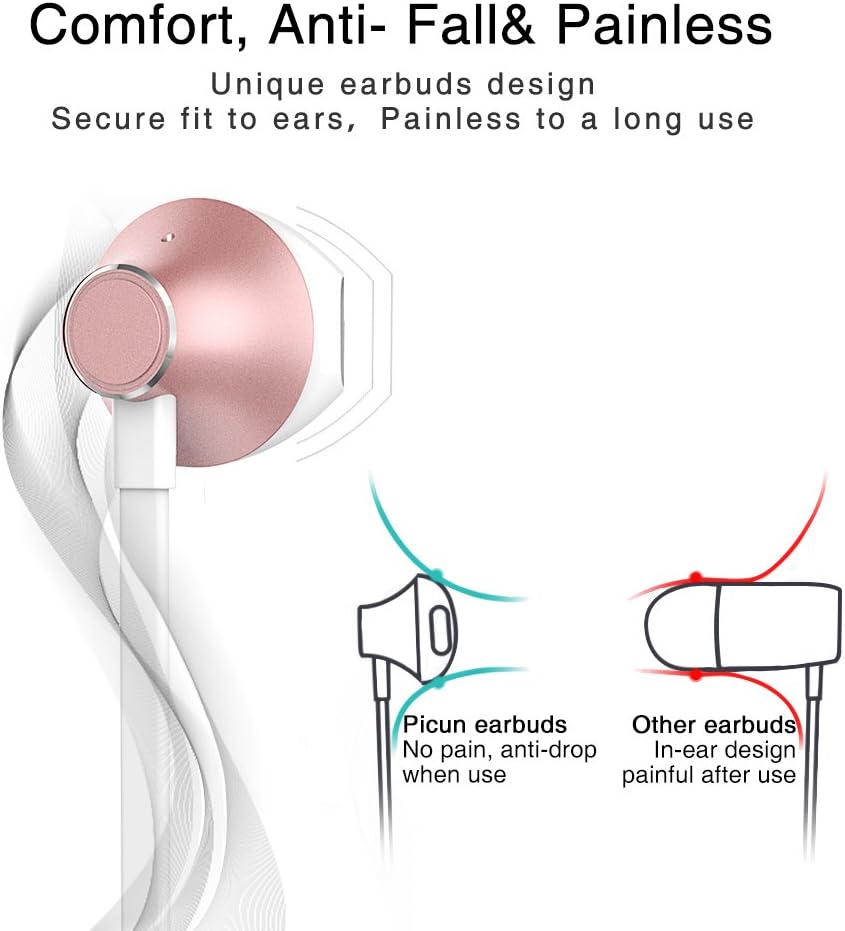
Designed for comfort, the unique earbud shape provides a secure fit without causing discomfort, even during prolonged use.
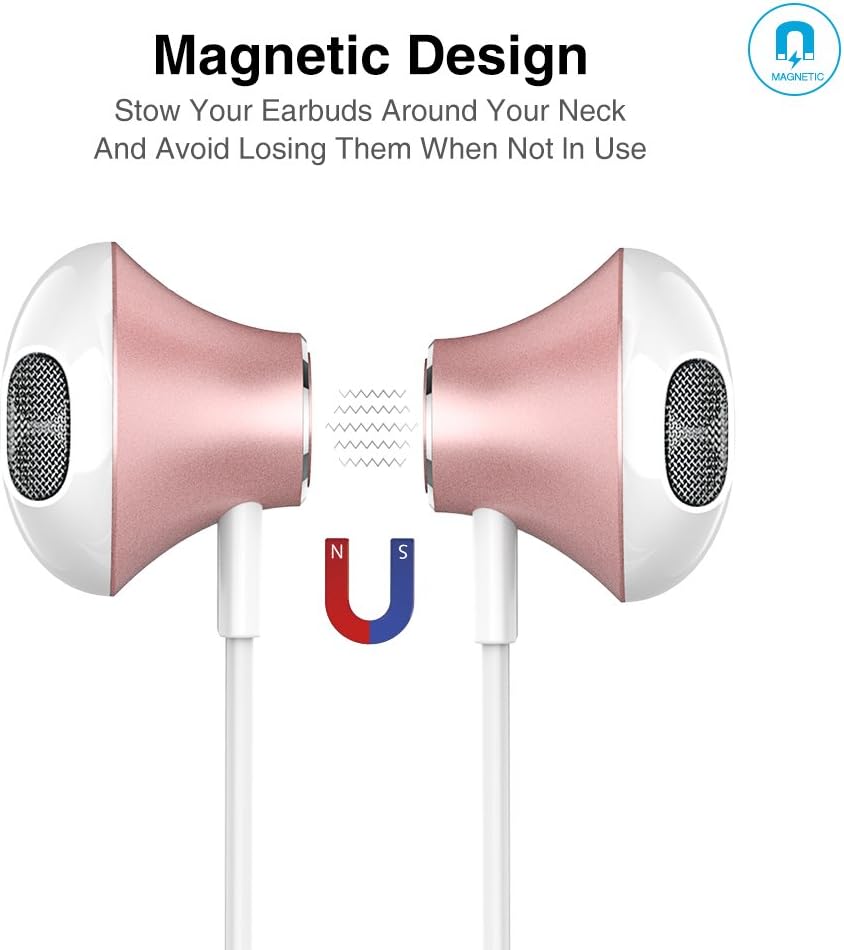
The magnetic design allows the earbuds to clip together when not in use, preventing tangles and making them easy to carry around your neck.
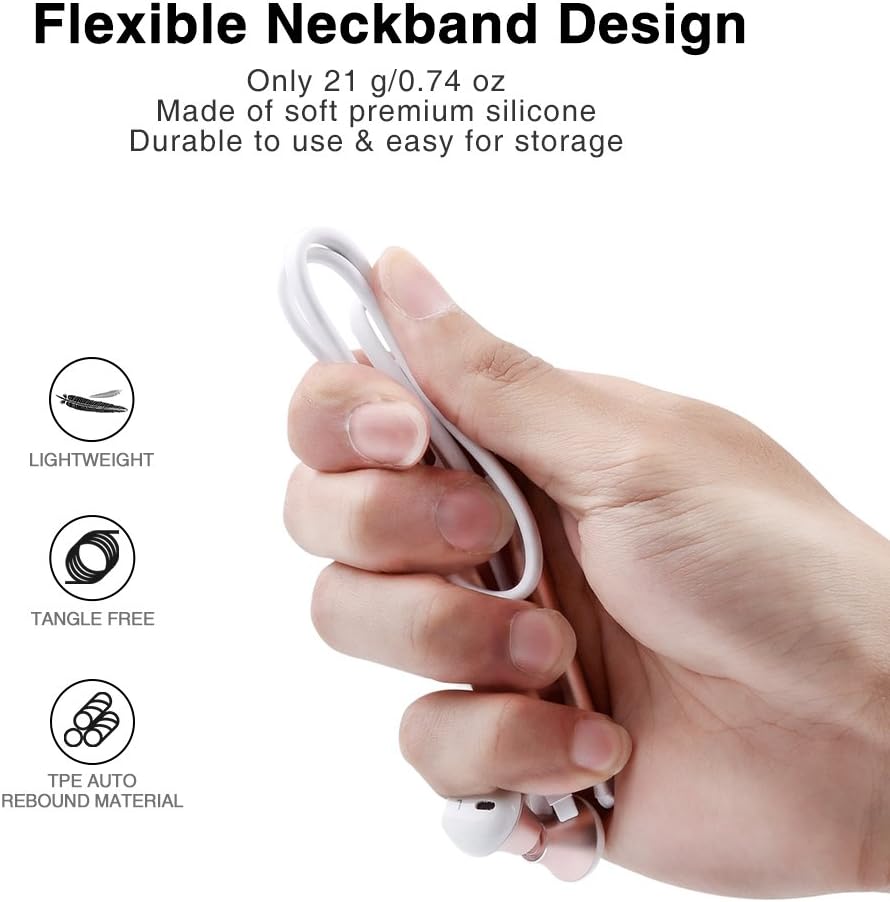
The flexible neckband is lightweight and made from TPE auto-rebound material, ensuring durability and tangle-free storage.
Control your audio and calls effortlessly with the integrated in-line remote and HD noise reduction microphone.

With an IPX6 water-resistant nano-coating, the headset is protected against sweat and rain, making it ideal for workouts.

이 영상을 시청하여 시각적으로 살펴보세요.view of the Picun H12 Bluetooth Neckband Headset's features and design.
4. 설정
4.1 헤드셋 충전
- Connect the micro USB charging cable to the charging port on the headset.
- 케이블의 다른 쪽 끝을 USB 전원(예: 컴퓨터, 벽면 어댑터)에 연결합니다.
- The indicator light will show charging status. A full charge takes approximately 1 hour and provides up to 10 hours of playtime.
4.2 블루투스 페어링
- 헤드셋이 완전히 충전되었는지 확인하세요.
- Press and hold the multi-function button (usually the center button on the in-line remote) until the indicator light flashes red and blue, indicating pairing mode.
- 기기(스마트폰, 태블릿 등)에서 Bluetooth를 활성화하고 사용 가능한 기기를 검색하세요.
- Select "Picun H12" from the list of found devices.
- Once paired, the indicator light will typically turn solid blue or flash blue slowly. A voice prompt may confirm successful connection.
5. 사용 설명서
5.1 전원 켜기/끄기
- 전원 켜기: Press and hold the multi-function button for approximately 3 seconds until the indicator light flashes blue and a voice prompt confirms power on.
- 전원 끄기 : Press and hold the multi-function button for approximately 3-5 seconds until the indicator light flashes red and a voice prompt confirms power off.
5.2 음악 재생
- 재생/일시 중지: 다기능 버튼을 짧게 누릅니다.
- 다음 노래: Long press the "V+" button.
- 이전 노래: Long press the "V-" button.
- 볼륨 업: Short press the "V+" button.
- 볼륨 작게 : Short press the "V-" button.
5.3 통화 관리
- 전화 받기: 전화가 걸려오면 다기능 버튼을 짧게 누르세요.
- 통화 종료: 통화 중에 다기능 버튼을 짧게 누르세요.
- 전화 거부: 전화가 오면 다기능 버튼을 길게 누르세요.
- 마지막 번호 재다이얼: 다기능 버튼을 두 번 누르세요.
6. 유지관리
- 청소: 부드럽고 마른 천을 사용하여 헤드셋을 닦으세요. 연마성 세제나 용제는 사용하지 마세요.
- 방수 기능: The headset is IPX6 water-resistant, meaning it can resist high-pressure, heavy sprays of water. It is not designed for submersion. Dry thoroughly if exposed to water or sweat.
- 저장: When not in use, store the headset in a cool, dry place. The magnetic earbuds help prevent tangling.
- 배터리 관리 : 배터리 수명을 연장하려면 배터리를 자주 완전히 방전시키지 마십시오. 장시간 사용하지 않더라도 헤드셋을 정기적으로 충전하십시오.
7. 문제 해결
| 문제 | 가능한 해결책 |
|---|---|
| 헤드셋 전원이 켜지지 않습니다 | 헤드셋이 완전히 충전되었는지 확인하세요. 전원에 연결한 후 다시 시도해 보세요. |
| 기기와 페어링할 수 없습니다 | Ensure the headset is in pairing mode (flashing red and blue light). Turn off and on Bluetooth on your device. Move closer to the headset. |
| 소리가 나지 않거나 볼륨이 작음 | Check volume levels on both the headset and your connected device. Ensure the headset is properly paired. Try re-pairing. |
| 간헐적 연결 | Ensure no obstacles are between the headset and your device. Stay within the 33-foot (10-meter) Bluetooth range. Avoid strong electromagnetic interference. |
| 충전 문제 | Check the charging cable and USB power source. Try a different cable or power adapter. Ensure the charging port is clean and free of debris. |
8. 사양
- 상표: 피쿤
- 모델: H12
- 연결 기술 : 무선(블루투스)
- 블루투스 버전: 4.1
- 무선 범위: 최대 33피트(10미터)
- 노는 시간: 최대 10시간
- 충전 시간: 약 1시간
- 드라이버 크기: 13 MM Neodymium
- 주파수 응답: 20Hz - 20kHz
- 방수 기능: IPX6 (땀과 물 튀김 방지)
- 귀 위치: 귀에
- 폼 팩터: 넥밴드
- 제어 유형: In-line Volume Control, Multi-function button
- 마이크로폰: Built-in HD noise reduction mic
- 무게: 0.05파운드(약 21g)
- 재료: 실리콘, 열가소성 엘라스토머(TPE)
9. 보증 및 지원
The Picun H12 Bluetooth Neckband Headset comes with a 10-month guarantee period from the date of purchase. For any product-related inquiries, technical support, or warranty claims, please contact Picun customer service. Refer to the contact information provided on the product packaging or the official Picun web도움이 필요한 경우 사이트를 방문하세요.