
1. 서론
The DinoFire X16-DF-US is a rechargeable wireless presentation clicker designed to enhance your presentations. It offers a reliable 2.4GHz wireless connection, a bright red laser pointer, and intuitive controls for seamless navigation through slides. This manual provides detailed instructions for setup, operation, maintenance, and troubleshooting to ensure optimal performance of your device.

Image 1: DinoFire X16-DF-US Rechargeable Wireless Presentation Clicker. This image displays the sleek, black design of the presentation remote with its control buttons and red laser light emitting from the front.
2. 패키지 내용
패키지에 모든 품목이 들어 있는지 확인하세요.
- 1 x Wireless Presenter Remote Control
- 1 x 무선 USB 수신기
- 1 x USB 충전 케이블
- 1 x 사용자 매뉴얼(이 문서)
3. 제품 오버view
Familiarize yourself with the components and controls of your DinoFire presentation clicker.

Image 2: Detailed diagram of the DinoFire X16-DF-US presentation clicker. This image shows multiple views of the device, highlighting the 'Light Hole', 'Manage Volume' buttons, 'Page UP' and 'Page Down' buttons, 'Play/Full Screen' and 'Black Screen' functions, 'Charing Port', 'USB Receiver', 'Pointer Button', 'Switch on/off' slider, 'Switch Windows' button, 'Open the Hyperlink' button, and 'Select Hyperlink' button.
- Light Hole: Emits the red laser pointer.
- 볼륨 관리: Adjusts system volume (buttons labeled '+' and '-').
- 페이지 위로: Navigates to the previous slide.
- 페이지 아래로: Navigates to the next slide.
- Play/Full Screen: Single press for Play, Press and Hold for Full Screen.
- 검은 화면: Single press for Black Screen, Press and Hold for Black Screen.
- 충전 포트: Micro USB port for recharging the device.
- USB 수신기: Stores securely within the presenter via magnetism.
- Pointer Button: 빨간색 레이저 포인터를 작동시킵니다.
- 켜기/끄기: Power slider to turn the device on or off.
- 창 전환: Long press the TAB key button to switch between open windows.
- Open the Hyperlink: Double press the dedicated hyperlink button to open a selected hyperlink.
- Select Hyperlink: Single press the dedicated hyperlink button to select a hyperlink.
4. 설정
4.1 Charging the Presenter
The DinoFire X16-DF-US features a built-in rechargeable battery. Before first use, or when the low power indicator flashes, charge the device using the provided USB cable.
- Connect the micro USB end of the charging cable to the charging port on the side of the presenter.
- 케이블의 표준 USB 단자를 USB 전원(예: 컴퓨터 USB 포트, USB 벽면 어댑터)에 연결하십시오.
- A full charge typically takes about one hour. The device can operate for more than one week on a single charge, depending on usage.

Image 3: The DinoFire X16-DF-US presentation clicker connected to a laptop via a USB charging cable. This image illustrates the charging process, highlighting the micro USB port on the device and the USB-A connector plugged into a laptop.
4.2 USB 수신기 연결
The wireless receiver is stored magnetically within the presenter for convenience and to prevent loss.
- Gently pull out the USB receiver from the bottom end of the presenter.
- USB 수신기를 컴퓨터 또는 노트북의 사용 가능한 USB 포트에 삽입하십시오.
- 시스템이 필요한 드라이버를 자동으로 감지하고 설치합니다. 수동으로 드라이버를 설치할 필요가 없습니다.

이미지 4: 클로즈업 view of the DinoFire X16-DF-US presentation clicker showing the magnetic storage for the USB receiver. The image demonstrates how the mini USB receiver is securely stored within the presenter's body, preventing it from being easily lost.
4.3 전원 켜기/끄기
Locate the ON/OFF switch on the side of the presenter. Slide it to the 'ON' position to power on the device before use, and to 'OFF' when not in use to conserve battery.
5. 사용 설명서
The DinoFire X16-DF-US offers a range of functions to control your presentation effectively.
5.1 Basic Presentation Controls
- Page Up (▲ button): Press to move to the previous slide.
- Page Down (▼ button): Press to move to the next slide.
- Play/Full Screen (□ button): Single press to start/resume presentation. Press and hold to enter full screen mode.
- Black Screen (□ button): Single press to black out the screen. Press and hold to black out the screen.
5.2 고급 기능
- Hyperlink Control:
- Single press the dedicated hyperlink button to select a hyperlink.
- Double press the dedicated hyperlink button to open the selected hyperlink.
- 볼륨 조절: Use the '+' and '-' buttons on the side of the presenter to adjust the system volume.
- 창 전환: Long press the 'TAB' button (often integrated with another function button) to switch between open application windows on your computer.

Image 5: The DinoFire X16-DF-US presentation clicker demonstrating the 'Switch Windows' function. The image shows the presenter in front of a computer screen displaying multiple open application windows, illustrating the ability to switch between them.
5.3 Laser Pointer Operation
Press and hold the dedicated pointer button (often marked with a sun or star icon) to activate the red laser pointer. Release the button to turn it off.

Image 6: Close-up of the DinoFire X16-DF-US presentation clicker emitting a bright red laser beam. The image also includes a warning symbol against pointing the laser at eyes, emphasizing laser safety.
Safety Warning: Do not point the laser beam directly at people's eyes or at highly reflective surfaces. The laser is bright and can cause temporary vision impairment or eye damage.
The red laser light is effective against most backgrounds but is not recommended for use on LED, LCD, or TV screens.
5.4 호환성
The DinoFire X16-DF-US is widely compatible with various operating systems and presentation software:
- 운영 체제: Windows 2003, XP, Windows Vista, Windows 7, 8, 10, Linux, Android, Mac OS.
- 소프트웨어: Microsoft PowerPoint, Keynote, Google Slides, Prezi, MS Word, Excel, ACD See, and web 브라우저.
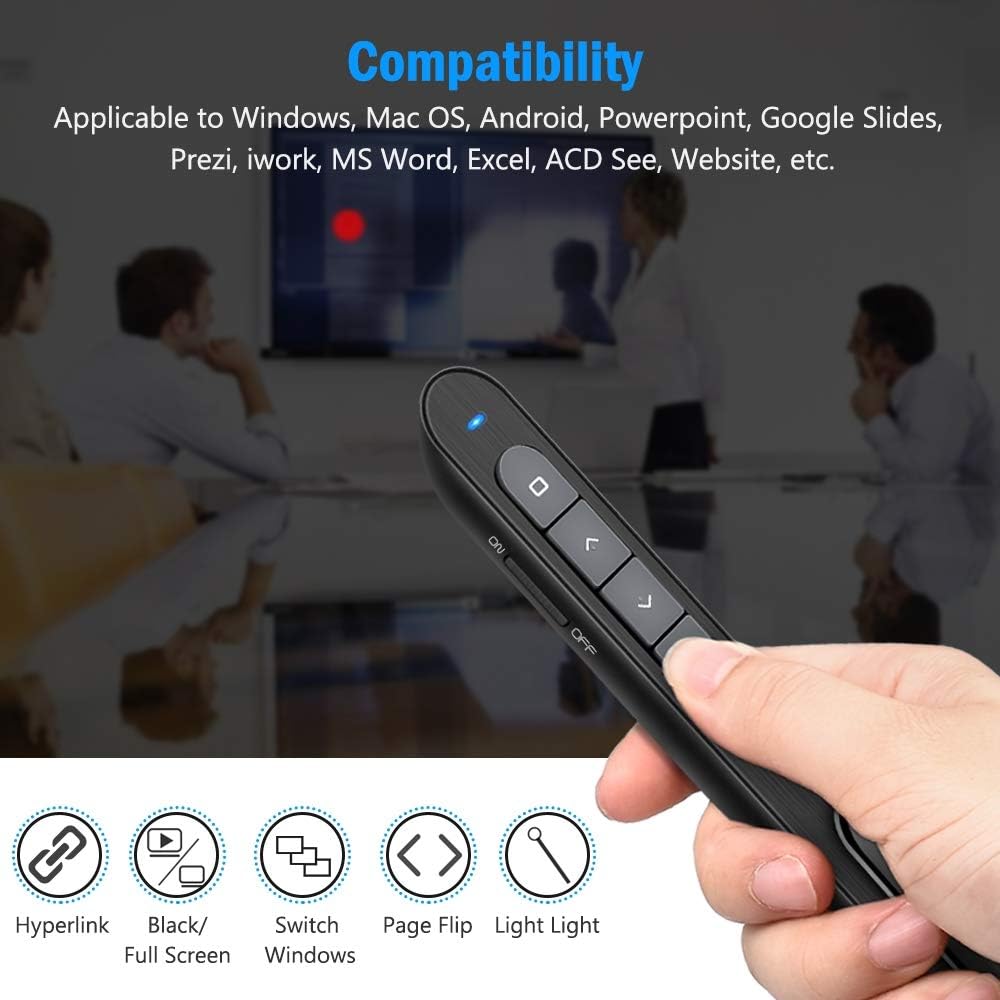
Image 7: The DinoFire X16-DF-US presentation clicker shown with various compatibility icons. This image highlights the device's compatibility with Windows, Mac OS, Android, PowerPoint, Google Slides, Prezi, iWork, MS Word, Excel, ACD See, and general website navigation.
5.5 Wireless Control Range
The presenter operates on a 2.4GHz RF frequency, providing a wireless control range of up to 100 feet (30 meters). The red laser light has a range of over 300 feet (90 meters).

Image 8: A person using the DinoFire X16-DF-US presentation clicker in a large room, pointing at a projected screen. The image emphasizes the long control range of the device, indicating a presenter control range of over 328ft and a red light range of over 656ft.
6. 유지관리
6.1 배터리 관리
- 처음 사용하기 전에 장치를 완전히 충전하십시오.
- 배터리 수명을 연장하려면 배터리를 자주 완전히 방전시키지 마세요.
- 장기간 사용하지 않을 때는 기기를 서늘하고 건조한 곳에 보관하세요.
6.2 청소
부드럽고 마른 천으로 기기를 닦으세요. 강한 화학 물질이나 연마성 세제는 사용하지 마세요.
6.3 USB Receiver Storage
Always store the USB receiver inside the magnetic compartment of the presenter when not in use to prevent loss.
7. 문제 해결
- 발표자가 응답하지 않습니다:
- Ensure the presenter is powered on (ON/OFF switch).
- Check if the USB receiver is securely plugged into the computer's USB port.
- Verify the presenter's battery level. Recharge if the low power indicator is flashing.
- USB 수신기를 다른 USB 포트에 연결해 보십시오.
- 컴퓨터를 다시 시작하세요.
- 레이저 포인터가 작동하지 않습니다.
- 프레젠터의 전원이 켜져 있는지 확인하십시오.
- Press and hold the laser pointer button firmly.
- 배터리 잔량을 확인하십시오.
- 저전력 표시기:
- When the indicator light flashes continuously, it signifies low battery. Please charge the device immediately.
- The device will enter auto-sleep mode if unused for approximately 5 minutes to save energy.
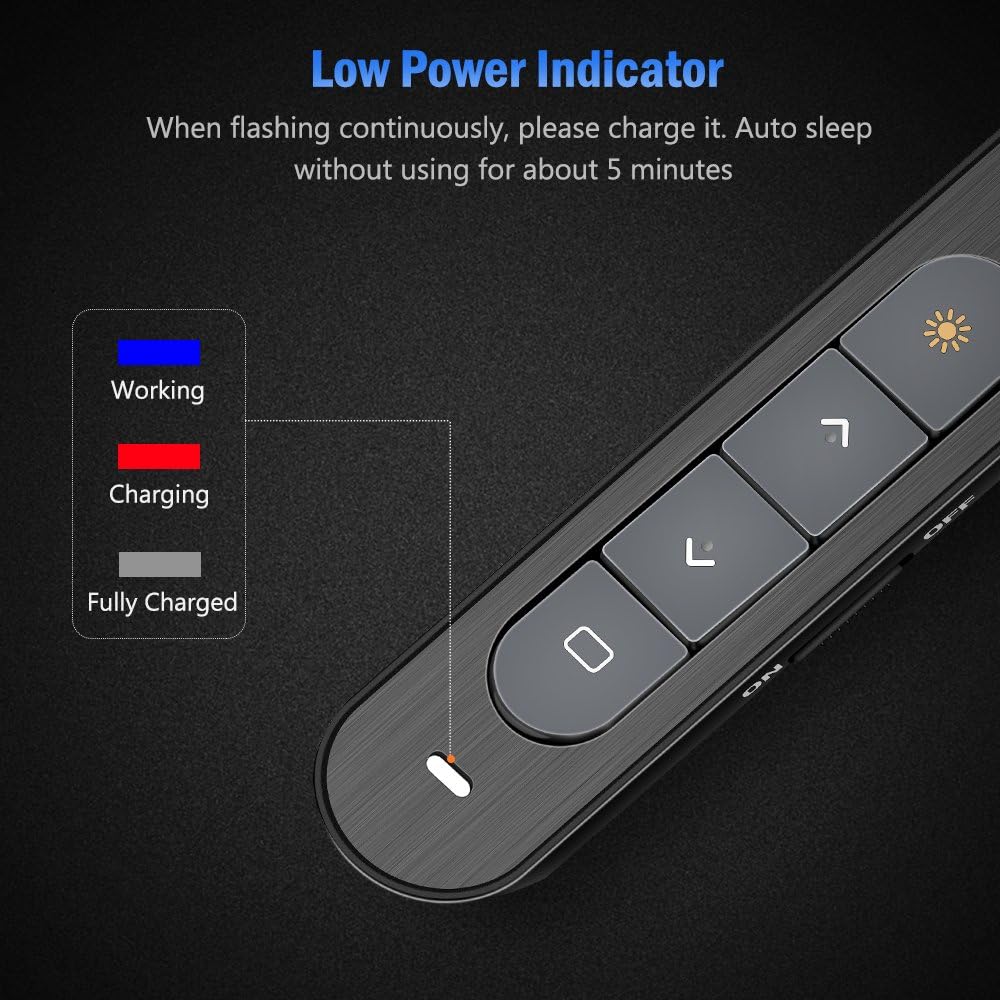
Image 9: Close-up of the DinoFire X16-DF-US presentation clicker showing the low power indicator light. The image displays a legend for the indicator light colors: blue for 'Working', red for 'Charging', and gray for 'Fully Charged', along with a visual representation of the indicator flashing when low on power.
8. 사양
| 특징 | 사양 |
|---|---|
| 모델 번호 | X16-DF-US |
| 기술 | 무선 주파수 (RF) |
| 빈도 | 2.4GHz |
| 제어 거리 | 최대 100피트(30m) |
| 레이저 라이트 컬러 | 빨간색 |
| Laser Light Distance | Over 300ft (90m) |
| 최대 레이저 출력 | <5mW |
| 배터리 유형 | 160mAh 리튬 폴리머 |
| 충전 시간 | 약 1시간 |
| 작업 볼륨tage | 1.5V |
| 수면 전류 | 10uA 미만 |
| 치수 | 5.5 x 0.8 x 0.8인치(대략) |
| 품목 무게 | 1.76 온스 |
| USB 버전 | USB 1.1, USB 2.0, USB 3.0과 호환 |
| 호환되는 운영 체제 | Windows 2003/XP/Vista/7/8/10, Mac OS, Linux, Android |
9. 보증 및 지원
DinoFire offers a commitment to product quality. If the USB receiver is lost within one year of purchase, a free replacement may be provided. For further support or inquiries, please refer to the DinoFire official web사이트를 방문하거나 고객 서비스에 문의하세요.