
1. 서론
The Gembird EG-SST-01 is an external DVD±RW drive designed for convenient reading and writing of CD and DVD media. This device connects to your computer via a USB 2.0 interface, offering broad compatibility with various Windows operating systems. Its compact and lightweight design makes it an ideal portable solution for laptops and desktop computers without an integrated optical drive.
This manual provides essential information on setting up, operating, maintaining, and troubleshooting your Gembird EG-SST-01 drive to ensure optimal performance and longevity.
2. 패키지 내용
패키지에 모든 품목이 들어 있는지 확인하세요.
- Gembird EG-SST-01 External DVD±RW Drive (Black)
- USB 연결 케이블
- 사용자 설명서
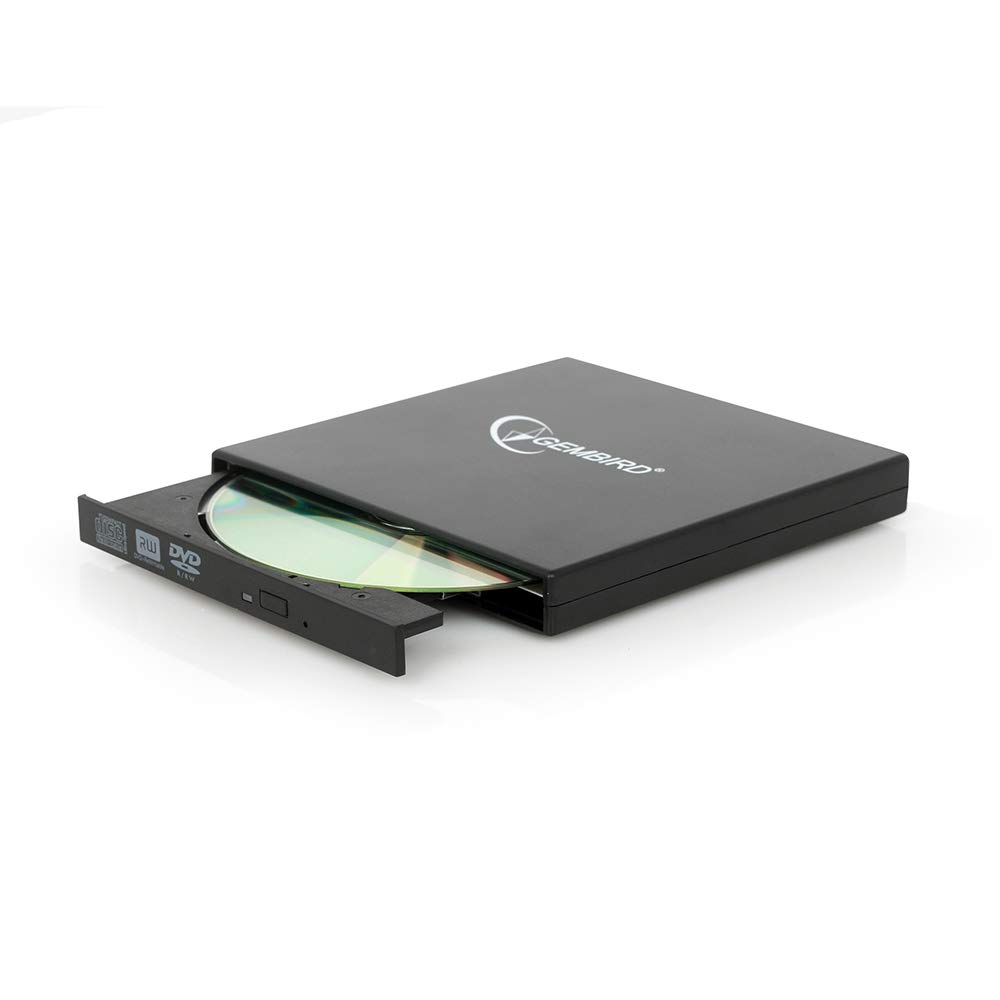
Image: The Gembird EG-SST-01 External DVD±RW Drive in black, shown with its USB connection cable. This image illustrates the compact design and the included accessories.
3. 설정 지침
- 드라이브 연결: Plug the USB cable into the Gembird EG-SST-01 drive and then connect the other end to an available USB 2.0 port on your computer. For optimal performance, use a direct USB port on your computer rather than a USB hub.
- 시스템 인식: Your operating system (Windows 7, Windows 8, or Windows 10) should automatically detect and install the necessary drivers for the drive. No manual driver installation is typically required.
- 설치 확인: Once connected, the drive should appear in 'This PC' or 'My Computer' as a new optical drive. If it does not appear, try connecting to a different USB port or restarting your computer.
4. 사용 설명서
4.1. 디스크 로딩
- 드라이브 전면의 꺼내기 버튼을 살짝 눌러 디스크 트레이를 엽니다.
- Place the CD or DVD onto the tray with the label side facing up. Ensure the disc is seated correctly on the spindle.
- 트레이가 딸깍 소리가 나면서 닫힐 때까지 드라이브 안으로 살살 밀어 넣으십시오.
4.2. 디스크 읽기
- After loading a disc, your computer's operating system may automatically prompt you to choose an action (e.g., play a movie, open files, install software).
- If no prompt appears, navigate to 'This PC' or 'My Computer', locate the optical drive icon, and double-click it to browse the disc's contents.
- The drive supports CD read speeds of up to 24x and DVD read speeds of up to 8x (DVD-ROM).
4.3. 디스크 쓰기
- To write data to a blank CD-R/RW or DVD±R/RW/RAM disc, you will need compatible burning software (not included).
- 드라이브에 빈 쓰기 가능 디스크를 넣으십시오.
- Follow the instructions provided by your chosen burning software to select files, configure burning options, and start the writing process.
- The drive supports CD-R/RW write speeds of up to 24x and DVD±R/RW write speeds of up to 8x (5x for DVD-R DL, DVD+R DL, and DVD-RAM).
5. 유지관리
- 청소: Use a soft, dry, lint-free cloth to clean the exterior of the drive. Do not use liquid cleaners or solvents. Avoid opening the drive casing.
- 디스크 관리: Always handle discs by their edges. Keep discs clean and free from scratches, dust, and fingerprints to ensure reliable reading and writing.
- 저장: Store the drive in a cool, dry place away from direct sunlight, extreme temperatures, and high humidity when not in use.
- 운송: When transporting the drive, ensure no disc is inside the tray and the tray is fully closed.
6. 문제 해결
- 드라이브가 인식되지 않음:
- USB 케이블이 드라이브와 컴퓨터에 모두 단단히 연결되어 있는지 확인하세요.
- 드라이브를 컴퓨터의 다른 USB 포트에 연결해보세요.
- 컴퓨터를 다시 시작하세요.
- Check Device Manager (Windows) to see if the drive is listed without errors.
- 디스크를 읽거나 쓸 수 없음:
- 디스크가 깨끗하고 흠집이나 손상이 없는지 확인하십시오.
- Verify that the disc type (CD-R, DVD-RW, etc.) is compatible with the drive and the operation you are attempting.
- For writing, ensure you are using a blank, writable disc and appropriate burning software.
- 결함이 있는 디스크인지 확인하려면 다른 디스크를 시도해 보세요.
- 느린 성능:
- Ensure the drive is connected to a USB 2.0 port or higher for optimal data transfer speeds.
- 시스템 리소스를 소모할 수 있는 백그라운드에서 실행 중인 불필요한 애플리케이션을 닫으세요.
7. 사양
| 특징 | 사양 |
|---|---|
| 모델 번호 | EG-SST-01 |
| 제품 유형 | External DVD±RW Drive |
| 인터페이스 | USB 2.0 |
| Disc Loading Type | 쟁반 |
| 색상 | 검은색 |
| 치수(길이 x 너비 x 높이) | 135mm x 130mm x 17mm |
| 무게 | 290g |
| 지원되는 운영 체제 | 윈도우 10, 윈도우 7, 윈도우 8 |
| CD 쓰기 속도 | 24x (CD-R, CD-RW) |
| DVD 쓰기 속도 | 8x (DVD+R, DVD-R, DVD+RW, DVD-RW), 5x (DVD-R DL, DVD+R DL, DVD-RAM) |
| CD 읽기 속도 | 24x (CD, CD-R, CD-RW, CD-ROM) |
| DVD 읽기 속도 | 8x (DVD+R, DVD-R, DVD-RW, DVD+RW, DVD-ROM), 6x (DVD-RAM), 4x (Video DVD) |
| Optical Disc Diameter | 80mm, 120mm |
| 인증 | ISO 9002, CE, RoHS |
8. 보증 및 지원
The Gembird EG-SST-01 External DVD±RW Drive comes with a 2년 보증 공장 제조상의 결함에 대한 보증입니다. 이 보증은 정상적인 사용 조건 하에서의 제조 결함 및 재료 결함에 적용됩니다.
For technical support, warranty claims, or further assistance, please contact your retailer or visit the official Gembird website for contact information. Please have your product model number (EG-SST-01) and proof of purchase ready when seeking support.