
1. 서론
This manual provides essential information for the safe and effective use of your Amcrest IP8M-2493EB Outdoor PoE Bullet Camera. Please read these instructions thoroughly before installation and operation to ensure optimal performance and to prevent damage to the device.
2. 제품 오버view
2.1 주요 특징
- 2MP IP PoE Bullet Camera
- 1920x1080p @30fps Video Resolution
- Nightvision up to 98 feet (30 meters)
- IP67 Weatherproof Rating for outdoor use
- Cloud Storage Capability
- Wall Mount Design
- 4K Video Capture Resolution (for recording)
- Motion Sensor Special Feature
2.2 패키지 내용
패키지에 모든 구성품이 들어 있는지 확인하세요.
- Amcrest IP8M-2493EB Outdoor PoE Bullet Camera
- 장착 하드웨어(나사, 앵커)
- 빠른 시작 가이드(본 설명서)
2.3 카메라 구성 요소
카메라의 물리적 구성 요소를 숙지하세요:

그림 1: 전면 view of the Amcrest IP8M-2493EB Bullet Camera, showing the lens, IR LEDs, and housing.
3. 설정
3.1 시작하기 전에
Ensure you have the following items and conditions:
- A Power over Ethernet (PoE) switch or PoE injector (802.3af/at compliant)
- Cat5e or Cat6 Ethernet cable
- A stable internet connection (recommended for remote viewing and cloud features)
- A drill and screwdriver for mounting
3.2 물리적 설치
- 장착 위치를 선택하세요: Select a suitable wall location that provides the desired view각도가 적절하고 이더넷 케이블이 닿는 범위 내에 있습니다.
- 드릴 구멍 표시: Use the provided mounting template (if included) or the camera base to mark the positions for drilling.
- 드릴 구멍: 석고보드나 벽돌 벽에 설치할 경우, 드릴로 파일럿 구멍을 뚫고 벽 앵커를 삽입하십시오.
- 카메라 보안: Attach the camera base to the wall using the provided screws.
- 각도 조정: Loosen the adjustment screws on the camera body to position the camera for optimal coverage, then tighten them securely.
3.3 네트워크 연결
Connect one end of the Ethernet cable to the camera's Ethernet port and the other end to a PoE port on your PoE switch or injector. The camera will power on automatically.
3.4 초기 구성
For initial setup and configuration, download the Amcrest View Pro app on your mobile device or use the Amcrest web interface via a computer connected to the same network. Follow the on-screen instructions to discover and add your camera to your system.
4. 카메라 작동
4.1 라이브 접속 View
Access the live video feed through the Amcrest View Pro app or the web interface. This allows real-time monitoring of your surveillance area.
4.2 기록 및 저장
이 카메라는 다양한 녹화 옵션을 지원합니다.
- 로컬 스토리지: If equipped with a microSD card slot (card sold separately), recordings can be stored directly on the camera.
- 네트워크 비디오 레코더(NVR): Connect the camera to a compatible Amcrest NVR for continuous recording and extended storage.
- 클라우드 스토리지: Utilize Amcrest Cloud services for off-site storage of event-triggered recordings. Refer to the Amcrest website for subscription details.
4.3 동작 감지
Configure motion detection settings via the camera's interface. You can define detection zones, sensitivity levels, and set up alerts (e.g., email notifications, push notifications to your phone) when motion is detected.
4.4 야간 투시경
The camera features infrared (IR) LEDs for night vision, providing clear surveillance footage in low-light or no-light conditions up to 98 feet. The camera automatically switches between day and night modes.
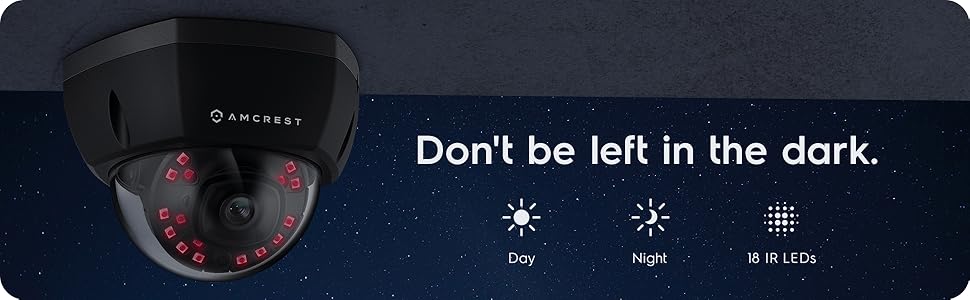
그림 2: 예ample of night vision capability, illustrating clear image capture in dark conditions.
5. 유지관리
5.1 청소
카메라 렌즈와 하우징을 부드러운 천으로 주기적으로 청소하십시오.amp 천을 사용하십시오. 렌즈에 흠집이 나거나 마감이 손상될 수 있으므로 강한 화학 물질이나 연마재 사용을 피하십시오.
5.2 펌웨어 업데이트
Regularly check for and install firmware updates from the Amcrest web사이트. 펌웨어 업데이트에는 성능 향상, 새로운 기능 및 보안 강화가 포함되는 경우가 많습니다.
5.3 날씨 보호
The IP8M-2493EB camera has an IP67 weatherproof rating, meaning it is protected against dust ingress and can withstand immersion in water up to 1 meter for 30 minutes. While designed for outdoor use, ensure all cable connections are properly sealed to maintain water resistance.
6. 문제 해결
6.1 일반적인 문제 및 해결 방법
- 전원 없음/영상 없음: Ensure the Ethernet cable is securely connected to both the camera and a functioning PoE port. Check the PoE switch/injector for power.
- 이미지 품질이 좋지 않음: Clean the camera lens. Check network bandwidth. Adjust resolution and compression settings in the camera interface. Ensure sufficient lighting for optimal image clarity.
- Night Vision Halo Effect: This can occur if the IR light reflects off nearby surfaces or the camera housing. Ensure there are no obstructions close to the lens.
6.2 Video Support
For visual guidance on resolving common issues, including potential IR reflection, please refer to the following video:
Video 1: This video from Amcrest Direct provides instructions on resolving IR reflection issues that can affect night vision clarity in Amcrest cameras.
7. 사양
| 특징 | 사양 |
|---|---|
| 모델명 | IP8M-2493EB |
| 실내/실외 사용 | 집 밖의 |
| 전원 | AC/DC (PoE를 통해) |
| 연결 프로토콜 | 이더넷 |
| 장착 유형 | 벽걸이형 |
| 비디오 캡처 해상도 | 4K |
| 색상 | 검은색 |
| 항목 수 | 1 |
| 채널 수 | 1 |
| 무선 통신 기술 | POE(Power over Ethernet) |
| 폼 팩터 | 총알 |
| 나이트 비전 범위 | 98피트(30미터) |
| 프레임 속도 | 30fps |
| 품목 치수(L x W x H) | 6.1 x 6.1 x 5.4 인치 |
| 품목 무게 | 1.3파운드 |
| 배터리가 필요하세요? | 아니요 |
| 저조도 기술 | 밤의 색깔 |
| 국제 보호 등급 | IP67 |
| 최고 Web캠 이미지 해상도 | 2 MP |
| 제어 방법 | 앱 |
| 제품의 권장 용도 | 야외 보안 |
| 연결 기술 | 열광한 |
| 특징 | 모션 센서 |
8. 보증 및 지원
Amcrest products typically come with a limited warranty. For specific warranty terms, registration, and technical support, please visit the official Amcrest website or contact Amcrest customer service directly. Keep your purchase receipt for warranty claims.
암크레스트 지원: https://amcrest.com/support


