
1. 서론
This manual provides detailed instructions for the installation, operation, and maintenance of your FreedConn T-COM VB Bluetooth Motorcycle Helmet Intercom. Please read this manual thoroughly before using the device to ensure proper function and safety. Keep this manual for future reference.
2. 제품 오버view
The FreedConn T-COM VB is a Bluetooth 5.0 intercom system designed for motorcycle helmets, offering communication, music, GPS navigation, and FM radio capabilities. It supports intercom communication for up to 3 riders, with 2 riders talking simultaneously, over a range of up to 800 meters at speeds up to 120 km/h.
주요 특징:
- 안정적이고 빠른 연결을 위한 블루투스 5.0.
- Intercom for up to 3 riders (2 simultaneous conversations) with an 800m range.
- Music sharing between two TCOM-SC or T-COMVB devices.
- Hands-free calling with automatic answer, rejection, and last number redial.
- 스테레오 음악 재생 및 FM 라디오.
- GPS voice navigation integration.
- DSP and CVC noise cancellation for clear audio.
- Multitasking audio: simultaneous calls, intercom, music, and radio.
- Waterproof and sun-protected design.
- Rotary jog wheel for easy control with gloves.
구성 요소:

그림 2.1: FreedConn T-COM VB Intercom Components. This diagram illustrates the main parts of the intercom unit, including the charging port, headset connection, control buttons, microphone, and speakers.
The unit features a Multi-function Button (MFB), a Jog Wheel for intuitive control, and dedicated On/Off and Intercom buttons. It connects to a headset with ear speakers and a microphone via a soft cable and a headset plug. A charger and headset socket are also present for power and audio connections.
3. 설정
3.1 장치 충전
Before first use, fully charge the intercom unit. The device uses a Lithium Polymer battery. A full charge takes approximately 2 hours and provides up to 13 hours of average battery life.
3.2 헬멧 설치
The intercom unit can be mounted to your helmet using the provided clamp or velcro band. Position the unit on the side of your helmet for easy access to controls. The ear speakers attach inside the helmet using velcro pads, aligning with your ears. The microphone can be either a boom microphone (suitable for jet and modular helmets) or an adhesive microphone (for full-face helmets). Ensure the microphone is positioned close to your mouth for optimal voice pickup.

그림 3.1: Helmet Installation and Device Connection. This image demonstrates how the intercom unit attaches to a helmet and connects wirelessly to a smartphone and GPS for integrated communication and navigation.
3.3 장치 페어링
The T-COM VB uses Bluetooth 5.0 for wireless connections.
- 휴대폰/GPS와 페어링: Activate Bluetooth on your smartphone or GPS device. Put the T-COM VB into pairing mode (refer to specific instructions in the full manual for button sequences). Select 'FreedConn T-COM VB' from the list of available devices.
- 인터콤 페어링(탑승자 간): The system supports pairing with up to 3 riders, allowing 2 riders to communicate simultaneously. Follow the specific pairing sequence for intercom mode (usually involving holding the intercom button on both units until they connect).

그림 3.2: Multi-Rider Intercom Pairing. This image illustrates the capability of the FreedConn T-COM VB to pair with multiple riders for group communication.
3.4 음악 공유
Music sharing functionality is available between two latest version TCOM-SC or T-COMVB devices. This allows two riders to listen to the same audio source simultaneously.

그림 3.3: Music Sharing Feature. This image highlights the ability to share music between two compatible intercom units.
4. 사용 설명서
4.1 기본 기능
- 전원 켜기/끄기: Use the dedicated On/Off button.
- 볼륨 조절: Adjust volume using the Jog Wheel.
- 스위칭 모드: The MFB allows easy switching between phone calls, intercom, music, and FM radio. Phone calls take priority.
4.2 전화 통화
When connected to your smartphone, the T-COM VB supports hands-free calling. Incoming calls can be set to auto-answer, rejected, or you can redial the last number. You can also disable the auto-answer feature if preferred.
4.3 음악 및 FM 라디오
Enjoy stereo music from your paired device. Use the AVRCP controls (forward, back, play, pause) via the MFB or Jog Wheel. The integrated FM radio allows you to listen to local stations.
4.4 GPS 내비게이션
Receive clear voice instructions from your GPS device or smartphone navigation app directly through the intercom speakers.
4.5 멀티태스킹 오디오
The T-COM VB features multitasking audio technology, allowing you to listen to music or GPS instructions while on an intercom call or receiving a phone call. The system intelligently manages audio priorities.

그림 4.1: Connectivity and Features Overview. This diagram shows the diverse functions of the intercom, including various intercom modes, GPS, FM radio, MP3, and phone connectivity.
5. 유지관리
The FreedConn T-COM VB is designed to be waterproof and sun-protected, ensuring durability in various weather conditions. To maintain optimal performance:
- 부드러운 천으로 기기를 닦으십시오. damp 먼지와 먼지를 제거하는 천.
- 강한 화학물질이나 연마성 세척제의 사용은 피하세요.
- 충전하기 전에 모든 포트가 건조한지 확인하세요.
- 장기간 사용하지 않을 때는 기기를 서늘하고 건조한 곳에 보관하세요.

그림 5.1: Weather Resistance and Functionality. This image highlights the intercom's ability to withstand rain and sun, and its seamless switching capabilities.
6. 문제 해결
If you encounter issues with your FreedConn T-COM VB, refer to the following common solutions:
- 전원 없음: 기기가 완전히 충전되었는지 확인하십시오. 충전 케이블과 어댑터를 점검하십시오.
- 소리가 나지 않음/음질이 나쁨: Verify that the headset plug is securely connected. Adjust the volume. Ensure speakers are correctly positioned over your ears inside the helmet. The device features DSP and CVC noise cancellation for clear audio, even at high speeds.
- 블루투스 연결 끊김: Ensure the device is within range of your phone/intercom partner. If disconnected after being out of range, manually reconnect through the device's pairing mode.
- 인터콤 페어링 문제: Ensure both units are in pairing mode simultaneously. Refer to the specific pairing sequence in the detailed manual.
- Connectivity Note: All T-COM VB intercoms have been updated to 5-pin connectors. Confirm your headset ports are 5-pin for compatibility.
- Cable Connection Sensitivity: If experiencing intermittent sound or connection issues, particularly with the headset cable, ensure the connection is firm and stable.
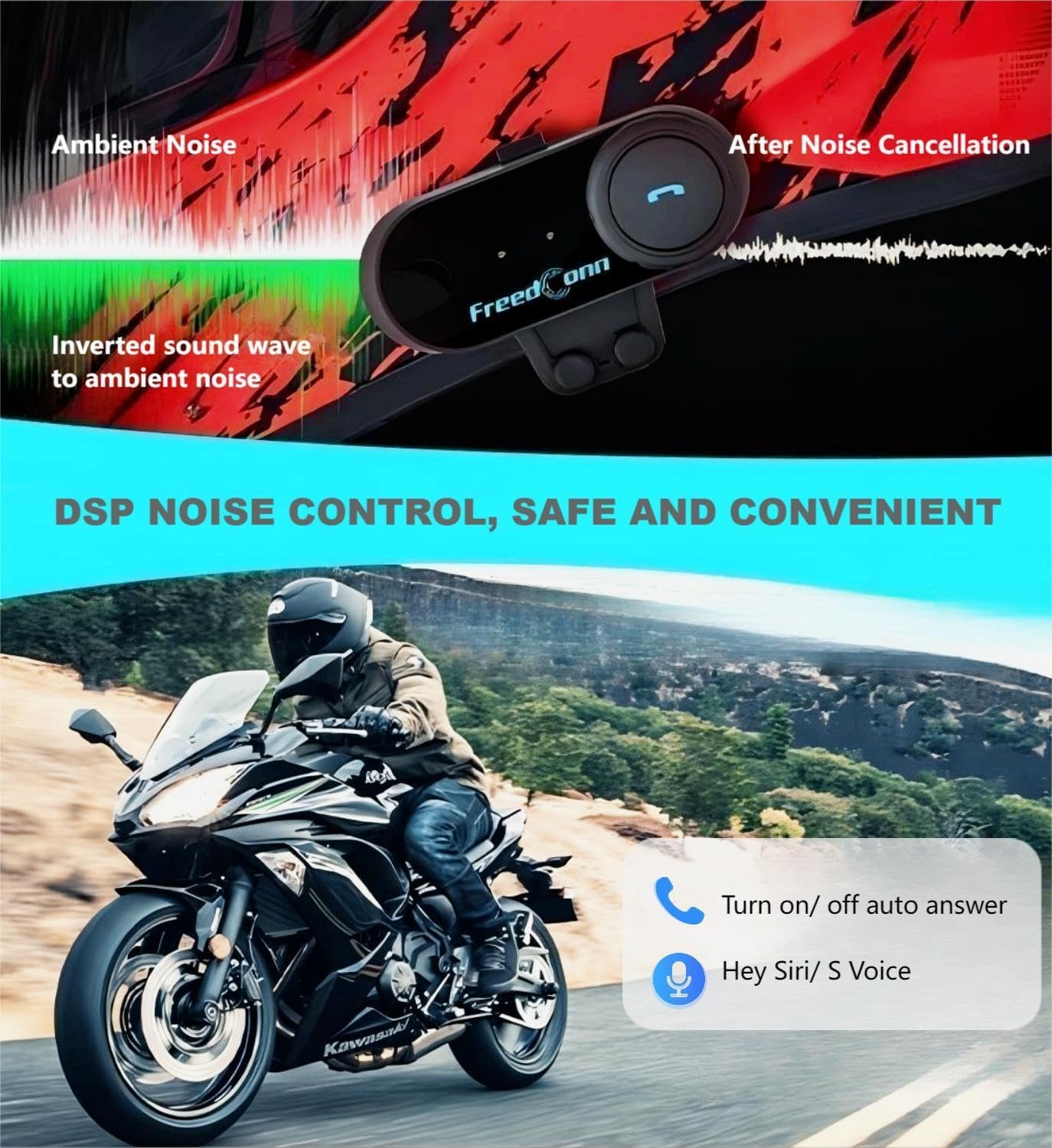
그림 6.1: DSP Noise Control. This image demonstrates how DSP technology reduces ambient noise for improved audio clarity during communication.
7. 사양
- 모델 번호: 티컴 VB
- 블루투스 버전: 5.0
- 인터콤 범위: 최대 800미터
- Max Speed for Intercom: 120km/h
- 배터리 유형: 리튬폴리머
- Battery Life (Average): 13시간
- 충전 시간: 2시간
- 치수: 8.2 x 3.2 x 2.2cm
- 무게: 50g
- 방수 기능: 예
- 소음 제어: DSP (Digital Signal Processing) & CVC (Clear Voice Capture)
- 연결성: 무선(블루투스), USB
- 호환 장치: Smartphones, MP3 players, GPS devices, Car audio systems
- 임피던스: 32옴
- 주파수 범위: 2.4GHz
- 제어 유형: Media control, Call control, Volume control
- 제어 방법: Voice, Buttons (MFB, Jog Wheel)
- 항목 수: 2 (units, for the dual pack)
8. 보증 및 지원
For warranty information, please refer to the documentation provided with your purchase or contact your retailer. For technical support or further assistance, please reach out to FreedConn customer service through their official web사이트 또는 제품 포장에 제공된 연락처 정보를 참조하세요.