
Mi-Heat E51
Mi-Heat E51 디지털 실내 온도 조절기 사용 설명서
모델: E51
브랜드: 미히트
1. 서론
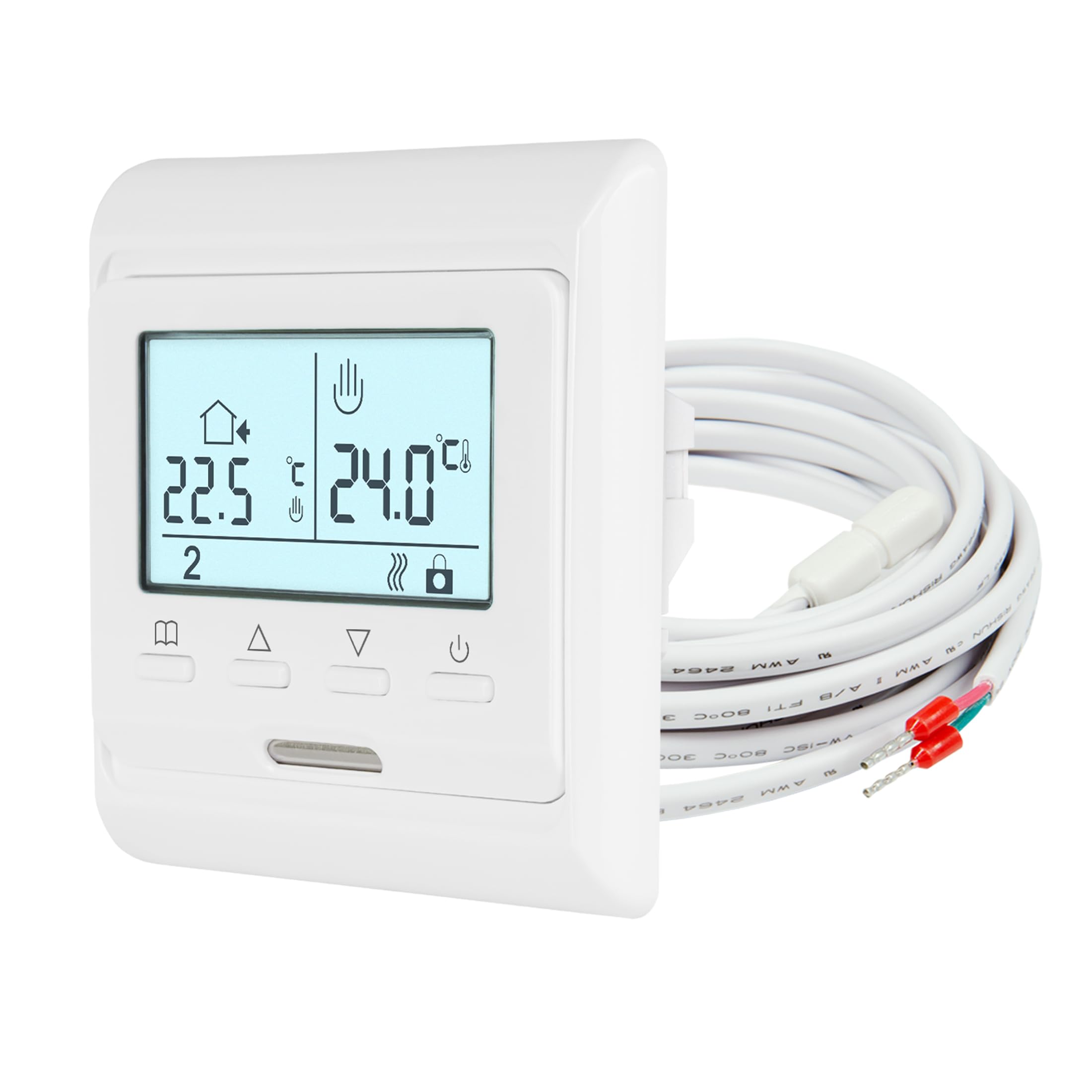
The Mi-Heat E51 digital room thermostat is designed for precise temperature control of electric and water-based underfloor heating systems. It features a backlit display, a 7-day weekly programming function, and frost protection. The thermostat utilizes both an internal room sensor and an external floor sensor to maintain your desired temperature, ensuring comfort and energy efficiency.
주요 특징:
- 백라이트 LCD 디스플레이
- Weekly Programmable (5/2, 6/1, or 7-day modes)
- Integrated Room Sensor and External Floor Sensor
- Display Calibration/Offset Function
- 동파방지 기능
- Key Lock / Child Lock
2. 안전 정보
- 설치는 현지 배선 규정에 따라 자격을 갖춘 전기 기술자가 수행해야 합니다.
- Always disconnect power at the main circuit breaker before installation, maintenance, or removal of the thermostat.
- Do not expose the thermostat to moisture or extreme temperatures.
- 전기적 위험을 방지하기 위해 모든 연결이 안전한지 확인하십시오.
- 이 장치는 실내에서만 사용하도록 설계되었습니다.
3. 패키지 내용
패키지에 모든 품목이 들어 있는지 확인하세요.
- Mi-Heat E51 Room Thermostat
- External Floor Sensor (NTC 10 kOhm with 2m lead)
- 장착 나사
- 사용자 설명서
4. 기술 사양
| 특징 | 사양 |
|---|---|
| 장착 유형 | 매립형 |
| 버전 | 열광한 |
| 운영 볼륨tage | 230V(XNUMXV) |
| 최대 스위칭 전원 | 16A / 3680와트 |
| 제어 유형 | Two-point control ON/OFF |
| 작동 온도 | 5~50도 |
| 감지기 | Internal and external, NTC with 2m lead |
| Temperature Control Range (Internal) | 0-55°C (Room sensor) |
| Temperature Control Range (External) | 5-55°C (Floor sensor) |
| 서리 보호 | 예 |
| Floor Limit Range | 5~50도 |
| 디스플레이/백라이트 | 네/네 |
| Protection Class IP | IP21 |
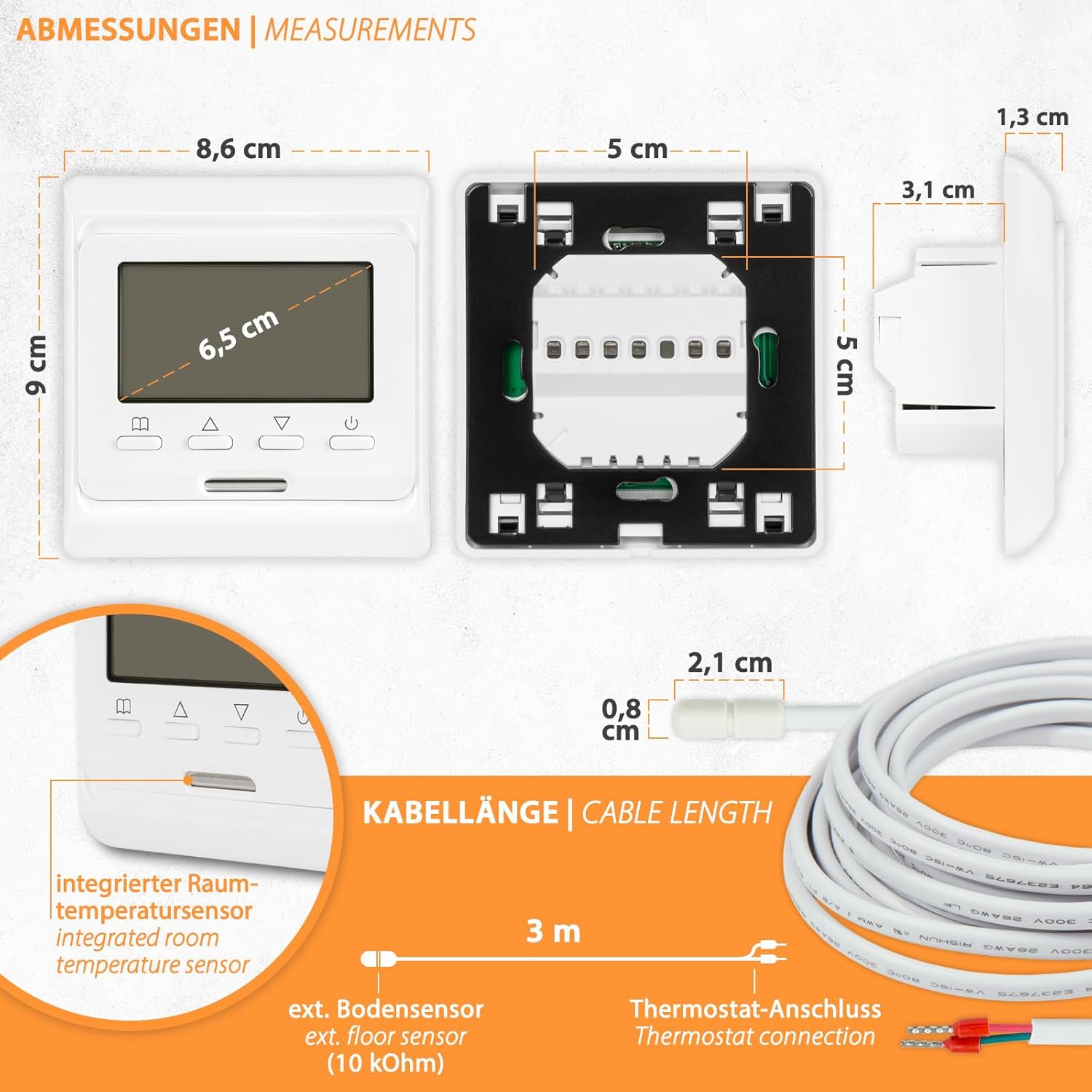
| 치수(폭x높이x깊이) | 80x90x13 / 43mm |
5. 설치
The Mi-Heat E51 thermostat is designed for flush-mounted installation in standard wall boxes. Ensure power is disconnected before proceeding.
5.1. 치수
5.2. 배선
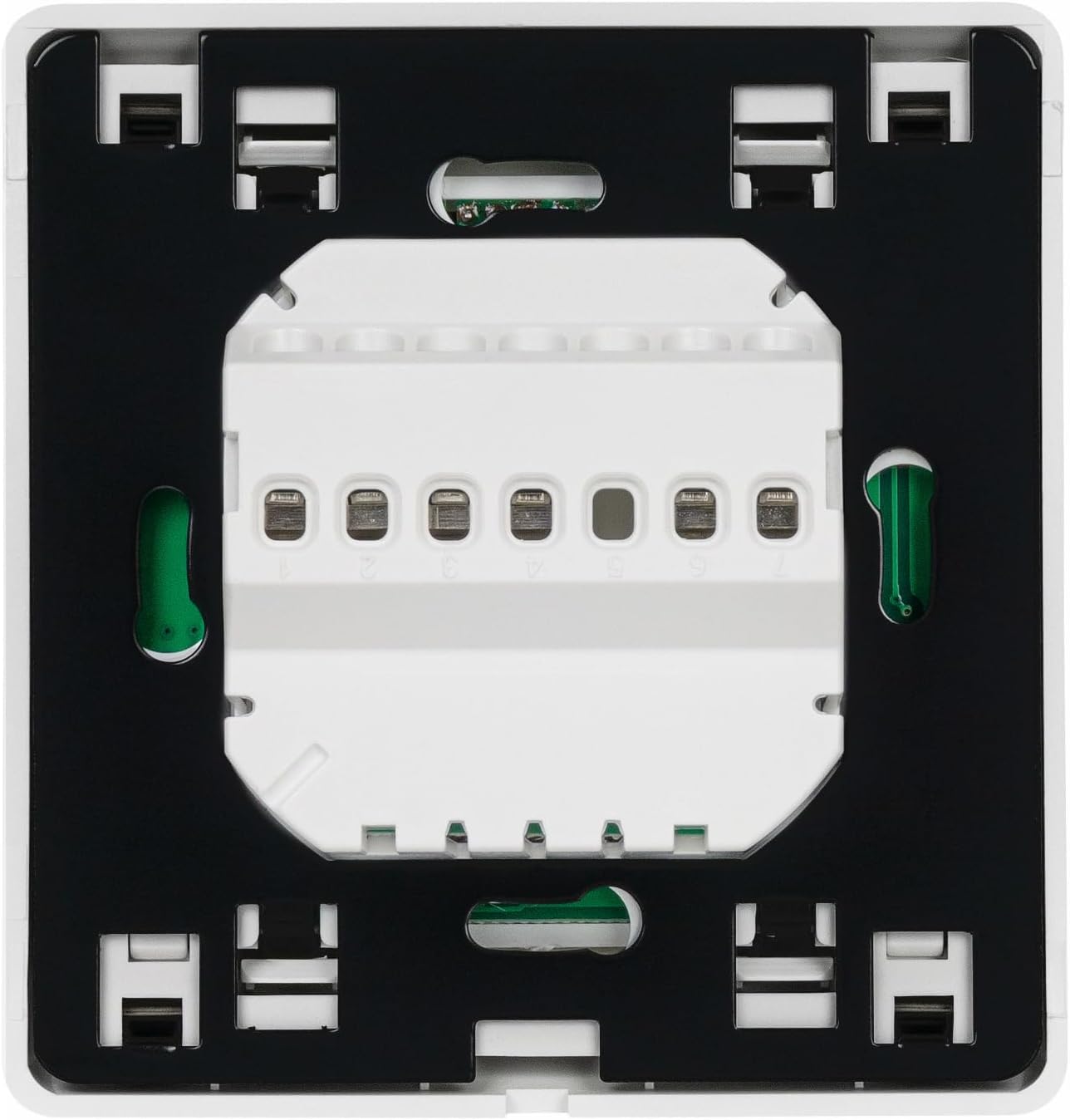
Refer to the wiring diagram below for proper connection. The thermostat supports both electric underfloor heating and water-based underfloor heating (via an actuator).

배선 단계:
- 메인 차단기에서 전원이 꺼져 있는지 확인하십시오.
- Connect the Live (L) and Neutral (N) power supply wires to the corresponding terminals on the thermostat.
- Connect the heating element or actuator wires to the designated output terminals.
- Connect the external floor sensor cable to the sensor terminals.
- Carefully place the thermostat into the wall box and secure it with the provided screws.
- 전원을 복구하고 온도 조절기를 테스트하십시오.
6. 운영
The Mi-Heat E51 thermostat features an intuitive interface with a backlit LCD display and several control buttons.
6.1. Display and Buttons Overview

버튼 기능:
- Selection Button (Book icon): Used to enter menu, confirm settings, or switch modes.
- Increase Value Button (Up arrow): Used to increase temperature, time, or navigate menu options.
- Decrease Value Button (Down arrow): Used to decrease temperature, time, or navigate menu options.
- On/Off Button (Power icon): 온도 조절 장치를 켜거나 끕니다.
6.2. 기본 동작
- 전원 켜기/끄기: Press the Power button to turn the thermostat on or off.
- 온도 조정: When the thermostat is on, use the Up/Down arrow buttons to adjust the desired set temperature.
- Key Lock / Child Lock: To activate or deactivate the key lock, press and hold the Selection button for a few seconds until the key icon appears/disappears on the display.
6.3. 주간 프로그램
The thermostat allows for 7-day weekly programming with options for 5/2 (weekday/weekend), 6/1 (6 days/1 day), or 7-day individual programming. This feature enables you to set different temperatures for various times of the day across the week.
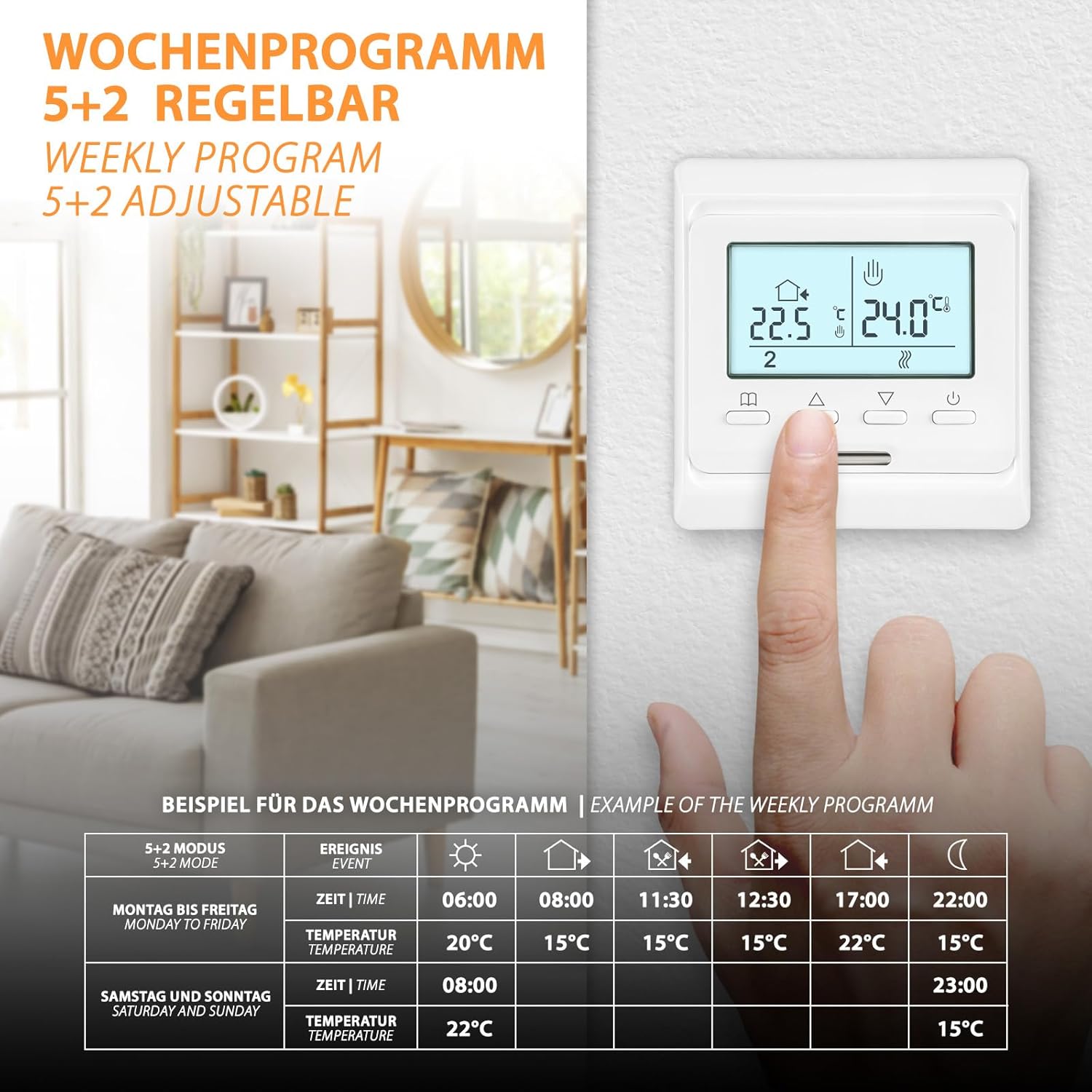
To set up weekly programming:
- Press and hold the Selection button to enter the programming menu.
- Use the Up/Down arrows to navigate through the programming options (e.g., 5/2, 6/1, 7-day mode, time settings, temperature settings for each event).
- Press the Selection button to confirm each setting and move to the next.
- 원하는 모든 기간과 일수에 대해 이 과정을 반복하십시오.
- Exit the menu by pressing the Selection button until the main display reappears, or wait for it to time out.
6.4. Frost Protection Function
The frost protection function prevents the temperature from dropping below a set minimum (typically 5°C) to protect pipes and the heating system from freezing. This function is active when the thermostat is in standby or when specifically enabled in the settings.

7. 유지관리
The Mi-Heat E51 thermostat requires minimal maintenance.
- 청소: 디스플레이를 닦고 casin부드럽고 마른 천으로 닦아주세요. 연마성 세제, 용제 또는 화학 스프레이는 표면을 손상시킬 수 있으므로 사용하지 마세요.
- 점검: Periodically check the thermostat for any visible damage or loose connections. If any issues are found, disconnect power and consult a qualified technician.
8. 문제 해결
| 문제 | 가능한 원인 | 해결책 |
|---|---|---|
| 온도 조절 장치가 켜지지 않습니다 | No power supply; Loose wiring; Blown fuse/tripped breaker | Check main power supply; Verify wiring connections; Check and reset circuit breaker/replace fuse. |
| 난방이 켜지지 않음 | Set temperature is below room/floor temperature; Thermostat in OFF mode; Wiring issue | Increase set temperature; Ensure thermostat is ON; Check wiring connections to heating system. |
| 부정확한 온도 측정 | Sensor malfunction; Incorrect sensor type selected; Thermostat placed near heat source/draft | Check sensor connection; Verify sensor type in settings; Relocate thermostat if possible or use calibration function. |
| 화면이 작동하지 않거나 깜빡거립니다 | 전력 변동; 내부 오류 | Cycle power to the thermostat; If problem persists, contact support. |
| Cannot change settings (Key Lock active) | Key Lock / Child Lock is enabled | Press and hold the Selection button until the key icon disappears to deactivate the lock. |
9. 보증 및 지원
For support or inquiries regarding your Mi-Heat E51 thermostat, please contact us Monday - Friday from 09:00 to 16:00. We offer support and shipping directly from Germany.
Refer to your purchase documentation or retailer for specific warranty details and terms.
Ask a question about this manual
Ask about setup, troubleshooting, compatibility, parts, safety, or missing instructions. Manuals+ will review the question and use this page’s manual context to help answer it.