
1. 서론
Thank you for choosing the Pic Solution Veo Premium Digital Thermometer. This device is designed for accurate and rapid measurement of human body temperature. Its flexible probe and clear, color-coded display make it easy and comfortable to use for all ages. Please read this manual carefully before use and keep it for future reference.
2. 안전 정보
- This thermometer is intended for measuring human body temperature only. Do not use it for other purposes.
- 장치를 분해하거나 수리하려고 하지 마십시오.
- 체온계를 어린이와 반려동물의 손이 닿지 않는 곳에 보관하십시오.
- 온도계를 직사광선, 고온 또는 극심한 습도에 노출시키지 마십시오.
- Clean the thermometer before and after each use as described in the 'Maintenance and Cleaning' section.
- 프로브를 물지 마십시오.
- If the device malfunctions or displays an error, refer to the 'Troubleshooting' section or contact customer support.
3. 제품 오버view
The Pic Solution Veo Premium Digital Thermometer features a user-friendly design with a flexible probe for comfort and a large, easy-to-read display.

이미지 3.1: 앞쪽 view of the Pic Solution Veo Premium Digital Thermometer, showing the display, power button, and flexible probe.

이미지 3.2: Illustration highlighting the flexible probe of the thermometer, designed for comfortable use.
구성 요소:
- 유연한 프로브: The part that comes into contact with the body for temperature measurement.
- 디스플레이 화면: Shows temperature readings and indicators. Features color-coded backlighting (green for normal, red for fever).
- 전원 버튼: Used to turn the thermometer on and off.
- 배터리 칸: Located at the end opposite the probe, houses the battery.
4. 설정
4.1. 배터리 설치
The thermometer comes with a battery pre-installed. If the battery needs replacement, follow these steps:
- Gently slide open the battery compartment cover located at the end of the thermometer.
- Remove the old battery (type CR1632 3V).
- Insert a new CR1632 3V lithium-ion battery with the positive (+) side facing up.
- 배터리 덮개를 단단히 닫으세요.
4.2. 초기 청소
Before first use, and after each subsequent use, clean the thermometer as described in the 'Maintenance and Cleaning' section.
5. 사용 설명서
5.1. 켜기/끄기
- 켜려면: Press the power button. The display will briefly show all segments, then the last measured temperature, and finally 'Lo' with a flashing '°C' or '°F' indicating it's ready for measurement.
- 끄기: Press and hold the power button until the display turns off, or the device will automatically shut off after approximately 10 minutes of inactivity to conserve battery life.
5.2. Taking a Temperature Measurement
- Ensure the thermometer is clean and disinfected.
- 전원 버튼을 눌러 온도계를 켭니다.
- Place the flexible probe in the desired measurement location:
- 구두 사용 : Place the probe tip under the tongue, as close as possible to the heat pocket. Keep the mouth closed.
- Axillary (Underarm) Use: Place the probe tip in the center of the armpit. Ensure the arm is pressed firmly against the body to hold the probe in place.
- Hold the thermometer steady until a series of beeps indicates the measurement is complete. The display will show the peak temperature.
- 화면에 표시된 온도를 읽으십시오.
- Turn off the thermometer and clean it after use.
5.3. 디스플레이 이해하기
The Veo Premium Digital Thermometer features a color-coded display for quick interpretation of temperature readings:

이미지 5.1: Display showing a normal temperature (e.g., 36.5°C) with a green backlight, indicating no fever.
- 녹색 백라이트: Indicates a normal body temperature (typically below 37.5°C / 99.5°F).

이미지 5.2: Display showing an elevated temperature (e.g., 38.0°C) with a red backlight, indicating a fever.
- 빨간색 백라이트: Indicates an elevated body temperature or fever (typically 37.5°C / 99.5°F or higher). The thermometer will also emit a distinct alarm sound when a fever is detected.
5.4. 메모리 기능
The thermometer automatically stores the last temperature measurement. To recall the last reading, press the power button briefly when the device is off. The last reading will be displayed for a few seconds before the thermometer enters measurement mode.
6. 유지관리 및 청소
Proper maintenance and cleaning ensure the accuracy and longevity of your thermometer.
- 청소: After each use, wipe the probe with a soft cloth moistened with 70% isopropyl alcohol or cold soapy water. Do not immerse the entire thermometer in water.
- 소독: For thorough disinfection, wipe the probe with an alcohol swab.
- 저장: Store the thermometer in its transparent case in a cool, dry place, away from direct sunlight and extreme temperatures.
- 배터리 교체: Replace the battery when the low battery indicator appears on the display. Refer to section 4.1 for instructions.
7. 문제 해결
| 문제 | 가능한 원인 | 해결책 |
|---|---|---|
| Display shows 'Lo' but does not measure. | Temperature is below the measurable range (e.g., room temperature). | This is normal. Place the probe on the body to begin measurement. |
| Display shows 'Err'. | 측정 오류 또는 장치 오작동. | 온도계를 껐다가 다시 켜십시오. 오류가 계속되면 고객 지원 센터에 문의하십시오. |
| 배터리 부족 표시등이 켜집니다. | 배터리 전원이 부족합니다. | Replace the battery as described in section 4.1. |
| 온도계가 켜지지 않습니다. | Dead battery or incorrect battery insertion. | Check battery insertion or replace the battery. |
8. 사양
| 특징 | 세부 사항 |
|---|---|
| 모델 번호 | 02023006000000 |
| 제품 치수 | 1.97 x 0.91 x 7.09인치; 1.06온스 |
| 배터리 | 1 Lithium Ion battery (CR1632 3V) required (included) |
| 특별 기능 | Alarm, Waterproof, Flexible Probe, Color-coded Display |
| 디스플레이 유형 | 디지털 |
| 제품 관리 지침 | 닦아내십시오 |
| 전원 | 배터리 구동 |
| 겉감 소재 | 플라스틱 |
| 포함된 구성 요소 | Digital thermometer, transparent case, instructions for use |
9. 보증 및 지원
For warranty information or technical support, please contact the manufacturer:
제조업체: PROMEDICA S.p.A.
주소: Via Artigiani, 10, 24060 Telgate (BG), Italy
Web대지: www.picsolution.com
고객 지원팀에 문의하실 때는 모델 번호(02023006000000)와 구매 정보를 준비해 주시기 바랍니다.
10. 폐기
This product contains a battery and electronic components. Do not dispose of the device or its battery with general household waste. Please follow local regulations for the disposal of electronic waste and batteries to protect the environment.
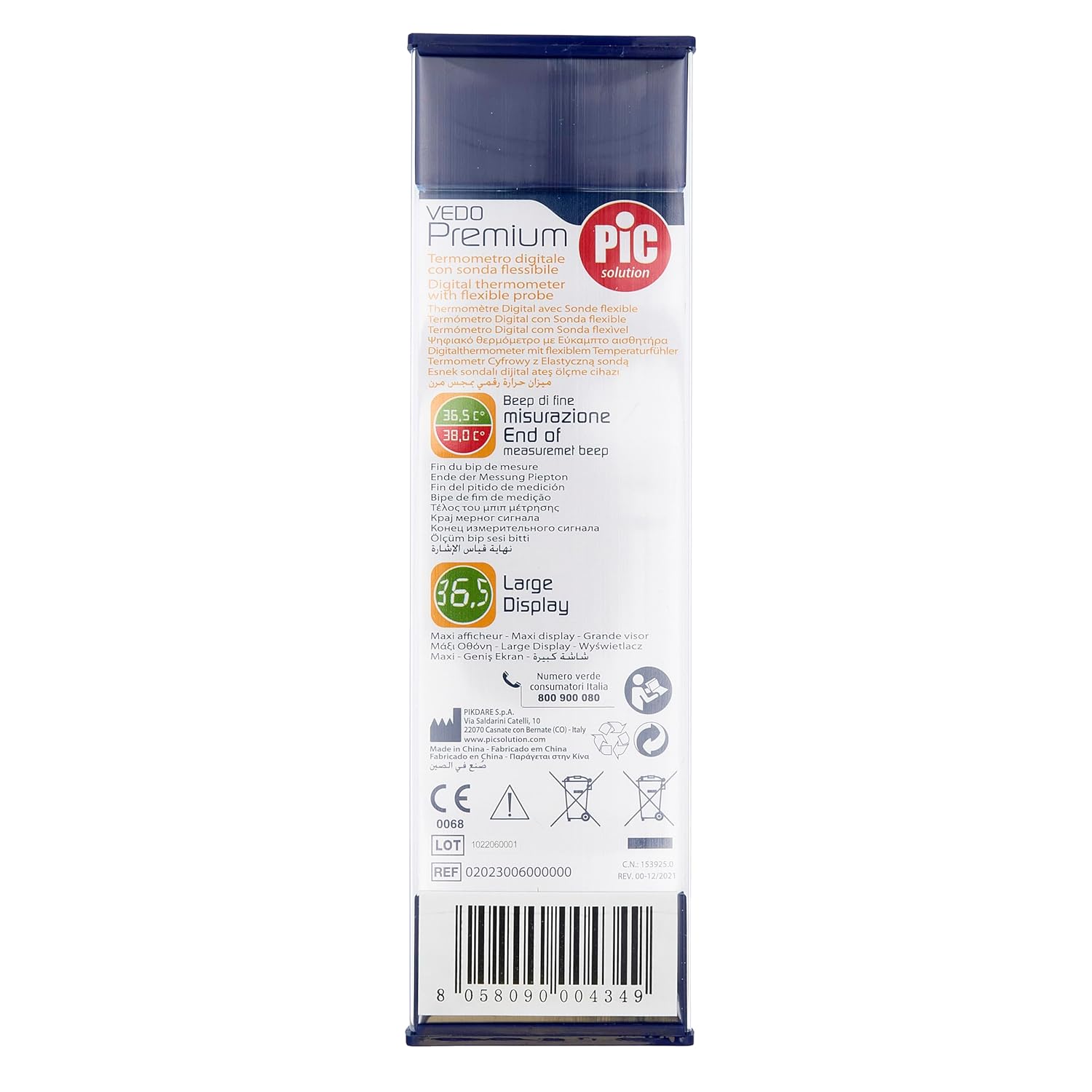
이미지 10.1: Back of the product packaging, displaying environmental disposal symbols and manufacturer details. The barcode 8058090004349 is visible.