
1. 서론
The ADA Cosmo 120 Video is a professional digital laser distance meter designed for precise measurements up to 120 meters (394 feet). It features a unique combination of a digital viewfinder and a 360° tilt sensor, enabling measurements that are challenging for ordinary laser distance meters. This device is ideal for both indoor and outdoor applications, providing accurate results with an error margin of ±1.5 mm.
주요 특징은 다음과 같습니다.
- 디지털 Viewfinder with 3X Zoom: Allows for precise targeting and measurement in unfavorable light conditions or over long distances, even when the laser dot is not visible.
- Integrated 360° Tilt Sensor: Enables horizontal distance measurement even with obstacles, and functions as a digital level for surface inclination.
- 블루투스 연결: Facilitates data transmission to other devices.
- Painter Function: Automatically calculates the total area of walls in a room.

Image 1.1: The ADA Cosmo 120 Video displaying multiple distance measurements on its digital screen.
2. 패키지 내용
다음 품목이 패키지에 포함되어 있는지 확인하세요.
- ADA Cosmo 120 Video Laser Distance Meter
- 홀스터
- 2 x AA 배터리
- 반사판
- 사용자 설명서
3. 설정
3.1 배터리 설치
The device requires two AA batteries. To install:
- 장치 뒷면에서 배터리 덮개를 찾으세요.
- 덮개를 엽니다.
- AA 배터리 2개를 올바른 극성(+/-)에 맞춰 넣으세요.
- 배터리 덮개를 단단히 닫으세요.
3.2 전원 켜기/끄기
- 전원을 켜려면: 누르세요 측정 단추.
- 전원을 끄려면: 길게 누르세요. 지우기/끄기 버튼을 몇 초간 눌러주세요.
3.3 측정 단위 변경
The device can display measurements in meters (m) or feet (ft). To change the unit:
- 장치의 전원이 꺼져 있는지 확인하십시오.
- 를 누르고 계세요 측정 약 8~10초간 버튼을 누르세요.
- The unit will beep, and the measurement unit displayed on the screen will change.
4. 사용 설명서
4.1 기본 거리 측정
단일 거리 측정을 수행하려면:
- Point the laser distance meter at the target object.
- 를 누르세요 측정 버튼을 누르세요. 레이저가 활성화됩니다.
- 를 누르세요 측정 측정을 시작하려면 버튼을 다시 누르십시오. 결과가 화면에 표시됩니다.
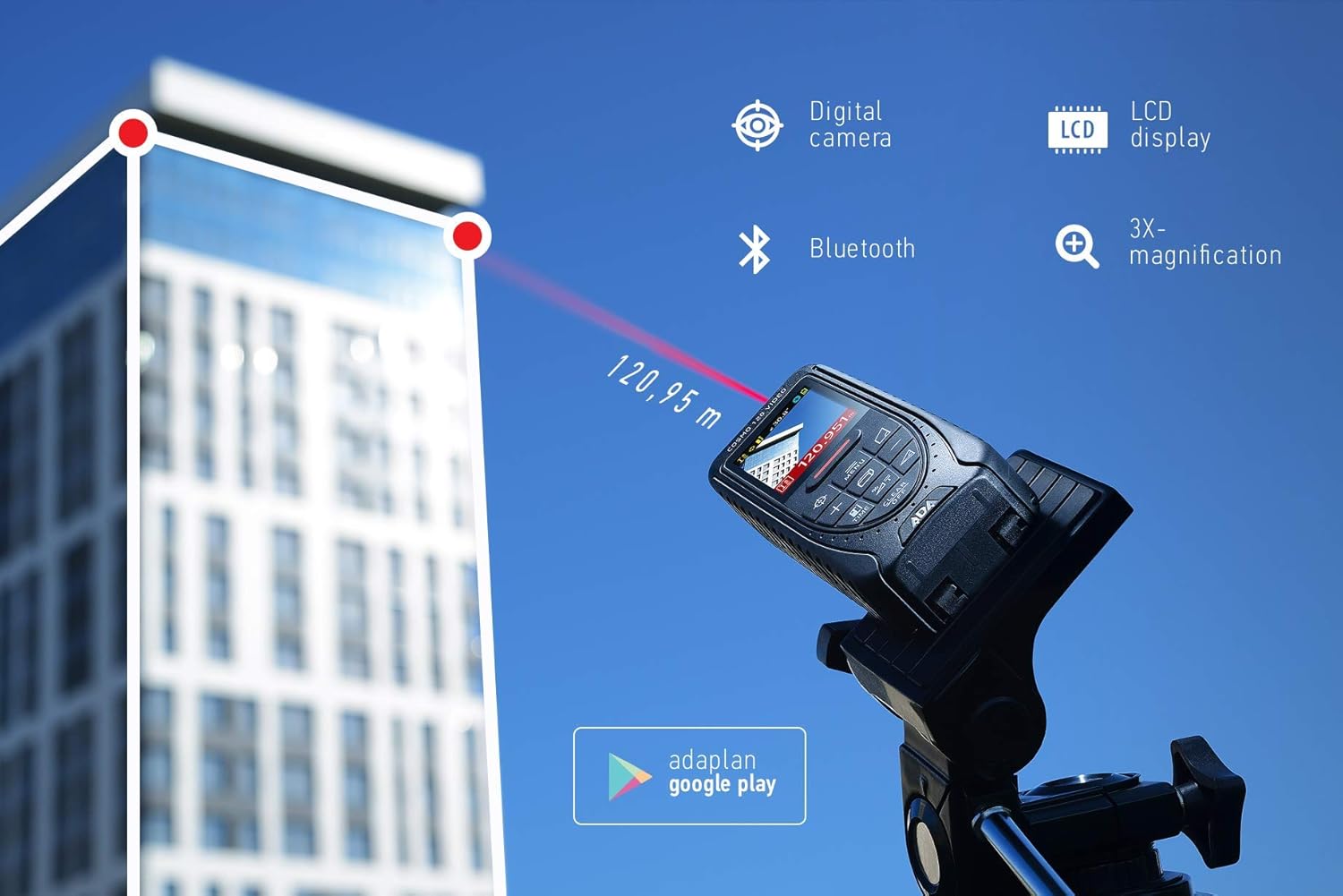
Image 4.1: The ADA Cosmo 120 Video in use, measuring a distance of 120.95 meters to a building.
4.2 디지털 활용 View파인더
통합된 디지털 viewfinder with 3X zoom allows for accurate targeting, especially in bright outdoor conditions or when measuring long distances where the red laser dot might be invisible. The viewfinder displays a reticle on the screen, helping you precisely aim the device at your target.
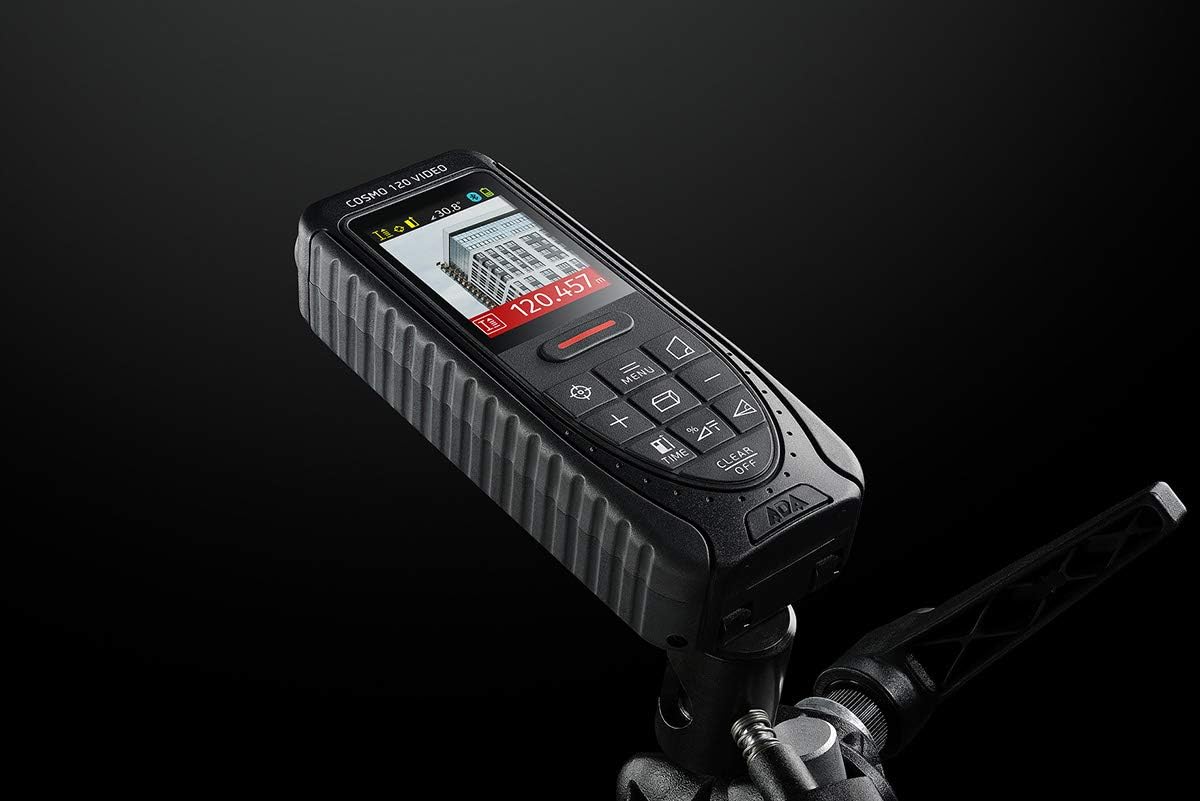
Image 4.2: The ADA Cosmo 120 Video mounted on a tripod, with its screen displaying a digital view of a building and measurement data.
4.3 360° Tilt Sensor
The integrated 360° tilt sensor allows for:
- Horizontal Distance Measurement: Combine distance and inclination measurements to determine horizontal distances, even when direct line-of-sight is obstructed.
- Digital Level Function: Use the device to measure the inclination of any surface.
4.4 Painter Function
This function simplifies the calculation of the total wall area in a room. To use:
- Measure the height of the wall once.
- Measure the length of all walls.
- The device will automatically calculate the total area.
4.5 블루투스 연결
The ADA Cosmo 120 Video supports Bluetooth for transmitting measurement data to compatible applications or devices. Refer to the specific application's instructions for pairing and data transfer procedures.
4.6 Using the Reflective Plate
For measurements over very long distances, in bright sunlight, or on surfaces with poor reflection properties, use the included reflective plate. Place the plate at the target point to improve laser detection and measurement accuracy.

Image 4.3: The reflective plate included with the ADA Cosmo 120 Video, used to enhance laser detection.
5. 유지관리
To ensure the longevity and accuracy of your ADA Cosmo 120 Video, follow these maintenance guidelines:
- 청소: 부드러운 d를 사용하세요amp cloth to clean the device. Do not use harsh chemicals or abrasive cleaners. Pay special attention to the lens and display, keeping them free of dust and smudges.
- 저장: Store the device in its holster in a dry, cool place, away from direct sunlight and extreme temperatures.
- 배터리: 장기간 기기를 사용하지 않을 경우 배터리 누출을 방지하기 위해 배터리를 제거하세요.
- 충격 방지: 기기를 떨어뜨리거나 충격을 가하면 기기의 보정 및 기능에 영향을 미칠 수 있으므로 기기를 보호하십시오.
6. 문제 해결
If you encounter issues with your ADA Cosmo 120 Video, try the following solutions:
- 장치가 켜지지 않음: 배터리가 올바르게 삽입되었는지, 충전량이 충분한지 확인하십시오. 필요한 경우 배터리를 교체하십시오.
- 부정확한 판독값: Ensure the target surface is suitable for laser measurement. Use the reflective plate for difficult surfaces or long distances. Check for obstructions in the laser path.
- Laser dot not visible: This is normal in bright conditions or over long distances. Use the digital viewfinder for targeting.
- Bluetooth 연결 문제: Ensure Bluetooth is enabled on both the device and your receiving unit. Check the pairing process according to your application's instructions.
If problems persist, contact ADA Instruments customer support for assistance.
7. 사양
| 특징 | 사양 |
|---|---|
| 제조업체 | ADA 기기 |
| 모델 번호 | A00502 |
| 치수 | 13.7 x 5.2 x 2.8cm |
| 무게 | 150g |
| 전원 | 2 x AA 배터리(알카라인) |
| 작업 범위 | 0.05~120m |
| 측정 정확도 | ±1.5mm |
| Tilt Sensor Accuracy | ±0.3° |
| 디스플레이 유형 | 디지털 |
| 재료 | Plastic with rubber coating |
| 사용환경 | 실내 및 실외 |
8. 보증 및 지원
For warranty information or technical support, please refer to the documentation provided with your purchase or visit the official ADA Instruments web사이트. 보증 청구를 위해 구매 증빙 자료를 보관하세요.