
1. 서론
This manual provides essential information for the safe and efficient operation of your SHARP HT-SB110 2.0 Soundbar. Please read it thoroughly before using the product and retain it for future reference. The HT-SB110 is designed to enhance your audio experience with powerful sound output and versatile connectivity options.
2. 안전 정보
화재, 감전, 부상의 위험을 줄이려면 이 제품을 사용할 때 항상 기본적인 안전 예방 조치를 따르세요.
- 이 기기를 물이 떨어지거나 튀는 곳에 두지 마십시오.
- 꽃병 등 액체가 들어 있는 물건을 기기 위에 올려놓지 마십시오.
- 적절한 환기를 유지하세요. 환기구를 막지 마세요.
- 라디에이터, 난방 조절기, 스토브 또는 기타 장치(다음을 포함)와 같은 열원 근처에 설치하지 마십시오. amp열을 생성하는 발전기.
- 전원 코드가 밟히거나 끼지 않도록 보호하세요. 특히 플러그, 편의용 콘센트 및 기기에서 나오는 부분은 보호하세요.
- 제조사가 지정한 부속품/액세서리만 사용하세요.
- 번개 폭풍 시 또는 장기간 사용하지 않을 때는 기기의 플러그를 뽑아두세요.
3. 상자 안에 무엇이 들어있나요?
Upon opening your SHARP HT-SB110 Soundbar package, please verify that all the following items are included:
- HT-SB110 사운드바
- 원격 제어
- UK & EU Power Lead
- 월 마운트 브라켓
- 사용 설명서(본 문서)
- 빠른 시작 가이드

Image: The Sharp HT-SB110 Soundbar, showcasin세련된 디자인과 컴팩트한 폼팩터를 자랑합니다.
4. 설정
4.1 배치
The HT-SB110 Soundbar can be placed on a flat surface, such as a TV stand, or wall-mounted. Ensure it is positioned centrally below your television for optimal sound dispersion.

Image: The soundbar neatly positioned under a television, demonstrating a typical setup.
4.2 연결
Connect the soundbar to your TV or other audio sources using the available ports. Ensure the soundbar is powered off before making any connections.
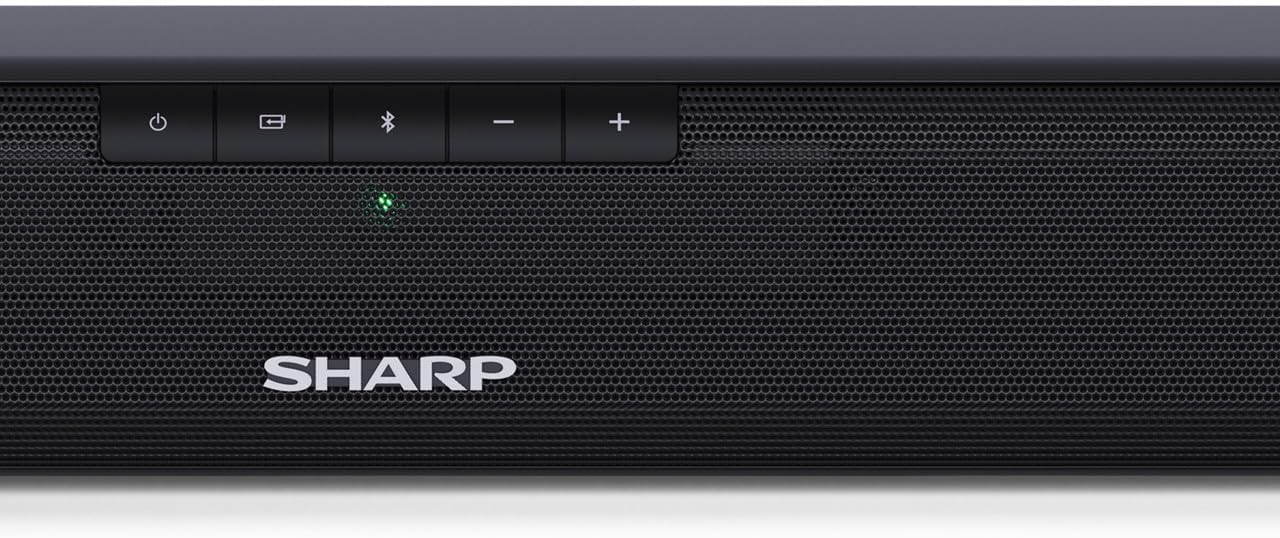
Image: The rear panel of the soundbar, highlighting the various input ports for connectivity.
- HDMI ARC/CEC: 최상의 음질과 제어 기능을 위해 사운드바의 HDMI ARC 포트와 TV의 HDMI ARC 포트를 HDMI 케이블로 연결하세요. 이렇게 하면 TV 리모컨으로 사운드바의 볼륨을 조절할 수 있습니다.
- Digital Optical-In: Connect an optical cable from your TV's optical output to the soundbar's OPTICAL input.
- 보조(AUX): Use a 3.5mm audio cable to connect devices with an analog audio output to the soundbar's AUX input.
- 힘: Connect the provided power lead to the soundbar's AC input and then to a wall outlet.
4.3 Video Guide: A Closer Look
Video: This video provides a detailed look at the Sharp HT-SB110 Soundbar, including unboxing, identifying components, and initial setup steps.
5. 운영
5.1 기본 컨트롤
The soundbar features intuitive controls on its top panel for easy access to essential functions.

이미지: 클로즈업 view of the power, input, Bluetooth, and volume controls located on the top of the soundbar.
- 전원 버튼: 사운드바를 켜거나 끄려면 누르세요.
- 입력 버튼: Cycle through available input sources (HDMI ARC, Optical, AUX, Bluetooth).
- 블루투스 버튼: 블루투스 페어링 모드로 들어가려면 누르세요.
- 볼륨 버튼(+/-): 마스터 볼륨 레벨을 조정합니다.
5.2 리모컨
The included remote control provides full functionality for your soundbar, allowing you to control all settings from a distance.
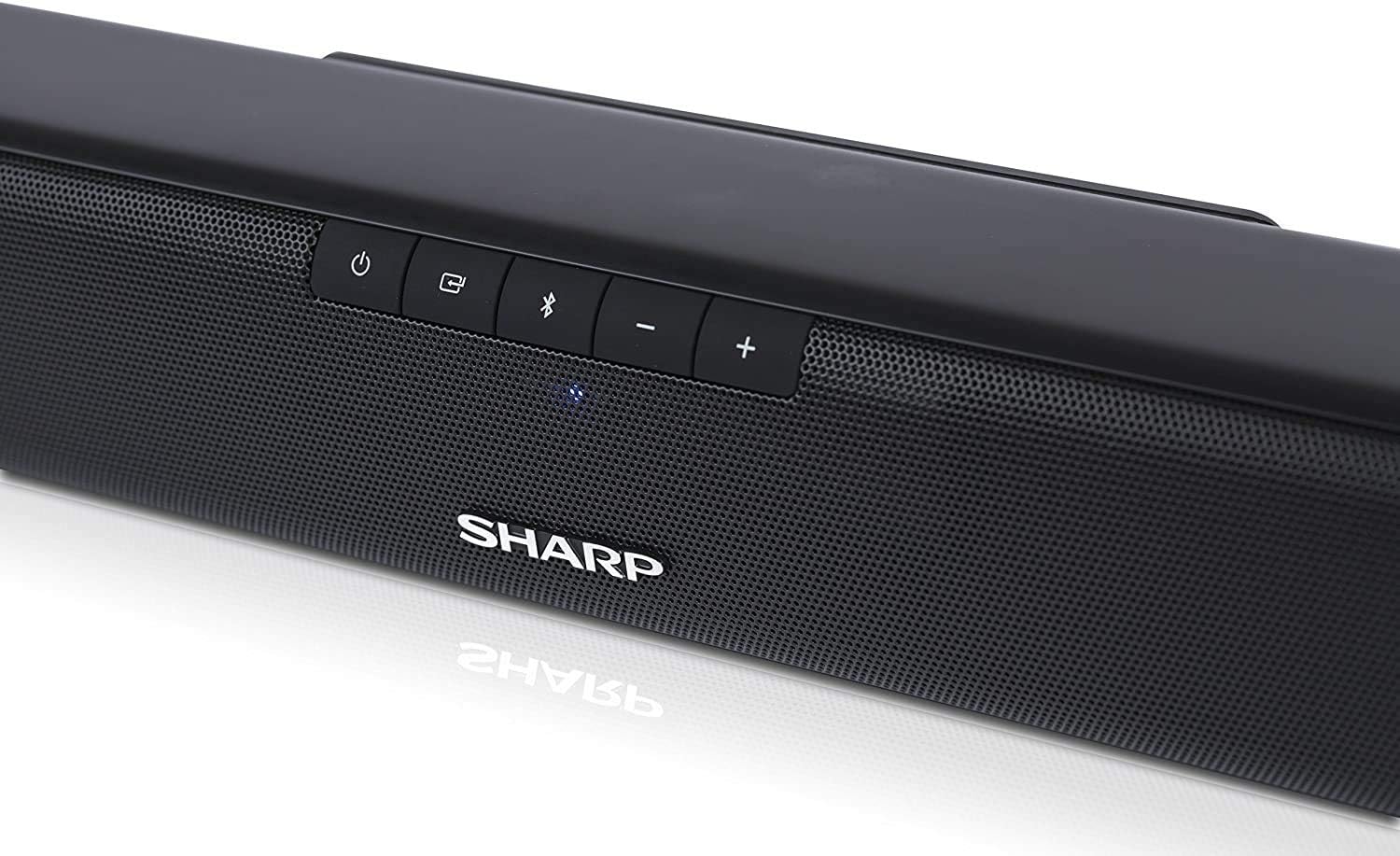
Image: The compact remote control for the soundbar, featuring dedicated buttons for power, input, volume, and sound modes.
5.3가지 사운드 모드
Optimize your listening experience by selecting one of the pre-set sound modes:
- 영화 모드 : 대화 명료도를 향상시키고 더욱 풍부한 사운드를 제공합니다.tag영화를 위한 e.
- 음악 모드: 음악 재생 시 균형 잡힌 오디오를 제공합니다.
- 음성 모드: Boosts vocal frequencies for clearer speech, ideal for news or podcasts.
5.4 블루투스 페어링
To pair your Bluetooth device with the soundbar:
- Turn on the soundbar and press the Bluetooth button on the soundbar or remote control. The Bluetooth indicator light will flash.
- 스마트폰, 태블릿 또는 기타 기기에서 Bluetooth를 활성화하세요.
- 검색
Ask a question about this manual
Ask about setup, troubleshooting, compatibility, parts, safety, or missing instructions. Manuals+ will review the question and use this page’s manual context to help answer it.