beyerdynamic Amiron Wireless

beyerdynamic Amiron Wireless Headphones Instruction Manual

Model: Amiron Wireless

소개

The beyerdynamic Amiron Wireless headphones are designed to provide a high-end audio experience with the freedom of wireless connectivity. These headphones integrate innovative sound personalization and Tesla technology for optimal sound quality. They are crafted with high-quality materials in Germany, ensuring durability and a comfortable fit for extended listening sessions.

상자 안에 무엇이 들어있나요?

Your beyerdynamic Amiron Wireless headphones package includes the following items:

  • Amiron Wireless headphones
  • Optional wired connection cable with remote control (Mini Jack 3.5 mm, 1.2 m long, detachable, 4-pole)
  • 충전 케이블 USB-A to USB-C
  • 하드 케이스
  • 보증서
  • 빠른 시작 가이드
beyerdynamic Amiron Wireless headphones and accessories in their hard case

Image: The Amiron Wireless headphones, charging cable, audio cable, and hard case.

제품 끝view

The Amiron Wireless headphones are designed for an immersive audio experience, combining advanced technology with user comfort.

주요 특징:

  • High-end Bluetooth Connectivity: Features optimum sound quality thanks to Tesla technology and top-class Bluetooth transmission (Qualcomm aptX HD and AAC). Operating range up to 10 meters.
  • Sound Personalization: Adapts acoustically to the user's hearing through an integrated sound personalization feature, ensuring a tailored audio experience.
  • 편안: Unique wearing comfort achieved through masterfully balanced contact pressure and a perfect fit, ideal for long listening sessions.
  • 프리미엄 빌드: Made in Germany with high-quality materials, offering durability and flawless workmanship.
  • 터치 컨트롤: Intuitive touch controls on the earcup for easy management of playback and calls.
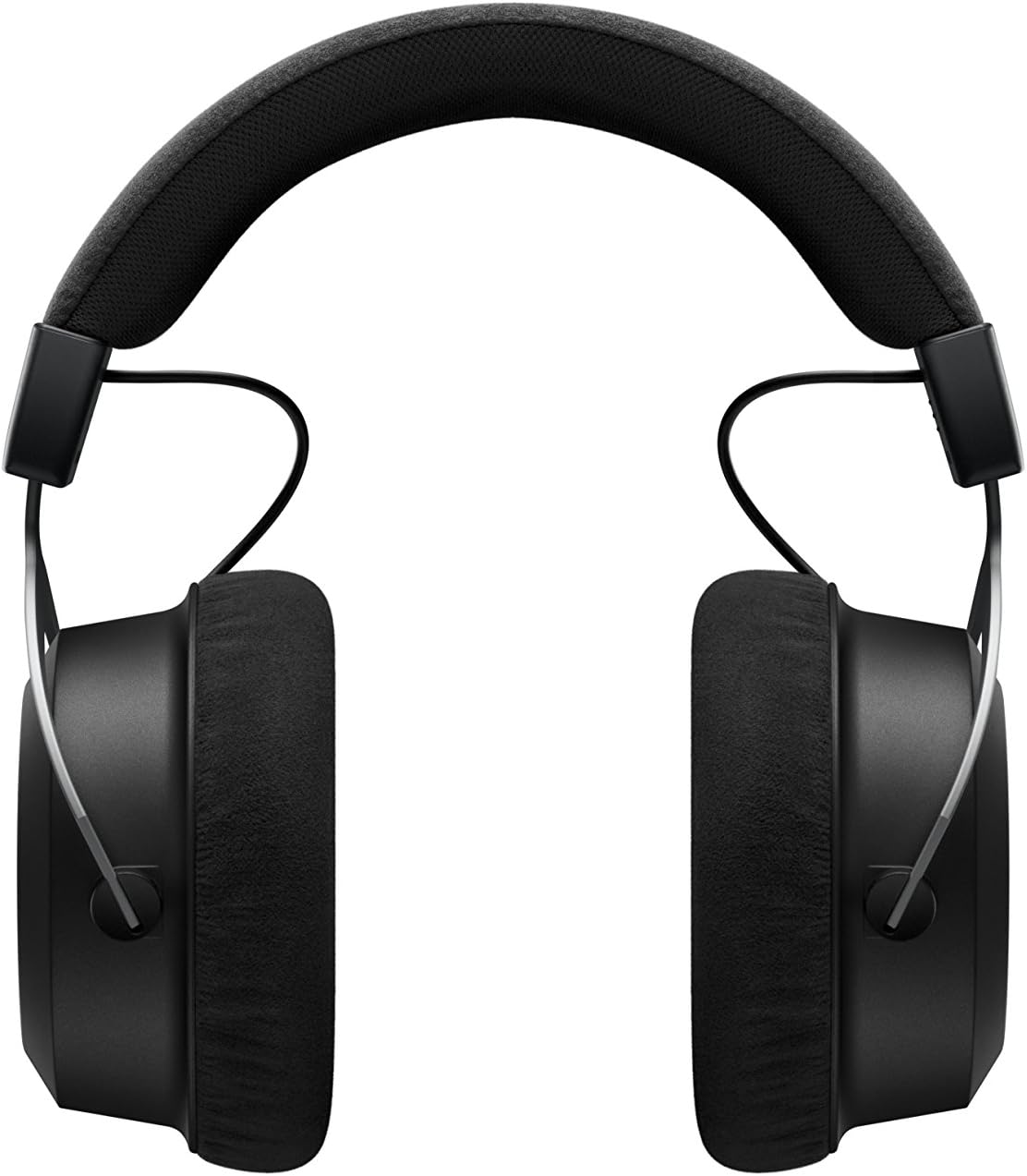
옆 view of beyerdynamic Amiron Wireless headphones

이미지: 측면 view of the Amiron Wireless headphones, highlighting the earcup design and headband.

설정

1. 헤드폰 충전

Before first use, ensure your Amiron Wireless headphones are fully charged. Connect the provided USB-A to USB-C charging cable to the USB-C port on the headphone and a suitable USB power source. A full charge takes approximately 2 hours and provides over 30 hours of battery life.

2. 블루투스 페어링

헤드폰을 블루투스 지원 기기와 페어링하려면 다음 단계를 따르세요.

  1. 헤드폰이 충전되어 있고 꺼져 있는지 확인하세요.
  2. Press and hold the power button on the headphone until the LED indicator flashes blue and red, indicating pairing mode.
  3. On your device (smartphone, tablet, etc.), go to Bluetooth settings and select "Amiron Wireless" from the list of available devices.
  4. 연결이 완료되면 LED 표시등에 파란색 불이 계속 켜집니다.

3. Sound Personalization (MIY App)

For an optimized listening experience, download the beyerdynamic MIY app from the Google Play Store or Apple App Store. The app allows you to perform a hearing test and create a personalized sound profile that adapts the audio output to your individual hearing. This profile is then stored directly on the headphones.

비디오: 오버view of the beyerdynamic Amiron Wireless headphones, including unboxing and features like sound personalization and touch controls.

작동 지침

터치패드 컨트롤

The right earcup features an integrated touchpad for intuitive control of various functions:

  • 볼륨 조절: Swipe up or down on the touchpad.
  • 트랙 탐색: Swipe forward for the next track, backward for the previous track.
  • 재생/일시 중지: Tap the center of the touchpad.
  • 통화 관리: Tap to answer/end calls, push and hold for voice commands (Siri, Google Assistant).

The sensitivity of these touch controls can be customized via the MIY app.

유선 작업

For a wired connection, plug the provided 3.5 mm audio cable into the headphone's audio jack and your audio source. This allows for passive use even if the battery is depleted or while charging. The inline remote on the cable provides basic playback and call controls.

Man using beyerdynamic Amiron Wireless headphones with a smartphone

Image: A user enjoying music with the Amiron Wireless headphones, demonstrating the touch controls on the earcup.

음질

The Amiron Wireless headphones deliver a dynamic and detailed sound profile, characterized by:

  • 베이스: Powerful and precise low-end with good impact, without overpowering other frequencies.
  • 중간 범위: Natural and clear, providing excellent reproduction of vocals and instruments.
  • 고음부: Detailed and smooth high-end, avoiding harshness even at higher frequencies, contributing to an airy sound.
  • 소리tage: Offers impressive depth and precise instrument placement, creating a spacious and immersive listening experience.

The sound personalization feature via the MIY app further enhances the audio quality by tailoring it to your unique hearing profile.

편안함과 디자인

The Amiron Wireless headphones prioritize comfort and a robust build:

  • 이어패드: Equipped with soft, velour earpads that provide a comfortable fit and contribute to sound isolation.
  • 머리띠: Features a leatherette headband with ample padding for reduced pressure during prolonged use.
  • 재료: Constructed with high-quality materials, including metal components, ensuring durability and a premium feel.
  • 맞다: Designed for a balanced contact pressure and secure fit, making them suitable for home listening.
Man relaxing and listening to beyerdynamic Amiron Wireless headphones

Image: A user enjoying music with the Amiron Wireless headphones in a relaxed setting, showcasing their comfortable design.

명세서

특징세부 사항
모델명Amiron Wireless
연결 기술Wireless Version (Bluetooth 4.0)
무선 통신 기술블루투스
주파수 응답5~40,000Hz
임피던스32옴
감광도100데시벨
배터리 수명30시간
충전 시간2 Hours (for 30 hours playback)
블루투스 범위10 미터
제어 방법터치(미디어 제어)
소음 제어소리 차단
품목 무게13.4 온스
제품 치수8.07 x 4.13 x 5.9 인치
제조업체Beyerdynamic, Inc.

유지

To ensure the longevity and optimal performance of your beyerdynamic Amiron Wireless headphones, follow these maintenance guidelines:

  • 청소: 부드럽고 마른 천을 사용하여 이어컵과 헤드밴드를 닦으세요. 강한 화학 물질이나 연마재는 사용하지 마세요.
  • 저장: 사용하지 않을 때는 제공된 하드 케이스에 헤드폰을 보관하여 먼지, 긁힘, 충격으로부터 보호하세요.
  • 배터리 관리 : Avoid fully discharging the battery frequently. For long-term storage, charge the battery to around 50% to prolong its lifespan.
  • 수분: 헤드폰을 습기와 극한 온도로부터 멀리하십시오.

문제 해결

If you encounter issues with your Amiron Wireless headphones, try the following solutions:

  • 전원 없음: 제공된 USB-C 케이블을 사용하여 헤드폰이 완전히 충전되었는지 확인하십시오.
  • Bluetooth를 통해 페어링할 수 없습니다.
    • 헤드폰이 페어링 모드(LED가 파란색과 빨간색으로 깜박임)인지 확인하세요.
    • 기기에서 Bluetooth가 활성화되어 있는지 확인하세요.
    • 헤드폰을 기기에 더 가까이(10m 이내) 옮기세요.
    • 기기의 Bluetooth 설정에서 헤드폰의 페어링을 해제했다가 다시 페어링해보세요.
  • 소리가 나지 않음/볼륨이 낮음:
    • Check the volume levels on both the headphones (via touchpad) and your connected device.
    • 헤드폰이 제대로 페어링되었는지 확인하십시오.
    • If using the wired connection, ensure the cable is securely plugged into both the headphones and the audio source.
  • 사운드 왜곡:
    • Reduce the volume on your device and/or headphones.
    • 헤드폰과 블루투스 기기 사이에 장애물이 없는지 확인하십시오.

보증 및 지원

The beyerdynamic Amiron Wireless headphones are manufactured in Germany using high-quality materials, offering durability and flawless workmanship. Please refer to the included warranty booklet for detailed information regarding your product's warranty coverage.

For further assistance, technical support, or service inquiries, please visit the official beyerdynamic web사이트 또는 고객 서비스 부서에 문의하십시오.

또한 방문할 수 있습니다 아마존에서 베이어다이나믹 스토어를 만나보세요 추가 제품 정보 및 지원 리소스를 확인하세요.

Ask a question about this manual

Ask about setup, troubleshooting, compatibility, parts, safety, or missing instructions. Manuals+ will review the question and use this page’s manual context to help answer it.