
FVTLED Z0039
FVTLED WiFi RGBW LED Controller User Manual
모델: Z0039
소개
This manual provides detailed instructions for the installation, operation, and maintenance of your FVTLED WiFi RGBW LED Controller. This controller is designed for wireless smart control of FVTLED RGBW LED Deck lights via a dedicated mobile application on Android and iOS devices. Please read this manual thoroughly before use to ensure proper functionality and safety.
안전 정보
- 설치 또는 유지 관리 전에 전원 공급 장치가 분리되어 있는지 확인하십시오.
- This controller is designed for use with FVTLED RGBW LED Deck lights only. Do not connect to other lighting systems.
- 올바른 볼륨 확인tage(120볼트) 및 와트tage (15 watts) compatibility.
- 기기를 물과 과도한 습기로부터 멀리하세요.
- Do not attempt to disassemble or modify the controller. Refer all servicing to qualified personnel.
패키지 내용
다음 품목이 패키지에 포함되어 있는지 확인하세요.
- 1 x FVTLED WiFi RGBW LED Controller
- 1 x Remote Control (Batteries not included: Requires 2 AAA batteries)
- 사용 설명서 (본 문서)
제품 끝view
The FVTLED WiFi RGBW LED Controller allows you to manage your FVTLED RGBW deck lights with ease, offering both a physical remote control and a comprehensive mobile application for advanced features.

Image: FVTLED WiFi RGBW LED Controller and its accompanying remote control.

Image: Detailed layout of the remote control buttons, indicating functions such as ON/OFF, brightness adjustment, color temperature control, and RGB color cycling.
설정
1. 배선 연결
The controller features two connection ends:
- 그만큼 2-pin end connects to your power supply.
- 그만큼 5-pin end connects directly to your FVTLED RGBW LED deck lights.
Ensure all connections are secure and properly aligned before applying power.
2. Mobile Application Download
To utilize the smart control features, download the official FVTLED application. 검색 "FVTLED" in your device's app store:
- Android 기기의 경우: Google Play Store
- For iOS devices: Apple App Store

Image: Visual guide for downloading the FVTLED application and an overview of its key features, including 16 million colors, music sync, voice control, and scheduling.
3. Connecting the Controller to Wi-Fi
Follow these steps within the FVTLED app to connect your controller to your home Wi-Fi network:
- Open the FVTLED app.
- 가입하기 for a new account or 로그인 이미 가지고 있다면.
- From the main screen, tap the "Add device" button (often represented by a '+' icon).
- The app will automatically search for nearby devices. Select your controller (e.g., "DeviceBCF2").
- 안내 메시지가 나타나면 Wi-Fi 네트워크 이름과 비밀번호를 입력하세요.
- Once connected, you can name your device and assign it to a specific room for better organization.

Image: Step-by-step screenshots illustrating the process of signing up, logging in, adding a device, connecting to Wi-Fi, and organizing the device within the FVTLED app.
컨트롤러 작동
1. 리모컨 사용
The included remote control provides basic functions:
- 켜기/끄기: 조명을 켜거나 끕니다.
- 명도: Adjust light intensity (10 levels of dimming).
- 색온도: Adjust between warm white (3000K), neutral white (4000K), and cool white (6500K).
- RGB Buttons: Cycle through various RGB colors and modes (three speeds for color cycling).
- 야간 조명 모드 : Activates a low-intensity light setting.
2. Using the FVTLED Mobile App
The mobile app unlocks the full potential of your RGBW LED Controller:
- 16만 색상: Select any color from a vast spectrum.
- Brightness & Saturation Control: 빛의 강도와 색상의 선명도를 미세 조정하세요.
- 음악 모드: Lights can synchronize with music played through your device.
- 음성 제어: Integrate with smart home systems (Wi-Fi, Alexa, Google Assistant) for voice commands.
- 타이머 및 일정: Set automated on/off times and lighting scenes.
- 다중 모드: Access various pre-programmed lighting effects and scenes.

Image: A user demonstrating control of green deck lights using the FVTLED mobile application on a smartphone.
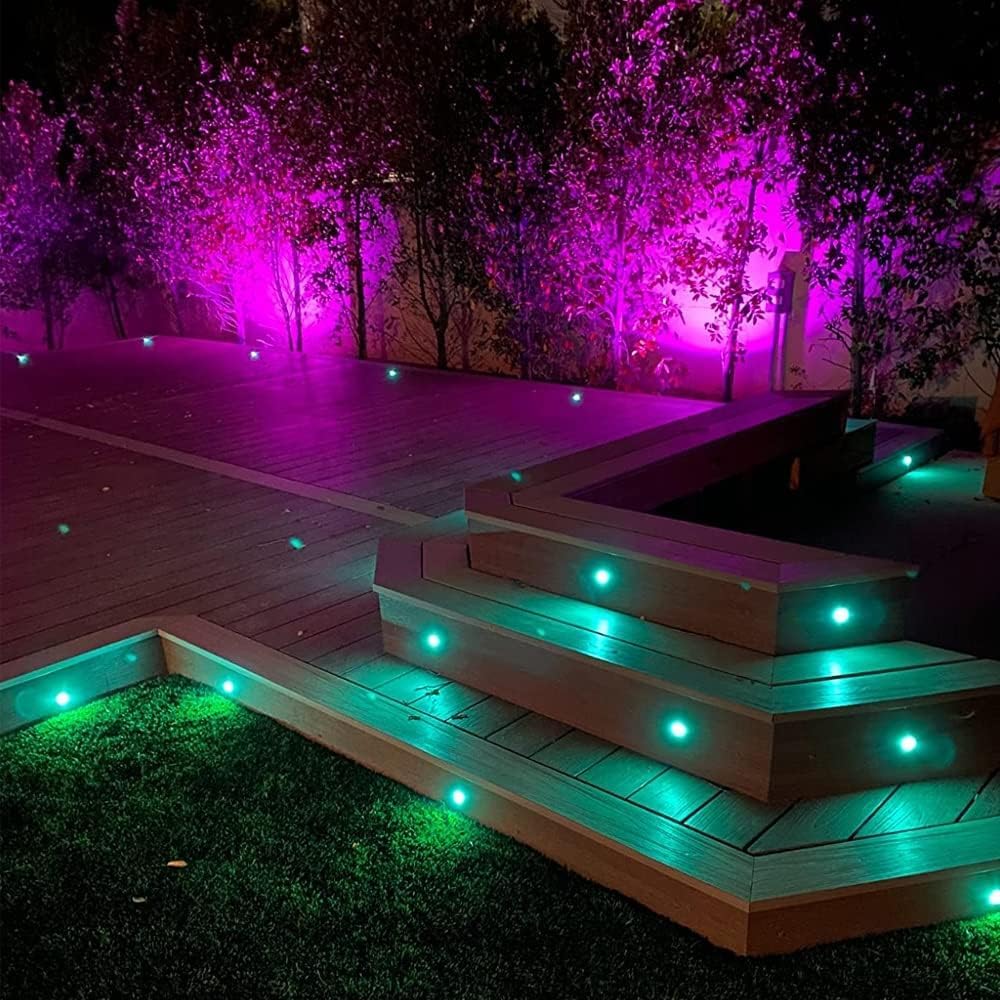
Image: An outdoor deck illuminated with FVTLED RGBW lights displaying vibrant purple and green colors, showcasing the controller's capabilities.

Image: An outdoor deck and stairs illuminated with warm white FVTLED deck lights, providing a cozy ambiance.

Image: A spacious outdoor deck area featuring FVTLED deck lights displaying a range of vibrant colors, demonstrating the RGB capabilities.
유지
The FVTLED WiFi RGBW LED Controller requires minimal maintenance:
- 컨트롤러를 깨끗하게 유지하고 먼지와 이물질이 묻지 않도록 하십시오. 부드럽고 마른 천으로 닦아주세요.
- Ensure the controller is installed in a location that is protected from direct exposure to harsh weather conditions, although it is designed for outdoor use with appropriate protection.
- 배선 연결부에 마모나 손상 흔적이 있는지 정기적으로 점검하십시오.
- Replace remote control batteries (2 x AAA) as needed to ensure proper function.
문제 해결
| 문제 | 가능한 원인 | 해결책 |
|---|---|---|
| 표시등이 켜지지 않습니다. | No power to controller; Loose connections; Incorrect wiring; Faulty lights. | Check power supply connection. Ensure 2-pin connector is secure. Verify 5-pin connector to lights is secure. Confirm lights are functional. |
| 컨트롤러가 Wi-Fi에 연결되지 않습니다. | Incorrect Wi-Fi password; Out of Wi-Fi range; Router issues. | Double-check Wi-Fi password. Move controller closer to router. Restart your Wi-Fi router. Ensure 2.4GHz network is used if applicable. |
| 리모컨이 작동하지 않습니다. | Dead batteries; Remote out of range; Obstruction. | Replace AAA batteries. Ensure remote is within effective range of the controller. Remove any physical obstructions between remote and controller. |
| Lights not responding to app commands. | Controller offline; App glitch; Network interference. | Check app to confirm controller is online. Restart the app. Restart the controller by disconnecting and reconnecting power. Check for Wi-Fi interference. |
명세서
| 특징 | 세부 사항 |
|---|---|
| 모델 번호 | Z0039 |
| 상표 | FVTLED |
| 제조업체 | SEVEN COLORS LIGHTING TECHNOLOGY CO., LTD |
| 색상 | Wifi RGBW Controller |
| 전원 | DC 전원 공급 장치 |
| 권tage | 120 볼트 |
| 왓tage | 15 와트 |
| 품목 무게 | 1.58 온스 |
| 패키지 크기 | 7 x 6.26 x 0.89 인치 |
| 연결성 | 와이파이 |
| 호환성 | Android, iOS, Alexa, Google Assistant |
| 포함된 구성 요소 | WiFi RGB controller and RGBW LED lights (controller only in this package) |
| 첫 번째 이용 가능 날짜 | 16년 2015월 XNUMX일 |
보증 및 지원
For warranty information and customer support, please refer to the official FVTLED website or contact the manufacturer directly. Details regarding product registration, warranty claims, and technical assistance can typically be found through these channels.
제조업체: SEVEN COLORS LIGHTING TECHNOLOGY CO., LTD
추가 지원이 필요하면 다음을 방문하세요. FVTLED Store on Amazon.
Ask a question about this manual
Ask about setup, troubleshooting, compatibility, parts, safety, or missing instructions. Manuals+ will review the question and use this page’s manual context to help answer it.