
1. 서론
This manual provides detailed instructions for the installation, operation, and maintenance of your FVTLED WiFi RGB Low Voltage LED Deck Lights Kit. This kit is designed to provide versatile and customizable lighting for both indoor and outdoor environments, featuring RGB color options, smart control via WiFi, and compatibility with voice assistants.
2. 안전 정보
본 제품을 설치하거나 사용하기 전에 모든 안전 지침을 읽고 숙지하십시오. 이 지침을 따르지 않을 경우 감전, 화재 또는 기타 위험이 발생할 수 있습니다.
- 설치 또는 유지 관리 전에 전원 공급 장치가 분리되어 있는지 확인하십시오.
- This product operates on DC12V low voltage. Do not connect directly to AC power without the provided power supply.
- All lights and cables are IP67 waterproof, suitable for outdoor use. However, ensure all connections are securely tightened to maintain water resistance.
- Do not modify the product or its components. Any modifications may void the warranty and create safety risks.
- Keep the power supply unit in a dry, protected area, away from direct water exposure.
- 설치 과정의 어떤 부분이든 확실하지 않은 경우 자격을 갖춘 전기 기술자에게 문의하세요.
3. 패키지 내용
패키지를 열 때 모든 구성 요소가 들어 있고 손상되지 않았는지 확인하세요.
- 10 x LED Inground Lights (Model D45)
- 1 x 12W LED Power Supply
- 1 x LED WiFi Controller
- 24키 적외선 리모컨 1개

Image 3.1: Contents of the FVTLED Deck Lights Kit, including 10 LED lights, power supply, WiFi controller, and remote control.
4. 설정 및 설치
Follow these steps for proper installation of your FVTLED deck lights:
- 계획: Determine the desired layout for your lights. The distance between each light is approximately 1 meter (3.28 ft). Ensure the total length of connected lights does not exceed the capacity of the power supply.
- 구멍 뚫기: Drill mounting holes of approximately Φ1.38 inches (35mm) in diameter. The light fixture itself has a diameter of Φ1.77 inches (45mm) and a height of 1.02 inches (26mm).
- 조명 삽입: Carefully insert each LED deck light into the drilled holes. The spring clips on the sides will secure the light in place.
- 연결 조명: Connect the lights in series using the male and female waterproof connectors. Ensure each connection is firmly pushed together and the screw cap is tightened to maintain the IP67 waterproof rating.
- 컨트롤러에 연결: Connect the string of lights to the LED WiFi Controller.
- 전원 공급 장치 연결: Connect the LED WiFi Controller to the 12W LED Power Supply.
- 전원 켜기: 전원 공급장치를 표준 전기 콘센트에 꽂습니다.

Image 4.1: Detailed dimensions for drilling and a diagram illustrating the series connection of the LED deck lights to the driver.
메모: The distance between the light and the controller should be less than 3 meters for optimal performance.
5. 사용 설명서
5.1. 원격 제어 작동
The included 24-key IR remote control allows for basic functions:
- 켜기/끄기: 조명을 켜거나 끕니다.
- 색상 선택: Choose from various preset colors.
- 밝기 조정: 조명의 강도를 높이거나 낮춥니다.
- 모드 선택: Cycle through different dynamic lighting modes.
리모컨의 유효 범위는 최대 15m입니다.
5.2. WiFi / Smart App Control
For advanced features and smart home integration, use the dedicated mobile application.
- 앱 다운로드: 검색 the companion app (e.g., 'Magic Home' or similar, as indicated in the product packaging or quick start guide) on your smartphone's app store (iOS or Android).
- Wi-Fi에 연결: Follow the in-app instructions to connect your LED WiFi Controller to your home WiFi network. This typically involves turning the lights on and off a few times to enter pairing mode, then selecting the controller from the app and entering your WiFi credentials.
- 색상 선택: Use the app's color wheel to select from 16 million colors.
- 밝기 조정: Precisely adjust the brightness level from 1% to 100%.
- 동적 기능: Explore various lighting modes such as gradual changes, cross fades, and strobe effects. You can also adjust the speed of these functions.
- 음악 모드: Synchronize the lights with music played from your device or through the app's microphone sensitivity feature.
- Camera Color Capture: Use your phone's camera to capture a color from your surroundings, and the lights will replicate it.
- 타이머 기능: Set schedules for the lights to automatically turn on/off, change colors, or activate specific functions at designated times.
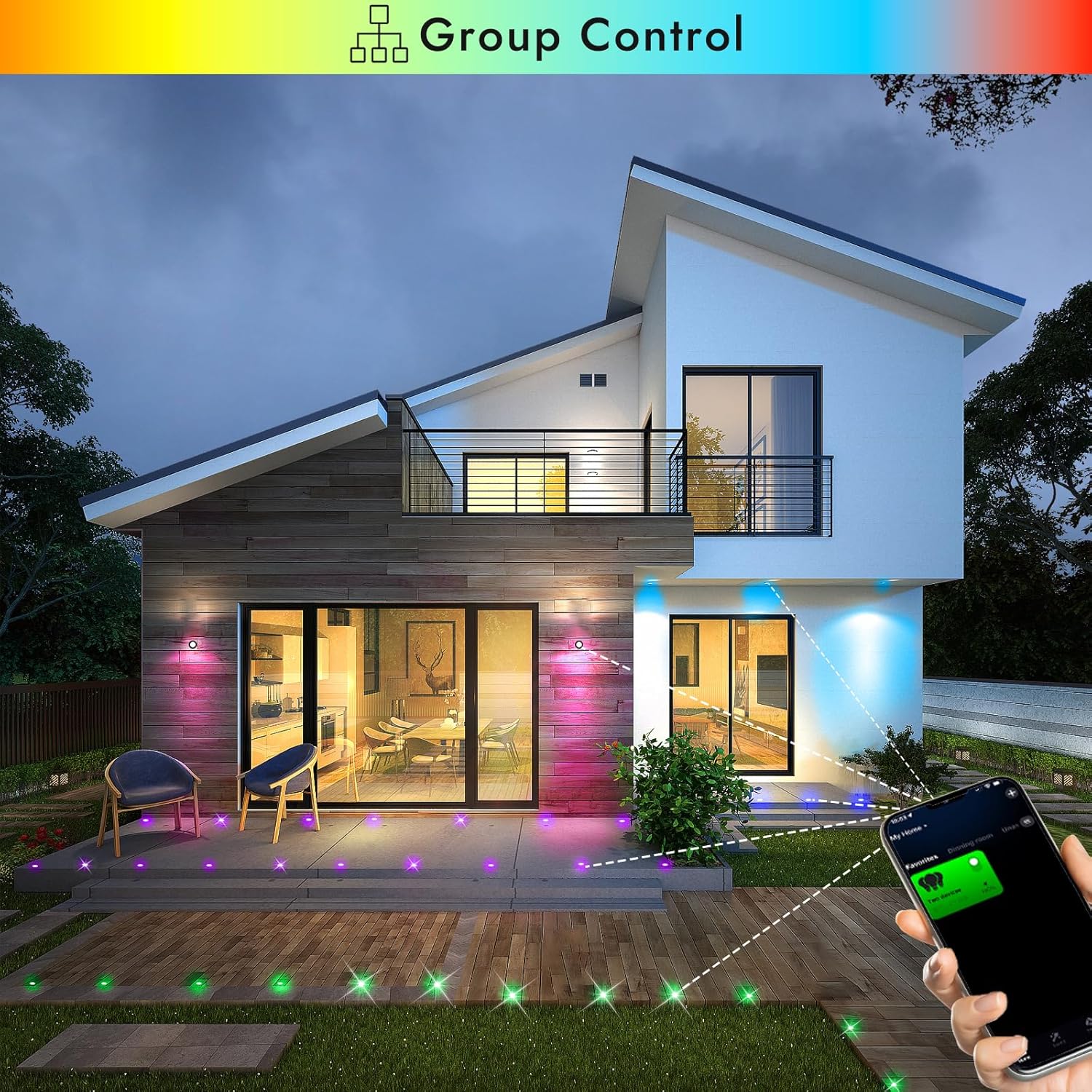
Image 5.1: Smartphone app demonstrating group control of multiple FVTLED deck lights.

Image 5.2: The app interface displaying the music mode feature, allowing lights to react to sound.

Image 5.3: The app interface demonstrating the timer function for scheduling light operations.
5.3. 음성 제어(Alexa 및 Google Home)
The FVTLED WiFi RGB Deck Lights are compatible with Amazon Alexa and Google Home for convenient voice control.
- 스킬/액션 활성화: In your Alexa or Google Home app, search for and enable the corresponding skill or action for your FVTLED lights (e.g., 'Magic Home' or similar).
- 계정 연결: Link your FVTLED app account with your Alexa or Google Home account.
- 장치 검색: 알렉사나 구글 홈에게 새로운 기기를 검색해달라고 요청하세요.
- 음성 명령: You can now control your lights using voice commands such as:
"Alexa, turn on the deck lights."
"Hey Google, change deck lights to blue."
"Alexa, dim the deck lights to 50%."
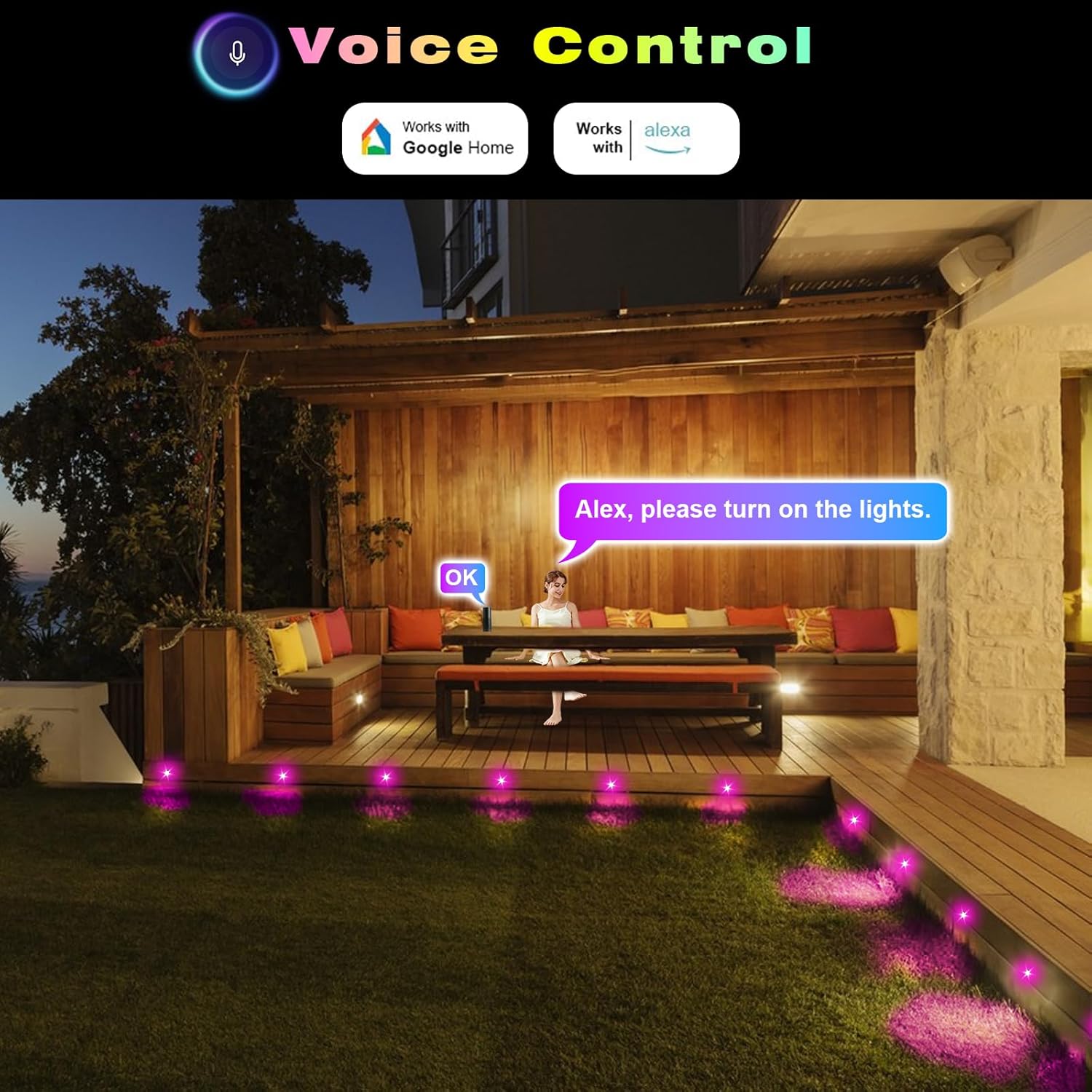
이미지 5.4: 전ample of using voice commands with Alexa to control the FVTLED deck lights in an outdoor setting.
5.4. Video Demonstration: WiFi Controller and App Features
Video 5.5: A comprehensive demonstration of the FVTLED WiFi Controller and its features, including app connectivity, color selection, dynamic modes, and timer settings.
6. 유지관리
To ensure the longevity and optimal performance of your FVTLED deck lights, follow these maintenance guidelines:
- 청소: Periodically clean the surface of the lights with a soft, damp 먼지와 이물질을 제거하기 위해 천을 사용하십시오. 연마성 세제나 용제는 사용하지 마십시오.
- 연결 확인: Annually inspect all cable connections to ensure they remain tight and free from corrosion. Re-tighten waterproof caps if necessary.
- 케이블 검사: Check cables for any signs of damage, cuts, or fraying. Replace damaged cables immediately to prevent electrical hazards.
- 전원 공급 장치: Ensure the power supply unit is kept in a well-ventilated area and is not covered, to prevent overheating.
7. 문제 해결
If you encounter issues with your FVTLED deck lights, refer to the following common problems and solutions:
- 표시등이 켜지지 않음:
- Check if the power supply is properly plugged into a working outlet.
- Verify all cable connections are secure and tightened.
- Ensure the remote control or app is sending the 'ON' command.
- 가능하다면 다른 호환 장치를 사용하여 전원 공급 장치를 테스트하십시오.
- WiFi 연결 문제:
- Ensure your smartphone is connected to a 2.4GHz WiFi network (5GHz networks are often not supported by smart devices).
- Confirm the WiFi controller is within range of your router.
- Try resetting the WiFi controller (refer to app instructions for specific reset procedures, often involves cycling power).
- Verify that location services are enabled on your phone and allowed for the app during setup.
- 원격 제어가 작동하지 않음:
- Check the battery in the remote control (1 CR2 battery required, included).
- Ensure there are no obstructions between the remote and the WiFi controller.
- Confirm the remote is pointed directly at the IR receiver on the controller.
- 조명 색상/밝기가 일정하지 않음:
- This can sometimes occur with long cable runs due to voltage drop. Ensure your setup adheres to recommended cable lengths.
- Check for any loose connections that might be affecting power delivery to individual lights.
8. 사양
| 특징 | 사양 |
|---|---|
| 상표 | FVTLED |
| 모델명 | WIFI RGB Low Voltage LED Deck Lights Kit |
| 품목 모델 번호 | WIFI-10*D45-RGB |
| 전등 형태 | 움푹 들어간 |
| 재료 | 스테인리스 스틸, 폴리카보네이트 |
| 색상 | RGB(다색) |
| 권tage | 직류 12V |
| 왓tage | 0.5 Watts (Multi-color) / 0.2W (Single-color) |
| 루멘 출력 | 12 LM (per light) |
| 빔 각도 | 120° |
| IP 등급 | IP67 (Lights and Cables) |
| 제품 치수 | Φ1.77"L x 1.77"W x 1.02"H (Φ45*H26mm) |
| 장착 구멍 크기 | Φ1.38" (Φ35mm) |
| 케이블 길이 (조명당) | 1.64 ft (Double 0.5M) |
| 조명 사이의 거리 | 3.28 피트 (1M) |
| 제어 방법 | Remote, Amazon Alexa, Google Home, Wi-Fi App |
| 배터리 | CR2 배터리 1개 필요 (리모컨용 배터리 포함) |
| 조립이 필요합니다 | 예 |
9. 보증 및 지원
This FVTLED product comes with a Limited Warranty. For specific warranty details, claims, or technical support, please refer to the warranty card included in your package or contact FVTLED customer service directly through their official web제품을 구매한 사이트 또는 소매업체.