
1. 제품 오버view
The CHACON 54661 Set provides a convenient solution for wirelessly controlling your electrical appliances and lighting. This set includes two remote-controlled sockets and one remote control, allowing you to switch devices on or off from a distance within your home.
- 무선 제어: Operate devices without direct access to the wall socket.
- 간편한 설치: 간편한 플러그 앤 플레이 설치.
- 폭넓은 호환성: Suitable for various household appliances.
- 작동 주파수: 433.92MHz.
- 최대 전력: 2000와트.
- 전송 범위: 탁 트인 들판 환경에서 최대 25미터까지.

Image: CHACON remote control and a socket in a typical home environment, demonstrating wireless control.
2. 안전 정보
본 제품을 사용하기 전에 모든 안전 지침을 읽고 이해하십시오. 지침을 따르지 않을 경우 감전, 화재 또는 심각한 부상이 발생할 수 있습니다.
- 실내에서만 사용 가능: This product is designed for indoor use in dry locations. Do not expose to rain or moisture.
- 최대 하중: Do not exceed the maximum load of 2000 Watts. Overloading can cause overheating and fire.
- 통풍: Ensure adequate ventilation around the sockets. Do not cover them.
- 어린이와 애완동물: 어린이와 애완동물의 손이 닿지 않는 곳에 보관하세요.
- 분해 : 기기를 열거나, 개조하거나, 수리하려고 시도하지 마십시오. 모든 서비스는 자격을 갖춘 전문가에게 맡기십시오.
- 청소: Disconnect from power before cleaning. Use a dry, soft cloth. Do not use liquid cleaners.
- 처분: 배터리와 제품은 현지 규정에 따라 폐기하십시오.
3. 패키지 내용
패키지에 모든 품목이 들어 있는지 확인하세요.
- 2 x CHACON Remote Controlled Sockets
- 1 x CHACON Remote Control
- 1 x Lithium-ion Battery (pre-installed in remote or supplied separately)
- 1 x 사용자 매뉴얼(이 문서)
4. 설정
4.1. 리모컨 배터리 설치
The remote control requires one Lithium-ion battery. If not pre-installed, follow these steps:
- 리모콘 뒷면에서 배터리함을 찾으세요.
- 배터리 덮개를 엽니다.
- Insert the Lithium-ion battery, ensuring correct polarity (+ and -).
- 배터리 덮개를 단단히 닫으세요.

이미지: 클로즈업 view of the CHACON remote control, showing the ON/OFF buttons and channel selectors (1, 2, 3, 4).
4.2. Pairing Sockets with Remote Control
Each socket needs to be paired with the remote control to establish communication. The remote control has four channels (1, 2, 3, 4) which can be used to control individual sockets or groups of sockets.
- Plug one CHACON remote controlled socket into a standard wall outlet. The LED indicator on the socket may flash.
- Within 5 seconds of plugging in the socket, press and hold the small pairing button located on the side or front of the socket until the LED indicator starts flashing rapidly.
- While the socket's LED is flashing, press the desired "ON" button (e.g., "1 ON") on the remote control.
- The socket's LED indicator will stop flashing and remain solid for a moment, then turn off, indicating successful pairing.
- Repeat this process for the second socket, assigning it to a different channel (e.g., "2 ON") or the same channel if you wish to control both simultaneously.
- To unpair a socket, plug it in, then press and hold the pairing button until the LED flashes rapidly. Then, press the corresponding "OFF" button on the remote control.

Image: A CHACON remote controlled socket plugged into a wall outlet, ready for pairing.
5. 사용 설명서
Once your sockets are paired, you can easily control your connected devices.
- Plug the appliance you wish to control into the CHACON remote controlled socket.
- Ensure the appliance's own power switch is in the "ON" position (if applicable).
- To turn the appliance ON, press the corresponding "ON" button (1, 2, 3, or 4) on your remote control.
- To turn the appliance OFF, press the corresponding "OFF" button (1, 2, 3, or 4) on your remote control.
You can control devices individually or, if multiple sockets are paired to the same channel, control them simultaneously.
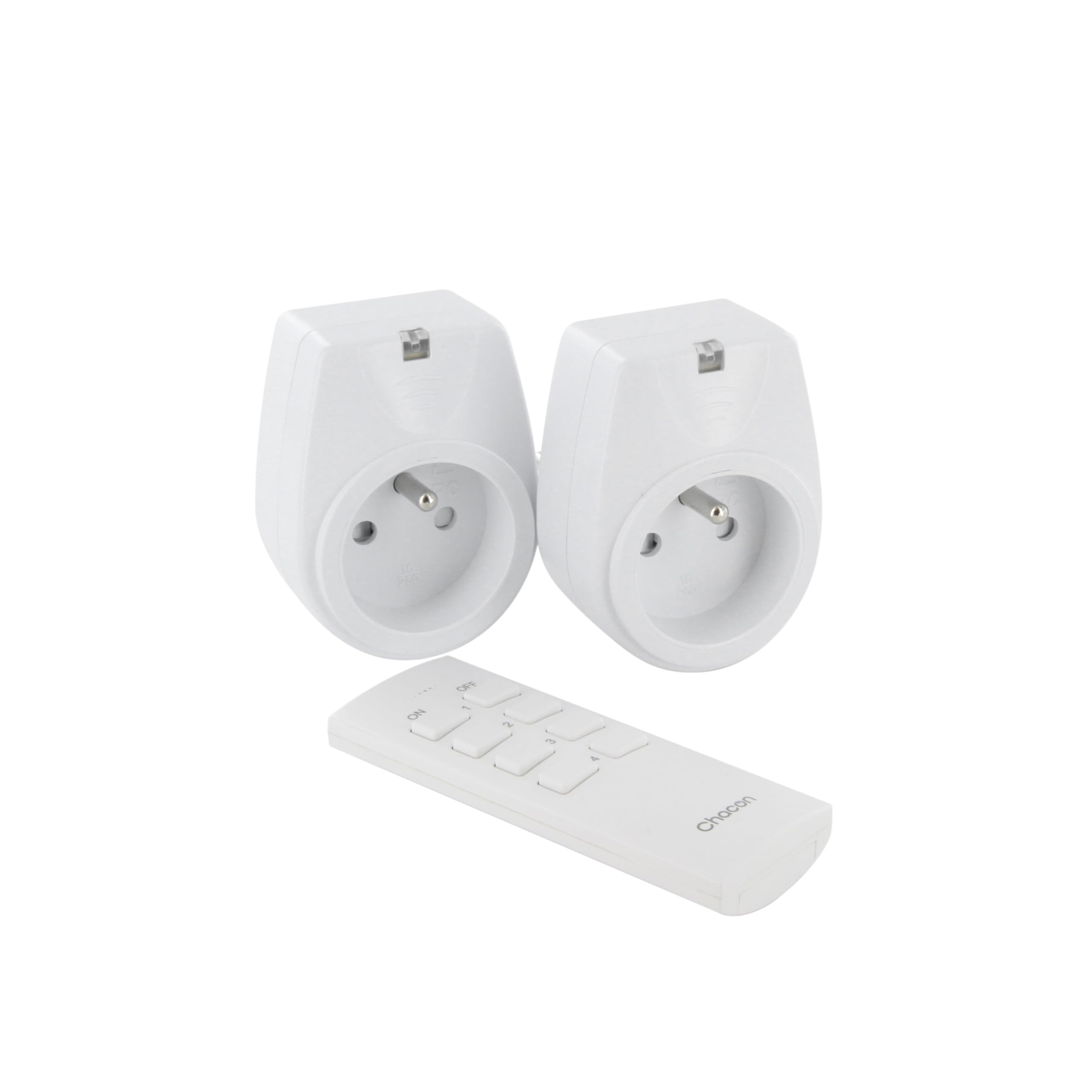
Image: A hand holding the CHACON remote control, demonstrating its use to switch on a lamp.
6. 유지관리
6.1. 청소
To clean the sockets and remote control, ensure they are disconnected from power. Use a soft, dry cloth. Do not use abrasive cleaners, solvents, or immerse in water.
6.2. 리모컨 배터리 교체
If the remote control's range decreases or it stops responding, the battery may need replacement. Follow the steps in Section 4.1 to replace the Lithium-ion battery with a new one of the same type.
7. 문제 해결
| 문제 | 가능한 원인 | 해결책 |
|---|---|---|
| 소켓이 리모컨에 반응하지 않습니다. |
|
|
| Connected appliance does not turn on/off. |
|
|
| Reduced transmission range. |
|
|
8. 사양
| 상표 | 차콘 |
| 모델 번호 | 54661 |
| 색상 | 하얀색 |
| 특별 기능 | 무선 전화 |
| 호환 장치 | Air conditioner, Game console, Iron, Speaker, Lamp, DVD player, MP3 player, E-reader, Coffee machine, Modem, Laptop, Heater, Router, Refrigerator, Set-top box, Smartphone, Smartwatch, Audio system, Hair dryer, Tablet, Television |
| 원격 배터리 유형 | 리튬이온(1개 포함) |
| 최대 전력 | 2000 와트 |
| 전송 거리 | 25m(개방형 필드) |
| 빈도 | 433.92MHz |
| 권tage | 230V |
| 소켓 수 | 2 |
| 플러그 유형 | FR (Type E/F) |
| 재료 | 폴리염화비닐(PVC) |
| 원산지 | 중국 |
9. 보증
This CHACON product is covered by a 2년 보증 from the date of purchase. This warranty covers manufacturing defects and material faults under normal use. It does not cover damage caused by misuse, accident, unauthorized modification, or improper installation.
보증 청구를 위해 구매 증명서를 보관하십시오.
10. 지원
For technical assistance, troubleshooting not covered in this manual, or warranty inquiries, please contact CHACON customer support.
Visit the official CHACON web최신 지원 정보와 연락처 정보는 사이트에서 확인하세요.
Note: Specific contact information may vary by region.