
제품 끝view
The Amazon Basics Full Size Ergonomic Wireless Mouse is designed for comfort and seamless functionality, ideal for right-hand use. This black wireless mouse provides reliable performance for both laptops and PCs, enhancing your computing experience with its advanced features.
Key features include fast-scrolling capabilities, a clickable scroll wheel, and convenient forward/back thumb buttons for streamlined navigation. It connects via a compact USB receiver, allowing for a tidy workspace without occupying additional ports. The optical sensor offers a 1600 DPI resolution for smooth and accurate tracking on most surfaces. An integrated on/off switch helps extend battery life, making it a dependable choice for continuous use. The mouse operates on a stable 2.4 GHz non-Bluetooth wireless connection and comes with 2 AA batteries and a battery LED light for user convenience.
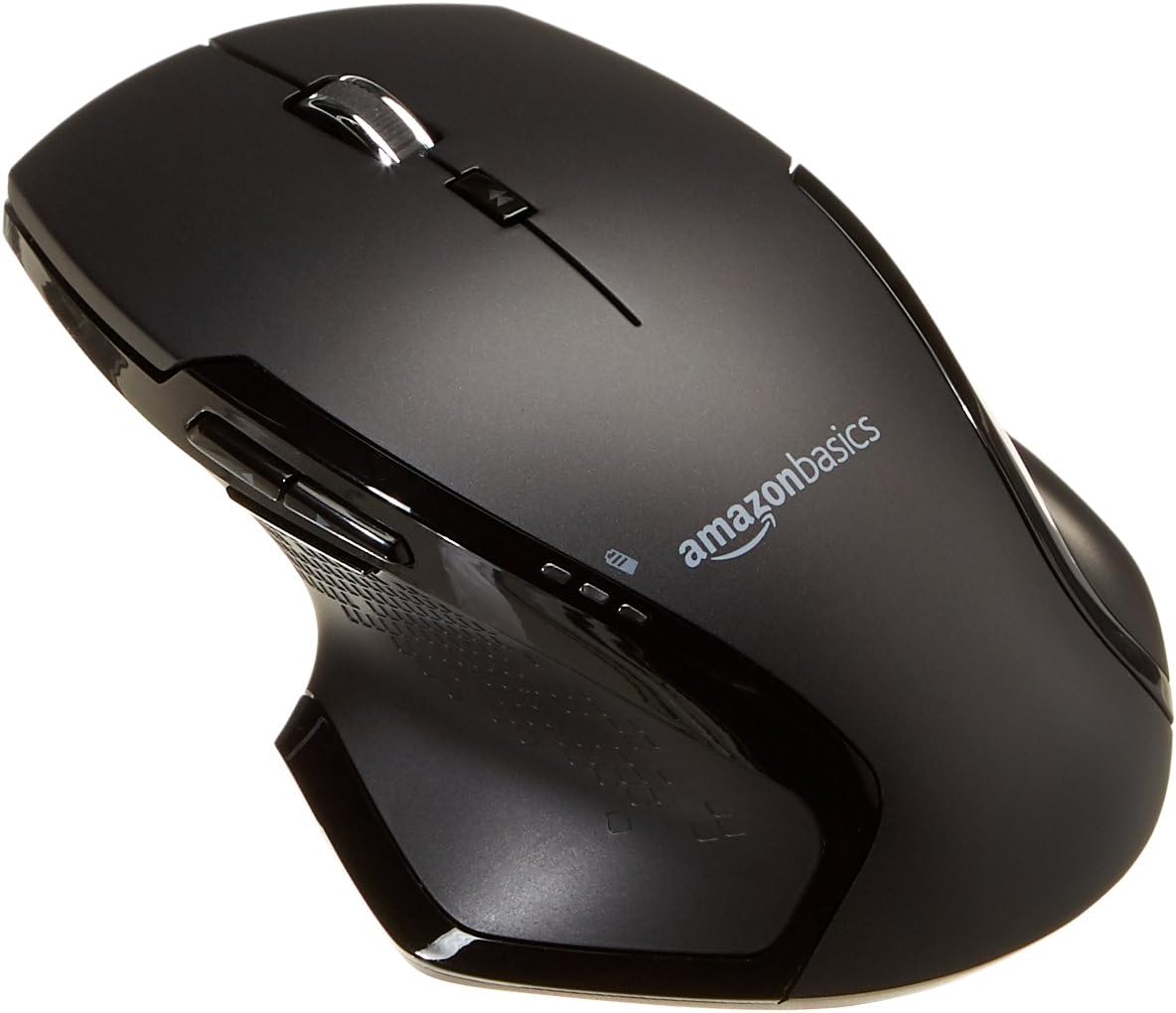
이미지: 상단 view of the Amazon Basics Full Size Ergonomic Wireless Mouse, showcasin검은색 마감과 인체공학적 디자인이 특징입니다.
패키지 내용
설치를 진행하기 전에 모든 항목이 있는지 확인하세요.
- 무선 마우스
- 2 x AA 배터리
- USB 수신기
설정
1. 배터리 설치
- 마우스를 거꾸로 뒤집으세요.
- 마우스 밑면에서 배터리 덮개를 찾으세요.
- 덮개를 밀어 엽니다.
- Insert the two (2) AA batteries, ensuring correct polarity (+/-) as indicated inside the compartment.
- 배터리 덮개를 단단히 닫으세요.

Image: Underside of the mouse with the battery compartment open, showing the slots for two AA batteries and the stored USB receiver.
2. USB 수신기 연결
- 마우스 배터리 칸 내부에 있는 보관 슬롯에서 USB 수신기를 꺼내십시오.
- USB 수신기를 컴퓨터(PC 또는 Mac)의 사용 가능한 USB 포트에 꽂으세요.
- 마우스를 돌려 ON using the on/off switch located on the underside of the mouse.
- 컴퓨터가 필요한 드라이버를 자동으로 감지하여 설치합니다. 이 작업에는 몇 분 정도 걸릴 수 있습니다.

Image: The Amazon Basics wireless mouse positioned next to a laptop, illustrating a typical setup.
The mouse is plug-and-play and does not require additional software installation. For pointer speed adjustments, refer to your operating system's system settings.
작동 지침
기본 기능
- 좌 클릭: 항목 선택, 열기를 위한 기본 버튼 files, 그리고 소프트웨어와의 상호작용.
- 마우스 오른쪽 버튼으로 클릭: 상황에 맞는 메뉴와 추가 옵션에 접근하기 위한 보조 버튼입니다.
- 스크롤 휠: 문서를 위아래로 스크롤하고 web pages. The wheel is also clickable for middle-click functions.

이미지: 측면 view of the Amazon Basics wireless mouse, highlighting its ergonomic contours and side buttons.
Advanced Functions (Thumb Buttons)
- 앞으로 버튼: 앞으로 이동합니다 web 브라우저 또는 file 탐험가.
- 뒤로가기 버튼: 뒤로 탐색합니다 web 브라우저 또는 file 탐험가.

Image: A hand demonstrating the ergonomic grip on the Amazon Basics wireless mouse, showing natural placement of fingers and thumb on the buttons.
유지
- 청소: 부드럽고 마른 천을 사용하여 마우스를 닦으세요. 잘 지워지지 않는 오염의 경우, 약간amp 천을 사용할 수는 있지만, 내부 부품에 습기가 들어가지 않도록 하십시오.
- 배터리 교체: When the battery LED light indicates low power, replace both AA batteries promptly to ensure optimal performance.
- 저장: When not in use for extended periods, turn off the mouse using the on/off switch to conserve battery life. The USB receiver can be stored inside the battery compartment for safekeeping.
문제 해결
| 문제 | 가능한 원인 | 해결책 |
|---|---|---|
| 마우스가 응답하지 않습니다. |
|
|
| 커서 움직임이 불규칙하거나 갑작스럽습니다. |
|
|
| Forward/Back buttons not working on Mac. |
|
|
명세서
| 특징 | 세부 사항 |
|---|---|
| 상표 | 아마존 기본 정보 |
| 모델 번호 | GP8-BK |
| 연결 기술 | 2.4GHz 무선(USB 수신기) |
| 움직임 감지 기술 | 광학 |
| DPI 해상도 | 1600DPI |
| 전원 | 2 x AA 배터리(포함) |
| 색상 | 검은색 |
| 품목 무게 | 8 온스(약 227그램) |
| 제품 크기(LxWxH) | 4.96 x 1.77 x 3.24인치(약 12.6 x 4.5 x 8.2cm) |
| 호환되는 운영 체제 | PC (Windows 7 and above), Mac, Laptop, Chromebook |
보증 및 지원
보증 정보 및 고객 지원에 대해서는 아마존 베이직스 공식 웹사이트를 참조하십시오. website or the documentation included with your product. You can also find additional resources and contact information via the following links:
For further assistance, please contact Amazon Basics customer service.


