
1. 시스템 오버view
This manual provides instructions for the SANNCE 16-channel 8MP NVR Wireless WiFi Security Camera System. This system is designed for comprehensive surveillance, offering high-resolution video recording and remote monitoring capabilities.
주요 특징:
- 16-Channel 8MP NVR: Supports up to 16 cameras with 8-megapixel resolution for clear video.
- 무선 와이파이 연결: Utilizes 2.4/5.8GHz dual-band WiFi for stable and long-distance connections up to 985ft in open environments.
- H.264+ Video Coding: Advanced compression technology to optimize storage space while maintaining video quality.
- IP66 Outdoor Cameras: Weatherproof cameras suitable for various environmental conditions (-20℃ to 60℃).
- 야간 투시경: Features up to 98ft IR night vision and 33ft full-color night vision for 24/7 monitoring.
- Human Motion Detection & Two-Way Talk: Enhanced security with intelligent detection and audio communication.
- 확장 가능한 스토리지: Supports up to 8TB local HDD storage and cloud storage options.
- 스마트 통합: Compatible with Alexa for voice control.
2. 시스템 설정
The SANNCE security system is designed for quick and easy plug-and-play installation. Follow these steps for initial setup.
2.1 포장 해제 및 초기 연결
- Carefully unpack all components: NVR, cameras, power adapters, and accessories.
- HDMI 또는 VGA 케이블을 사용하여 NVR을 모니터에 연결하십시오.
- 제공된 전원 어댑터를 사용하여 NVR을 전원에 연결하세요.
- Connect the cameras to their respective power sources. The cameras will automatically pair with the NVR.
- Connect the NVR to your router via an Ethernet cable for network access and remote view주고받음.

그림 2.1: 이상view of system installation, WiFi connection, and remote access via mobile application.
2.2 네트워크 구성
Once the NVR is connected to your router, access the NVR's interface on the connected monitor to configure network settings. Ensure DHCP is enabled on your router or assign a static IP address to the NVR if required by your network setup.
2.3 모바일 앱 설정
- Download the SANNCE mobile application from your device's app store.
- 계정을 등록하고 로그인합니다.
- Add your NVR to the app by scanning the QR code displayed on the NVR's interface or by manually entering its ID.
- 추가한 후에는 다음을 수행할 수 있습니다. view 실시간 영상 시청, 녹화 영상 재생, 알림 수신 등을 원격으로 할 수 있습니다.

그림 2.2: 원격 viewing of camera feeds on various devices.
3. 시스템 운영
This section details the various operational modes and features of your SANNCE security system.
3.1 녹음 모드
The system offers flexible recording options:
- 연속 녹화 : 24시간 내내 중단 없이 녹화합니다.
- 모션 감지 녹화: 움직임이 감지될 때만 녹화합니다.
- 인간의 움직임 감지: Advanced detection specifically for human shapes, reducing false alarms.
- 예약 녹화 : 녹음을 위한 특정 시간을 설정하세요.
- Alarm Triggered Recording: Records when an alarm event (e.g., motion, human detection) is triggered.

Figure 3.1: Intelligent human detection feature and various recording options.
3.2 야간 투시경
The cameras are equipped with advanced night vision technology to ensure clear surveillance in low-light conditions.
- IR 나이트 비전 : Provides black and white video up to 98 feet in complete darkness.
- 풀컬러 야간 투시경: Offers color video up to 33 feet in low-light conditions, enhancing detail and identification.

Figure 3.2: Demonstration of full-color night vision capability.
3.3 양방향 오디오
Utilize the built-in microphone and speaker on the cameras for two-way communication. This feature allows you to speak to individuals near the camera and hear their responses through the mobile app or NVR interface.

Figure 3.3: System features including two-way audio.

그림 3.4: 예ample of two-way audio communication.
3.4 Remote Monitoring and Alerts
Stay informed with real-time notifications and remote access:
- 모바일 앱 알림: Receive instant alerts on your smartphone when motion or human detection is triggered.
- 이메일 알림 : Configure the system to send email notifications with snapshots of events.
- 알렉사 통합: Use voice commands with Alexa-enabled devices to view 카메라 피드.

Figure 3.5: Notifications for intelligent people detection.

Figure 3.6: Seamless integration with Alexa for voice control.
4. 유지관리
정기적인 유지관리를 통해 보안 시스템의 최적의 성능과 수명을 보장할 수 있습니다.
4.1 카메라 청소
- 카메라 렌즈는 부드러운 천으로 주기적으로 청소하세요.amp 먼지, 흙 또는 물 얼룩을 제거하기 위한 천으로 막힘을 방지합니다. view.
- Avoid using harsh chemicals or abrasive materials that could damage the lens coating.
4.2 NVR and Storage Management
- 과열을 방지하기 위해 NVR을 통풍이 잘 되는 곳에 설치하십시오.
- Regularly check the hard drive status through the NVR interface to ensure it is functioning correctly.
- Manage storage space by configuring recording settings or backing up important footage to external storage or cloud services.
4.3 펌웨어 업데이트
Check the SANNCE official website or the mobile application periodically for firmware updates. Keeping your system's firmware updated ensures access to the latest features, security patches, and performance improvements.
5. 문제 해결
이 섹션에서는 일반적으로 발생할 수 있는 문제를 다루고 해결책을 제공합니다.
5.1 비디오 표시 안 됨
- 전원 확인: Ensure the NVR and all cameras are properly connected to power outlets and are turned on.
- 모니터 연결: Verify the HDMI/VGA cable connection between the NVR and your monitor.
- 카메라 페어링: Confirm that cameras are successfully paired with the NVR. Refer to the setup section for pairing instructions if needed.
5.2 무선 연결 불량
- 신호 강도: Check the wireless signal strength of the cameras in the NVR interface.
- 장애물: Reduce obstacles (thick walls, metal structures) between cameras and the NVR.
- 거리: Ensure cameras are within the effective wireless range (up to 985ft in open environments).
- 간섭: Minimize interference from other wireless devices. The system supports dual-band WiFi (2.4/5.8GHz) which can help.
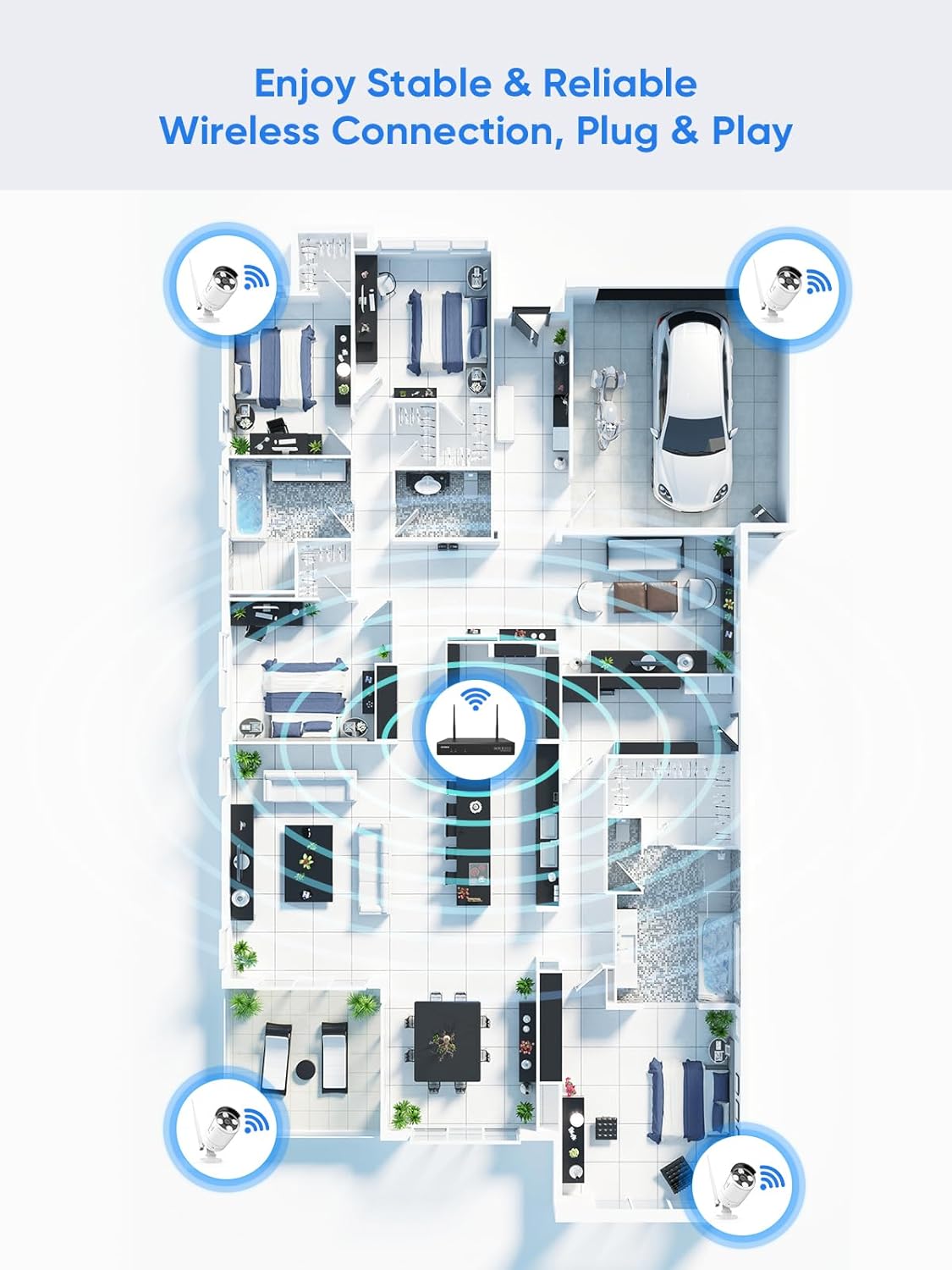
Figure 5.1: Wireless coverage and connection stability.
5.3 녹음 관련 문제
- 하드 드라이브: Verify the hard drive is installed correctly and is not full. Format the HDD if necessary (this will erase all data).
- 녹화 일정: Check your recording schedule and motion detection settings to ensure they are configured as desired.
- 모션 감도: Adjust motion detection sensitivity if recordings are too frequent or not frequent enough.
5.4 Remote Access Problems
- 인터넷 연결: Ensure both your NVR and mobile device have a stable internet connection.
- NVR 네트워크 설정: Confirm the NVR's network settings are correct and it has access to the internet.
- 앱 로그인: Verify you are logged into the SANNCE app with the correct account.
6. 사양
| 특징 | 세부 사항 |
|---|---|
| 모델 번호 | 4335041969 |
| 상표 | 산 네스 |
| 연결 기술 | HDMI, USB, VGA, Wireless WiFi (2.4/5.8GHz) |
| 호환 장치 | 카메라 |
| 메모리 저장 용량 | Up to 8 TB (HDD) |
| 하드 디스크 크기 | 8 TB (Maximum Supported) |
| IP 등급 | IP66 (실외 카메라) |
| 작동 온도 | -20℃ ~ 60℃ |
| 패키지 크기 | 13.78 x 11.42 x 3.19 인치 |
| 품목 무게 | 3.14파운드 |
| 첫 번째 이용 가능 날짜 | 11년 2017월 XNUMX일 |
7. 보증 및 지원
7.1 반품 정책
This product is subject to a 30-day return policy from the date of purchase. Please refer to your retailer's specific return guidelines for detailed information.
7.2 제조업체 보증
SANNCE provides a limited warranty for this product against defects in materials and workmanship. For specific warranty terms, duration, and conditions, please refer to the warranty card included with your product or visit the official SANNCE web대지.
7.3 고객 지원
If you encounter any issues or have questions regarding the installation, operation, or maintenance of your SANNCE security system, please contact SANNCE customer support for assistance. You can typically find contact information on the SANNCE official web사이트 또는 제품 포장 내부에 있습니다.
자세한 내용은 다음을 방문하세요. SANNCE Store.