
1. 서론
This manual provides instructions for the installation, operation, and maintenance of your Gembird 3.5" SATA USB 3.0 External HDD Enclosure. This device allows you to convert an internal 3.5-inch SATA hard disk drive into a portable external storage solution, utilizing the high-speed USB 3.0 interface for data transfer.
2. 패키지 내용
포장 내용물을 꼼꼼히 확인해 주세요. 누락되었거나 손상된 품목이 있는 경우 판매점에 문의하세요.
- Gembird 3.5" SATA USB 3.0 External HDD Enclosure (Model: EE3-U3S-3)
- USB 3.0 데이터 케이블
- 전원 어댑터
- Screws and screwdriver (if applicable for assembly)
- 사용 설명서 (본 문서)
3. 설정
3.1 Installing a 3.5" SATA Hard Drive
- 덮개를 조심스럽게 밀어서 여세요.asing.
- Connect your 3.5-inch SATA hard drive to the SATA data and power connectors inside the enclosure. Ensure a firm connection.
- Secure the hard drive within the enclosure using the provided screws, if necessary.
- Slide the enclosure casing back into place until it is securely closed.
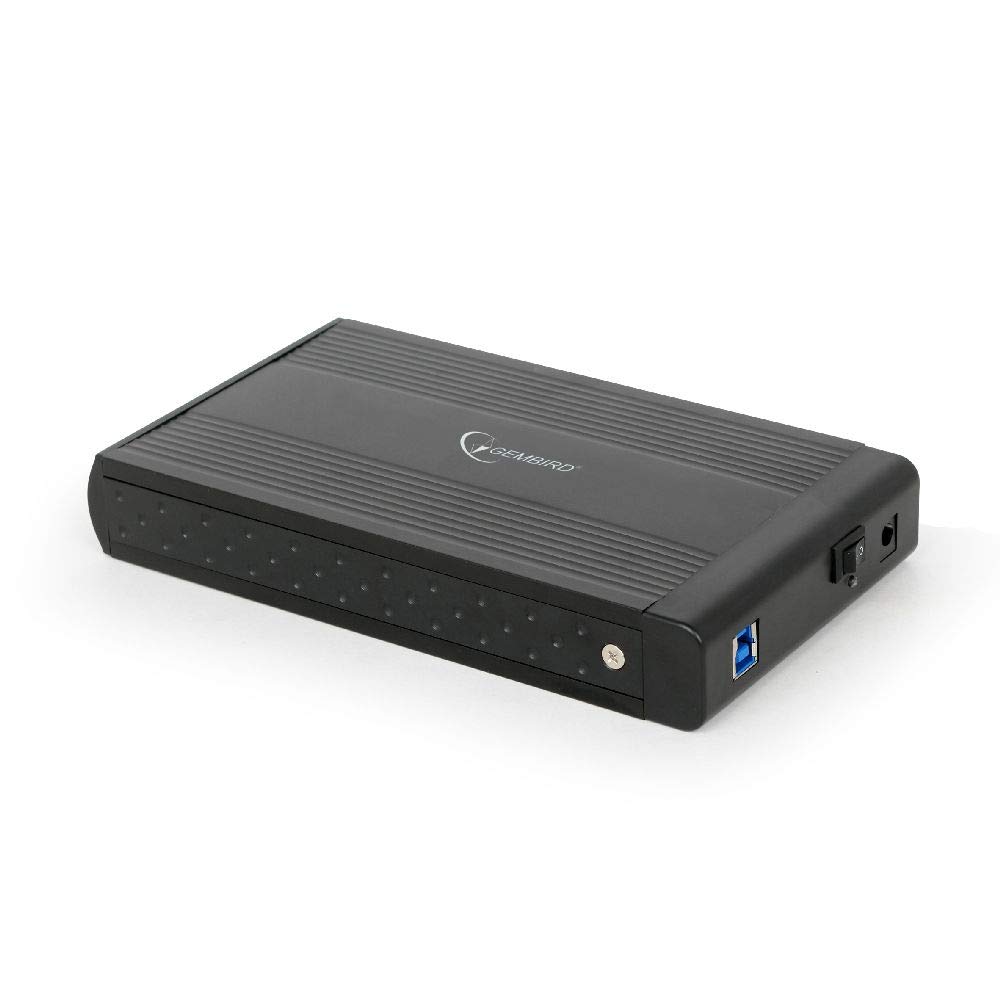
Image: The Gembird 3.5-inch SATA USB 3.0 External HDD Enclosure. This image shows the sleek black aluminum casing of the enclosure, designed to house a 3.5-inch SATA hard drive and connect to a computer via USB 3.0.
3.2 컴퓨터에 연결하기
- Connect the power adapter to the enclosure's power input port and then plug it into an electrical outlet.
- Connect one end of the supplied USB 3.0 cable to the USB 3.0 port on the enclosure.
- Connect the other end of the USB 3.0 cable to an available USB 3.0 port on your computer. For optimal performance, use a USB 3.0 port (typically blue). The enclosure is backward compatible with USB 2.0, but data transfer speeds will be limited.
- Your operating system should automatically detect and install the necessary drivers. The hard drive will appear as a new storage device.
4. 사용 설명서
4.1 데이터 전송
Once the enclosure is connected and recognized by your computer, you can drag and drop files to and from the external hard drive, or use it for backup purposes. The USB 3.0 interface supports data transfer speeds up to 5 Gbps (Gigabits per second), significantly faster than USB 2.0.
4.2 안전한 제거
Always safely remove the external hard drive before disconnecting it from your computer to prevent data corruption. In Windows, use the "Safely Remove Hardware and Eject Media" icon in the system tray. On macOS, drag the drive icon to the Trash or use the Eject option in Finder.
5. 유지관리
To ensure the longevity and optimal performance of your enclosure:
- 케이스를 깨끗하고 먼지가 없는 상태로 유지하세요. 청소 시에는 부드럽고 마른 천을 사용하세요.
- 극한의 온도, 습도 또는 직사광선에 인클로저를 노출시키지 마십시오.
- Do not drop or subject the enclosure to strong impacts, as this can damage the internal hard drive.
- 특히 장시간 사용 시에는 과열을 방지하기 위해 적절한 환기를 확보하십시오.
6. 문제 해결
6.1 인클로저가 감지되지 않음
- 전원을 확인하세요: Ensure the power adapter is securely connected to both the enclosure and a working electrical outlet.
- Check USB connection: Verify that the USB cable is firmly connected to both the enclosure and a functional USB port on your computer. Try a different USB port or cable.
- Hard drive installation: Re-open the enclosure and ensure the SATA hard drive is correctly seated and connected to the internal connectors.
- 디스크 관리(Windows) / 디스크 유틸리티(macOS): Check if the drive appears in your operating system's disk management tools. If it appears but is unallocated or unformatted, you may need to initialize and format it (note: formatting will erase all data on the drive).
6.2 느린 데이터 전송 속도
- USB 3.0 포트: 컴퓨터의 USB 3.0 포트에 연결되어 있는지 확인하십시오. USB 2.0 포트는 속도를 제한할 수 있습니다.
- USB 3.0 cable: Use the provided USB 3.0 cable or another certified USB 3.0 cable.
- Hard drive performance: The speed of the internal hard drive itself can be a limiting factor. Older or slower HDDs will not achieve maximum USB 3.0 speeds.
7. 사양
| 모델 | EE3-U3S-3 |
| 폼 팩터 | 3.5인치 |
| 인터페이스(내부) | SATA |
| Interface (External) | USB 3.0 |
| 데이터 전송 속도 | 최대 5Gbps(USB 3.0) |
| 재료 | 알류미늄 |
| 색상 | 검은색 |
| 호환 장치 | 3.5" SATA HDDs |
| 무게 | 235그램 |
8. 보증 및 지원
Gembird products are designed for reliability and performance. For warranty information, please refer to the warranty card included with your product or visit the official Gembird website. For technical support or further assistance, please contact your retailer or the Gembird customer support team.