
1. 서론
This manual provides essential instructions for the setup, operation, and maintenance of your Korg PA700 61-Key Arranger Keyboard bundle. This bundle includes the Korg PA700 keyboard, an adjustable X-style keyboard bench, and an adjustable double X keyboard stand. Please read this manual thoroughly before using the product to ensure proper and safe operation.
The Korg PA700 features KORG’s advanced EDS-X (Enhanced Definition Synthesis-eXpanded) sound engine, offering over 1,700 ready-to-play sounds. It includes a capacitive TouchView display for intuitive control and 2x25 Watt amplifiers driving two loudspeakers in a bass-reflex enclosure for a rich sound experience. The instrument also provides 148 studio-quality effect types for sound customization.
2. 패키지 내용
아래 나열된 모든 품목이 패키지에 들어 있는지 확인하세요.
- Korg PA700 61-Key Arranger Keyboard
- Adjustable X Style Keyboard Bench
- Adjustable Double X Keyboard Stand
- 전원 케이블
- 보면대
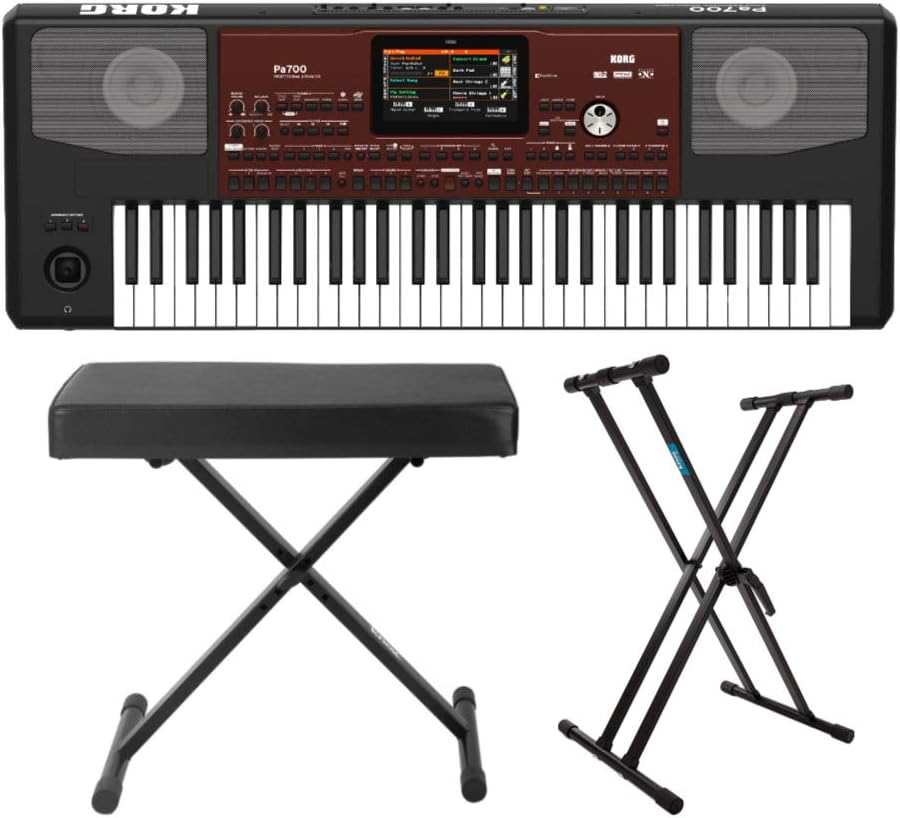
그림 2.1: 이상view of the Korg PA700 Arranger Keyboard, adjustable bench, and double X stand included in the bundle.
3. 설정 지침
3.1 키보드 스탠드 조립하기
- Unfold the adjustable double X keyboard stand.
- Adjust the height to your preferred playing position using the locking mechanism. Ensure the stand is stable before placing the keyboard.

Figure 3.1: The adjustable double X keyboard stand, ready for assembly and height adjustment.
3.2 Assembling the Keyboard Bench
- Unfold the adjustable X-style keyboard bench.
- Ensure all legs are securely locked into place for stability.

Figure 3.2: The adjustable X-style keyboard bench in its unfolded, ready-to-use state.
3.3 Connecting the Korg PA700 Keyboard
- Place the Korg PA700 keyboard securely on the assembled stand.
- Insert the power cable into the AC IN port on the rear panel of the keyboard.
- 전원 케이블의 다른 쪽 끝을 적절한 전원 콘센트에 연결하십시오.
- If using external audio equipment, connect audio cables to the appropriate output jacks (e.g., L/MONO, R) on the rear panel.
- For headphones, connect to the headphone jack on the front left side of the keyboard.

Figure 3.3: The rear panel of the Korg PA700, showing various input and output ports including AC IN, audio outputs, and USB connections.
4. 사용 설명서
4.1 전원 켜기/끄기
- To power on, press the POWER button located on the left side of the keyboard.
- 전원을 끄려면 기기가 꺼질 때까지 전원 버튼을 길게 누르십시오.
4.2 Navigating the TouchView 표시하다
The Korg PA700 features a capacitive TouchView display. Interact with the display by touching icons and menus directly with your finger. The redesigned graphical interface is designed for ease of use and readability.

그림 4.1: 상단 view of the Korg PA700, highlighting the central TouchView display and surrounding control panel.
4.3 Sound Selection and Customization
The PA700 includes over 1,700 ready-to-play sounds, powered by the EDS-X sound engine. These include a wide range of instruments from classic keyboards to orchestral sounds. Use the TouchView display to browse and select sounds.
4.4 Using Studio-Quality Effects
The keyboard offers 148 effect types. For accompaniment tracks, two insert effects and two master effects can be applied. For real-time keyboard tracks, one insert effect and two master effects are available. Access and adjust these effects through the TouchView display's effect section.
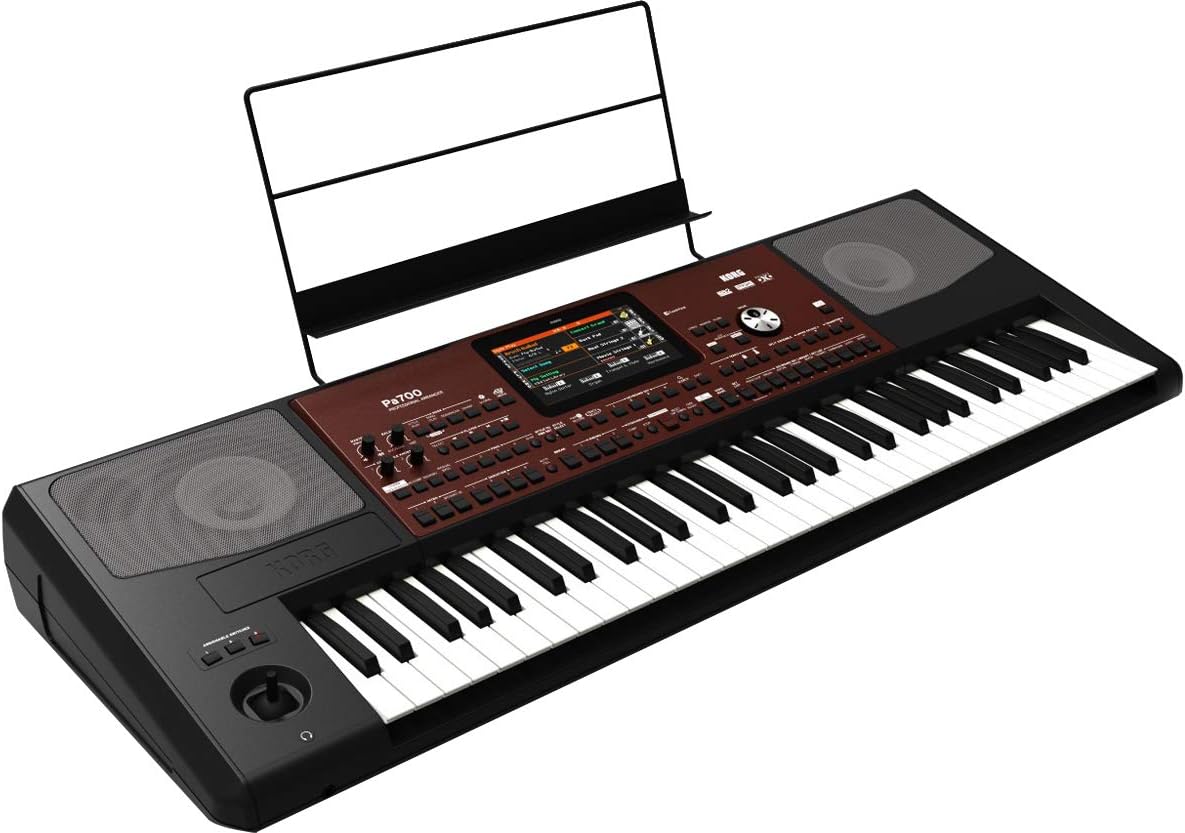
그림 4.2: 각도 view of the Korg PA700, showing the keyboard, control panel, and an installed music rest.
5. 유지관리
5.1 청소
- Use a soft, dry cloth to clean the surface of the keyboard, stand, and bench.
- 완고한 먼지에는 약간 damp물과 순하고 마모성이 없는 세제를 묻힌 천으로 닦은 후 즉시 마른 천으로 닦아주세요.
- 연마성 세척제, 용제 또는 왁스는 마감재를 손상시킬 수 있으므로 사용하지 마십시오.
5.2 보관
- 키보드는 직사광선과 극한의 온도를 피해 시원하고 건조한 곳에 보관하세요.
- If storing for extended periods, cover the keyboard to protect it from dust.
6. 문제 해결
6.1 전원 없음
- Ensure the power cable is securely connected to both the keyboard and a working power outlet.
- 다른 장치를 연결해 전원 콘센트가 작동하는지 확인하세요.
6.2 소리가 나지 않습니다
- 메인 볼륨 조절 노브가 최대로 올라가 있는지 확인하십시오.
- If using headphones, ensure they are properly plugged in and test with another audio source.
- 외부 스피커를 사용하는 경우 전원과 연결 상태를 확인하세요.
6.3 디스플레이가 응답하지 않음
- Try restarting the keyboard by powering it off and on again.
- Ensure your fingers are clean and dry when interacting with the TouchView 표시하다.
7. 사양
| 특징 | 사양 |
|---|---|
| 모델명 | PA700 |
| 상표 | 코르그 |
| 키의 개수 | 61 |
| 악기 유형 | Electronic Keyboard (Arranger) |
| 사운드 엔진 | EDS-X (Enhanced Definition Synthesis-eXpanded) |
| 소리 | Over 1,700 ready-to-play sounds |
| 효과 | 148 types (2 Insert/2 Master for accompaniment, 1 Insert/2 Master for real-time) |
| Amp리퍼 | 2 x 25 와트 |
| 스피커 | 2 loudspeakers in bass-reflex enclosure |
| 표시하다 | 정전식 터치View 표시하다 |
| 연결 기술 | Auxiliary, 3.5mm Jack (Headphone) |
| 전원 | 코드식 전기 |
| 품목 무게 | 30.8 pounds (Keyboard only) |
| 제품 치수 | 9.1 x 9.1 x 9.1 inches (Packaging/Shipping dimensions, actual keyboard dimensions may vary) |
| 색상 | Black, Wine Red |
| 한국어: | 657379010538 |
8. 보증 및 지원
보증 정보 및 기술 지원에 대해서는 Korg 공식 웹사이트를 참조하십시오. website or contact Korg customer service directly. Specific warranty terms may vary by region and retailer.
You can find more information and support resources by visiting the official KORG store online: KORG Official Store.