
1. 제품 오버view
The MERCUSYS MW300UM N300 Wireless Mini USB Adapter is designed to connect your desktop or laptop computer to a wireless network. It provides Wi-Fi connections up to 300Mbps, suitable for online gaming, HD streaming, and web browsing. Its compact, mini USB design ensures portability and convenience.
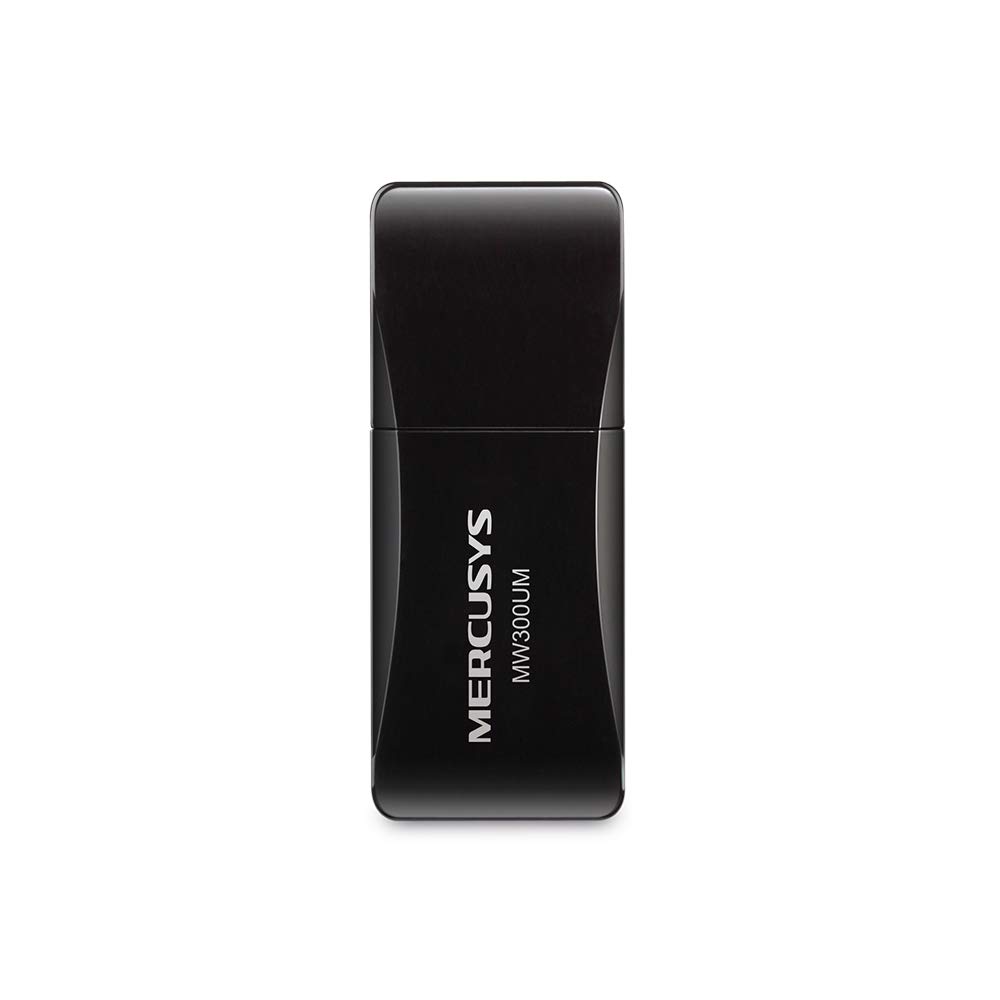
Figure 1: MERCUSYS MW300UM N300 Wireless Mini USB WiFi Adapter

Figure 2: Portable design for convenient use with laptops.
2. 패키지 내용
패키지에 다음 품목이 포함되어 있는지 확인하십시오.
- MERCUSYS MW300UM Wireless Mini USB Adapter
- 빠른 설치 가이드
- 리소스 CD(드라이버 및 유틸리티용)

Figure 3: MW300UM product packaging and contents.
3. 설정 가이드
Follow these steps to install and set up your MW300UM Wireless Mini USB Adapter:
- 어댑터를 삽입합니다: Plug the MW300UM adapter into an available USB port on your desktop or laptop computer.
- 드라이버 설치:
- Insert the provided Resource CD into your computer's CD-ROM drive and follow the on-screen instructions to install the drivers and utility.
- Alternatively, if your computer does not have a CD-ROM drive or if you prefer the latest drivers, download them from the official MERCUSYS web대지. NS website link is typically provided in the Quick Installation Guide.
- Wi-Fi에 연결: Once the drivers are installed, your computer will detect the adapter. Scan for available wireless networks, select your desired network, and enter the password to connect.

Figure 4: Easy setup process for the MW300UM adapter.
4. 사용 설명서
The MW300UM adapter provides reliable wireless connectivity and can also function as a Wi-Fi hotspot.
4.1 무선 연결
After successful driver installation, the adapter will enable your computer to connect to 2.4GHz wireless networks at speeds up to 300Mbps. This is suitable for various online activities including video streaming, voice calls, and online gaming.

Figure 5: MW300UM performance for various applications.
4.2 Soft AP Function
The MW300UM supports Soft AP (Access Point) functionality. If your computer has an existing wired internet connection, you can use the adapter to turn your PC or laptop into a Wi-Fi hotspot, allowing other wireless devices to connect to the internet through it. Refer to the utility software for instructions on enabling and configuring Soft AP mode.
4.3 지원되는 운영 체제
The MW300UM adapter is compatible with a wide range of Windows operating systems:
- Windows 11(32/64비트)
- Windows 10(32/64비트)
- Windows 8.1(32/64비트)
- Windows 8(32/64비트)
- Windows 7(32/64비트)
- Windows XP (32/64bit)

Figure 6: Supported Operating Systems.
5. 유지관리
To ensure optimal performance and longevity of your MW300UM adapter, follow these maintenance guidelines:
- 청소: Use a soft, dry cloth to gently wipe the adapter. Avoid using liquid cleaners or solvents, as they may damage the device.
- 저장: 사용하지 않을 때에는 어댑터를 직사광선이나 극한 온도를 피해 서늘하고 건조한 곳에 보관하십시오.
- 손질: Avoid dropping the adapter or subjecting it to strong impacts. Do not attempt to disassemble or modify the device.
- USB 포트: Ensure the USB port on your computer is clean and free of debris before inserting the adapter.
6. 문제 해결
If you encounter issues with your MW300UM adapter, refer to the following common problems and solutions:
- 어댑터가 감지되지 않음:
- 어댑터가 작동하는 USB 포트에 제대로 꽂혀 있는지 확인하십시오. 다른 USB 포트를 사용해 보십시오.
- 컴퓨터를 다시 시작하세요.
- Verify that the drivers are correctly installed. Reinstall drivers if necessary.
- Wi-Fi 네트워크에 연결할 수 없습니다:
- 다른 기기가 동일한 Wi-Fi 네트워크에 연결할 수 있는지 확인하세요.
- 올바른 Wi-Fi 비밀번호를 입력했는지 확인하세요.
- 무선 라우터/모뎀을 재시작하세요.
- Update the adapter's drivers to the latest version from the MERCUSYS web대지.
- 느린 Wi-Fi 속도:
- Ensure your computer is within a reasonable range of your wireless router.
- 다른 전자 장치(예: 전자레인지, 무선 전화기)의 간섭이 있는지 확인하세요.
- Verify that your internet service plan supports the expected speeds.
- 어댑터 드라이버를 업데이트하세요.
7. 사양
| 특징 | 사양 |
|---|---|
| 상표 | 머큐 시스 |
| 모델 번호 | MW300UM |
| 하드웨어 인터페이스 | USB 2.0 |
| 데이터 링크 프로토콜 | IEEE 802.11n, IEEE 802.11g, IEEE 802.11b |
| 데이터 전송 속도 | 초당 300메가비트 |
| 호환되는 운영 체제 | Windows 11/10/8.1/8/7/XP (32/64bit) |
| 제품 크기(L x W x H) | 17L x 9W x 43H 밀리미터 |
| 색상 | 검은색 |
| 상자 내용물 | Wireless Mini USB Adapter, Quick Installation Guide, Resource CD |
8. 보증 정보
The MERCUSYS MW300UM Wireless Mini USB Adapter typically comes with a 3년 보증 from the date of purchase. This warranty covers manufacturing defects and ensures the product functions as intended under normal use. Please retain your purchase receipt for warranty claims.
For detailed warranty terms and conditions, refer to the official MERCUSYS web사이트 또는 제품 포장에 포함된 보증 카드를 참조하세요.
9. 지원
For further assistance, technical support, or to download the latest drivers and firmware, please visit the official MERCUSYS support web대지:
You may also find contact information for customer service in your region on the web웹사이트 또는 빠른 설치 가이드를 참조하십시오.