
Etymotic ER3XR
Etymotic ER3XR Extended Response Earphone User Manual
Model: ER3XR
소개
The Etymotic ER3XR is a high-sensitivity in-ear monitor (IEM) designed for accurate audio reproduction with enhanced bass. It features a durable, precision-machined anodized aluminum shell and a single balanced armature driver. These earphones provide exceptional passive noise isolation, reducing external noise by 35-42 dB, depending on the eartips and insertion depth. The ER3XR is suitable for audiophiles and consumers seeking an easy-to-drive earphone with a balanced sound profile and emphasized bass.
상자 안에 무엇이 들어있나요?
- Etymotic ER3XR Headphones
- 운반 케이스
- Assorted Eartip Pack
- 사용 설명서 (본 문서)

Figure 1: Included accessories with the Etymotic ER3XR earphones.
설정
1. Choosing and Attaching Eartips
The ER3XR comes with an assorted eartip pack to ensure optimal fit and noise isolation. Select the eartips that provide the best seal and comfort for your ears. Proper fit is crucial for achieving the intended sound quality and noise isolation.
- Triple-Flange Eartips: These provide the deepest insertion and highest level of noise isolation (up to 42 dB). Insert them deeply into the ear canal for the best performance.
- 폼 이어팁: Compress the foam tips before inserting them into your ear canal. Hold them in place until they expand to create a seal. These also offer excellent isolation.
2. 케이블 연결
The ER3XR features user-replaceable 4ft reinforced detachable cables with MMCX connectors. Align the connectors on the cable with the earphone bodies and push firmly until they click into place. Ensure the left (L) and right (R) indicators on the earphones match the corresponding cable sides.

Figure 2: Detachable cable with MMCX connector.
3. 이어폰 삽입
For optimal sound and isolation, the earphones must be inserted deeply into the ear canal. Gently pull your earlobe up and back to straighten the ear canal, then slowly insert the earphone until a comfortable, secure seal is achieved. You should notice a significant reduction in ambient noise.
Video 1: Demonstration of proper earphone insertion for optimal fit and sound isolation.
Connect the 3.5mm gold-plated stereo plug to your audio device's headphone jack. The ER3XR is compatible with a wide range of devices including laptops, desktops, tablets, smartphones, smart speakers, and televisions.
작동 지침
오디오 재생
Once properly inserted and connected, begin audio playback from your device. The ER3XR's single balanced armature micro-driver delivers precise and clear audio across its frequency range of 20 Hz to 16 kHz. The enhanced bass response provides a rich listening experience without requiring an external amp리퍼.
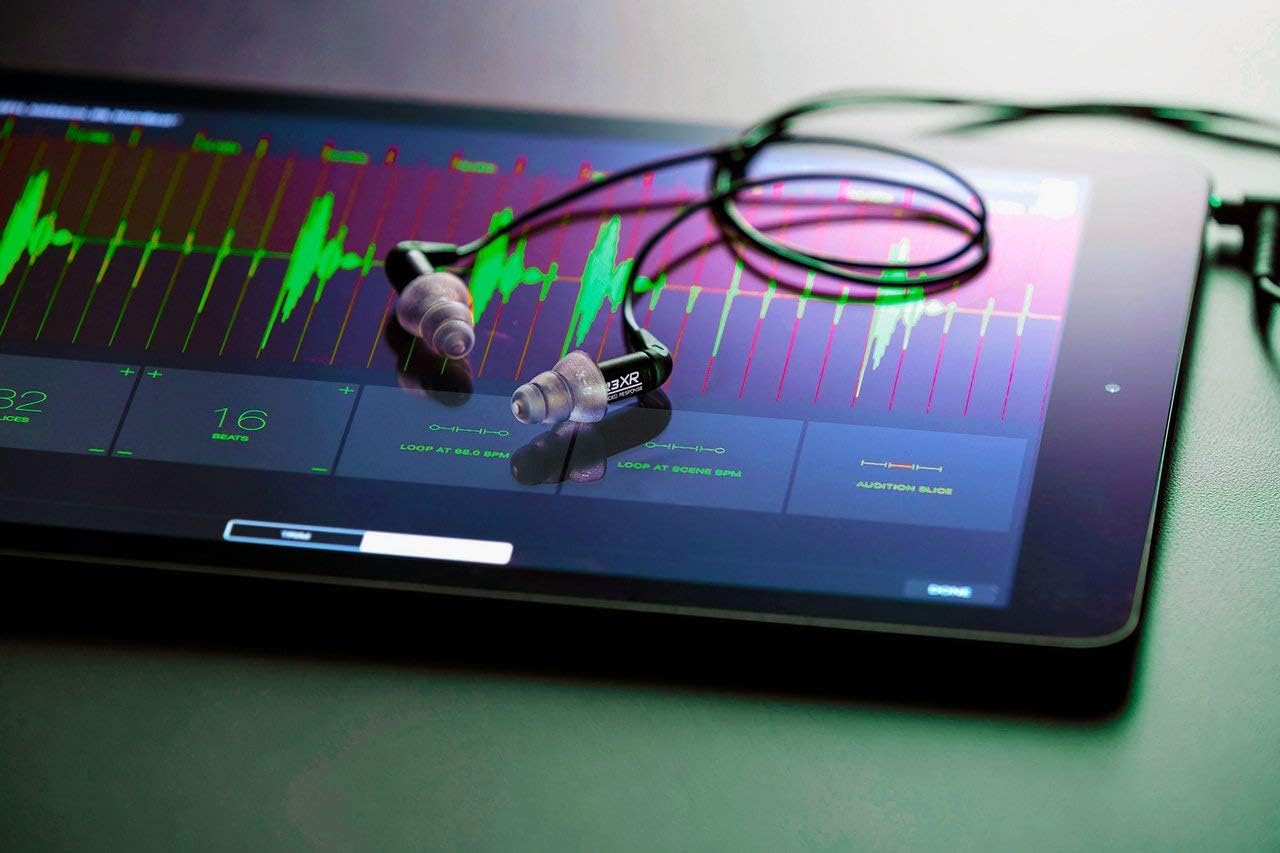
Figure 3: ER3XR earphones in use with a tablet.
Volume Control and Safety
Adjust the volume using your audio device's controls. Due to the high noise isolation, you may find that lower volume settings are sufficient. Avoid listening at excessively high volumes for prolonged periods to prevent hearing damage. The earphones have a maximum output of 120 dB.
유지
Cleaning the Earphones
Regular cleaning of your ER3XR earphones and eartips is recommended to maintain hygiene and optimal sound quality. Use a soft, dry cloth to wipe the earphone bodies. For eartips, remove them from the earphones and clean with mild soap and water, then rinse thoroughly and allow to air dry completely before reattaching.
케이블 관리
While the cables are reinforced and detachable, avoid sharp bends or excessive pulling to prolong their lifespan. If a cable becomes damaged, it can be replaced due to the MMCX connectors.
문제 해결
- 소리가 나지 않거나 볼륨이 낮음:
- 3.5mm 플러그가 오디오 기기에 완전히 삽입되었는지 확인하십시오.
- 오디오 장치의 볼륨 레벨을 확인하세요.
- Verify that the eartips are properly seated and creating a seal in your ear canal. Improper insertion can significantly affect sound.
- Confirm that the detachable cables are securely connected to the earphone bodies.
- Distorted Sound or Crackling:
- 오디오 장치의 볼륨을 줄이세요.
- 오디오 소스에 문제가 있는지 확인하십시오.
- Inspect the cable for any visible damage. If the cable is faulty, replacing it may resolve the issue.
- Ensure the eartips are clean and free of debris that might obstruct the sound.
- Poor Noise Isolation:
- Re-evaluate your eartip choice and insertion technique. Experiment with different sizes and types of eartips provided to find the best seal.
- Ensure the earphones are inserted deeply enough into the ear canal.
If you continue to experience issues, please refer to the full PDF user manual or contact Etymotic customer support.
명세서
| 모델명 | ER3XR |
| 상표 | 에조 지성 |
| 귀 위치 | 귀에 |
| 연결 기술 | 열광한 |
| 헤드폰 잭 | 3.5 mm 잭 |
| 소음 제어 | Sound Isolation (35-42 dB) |
| 오디오 드라이버 유형 | 평형 전기자 드라이버 |
| 주파수 범위 | 20Hz - 16kHz |
| 임피던스 | 22옴 |
| 최대 출력 | 120데시벨 |
| 케이블 기능 | Detachable (4ft reinforced with MMCX connectors) |
| 재료 | Metal (Precision machined anodized aluminum) |
| 품목 무게 | 0.02킬로그램(0.634온스) |
| 제품 치수 | 2 x 3.75 x 7 인치 |
| 방수 레벨 | 방수가 되지 않음 |
| 원산지 | 베트남 |
보증 및 지원
The Etymotic ER3XR earphones come with a 2년 보증, exceeding the industry standard. This warranty covers manufacturing defects and ensures long-term reliability of your product.
For detailed warranty information, troubleshooting guides, and customer support, please refer to the official Etymotic web사이트 또는 종합적인 PDF 사용자 매뉴얼.
Ask a question about this manual
Ask about setup, troubleshooting, compatibility, parts, safety, or missing instructions. Manuals+ will review the question and use this page’s manual context to help answer it.